الشحنات

تسجيل طرد يرسله المتجر عبر شركة شحن: من أين، إلى أين، ومتى يُستلم.

  1. افتح المخزون ← الشحنات واضغط إضافة.
  2. في الاستلام من اختر الشركة وعنوانها، وفي التوصيل إلى العميل وعنوانه، مع جهة الاتصال في كل طرف.
  3. أضف طرد الشحنة: الطول والعرض والارتفاع والوزن والعدد، وإشعار التوصيل الذي يحمله.
  4. اكتب قيمة البضائع ووصف المحتوى وتاريخ الاستلام وساعته، ثم اضغط حفظ وتأكيد.
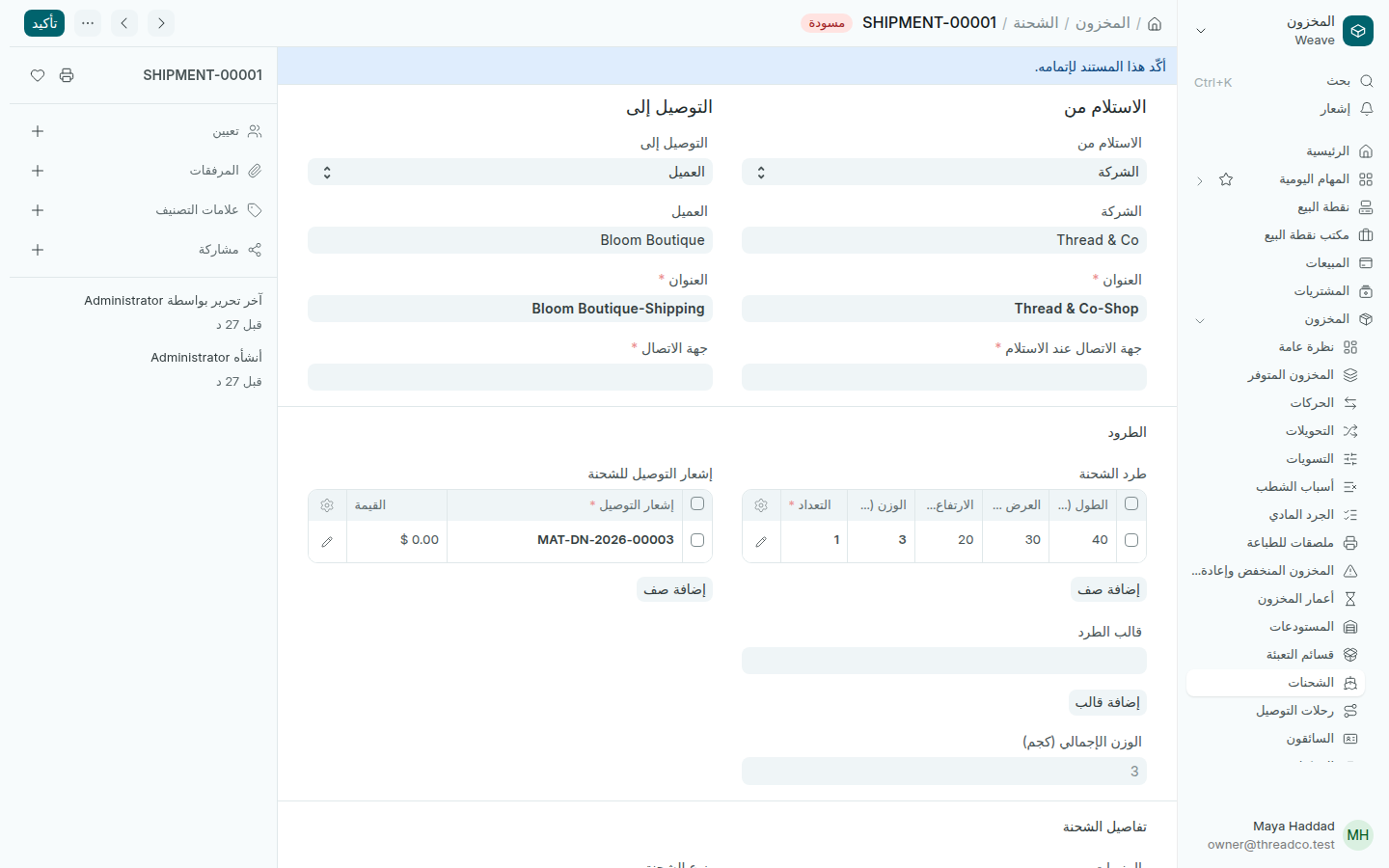
شحنة إلى عميل
من المتجر إلى Bloom Boutique.

الشحنة سجلّ لما أرسلته وإلى من. اتفاقك مع شركة الشحن يبقى خارج Weave.
Shipments

Record a parcel the shop sends with a courier: from where, to where, and when it is picked up.

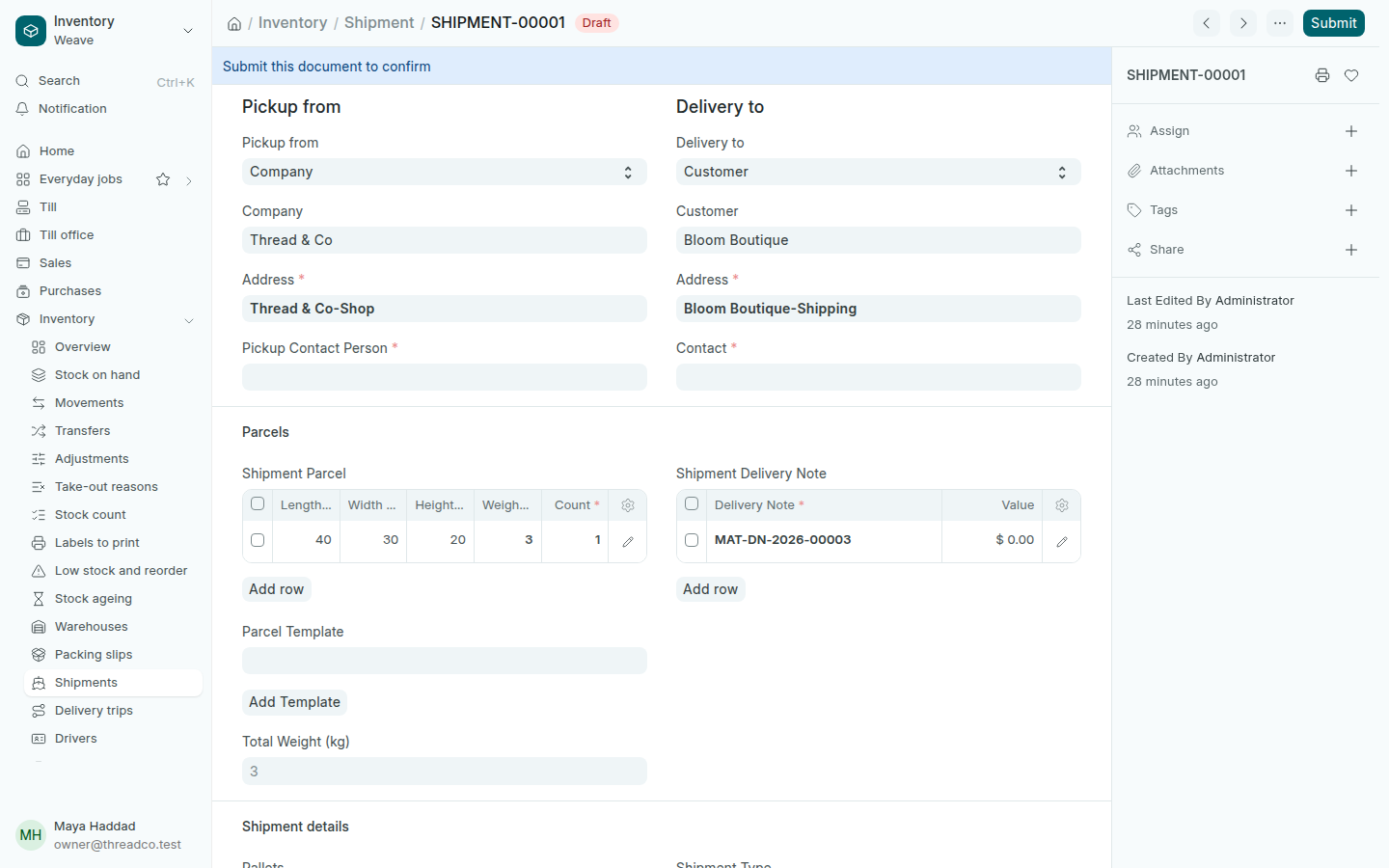
  1. Open Inventory → Shipments and press Add.
  2. In Pickup from, choose your company and its address, and in Delivery to the customer and theirs, with a contact at each end.
  3. Add the Shipment Parcel: length, width, height, weight and count, and the delivery note it carries.
  4. Type the Value of Goods, the Description of Content, the Pickup Date and its time, then press Save and Submit.
A shipment to a customer
From the shop to Bloom Boutique.

A shipment is a record of what you sent and to whom. Your arrangement with the courier stays outside Weave.