المخزون المنخفض وإعادة الطلب

حدّ لكل منتج في كل فرع، وقائمة بما بلغه، وطلب مخزون يُنشأ تلقائياً كل يوم.

تحديد حدّ إعادة الطلب

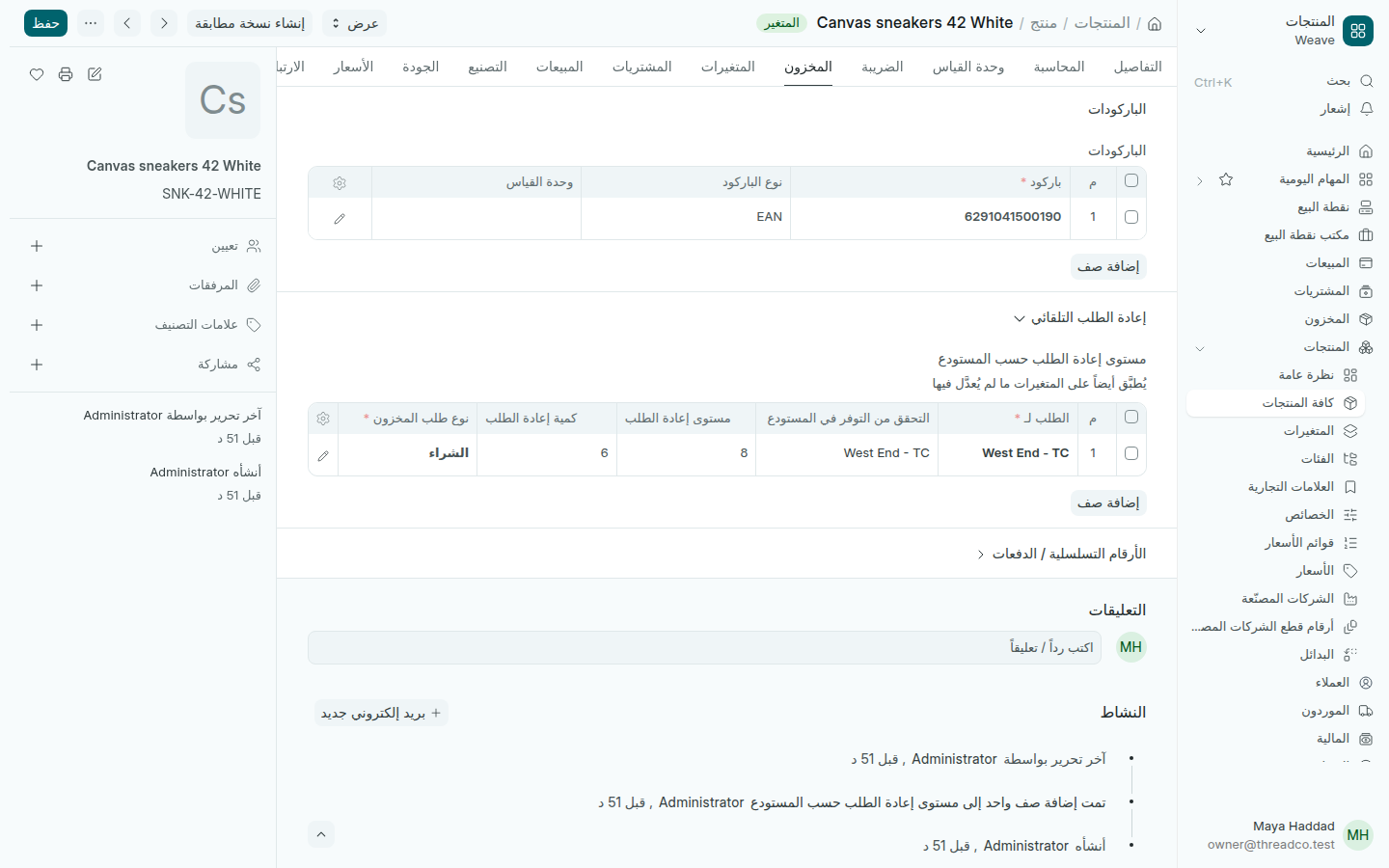
  1. افتح المقاس واللون من المنتجات ← كافة المنتجات، ثم تبويب المخزون.
  2. افتح إعادة الطلب التلقائي واضغط إضافة صف في مستوى إعادة الطلب حسب المستودع.
  3. اختر الفرع في الطلب لـ، واكتب مستوى إعادة الطلب، وهو العدد الذي تريد أن تطلب عنده، وكمية إعادة الطلب، وهي ما تطلبه في كل مرة. اترك نوع طلب المخزون على الشراء.
  4. اضغط حفظ.
مستوى إعادة الطلب لفرع West End
عند 8 قطع أو أقل في West End، اطلب 6.

ما بلغ حدّه

افتح المخزون ← المخزون المنخفض وإعادة الطلب. لكل منتج بلغ حدّه في فرع سطر فيه الكمية في اليد والنقص وكمية إعادة الطلب والكمية قيد الطلب من أوامر الشراء المفتوحة.
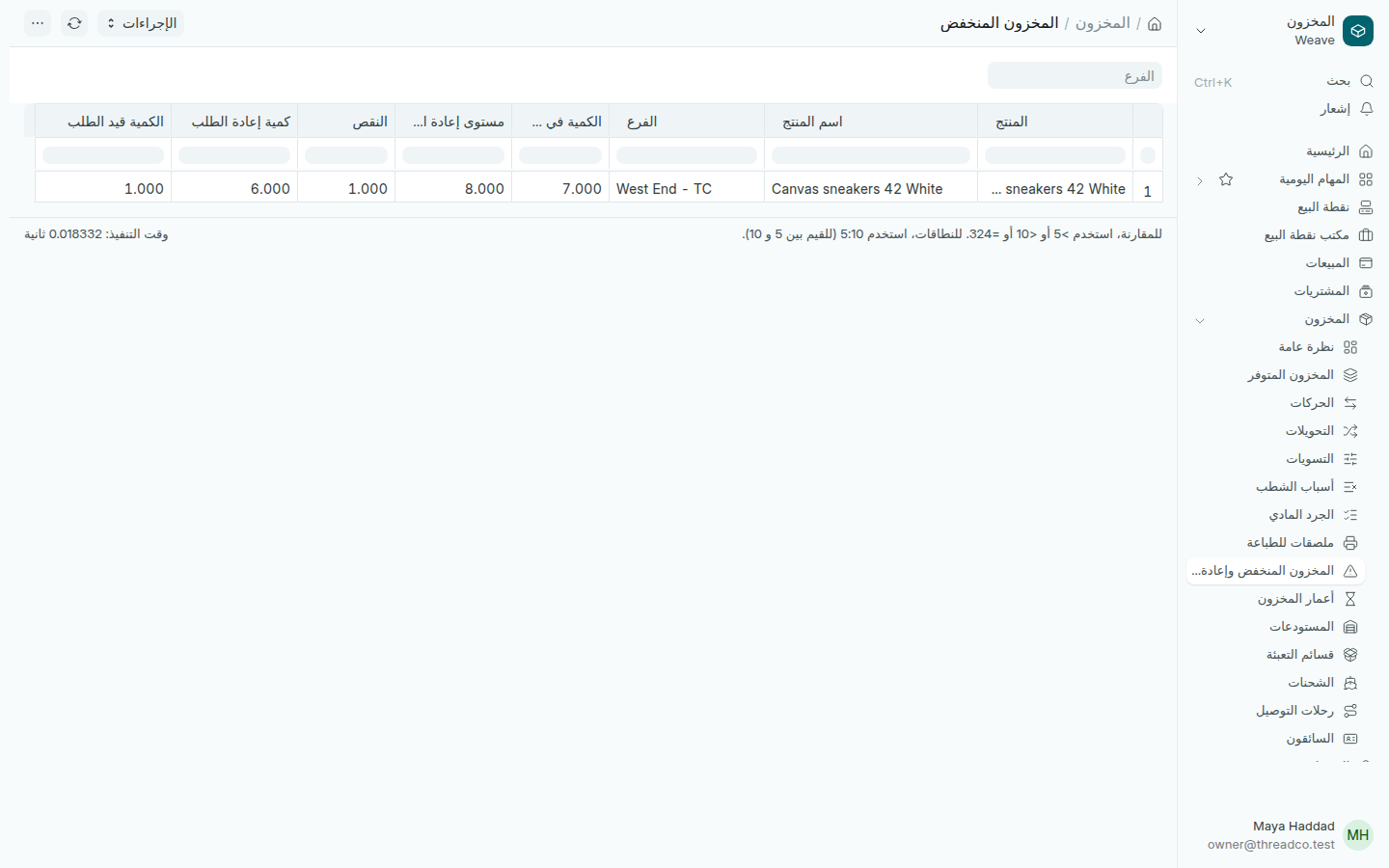
تقرير المخزون المنخفض
اختر الفرع لترى فرعاً واحداً.

يظهر العدد نفسه في رقم المخزون المنخفض في صفحة المخزون.

الطلب التلقائي

مرة كل يوم، ينشئ Weave طلب مخزون من نوع الشراء لكل منتج بلغ حدّه وليس مطلوباً من قبل، بكمية إعادة الطلب. تجد الطلبات في المشتريات ← الطلبات، ومنها تنشئ أمر الشراء للمورد.
Low stock and reordering

A level for each product in each branch, a list of what has reached it, and a stock request raised for you each day.

Setting a reorder level

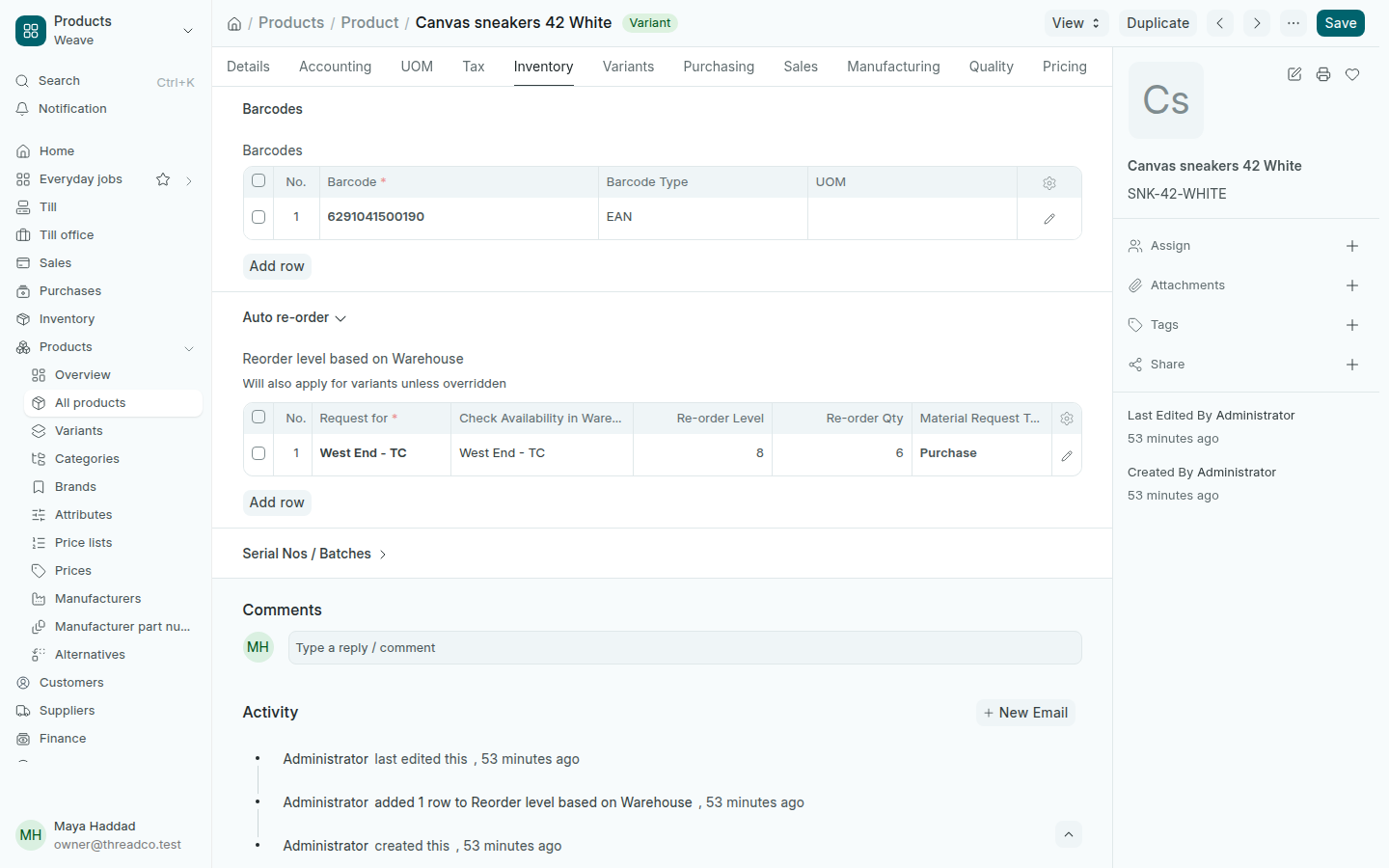
  1. Open the size and colour from Products → All products, then the Inventory tab.
  2. Open Auto re-order and press Add row in Reorder level based on Warehouse.
  3. Choose the branch in Request for, type the Re-order Level, the count at which you want to order, and the Re-order Qty, what you order each time. Leave the Material Request Type on Purchase.
  4. Press Save.
A reorder level for the West End branch
At 8 pieces or fewer in West End, order 6.

What has reached its level

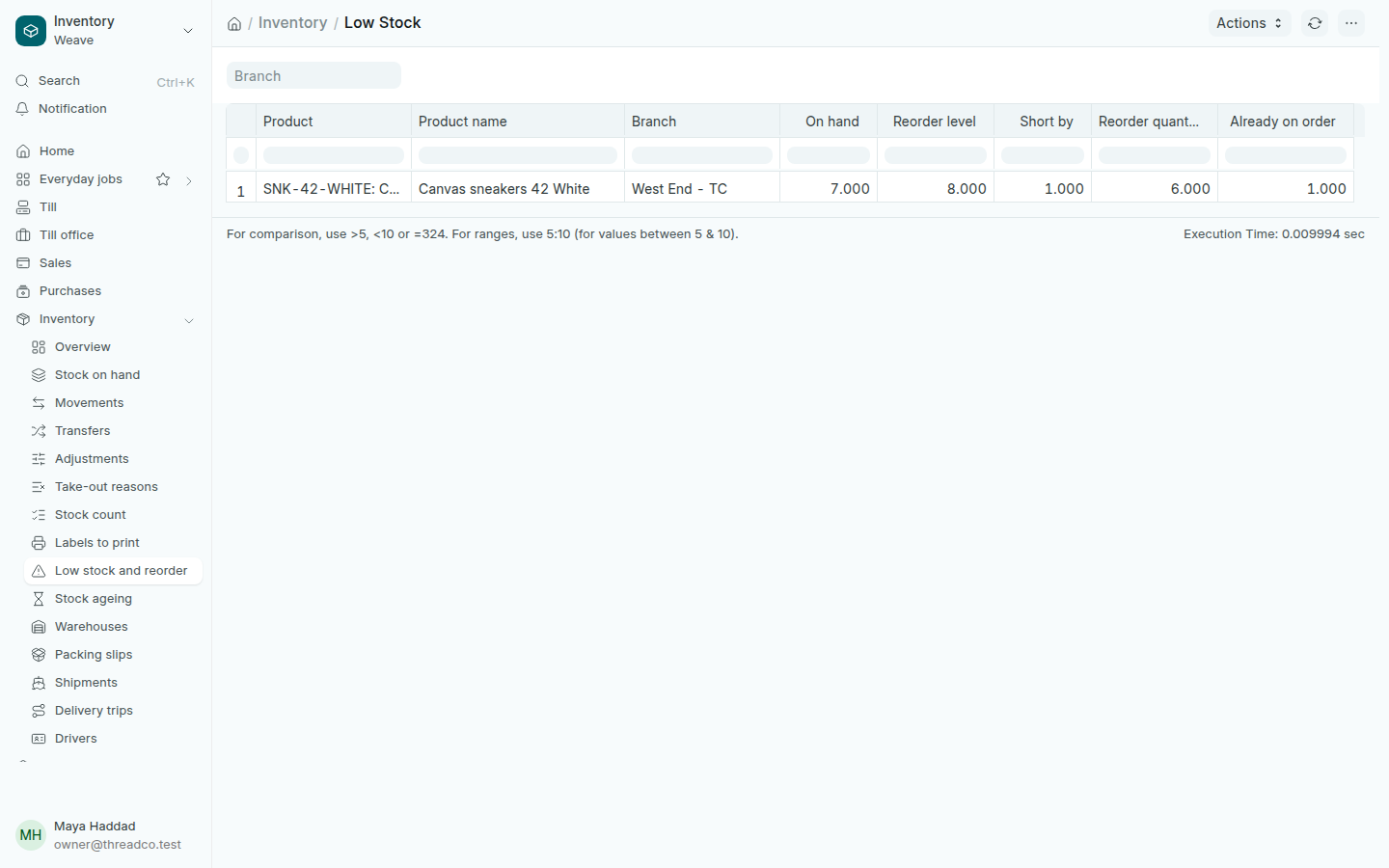
Open Inventory → Low stock and reorder. Each product at its level in a branch has a line with On hand, Short by, the Reorder quantity and what is Already on order from open purchase orders.

The Low Stock report
Choose a Branch to see one branch.

The same number shows in the Low stock figure on the Inventory page.

Ordering for you

Once a day, Weave raises a purchase stock request for every product at its level and not already on order, for the reorder quantity. You find them in Purchases → Requests, and turn them into a purchase order for the supplier from there.