المخزون المتوفر والحركات

كم لديك من كل منتج في كل فرع وبأي قيمة، وكل قطعة دخلت أو خرجت ومتى.

المخزون المتوفر

افتح المخزون ← المخزون المتوفر. لكل منتج في كل فرع سطر فيه كمية الرصيد وقيمة الرصيد، وما دخل وما خرج خلال الفترة.

  1. اختر الفترة في التاريخين أعلى الصفحة، ثم الفئة أو المنتجات أو المستودعات إن أردت.
  2. الأرقام محسوبة مسبقاً، ويظهر فوق الجدول متى حُسبت. اضغط إعادة البناء لحسابها من جديد.
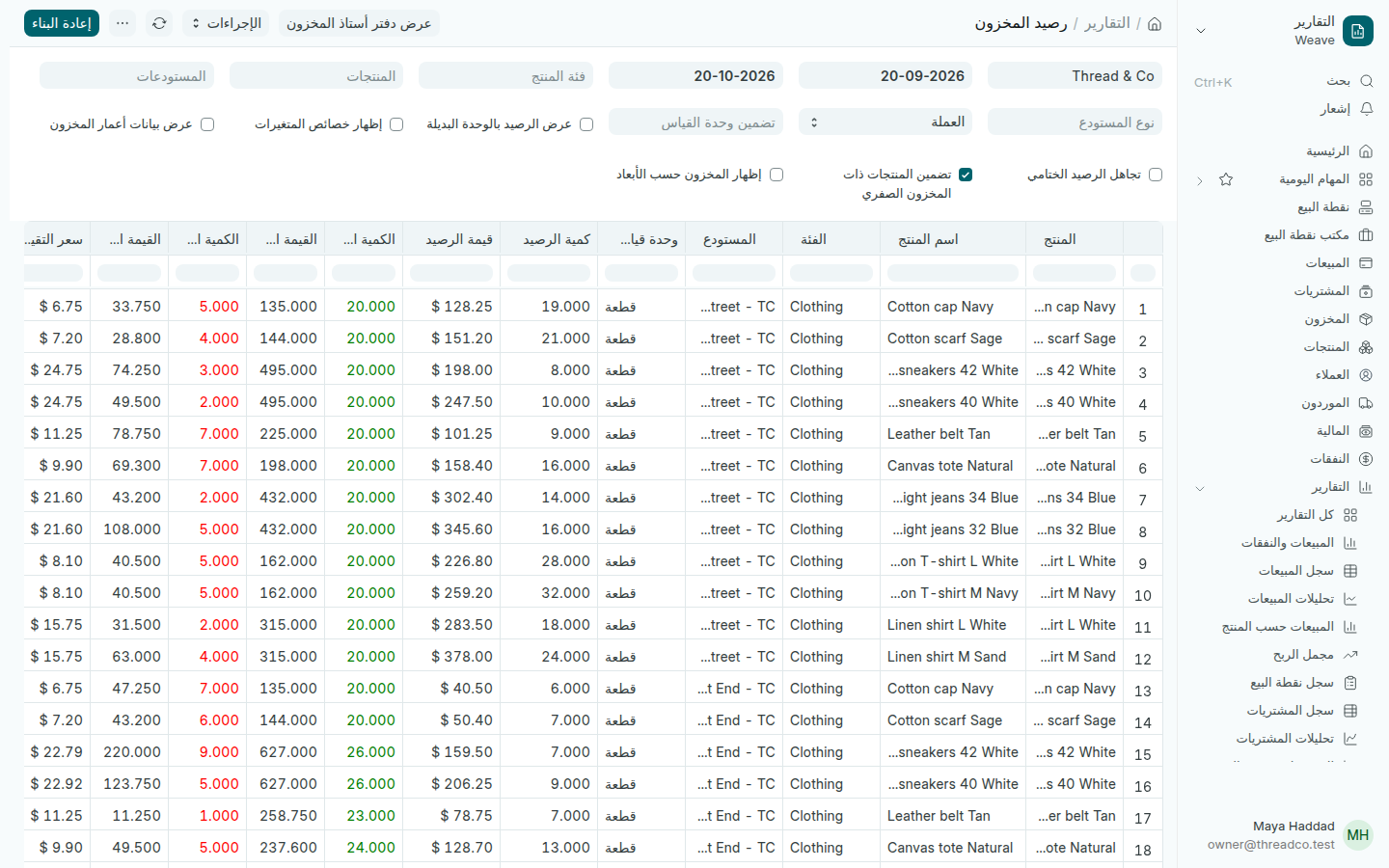
تقرير رصيد المخزون
سطر لكل منتج في كل فرع.

الحركات

افتح المخزون ← الحركات. كل سطر حركة واحدة: بيع، أو استلام، أو تحويل، أو شطب، أو جرد، مع الكمية الواردة والكمية الصادرة والرصيد بعدها.
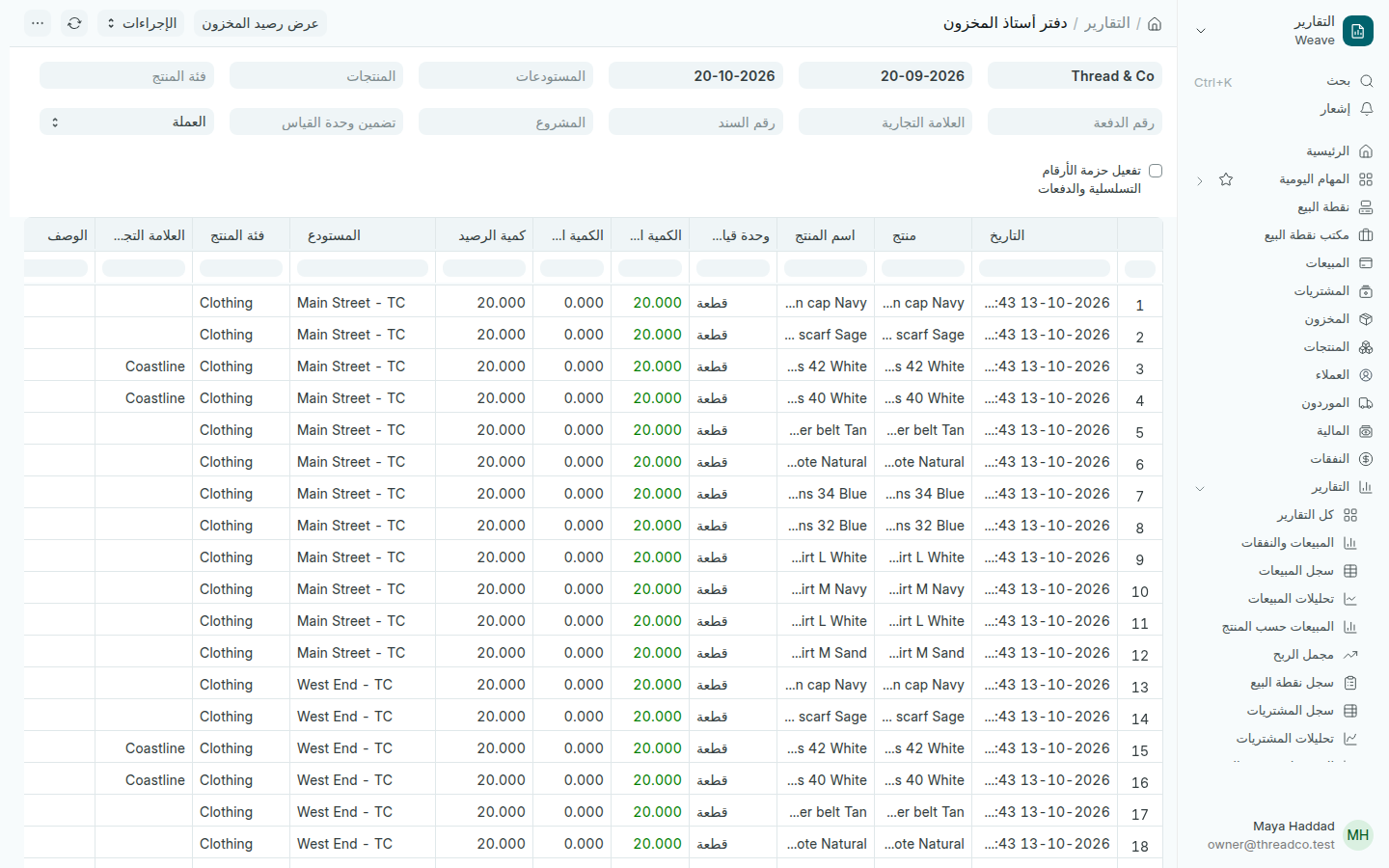
دفتر أستاذ المخزون
اختر منتجاً وفرعاً لتتبّع كل قطعة.

عندما لا يطابق الرف ما يقوله Weave، اختر المنتج في المنتجات والفرع في المستودعات، وراجع الحركات واحدة واحدة.
Stock on hand and movements

How much of each product every branch holds and its value, and every piece that came in or went out, and when.

Stock on hand

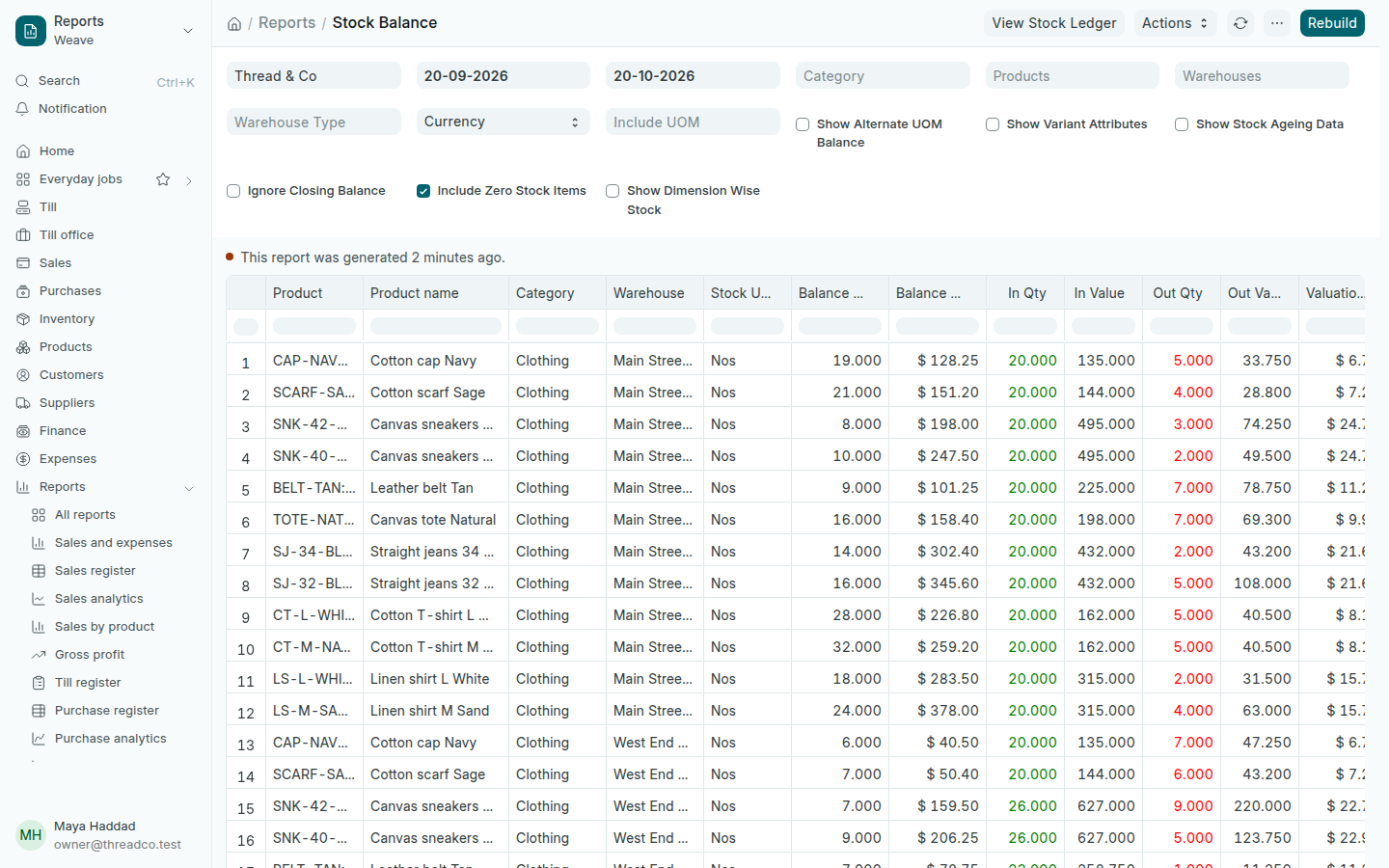
Open Inventory → Stock on hand. Each product in each branch has a line with its Balance Qty and Balance Value, and what came in and went out in the period.

  1. Choose the period in the two dates at the top, then a Category, Products or Warehouses if you want.
  2. The figures are prepared in advance, and the time they were prepared shows above the table. Press Rebuild to prepare them again.
The Stock Balance report
One line for each product in each branch.

Movements

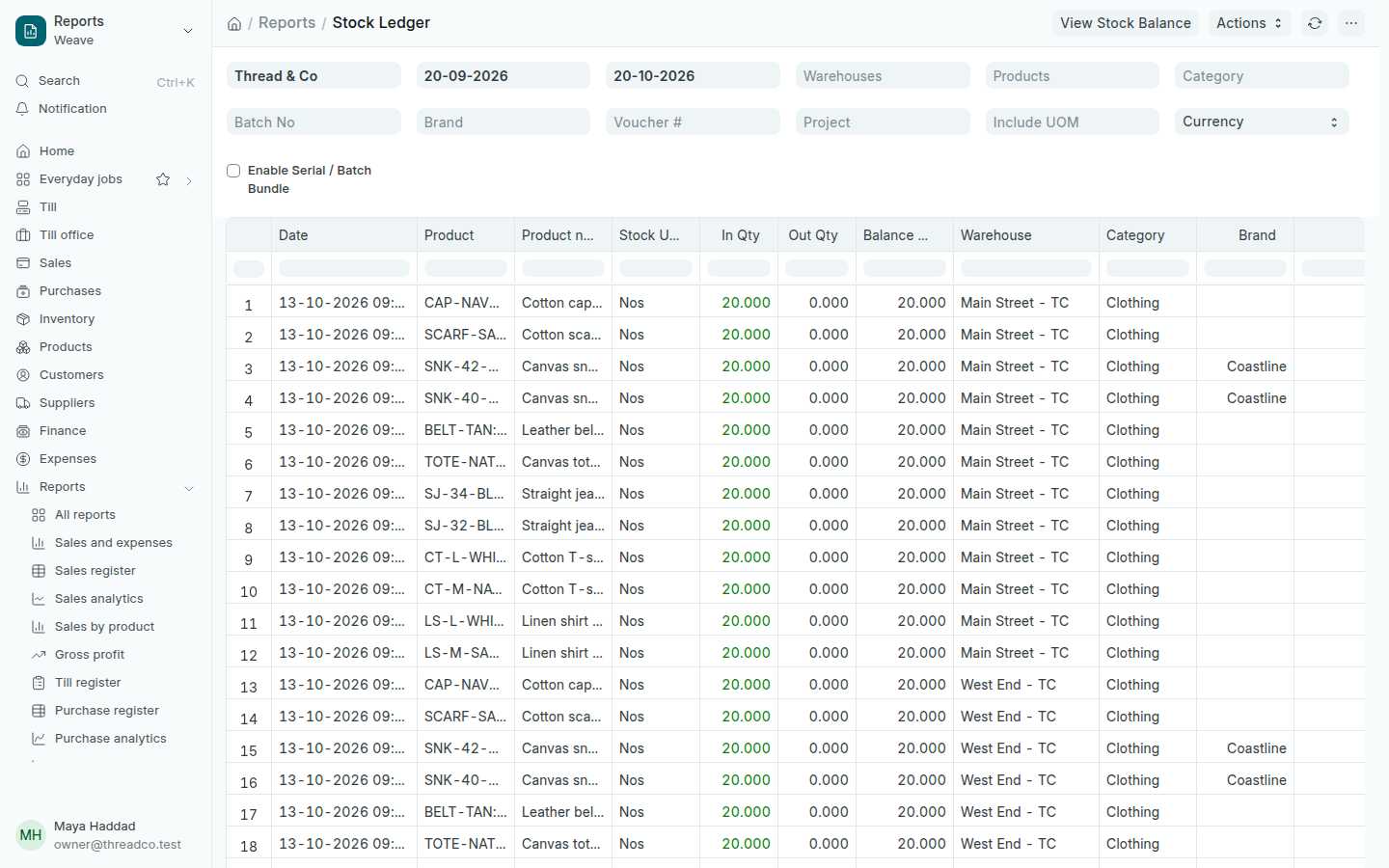
Open Inventory → Movements. Each line is one movement: a sale, a delivery, a transfer, a write-off or a count, with the In Qty, the Out Qty and the balance after it.

The Stock Ledger
Choose a product and a branch to follow every piece.

When the shelf does not match what Weave says, choose the product in Products and the branch in Warehouses, and read the movements one by one.