نقل البضاعة بين الفروع

تسجيل البضاعة التي تنقلها من فرع إلى آخر، فيبقى مخزون كل فرع صحيحاً.

الخطوات

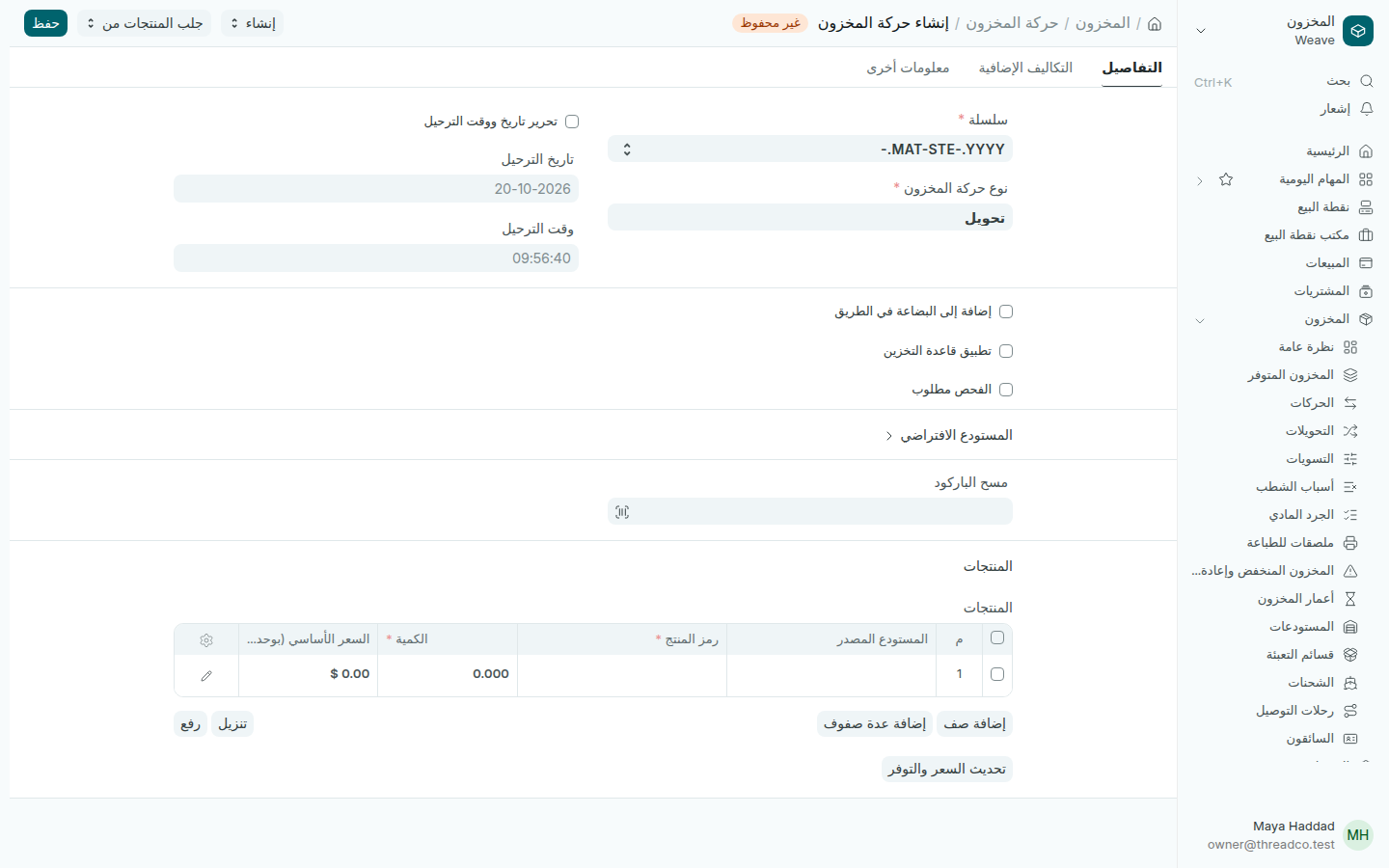
  1. افتح المخزون ← التحويلات واضغط إضافة حركة المخزون. يكون نوع حركة المخزون هو تحويل.
  2. افتح المستودع الافتراضي واختر المستودع المصدر الافتراضي، الفرع الذي تخرج منه البضاعة، والمستودع الهدف الافتراضي، الفرع الذي تصل إليه.
  3. امسح باركود كل قطعة في مسح الباركود، أو اضغط إضافة صف واختر رمز المنتج واكتب الكمية.
  4. اضغط حفظ، ثم تأكيد.
حركة مخزون جديدة من نوع تحويل
لكل سطر فرع مصدر وفرع هدف.

عند التأكيد تخرج القطع من الفرع الأول وتدخل الثاني بالتكلفة نفسها، فلا تتغيّر قيمة مخزونك.
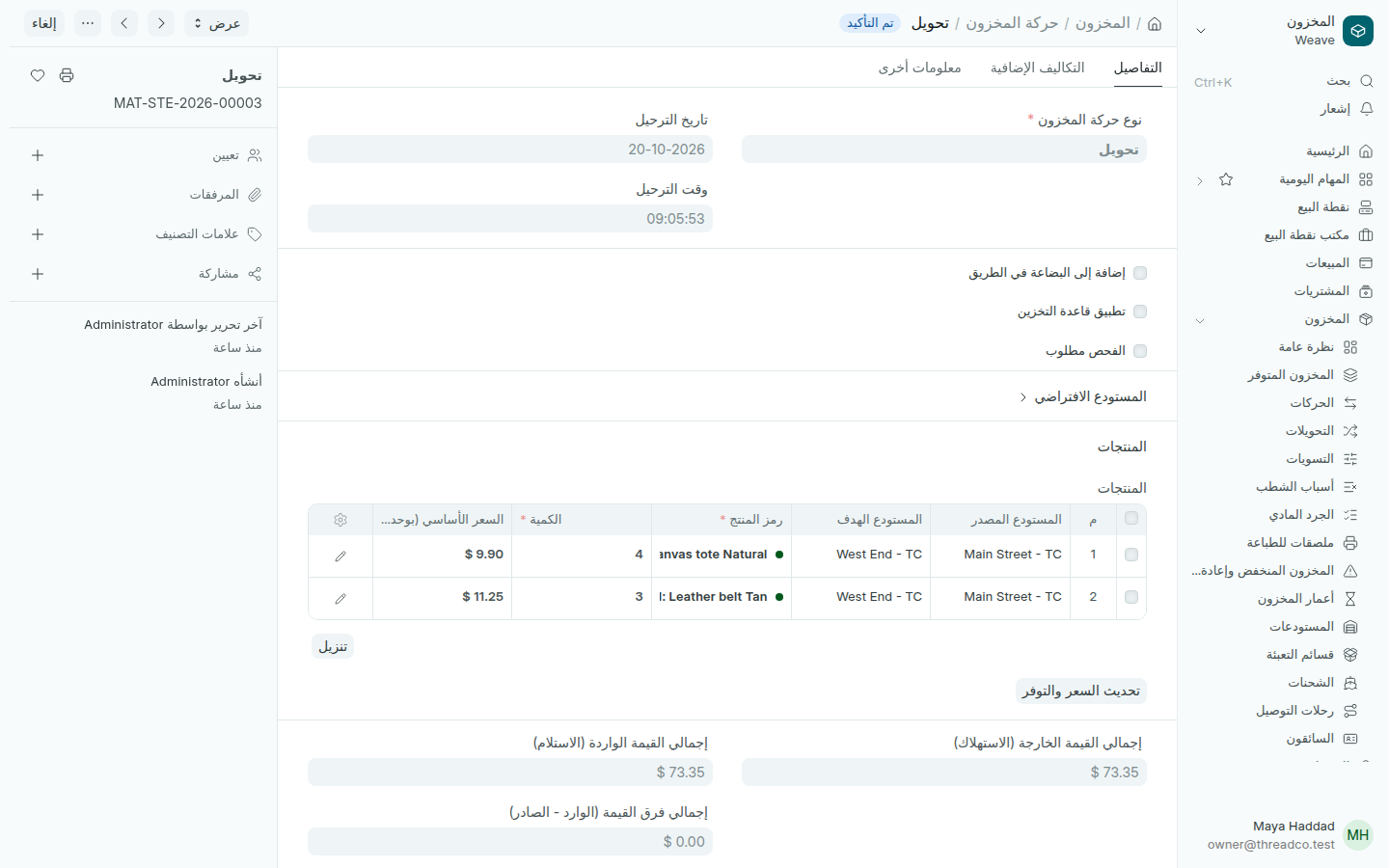
تحويل مؤكد بين فرعين
تحويل مؤكد من Main Street إلى West End.

من الهاتف

يستطيع من يعمل في أكثر من فرع نقل البضاعة من Weave Companion بمسح القطع، وتظهر الحركة هنا أيضاً.
Moving stock between branches

Record the goods you move from one branch to another, so each branch's stock stays right.

Steps

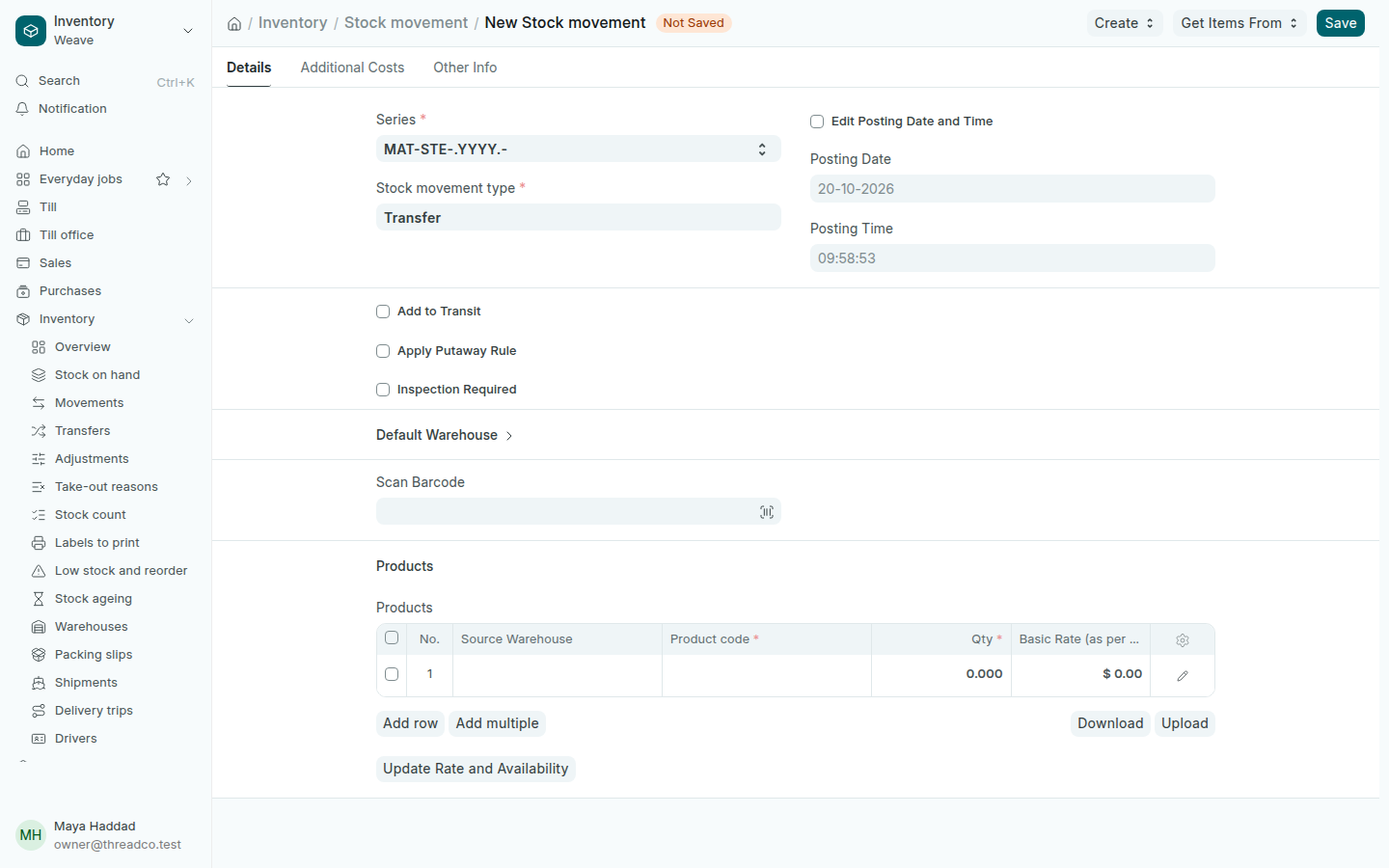
  1. Open Inventory → Transfers and press Add Stock movement. The Stock movement type is Transfer.
  2. Open Default Warehouse and choose the Default Source Warehouse, the branch the goods leave, and the Default Target Warehouse, the branch they go to.
  3. Scan each piece in Scan Barcode, or press Add row, choose the Product code and type the Qty.
  4. Press Save, then Submit.
A new stock movement of type Transfer
Each line has a source and a target branch.

On submit, the pieces leave the first branch and enter the second at the same cost, so the value of your stock does not change.

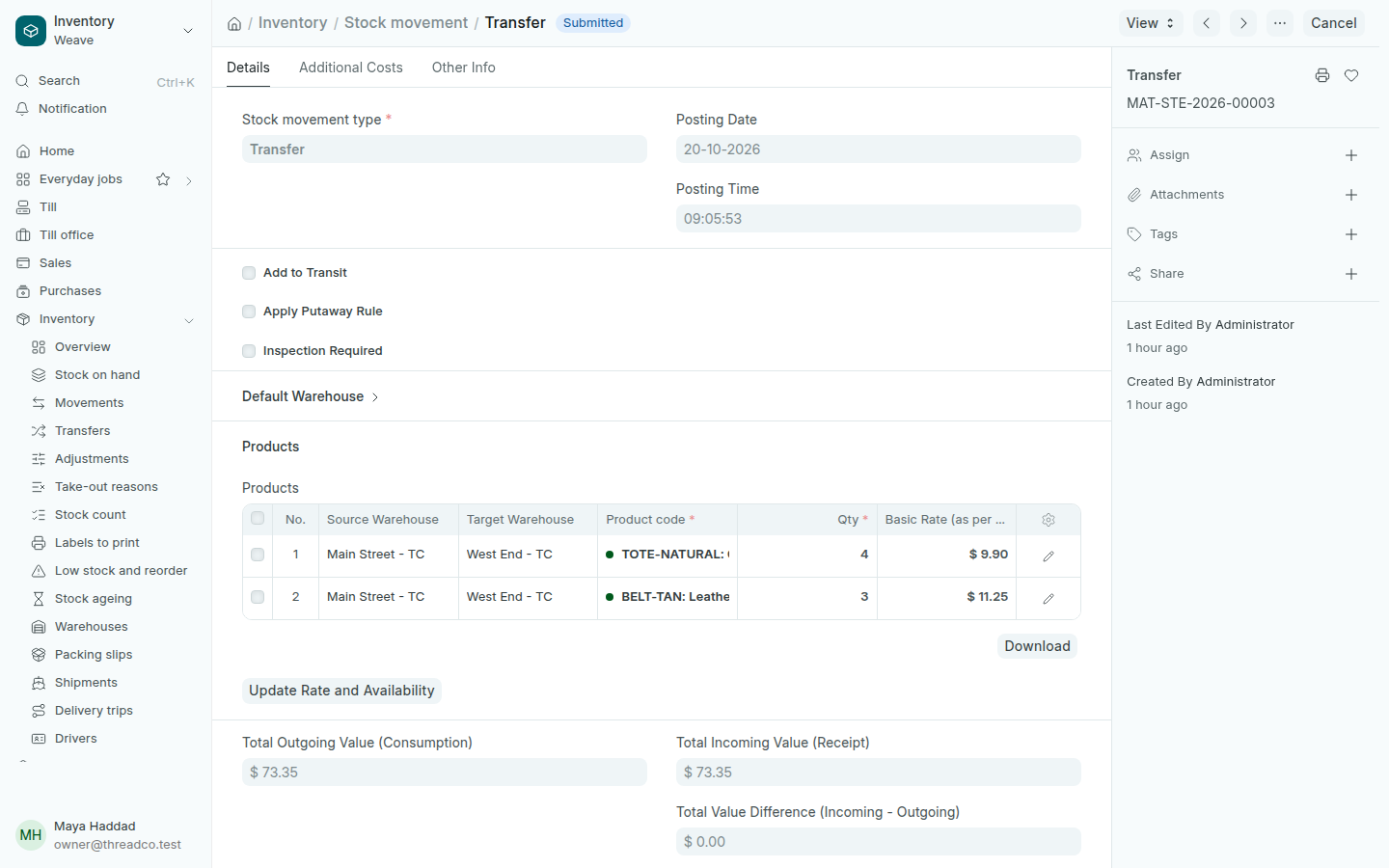
A submitted transfer between two branches
A submitted transfer from Main Street to West End.

From the phone

Anyone who works in more than one branch can move goods from Weave Companion by scanning the pieces, and the movement shows here too.