جرد المخزون

عدّ ما على الرفوف وتصحيح المخزون في Weave، على الكمبيوتر أو من الهاتف.

على الكمبيوتر

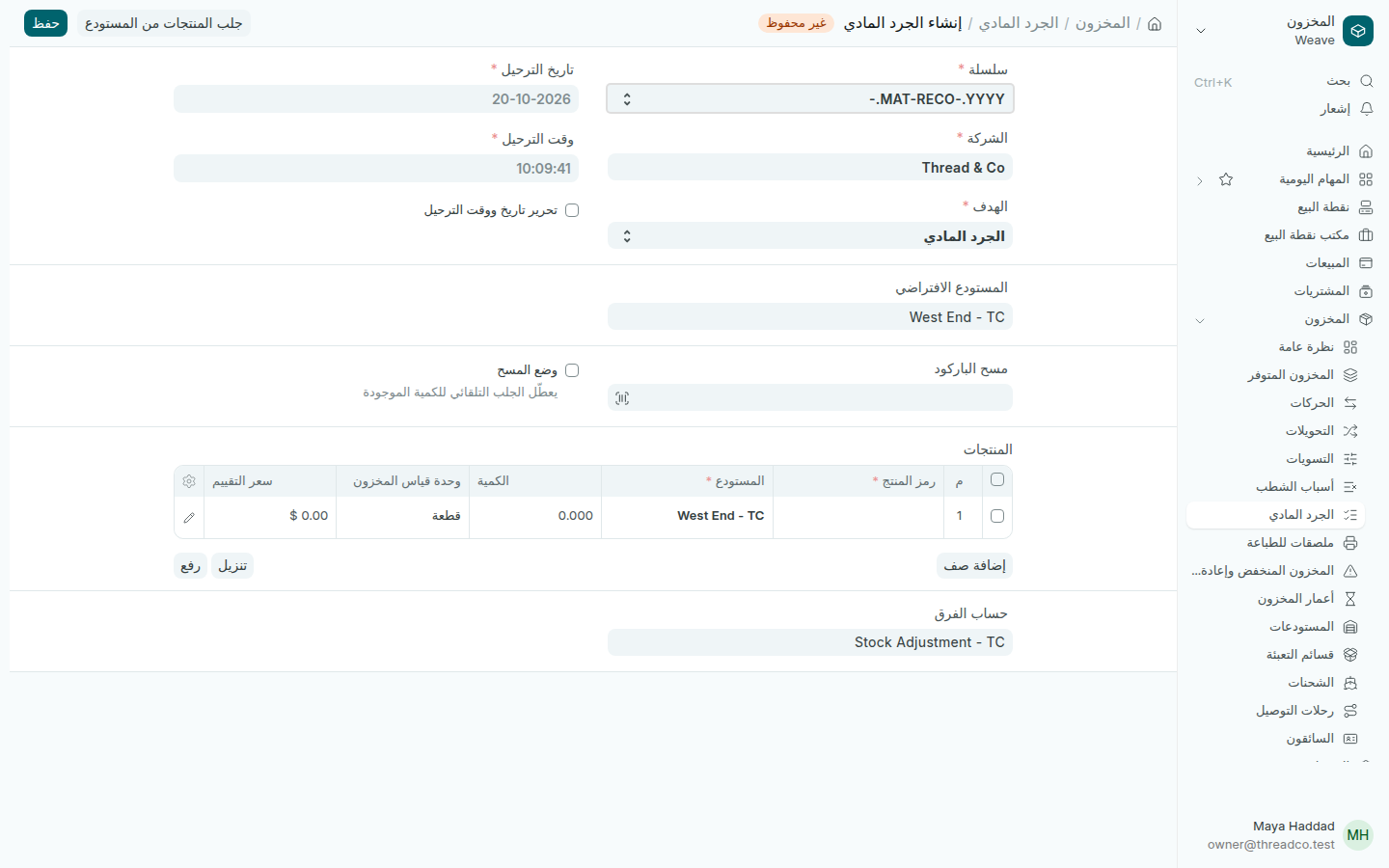
  1. افتح المخزون ← الجرد المادي واضغط إضافة الجرد المادي.
  2. في الهدف اختر الجرد المادي. يصبح حساب الفرق حساب تسوية المخزون. لا تختر المخزون الافتتاحي، فهو لبضاعة المتجر عند البدء فقط.
  3. اختر الفرع في المستودع الافتراضي.
  4. اضغط جلب المنتجات من المستودع، واختر الفرع، ثم تحديث. يُملأ الجدول بكل منتج وكميته في Weave.
  5. عدّ الرفوف، وغيّر الكمية للمنتجات التي تختلف فقط. ما لا تغيّره يبقى كما هو.
  6. اضغط حفظ، ثم تأكيد.
جرد مادي جديد
الهدف الجرد المادي، وحساب الفرق تسوية المخزون.

عند التأكيد يصبح مخزون الفرع كما عددته، ويُسجَّل الفرق بالتكلفة في حساب تسوية المخزون. يمكنك أيضاً مسح باركود كل قطعة في مسح الباركود بدل كتابة الكميات.

من الهاتف

من لديه صلاحية الجرد يعدّ القطع من Weave Companion. يصل الجرد إلى هنا مسودة، ولا يؤكده إلا المالك أو المدير: افتحه، وراجع الكميات، واضغط تأكيد.
Counting stock

Count what is on the shelves and correct the stock in Weave, on the computer or from the phone.

On the computer

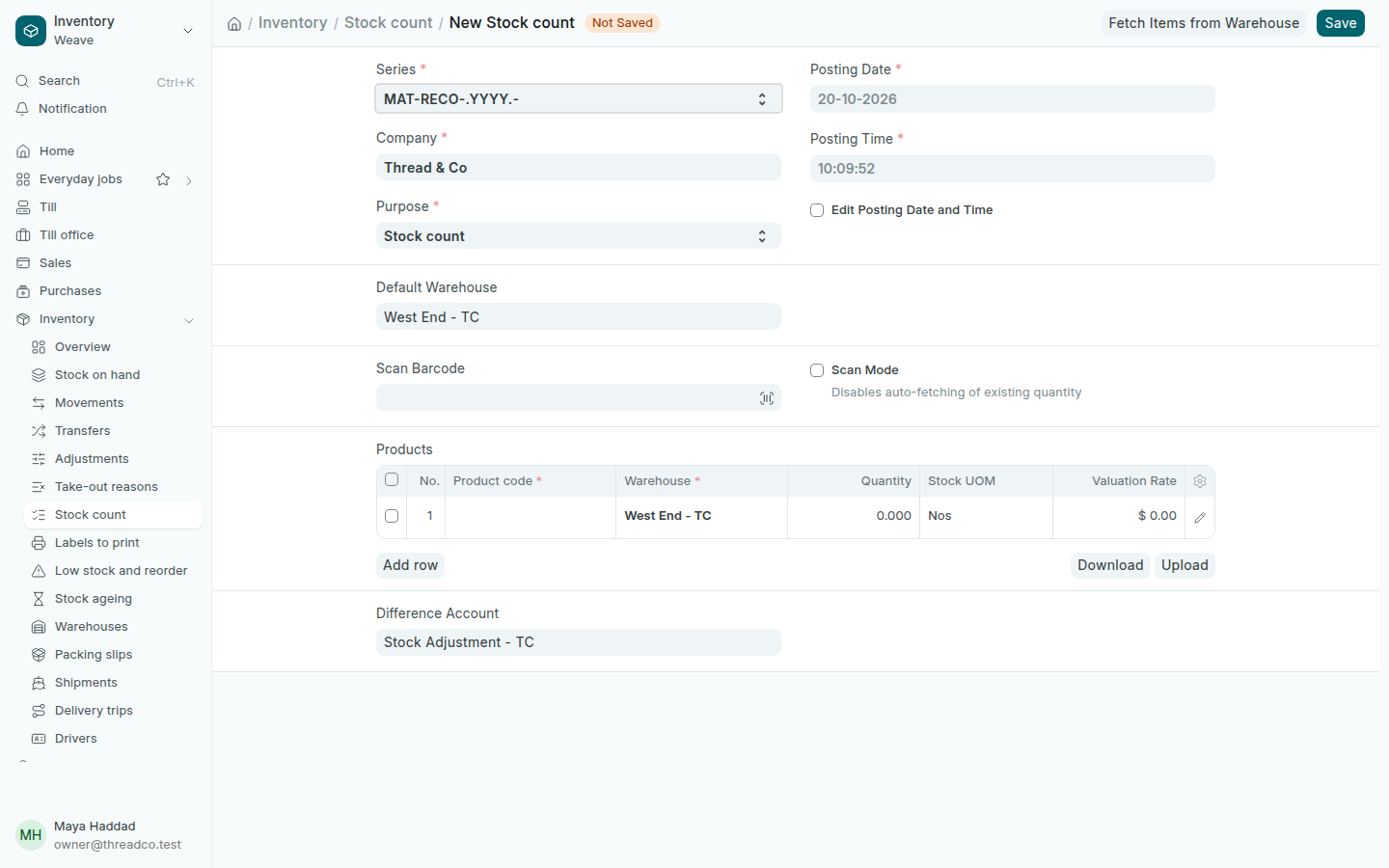
  1. Open Inventory → Stock count and press Add Stock count.
  2. In Purpose choose Stock count. The Difference Account becomes the stock adjustment account. Do not choose Opening Stock: it is only for the goods a shop starts with.
  3. Choose the branch in Default Warehouse.
  4. Press Fetch Items from Warehouse, choose the branch, then Update. The table fills with every product and its quantity in Weave.
  5. Count the shelves and change the Quantity only for the products that differ. What you leave stays as it is.
  6. Press Save, then Submit.
A new stock count
Purpose Stock count, Difference Account stock adjustment.

On submit, the branch's stock becomes what you counted, and the difference is booked at cost to the stock adjustment account. You can also scan each piece in Scan Barcode instead of typing quantities.

From the phone

Anyone allowed to count can count pieces from Weave Companion. The count arrives here as a Draft, and only the owner or a manager submits it: open it, check the quantities and press Submit.