أعمار المخزون

منذ متى ينتظر كل منتج على الرف، وكم من مالك محبوس في البضاعة القديمة.

افتح المخزون ← أعمار المخزون. لكل منتج الكمية المتاحة ومتوسط العمر بالأيام، ثم الكمية والقيمة في كل فئة عمر.
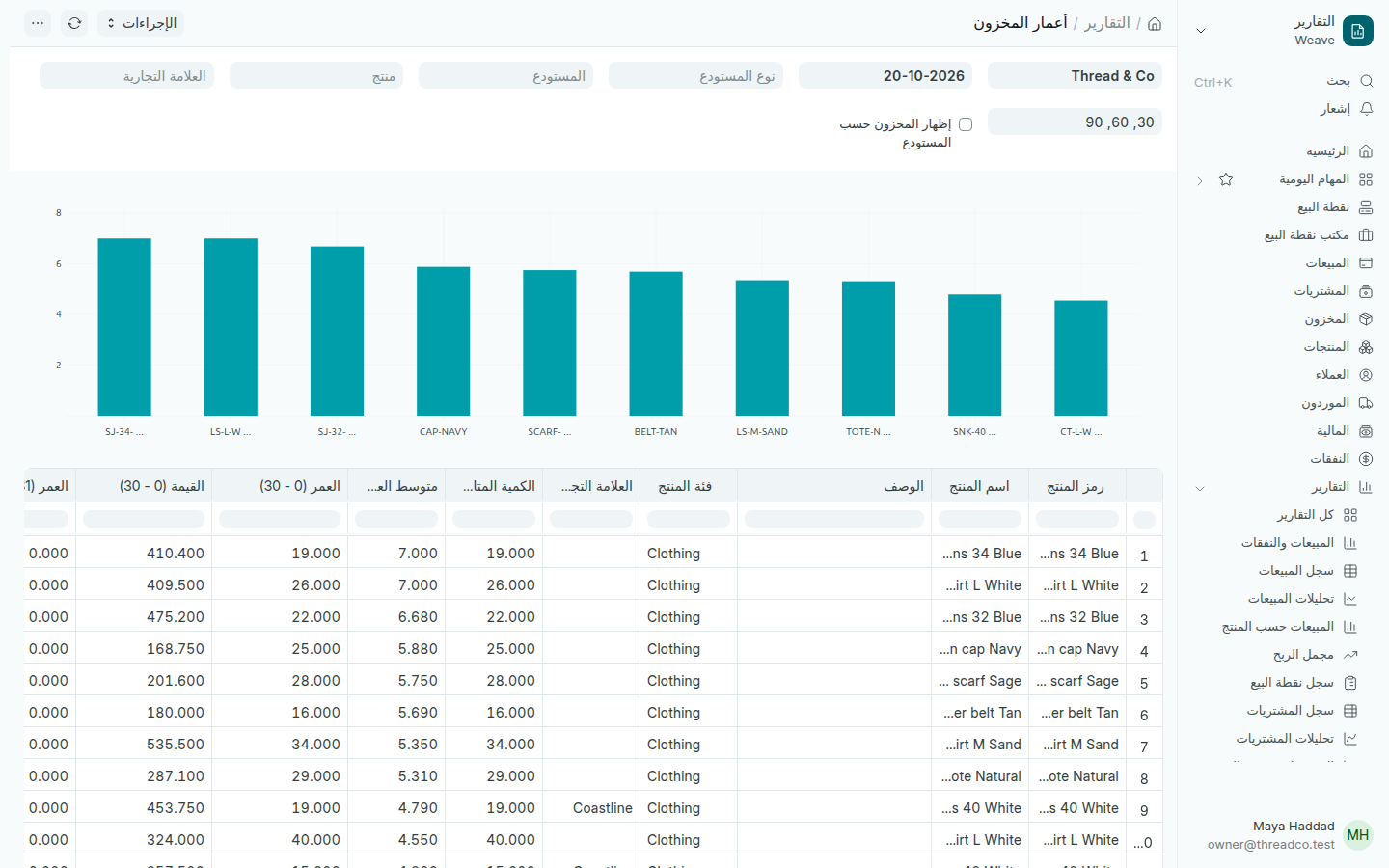
تقرير أعمار المخزون
الرسم يعرض المنتجات الأقدم أولاً.
  1. اختر المستودع لفرع واحد، أو المنتج أو العلامة التجارية.
  2. غيّر فئات العمر في الحقل الذي يبدأ بـ 30، 60، 90 إن أردت فئات أخرى.
  3. حدّد إظهار المخزون حسب المستودع لترى كل فرع على حدة.

ما بقي في الفئات الأقدم هو المرشّح للتخفيض أو النقل إلى فرع يبيعه أكثر. تعرض صفحة المنتجات أيضاً ما لم يُبع منذ 60 يوماً.
Stock ageing

How long each product has waited on the shelf, and how much of your money sits in old goods.

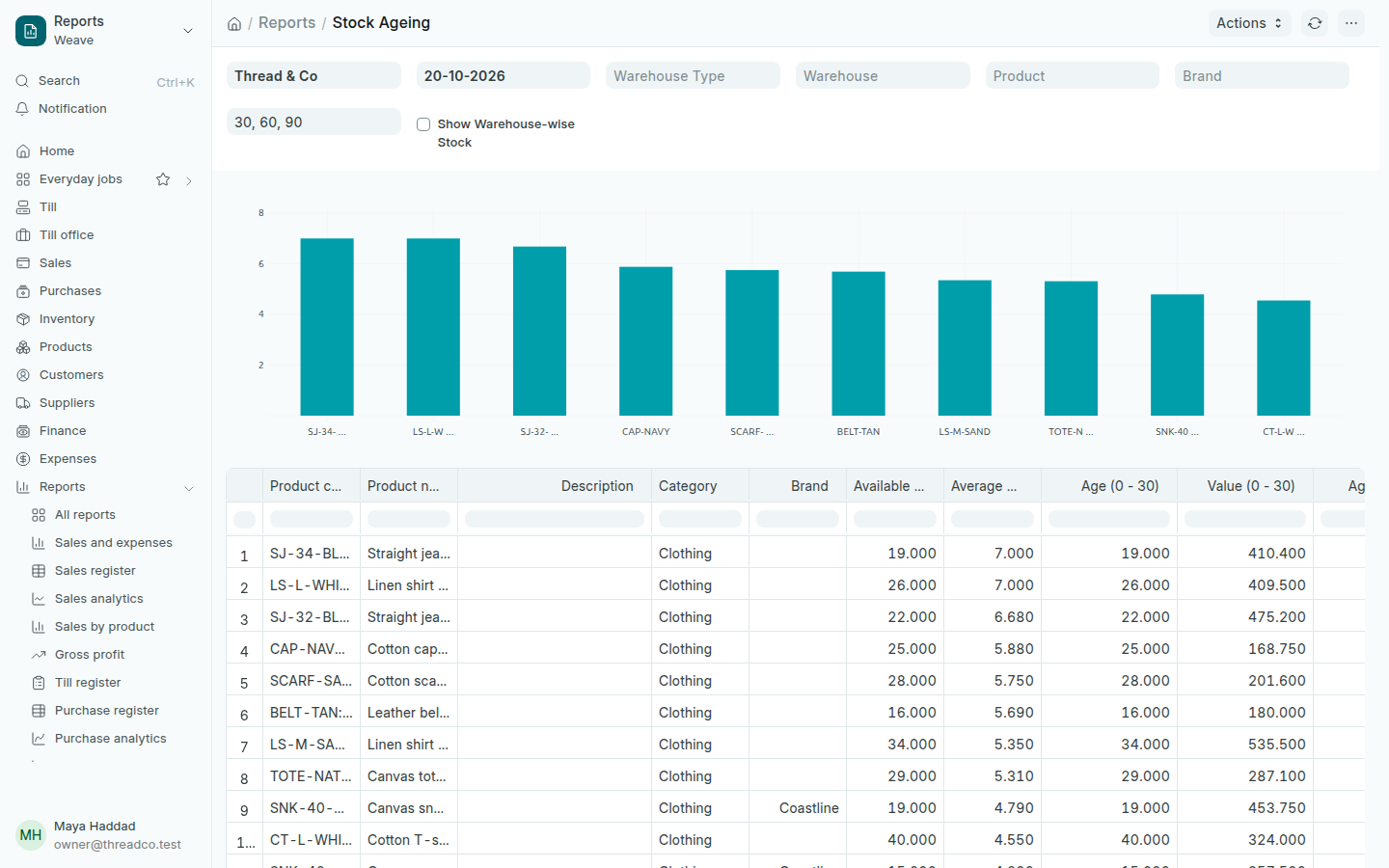
Open Inventory → Stock ageing. Each product shows its Available Qty and Average Age in days, then the quantity and value in each age range.

The Stock Ageing report
The chart shows the oldest products first.
  1. Choose a Warehouse for one branch, or a Product or Brand.
  2. Change the age ranges in the field that starts 30, 60, 90 if you want other ranges.
  3. Tick Show Warehouse-wise Stock to see each branch on its own.

What sits in the oldest ranges is the candidate for a markdown, or a move to a branch that sells it better. The Products page also lists what has not sold in 60 days.