صفحة المنتجات

ما تخبرك به صفحة المنتجات: كم منتجاً تبيع، وما ينقصه باركود أو سعر، وما يُباع أكثر وما لا يُباع.

افتح المنتجات من القائمة الجانبية. تبدأ الصفحة بالاختصارات كافة المنتجات وطباعة الملصقات والأسعار، ثم الأرقام التي تحتاج إلى انتباهك.
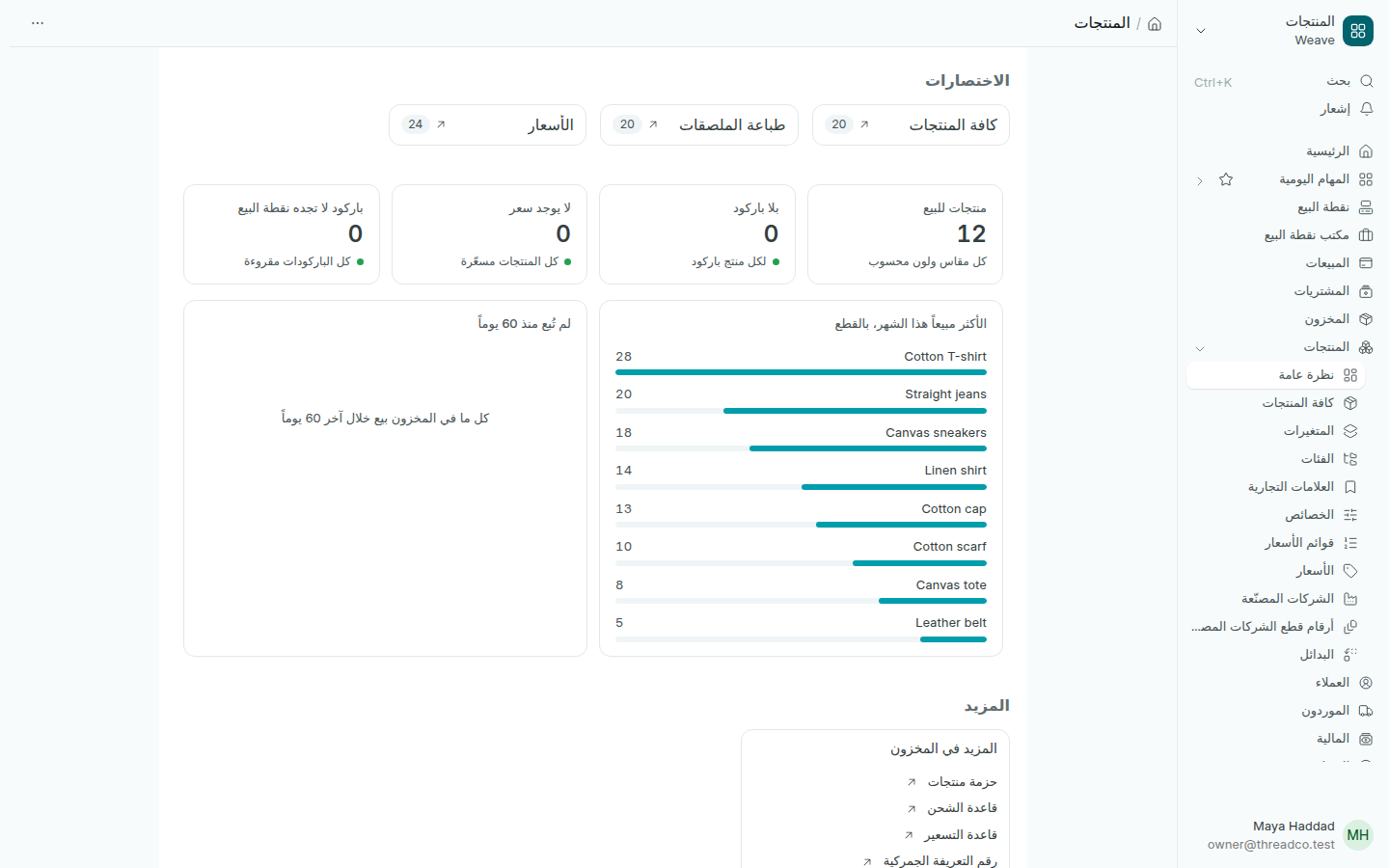
صفحة المنتجات
كل رقم بالأخضر يعني أن لا شيء ينتظرك.

الأرقام

  • منتجات للبيع: عدد ما تبيعه، ويُحسب كل مقاس ولون منتجاً.
  • بلا باركود: منتجات لا تستطيع نقطة البيع أن تجدها بالمسح.
  • لا يوجد سعر: منتجات ليس لها سعر بيع، فلا تُباع على نقطة البيع.
  • باركود لا تجده نقطة البيع: باركود رقمه الأخير أو طوله خاطئ. صحّحه قبل طباعة الملصقات.

الرسمان

الأكثر مبيعاً هذا الشهر، بالقطع يجمع مقاسات المنتج الواحد وألوانه في سطر واحد. لم تُبع منذ 60 يوماً يعرض المنتجات الموجودة في المخزون التي لم تُبع، مرتّبة حسب قيمتها بالتكلفة.

يرى كل شخص أرقام الفروع التي يعمل فيها فقط.
The Products page

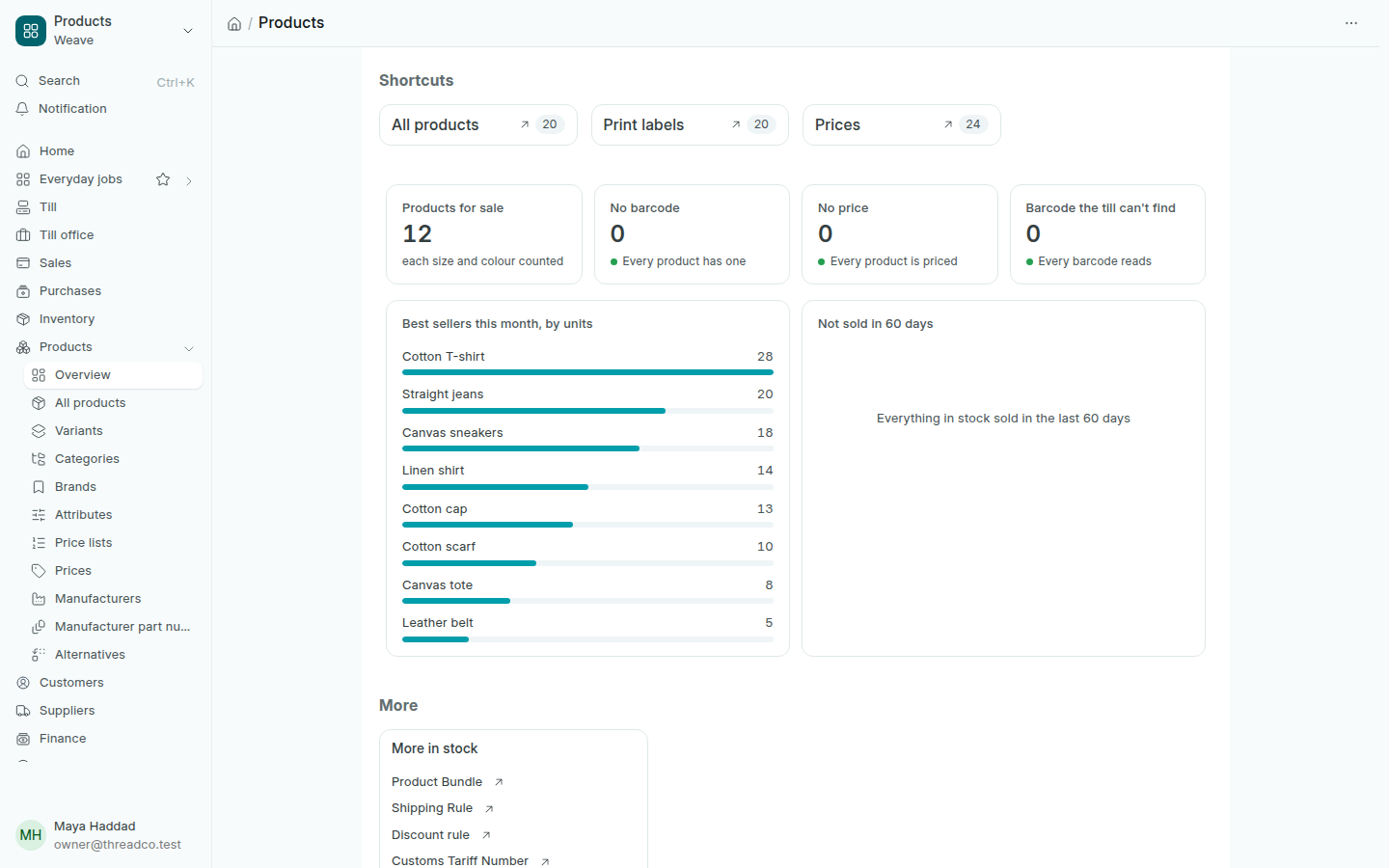
What the Products page tells you: how many products you sell, which lack a barcode or a price, what sells and what does not.

Open Products in the sidebar. The page starts with the shortcuts All products, Print labels and Prices, then the figures that need your attention.

The Products page
A figure in green means nothing is waiting for you.

The figures

  • Products for sale: how many you sell, each size and colour counted.
  • No barcode: products the till cannot find by scanning.
  • No price: products with no selling price, which the till cannot sell.
  • Barcode the till can't find: a barcode whose last digit or length is wrong. Correct it before printing labels.

The charts

Best sellers this month, by units puts the sizes and colours of one product on one line. Not sold in 60 days lists products in stock that have not sold, by their value at cost.

Everyone sees the figures of the branches they work in.