صفحة المخزون

قيمة مخزونك بالتكلفة، وما نقص أو نفد أو نزل تحت الصفر، في صفحة واحدة.

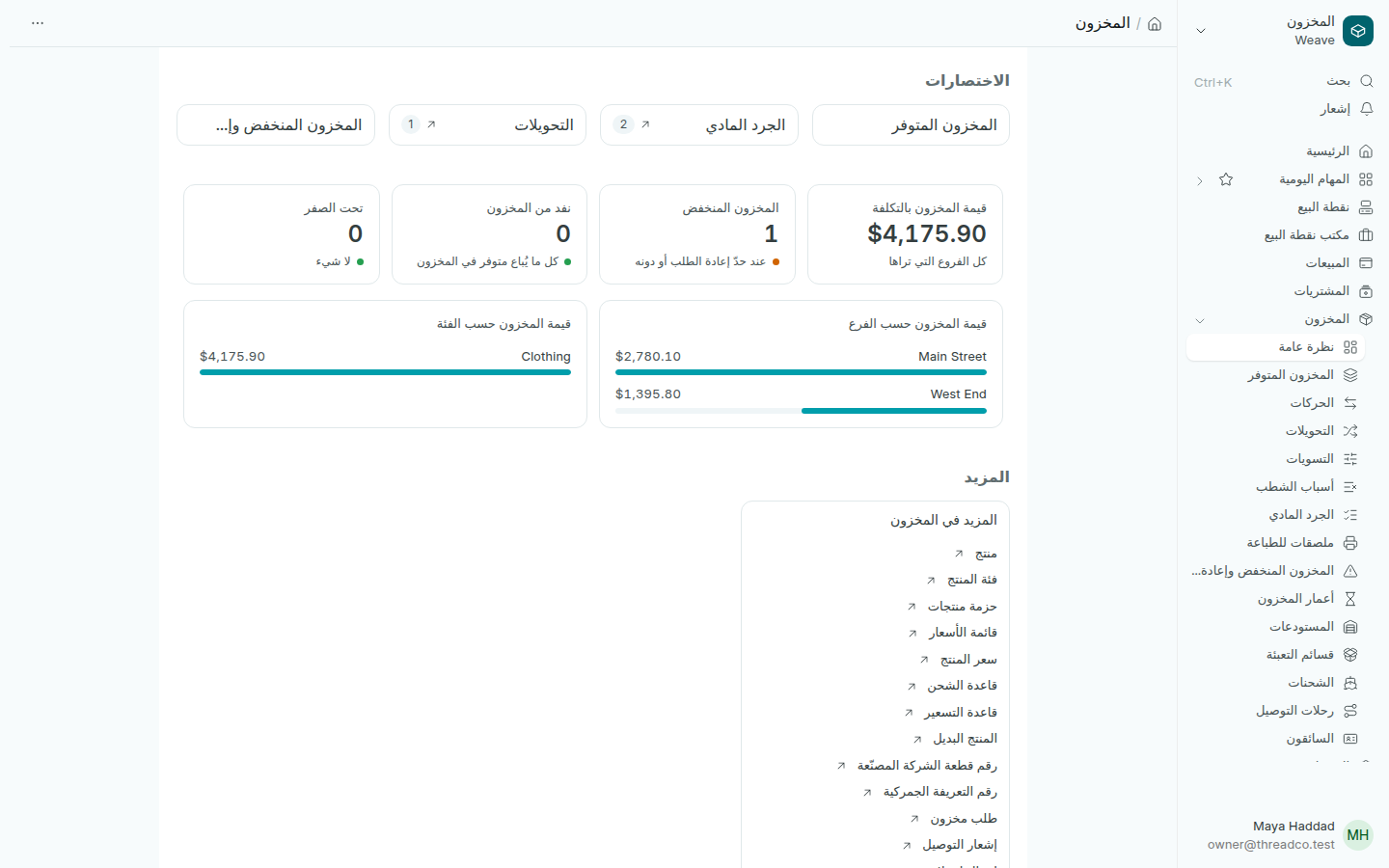
افتح المخزون من القائمة الجانبية. تبدأ الصفحة بالاختصارات المخزون المتوفر والجرد المادي والتحويلات والمخزون المنخفض وإعادة الطلب، ثم الأرقام.
صفحة المخزون
كل رقم بالأخضر يعني أن لا شيء ينتظرك.

الأرقام

  • قيمة المخزون بالتكلفة: ما يساويه مخزونك بسعر التكلفة في كل الفروع التي تراها.
  • المخزون المنخفض: المقاسات والألوان التي بلغت حدّ إعادة الطلب أو نزلت عنه.
  • نفد من المخزون: ما بيع خلال آخر 90 يوماً ولم يبقَ منه شيء.
  • تحت الصفر: ما بيع أكثر مما سُجّل في المخزون، عادة لأن البضاعة لم تُستلم بعد. اجرده أو سجّل الاستلام.

الرسمان

قيمة المخزون حسب الفرع وقيمة المخزون حسب الفئة يعرضان أين يوجد مالك المحبوس في البضاعة. تحتهما في المزيد كل صفحات المخزون الأخرى.

يرى كل شخص أرقام الفروع التي يعمل فيها فقط.
The Inventory page

The value of your stock at cost, and what is low, out or below zero, on one page.

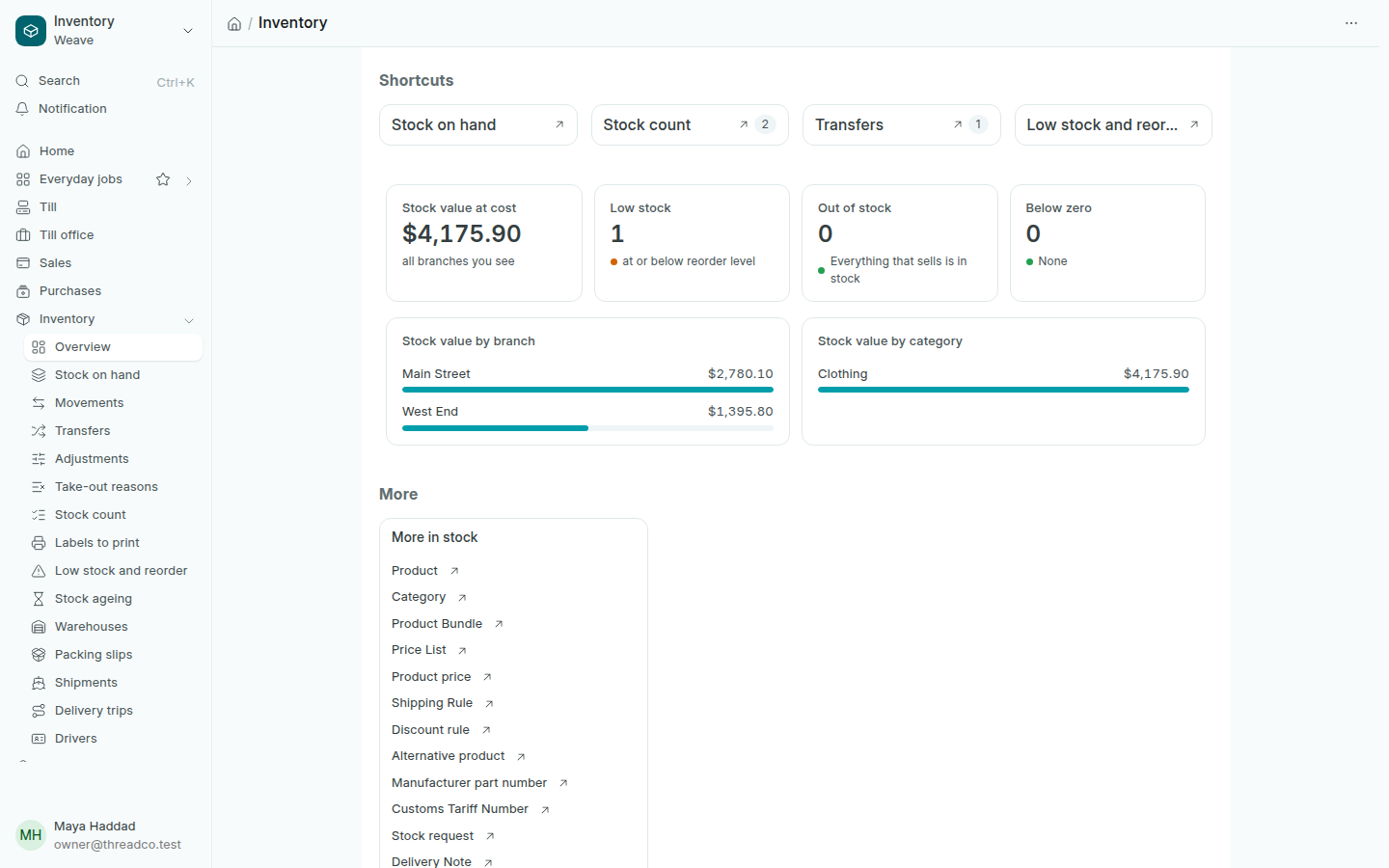
Open Inventory in the sidebar. The page starts with the shortcuts Stock on hand, Stock count, Transfers and Low stock and reorder, then the figures.

The Inventory page
A figure in green means nothing is waiting for you.

The figures

  • Stock value at cost: what your stock is worth at cost in every branch you see.
  • Low stock: sizes and colours at or below their reorder level.
  • Out of stock: what sold in the last 90 days and has none left.
  • Below zero: more sold than the stock shows, usually because the goods were not received yet. Count it or record the delivery.

The charts

Stock value by branch and Stock value by category show where your money sits in goods. Below them, More lists every other stock page.

Everyone sees the figures of the branches they work in.