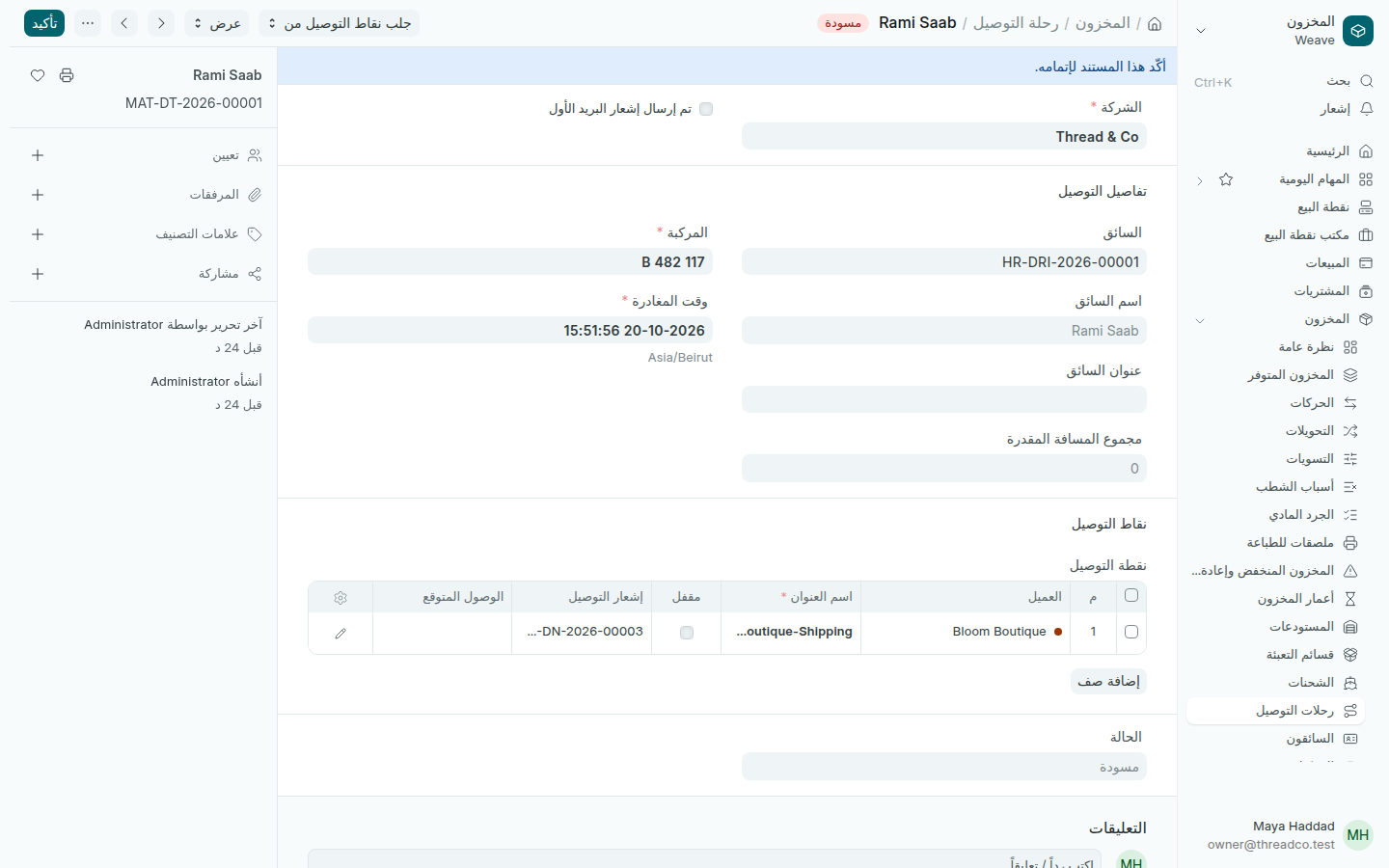
رحلات التوصيل والسائقون والمركبات

رحلة بسائق ومركبة تمر على عملاء عدة، لكل منهم إشعار توصيله.

السائقون والمركبات

أضف كل سائق مرة واحدة في المخزون ← السائقون: الاسم الكامل والحالة. وأضف كل مركبة في المخزون ← المركبات: لوحة الترخيص والماركة والطراز.
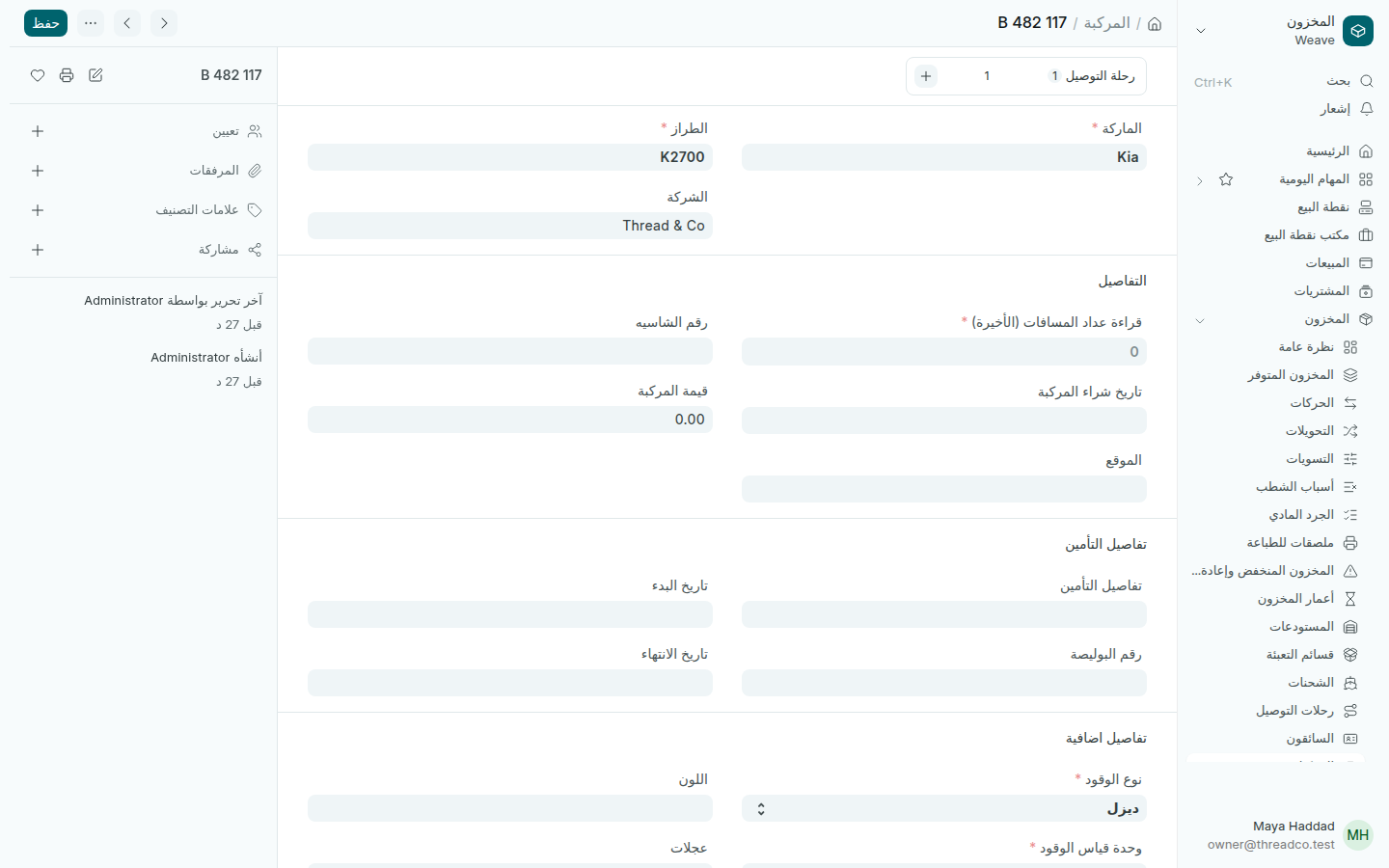
مركبة التوصيل
شاحنة التوصيل الصغيرة.

رحلة توصيل

  1. افتح المخزون ← رحلات التوصيل واضغط إضافة.
  2. اختر السائق والمركبة، واكتب وقت المغادرة.
  3. اضغط جلب نقاط التوصيل من واختر إشعارات التوصيل، أو أضف نقطة التوصيل بنفسك: العميل وعنوانه وإشعاره.
  4. اضغط حفظ، ثم تأكيد عندما تنطلق.
رحلة توصيل
نقطة توصيل واحدة لعميل.

لا تحتاج رحلة لكل توصيل: هي لأيام يخرج فيها سائق بعدة طلبات.
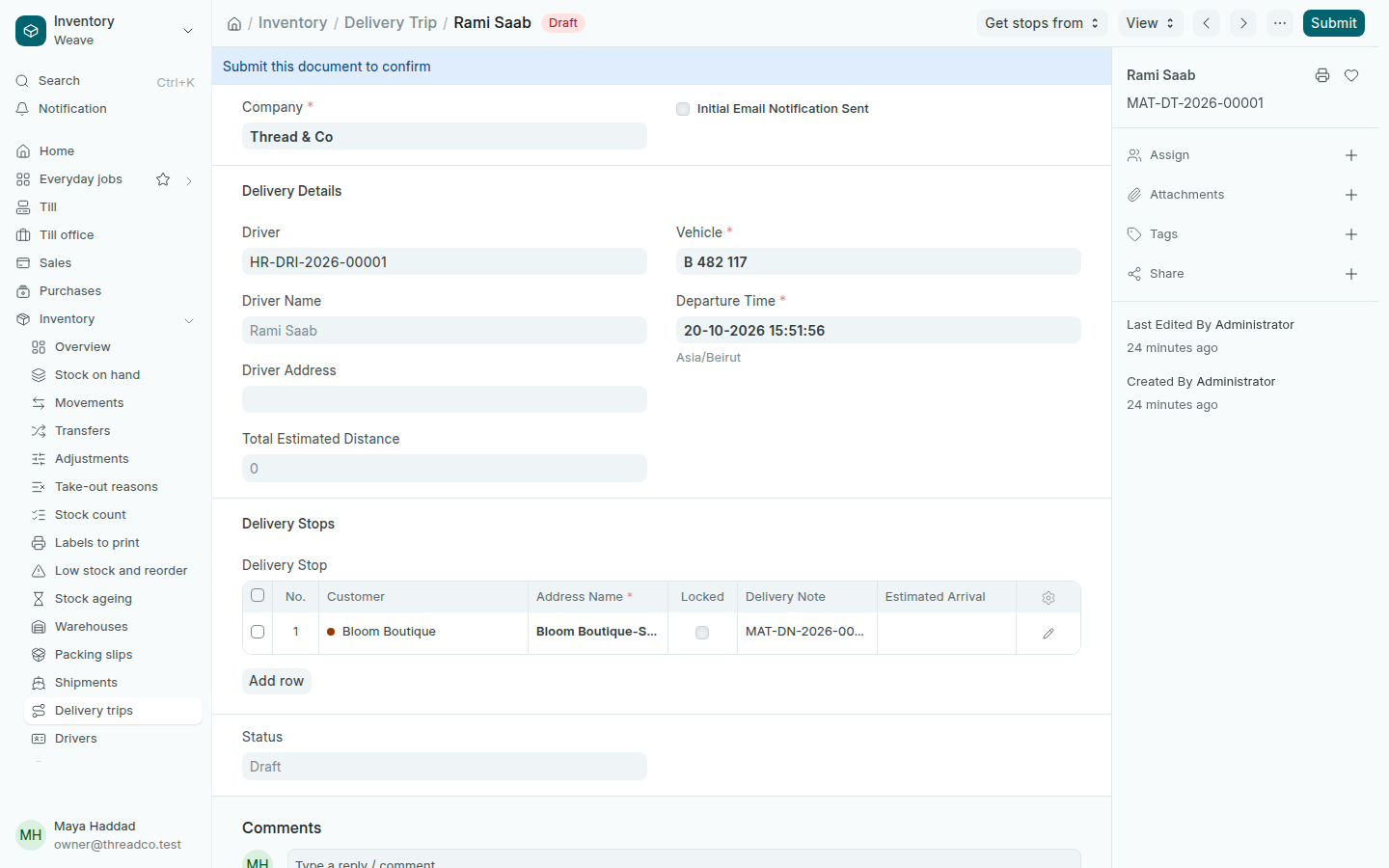
Delivery trips, drivers and vehicles

A trip with a driver and a vehicle that stops at several customers, each with their delivery note.

Drivers and vehicles

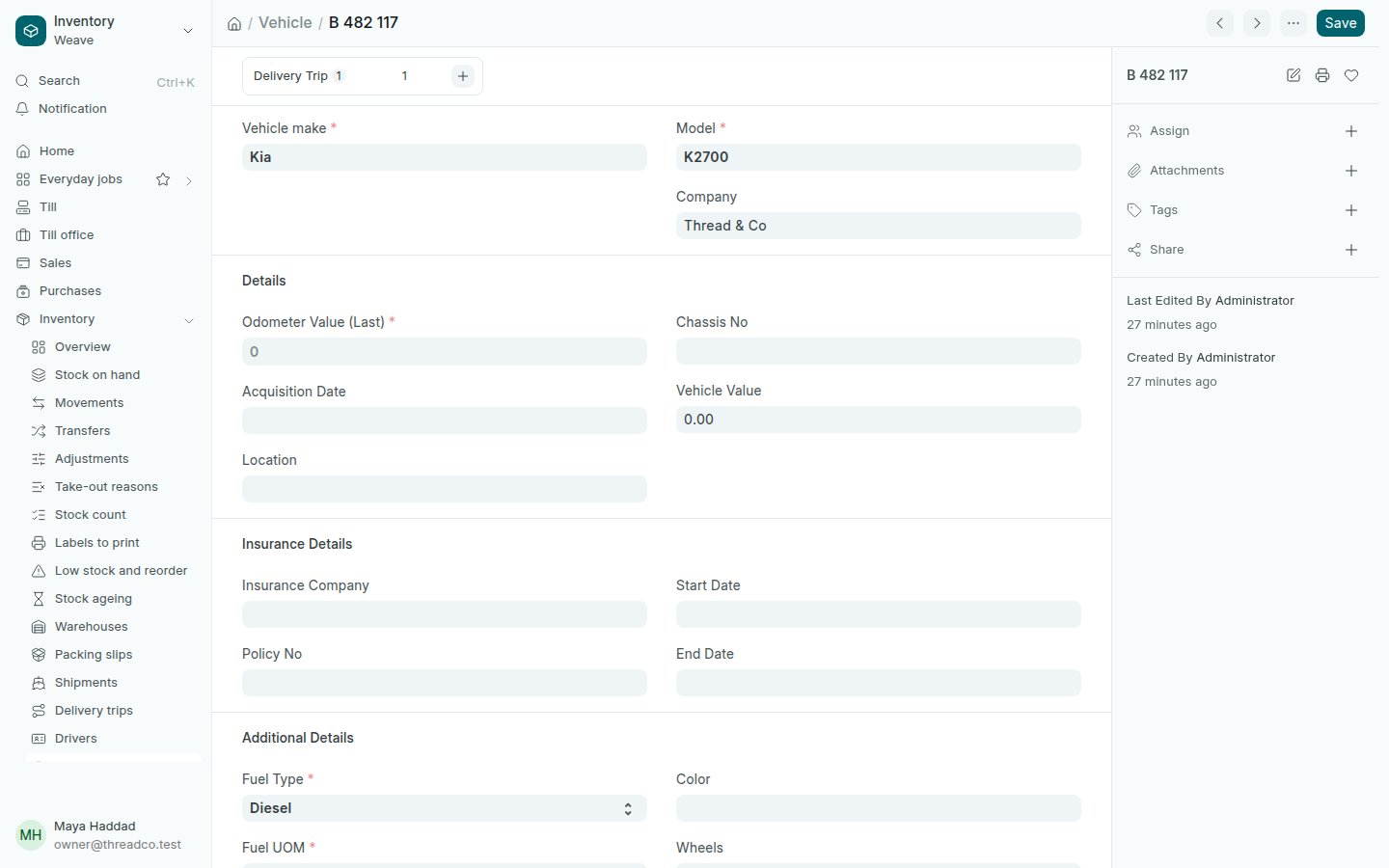
Add each driver once in Inventory → Drivers: the Full Name and Status. Add each vehicle in Inventory → Vehicles: the License Plate, Vehicle make and Model.

The delivery vehicle
The shop's delivery van.

A delivery trip

  1. Open Inventory → Delivery trips and press Add.
  2. Choose the Driver and the Vehicle, and type the Departure Time.
  3. Press Get stops from and choose the delivery notes, or add a Delivery Stop yourself: the customer, their address and their note.
  4. Press Save, then Submit when it leaves.
A delivery trip
One stop at a customer.

A trip is not needed for every delivery: it is for days a driver goes out with several orders.