استيراد بياناتك

إدخال المنتجات والمخزون الافتتاحي والعملاء والموردين من ملف واحد، بدلاً من إدخالها واحداً واحداً.

افتح الإعدادات ← استيراد بياناتك. تُدخل منه منتجاتك بمقاساتها وألوانها، والمخزون الافتتاحي في كل فرع، والعملاء والموردين وأرصدتهم، من ملف Excel واحد.
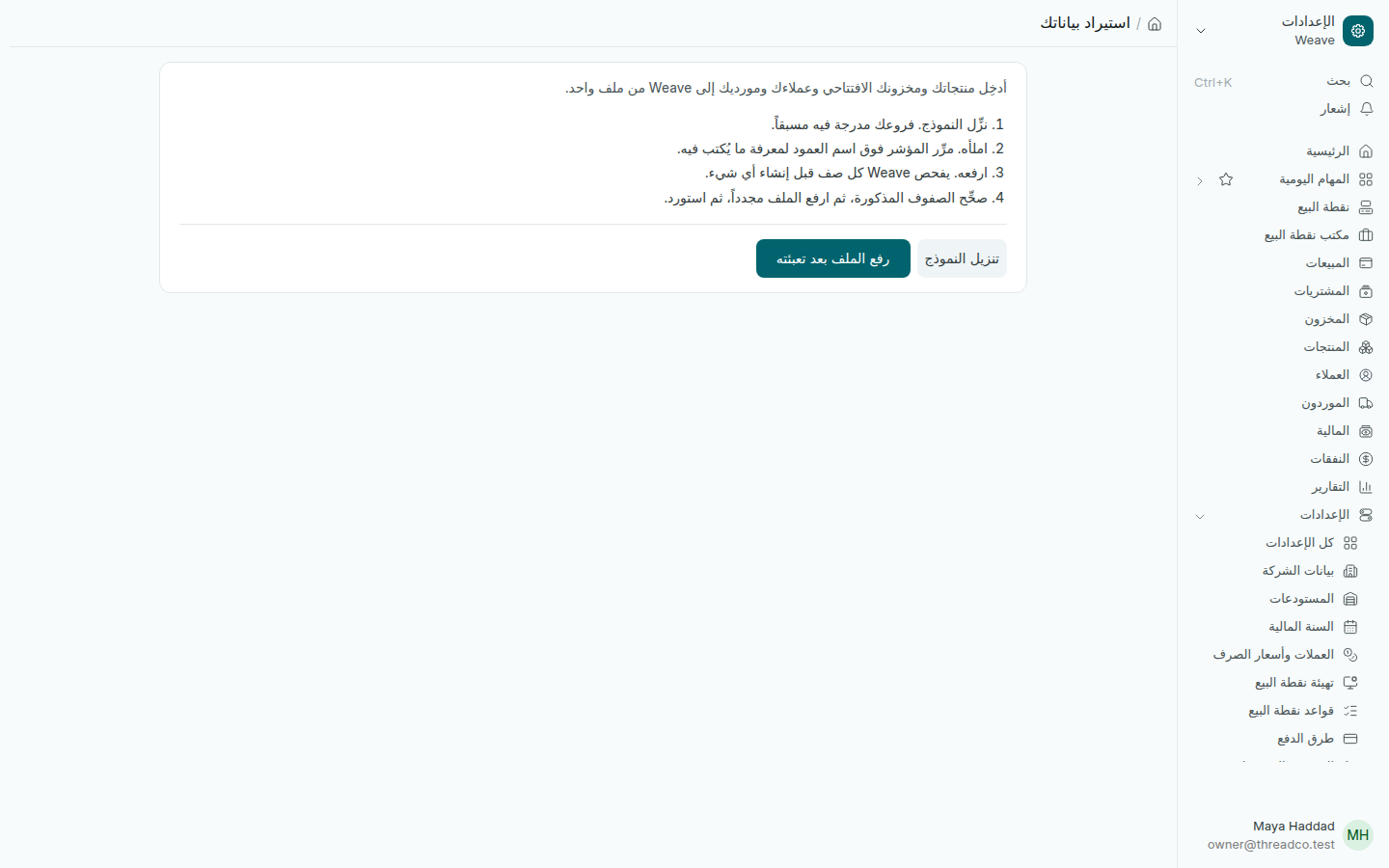
صفحة استيراد بياناتك
أربع خطوات.
  1. اضغط تنزيل النموذج. النموذج يذكر فروعك.
  2. املأه. مرّر المؤشر فوق اسم أي عمود لترى ما يُكتب فيه.
  3. اضغط رفع الملف بعد تعبئته. يفحص Weave كل سطر قبل أن ينشئ شيئاً.
  4. إن ظهرت أسطر فيها مشكلات، صحّحها في الملف وارفعه مرة أخرى، ثم استورد.

لا يُنشأ شيء ما دام في الملف خطأ واحد. وإن رفعت الملف نفسه مرة ثانية، يتخطّى Weave ما أُنشئ من قبل.

للعملاء والموردين رصيد افتتاحي بالدولار أو الليرة، وتُحسب الليرة بسعر الصرف المسجّل. الفرع الذي له مخزون افتتاحي لا يقبل مخزوناً افتتاحياً ثانياً: صحّح الكميات بعد ذلك بجرد المخزون.

الاستيراد والتصدير

الإعدادات ← الاستيراد والتصدير لإدخال أنواع أخرى من السجلات أو تعديلها بالجملة من ملف. استعمله بمساعدة الدعم، ومن أي قائمة تصدّر سجلاتها من قائمة الصفحة.
Import your data

Bringing in products, opening stock, customers and suppliers from one workbook instead of one by one.

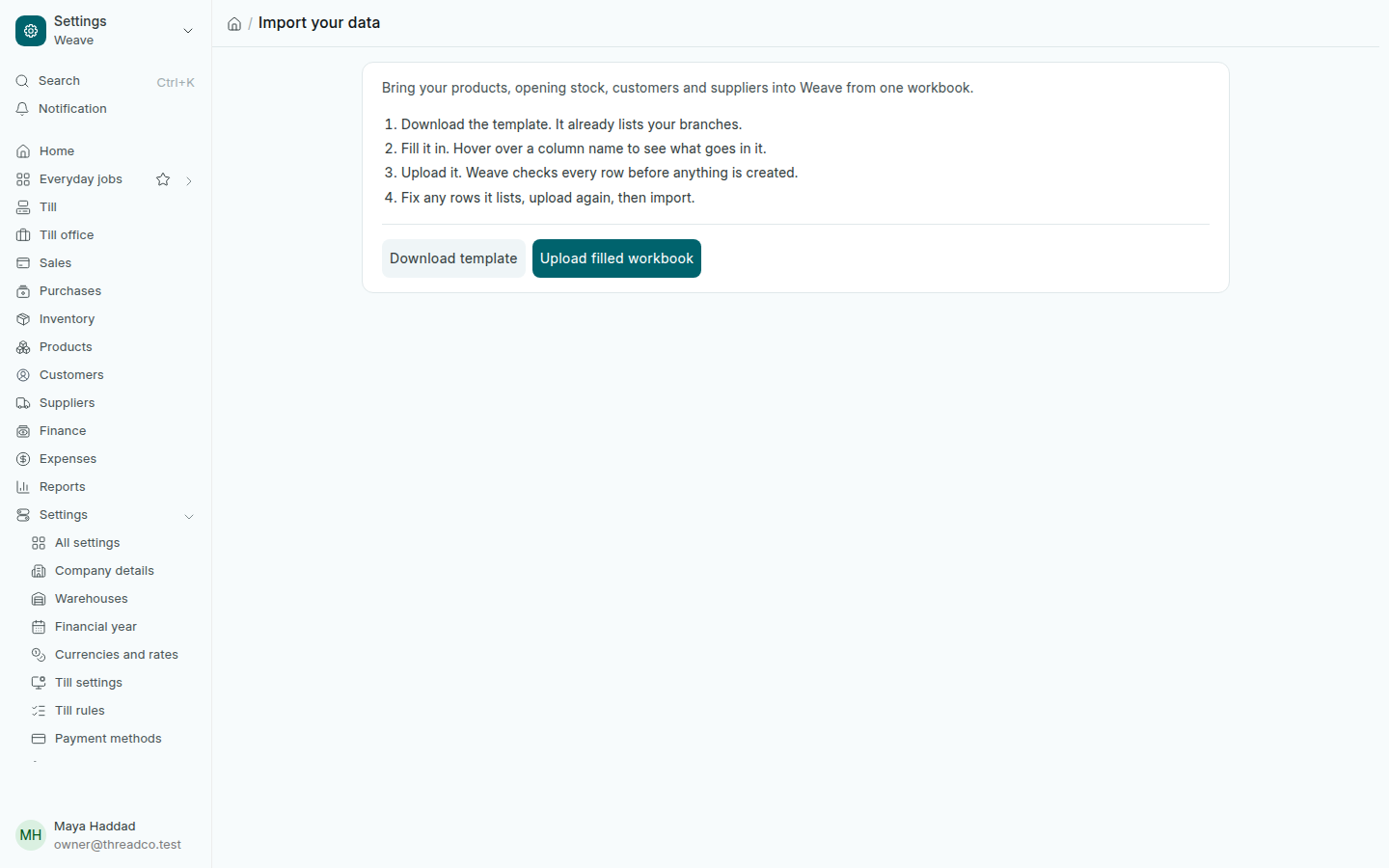
Open Settings → Import your data. It brings in your products with their sizes and colours, the opening stock in each branch, and your customers and suppliers with their balances, from one Excel workbook.

The Import your data page
Four steps.
  1. Press Download template. It already lists your branches.
  2. Fill it in. Hover over a column name to see what goes in it.
  3. Press Upload filled workbook. Weave checks every row before anything is created.
  4. If it lists rows with problems, fix them in the file and upload again, then import.

Nothing is created while the file has a single error. If you upload the same file again, Weave skips what it already created.

Customers and suppliers can carry an opening balance in dollars or pounds; pounds are counted at the exchange rate filed. A branch that has opening stock does not take a second opening stock: correct quantities afterwards with a stock count.

Import and export

Settings → Import and export brings in or updates other kinds of records in bulk from a file. Use it with support's help. To export, open any list and use its page menu.