الإشعارات والرسائل المجدولة

ما يصلك من Weave داخل التطبيق وبالبريد، والرسائل التي يرسلها Weave بنفسه إلى العملاء.

الإشعارات

افتح الإعدادات ← الإشعارات. هذه إعداداتك أنت، ولكل شخص إعداداته.
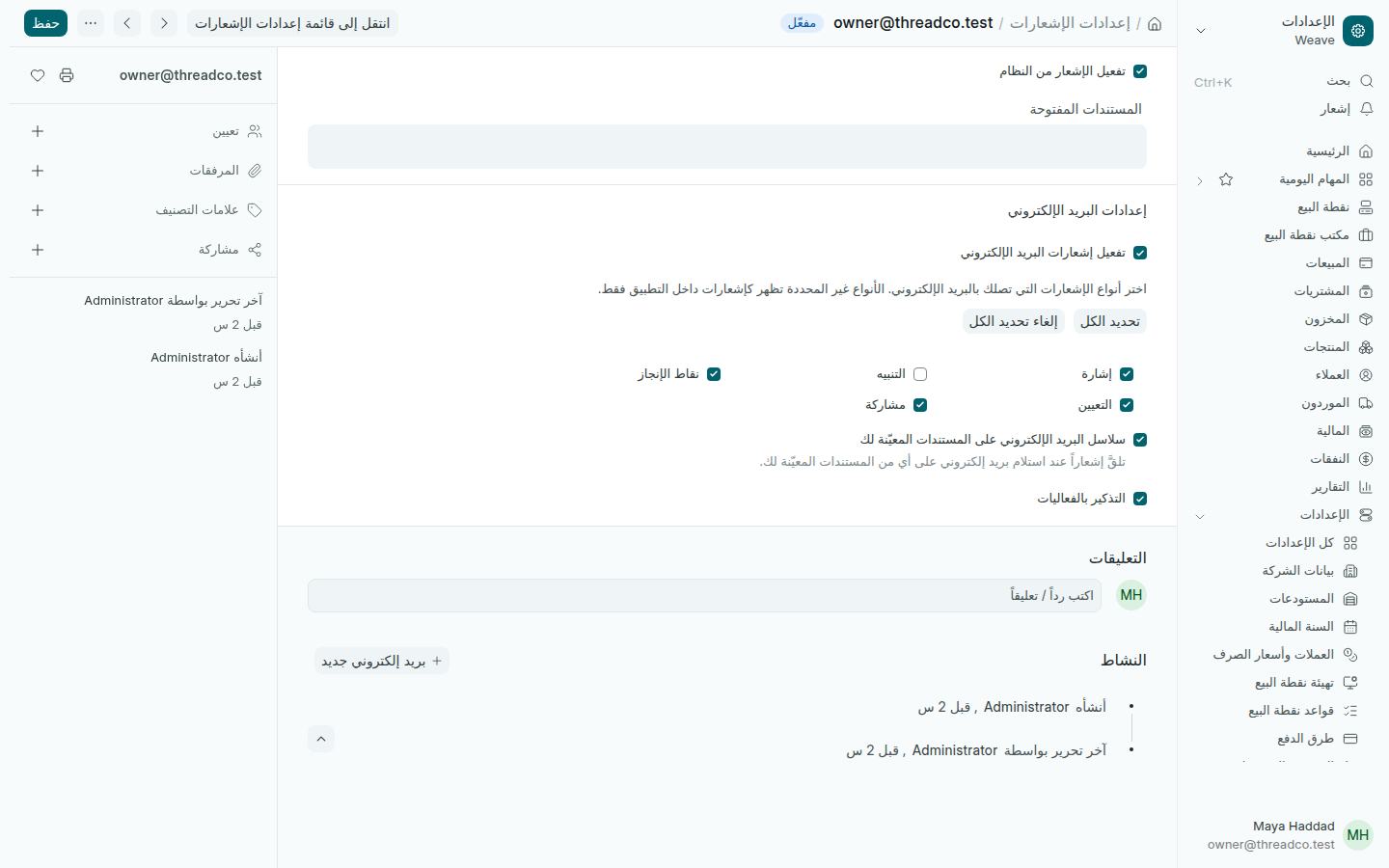
إعدادات الإشعارات
ما لا تحدّده يبقى إشعاراً داخل Weave فقط.
  1. أبقِ تفعيل إشعارات البريد الإلكتروني محدّداً لتصلك بالبريد أيضاً.
  2. حدّد أنواع الإشعارات التي تريدها بالبريد، مثل التعيين والإشارة إليك.
  3. اضغط حفظ.

الجرس في أعلى القائمة الجانبية، إشعار، يعرض إشعاراتك داخل Weave.

الرسائل المجدولة

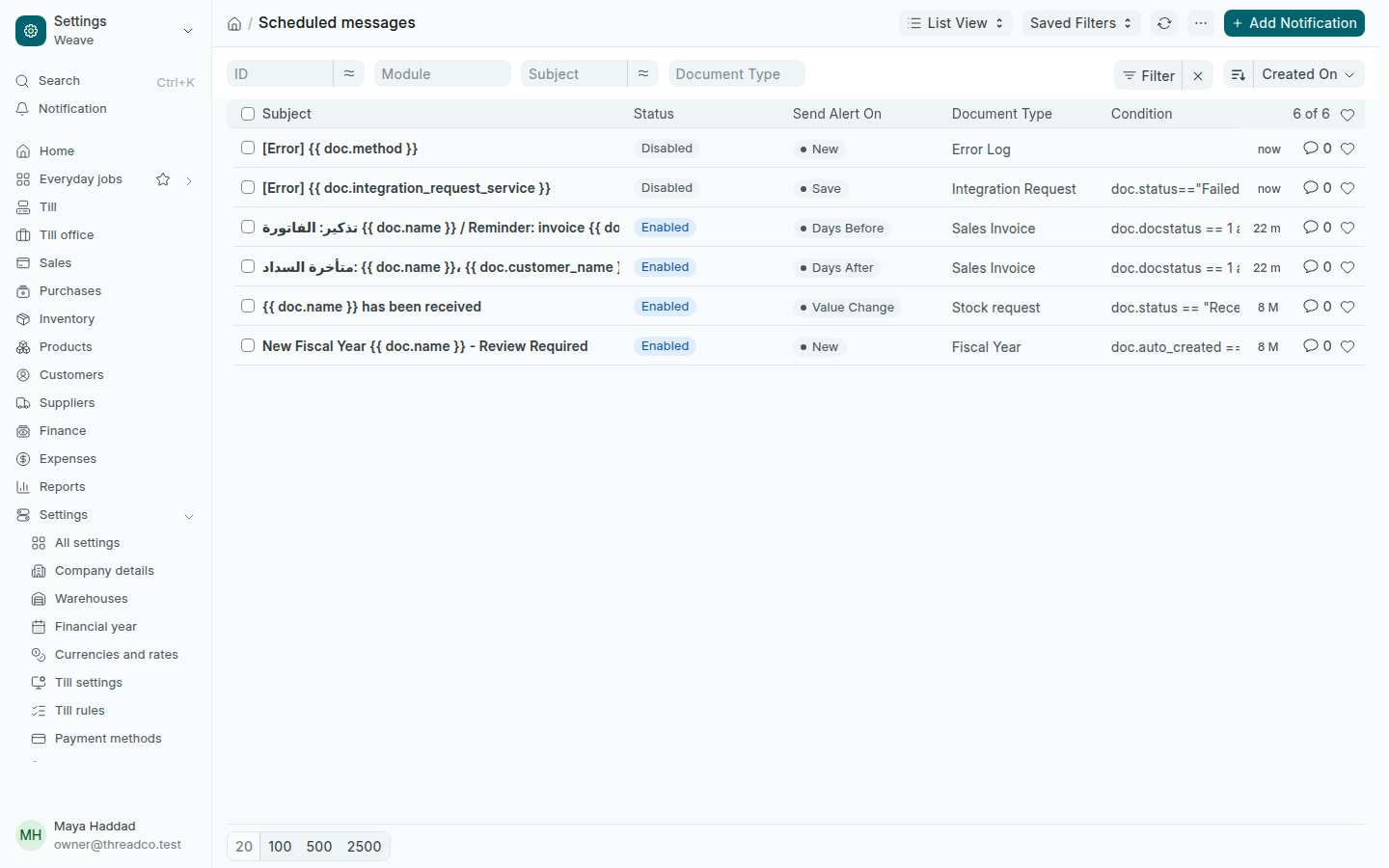
افتح الإعدادات ← الرسائل المجدولة. هي رسائل يرسلها Weave بنفسه حين يحدث شيء:

  • تذكير العميل بفاتورته قبل تاريخ استحقاقها، ورسالة حين تتأخر.
  • إشعار حين يُستلم طلب مخزون.
  • إشعار لمراجعة السنة المالية الجديدة حين ينشئها Weave.
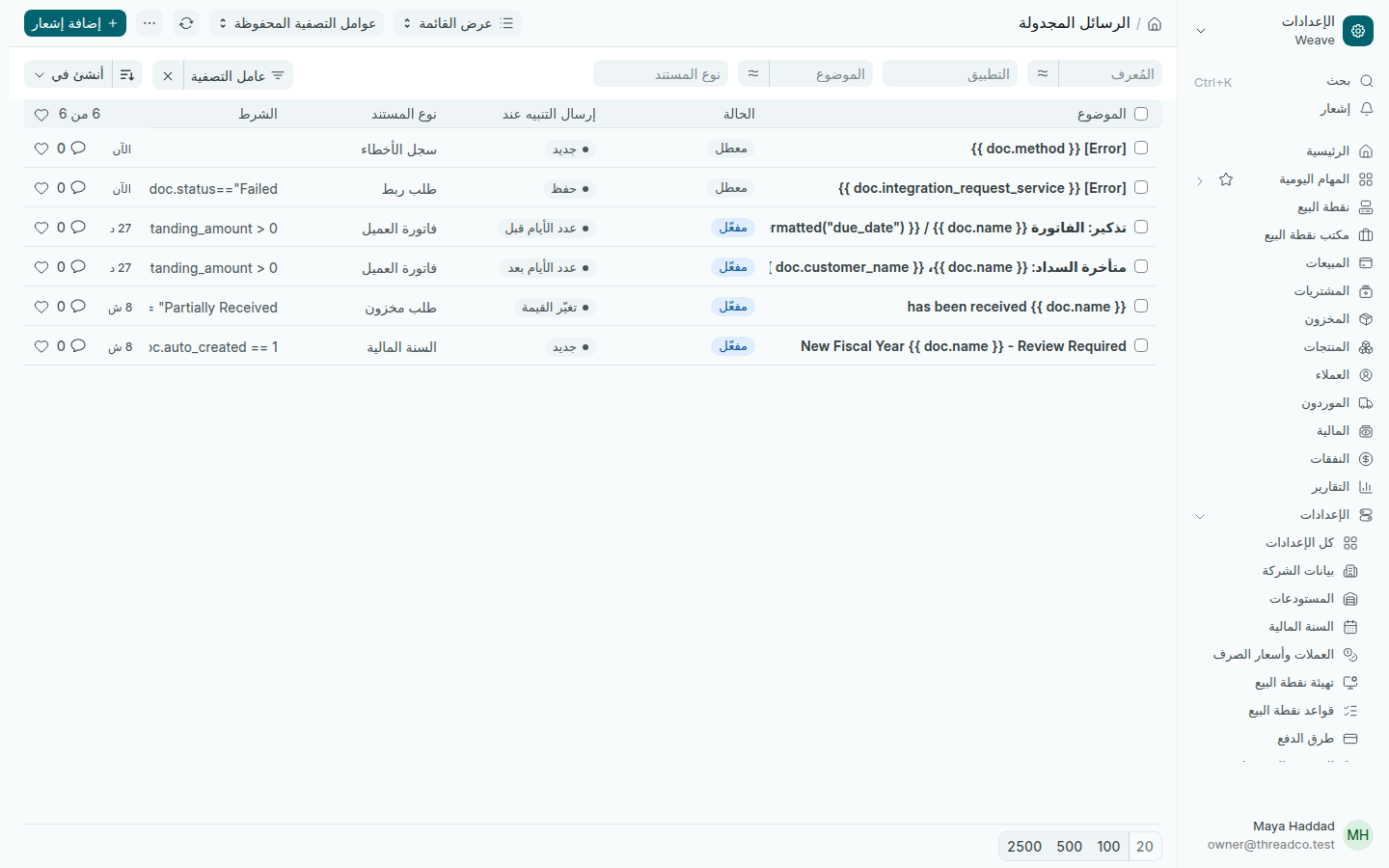
الرسائل المجدولة
المفعّلة تُرسَل، والمعطّلة لا.

لإيقاف رسالة، افتحها وألغِ تحديد مفعّل، ثم اضغط حفظ. نصّ الرسائل في مظهر البريد الإلكتروني.
Notifications and scheduled messages

What Weave tells you in the app and by email, and the messages Weave sends customers by itself.

Notifications

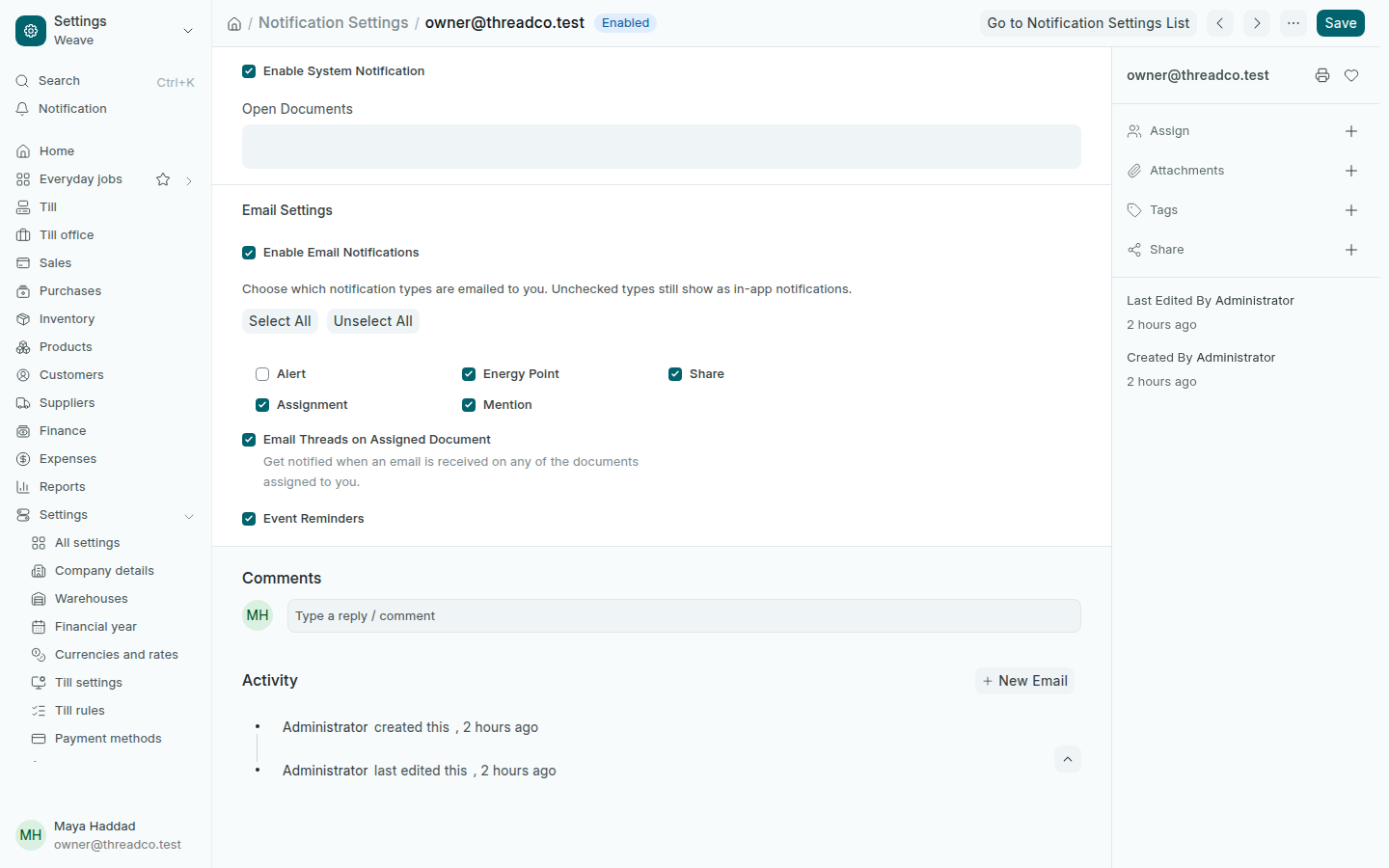
Open Settings → Notifications. These are your own settings: each person has theirs.

Notification settings
What you leave unticked stays a notification inside Weave only.
  1. Keep Enable Email Notifications ticked to get them by email too.
  2. Tick the kinds you want by email, such as Assignment and Mention.
  3. Press Save.

The bell near the top of the side menu, Notification, shows your notifications inside Weave.

Scheduled messages

Open Settings → Scheduled messages. These are messages Weave sends by itself when something happens:

  • A reminder to a customer before an invoice is due, and a message when it is overdue.
  • A notice when a stock request has been received.
  • A notice to review the new financial year when Weave creates it.
Scheduled messages
Enabled ones are sent; disabled ones are not.

To stop a message, open it, untick Enabled, then press Save. The messages' wording is in Email appearance.