سجل التدقيق

من غيّر سعراً أو خصماً أو مخزوناً أو إعداداً، ومتى، وما الذي تغيّر.

افتح الإعدادات ← سجل التدقيق. لكل تغيير سطر: متى، ومن، وما الذي تغيّر، والقيمة قبله وبعده، وأين: نقطة البيع أو الفرع أو القسم.
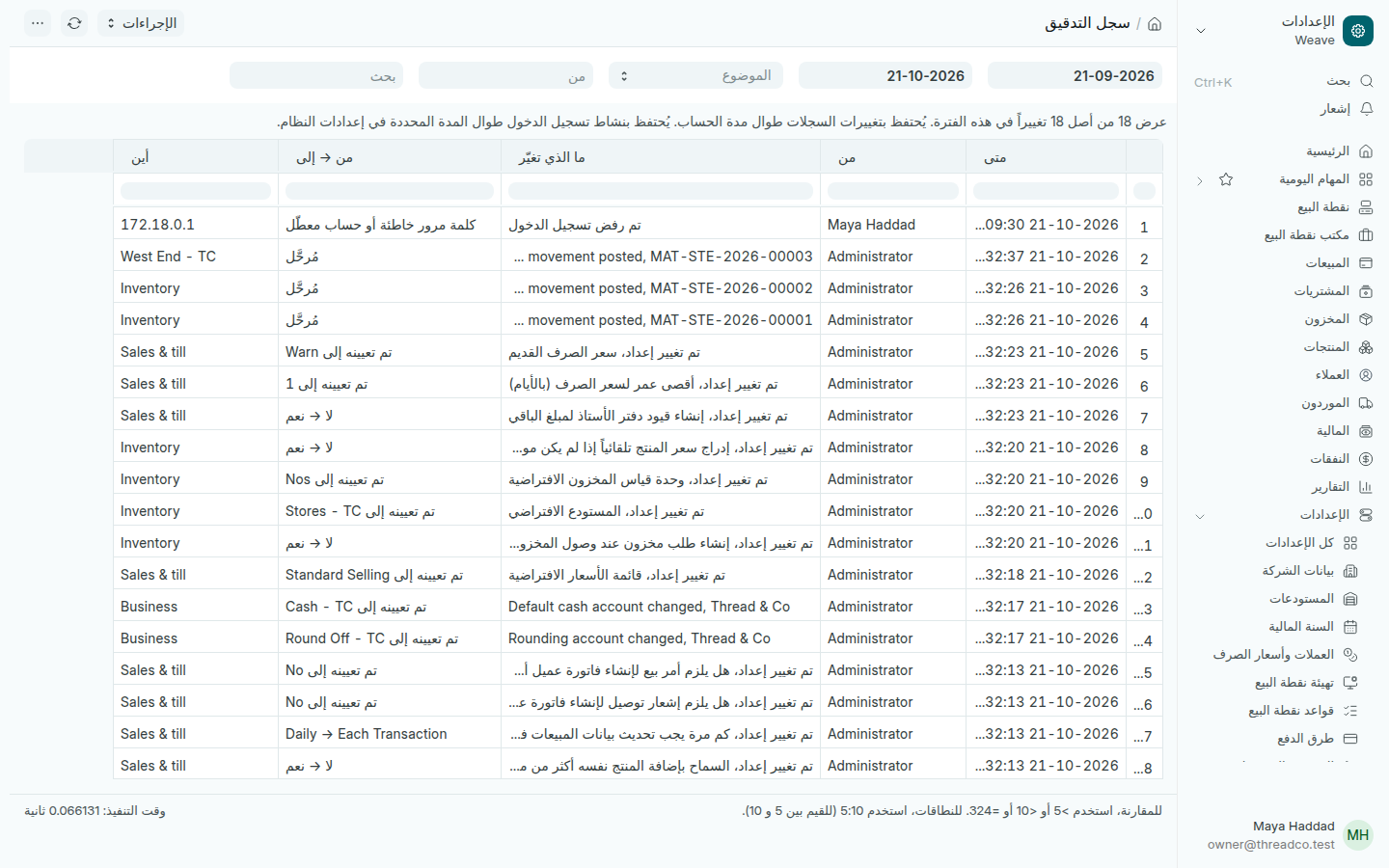
سجل التدقيق
محاولات الدخول المرفوضة تظهر هنا أيضاً.

المبيعات العادية لا تظهر هنا، فمكانها تقارير المبيعات. يظهر إلغاء البيع، والخصم الذي غُيّر يدوياً، وتغيير الأسعار، وحركات المخزون، وتغيير الإعدادات والصلاحيات، والدخول.

  1. اختر الفترة في التاريخين.
  2. في الموضوع اختر المال والمخزون أو الأشخاص والصلاحيات أو الإعدادات.
  3. اختر الشخص في من، أو اكتب في بحث رقم فاتورة أو اسم منتج.

تغييرات السجلات تُحفظ ما دام الحساب قائماً. السجل للمالك وحده.
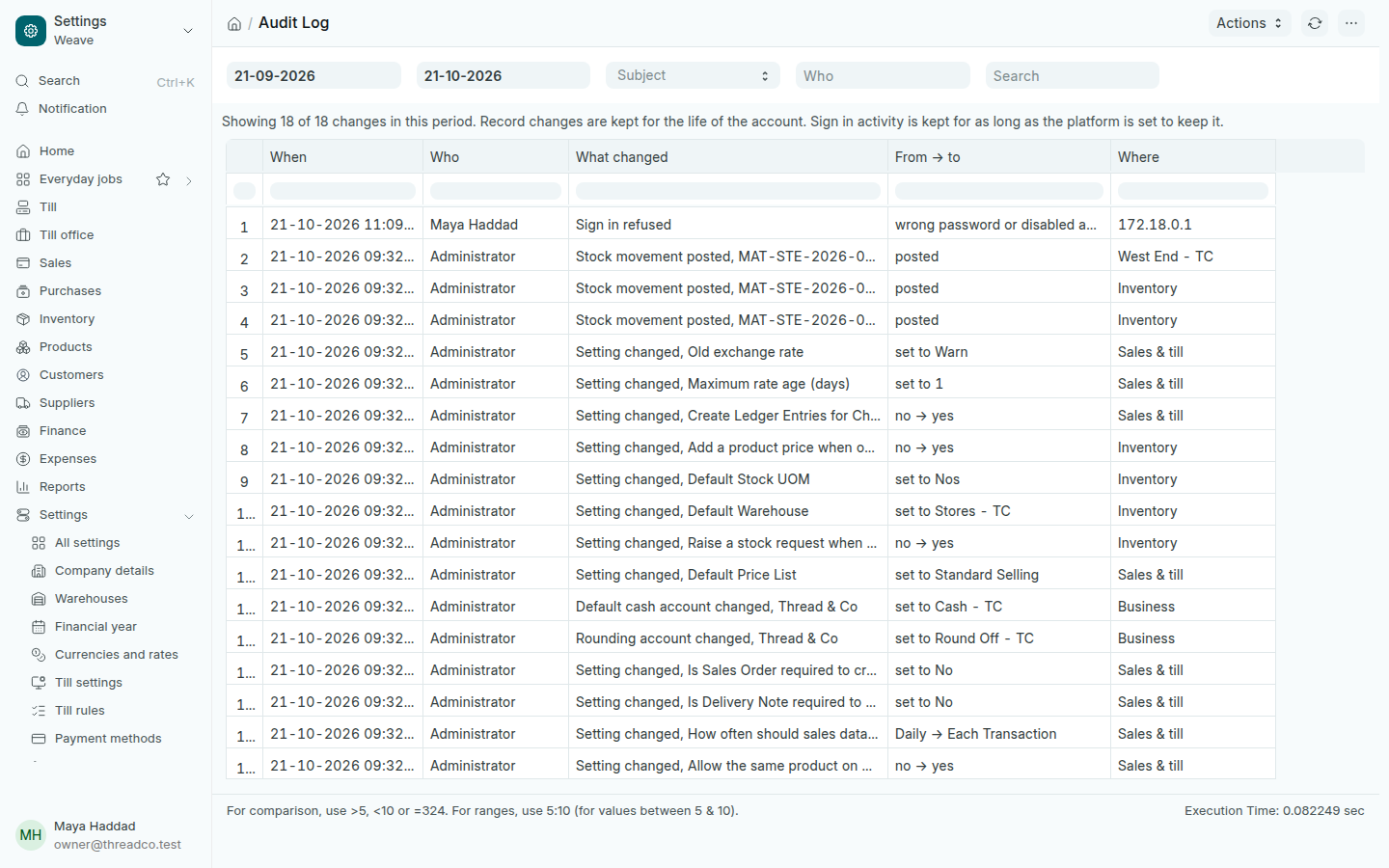
The audit log

Who changed a price, a discount, stock or a setting, when, and what changed.

Open Settings → Audit log. Each change has a line: When, Who, What changed, the value before and after, and Where: the till, the branch or the area.

The audit log
Refused sign-ins show here too.

Ordinary sales are not here; they belong in the sales reports. What shows is a sale cancelled, a discount changed by hand, a price changed, stock movements, settings and permissions changed, and sign-ins.

  1. Choose the period in the two dates.
  2. In Subject, choose Money & stock, People & access or Settings.
  3. Choose a person in Who, or type an invoice number or a product name in Search.

Record changes are kept for the life of the account. The log is for the owner alone.