تهيئة نقطة البيع وقواعدها وطرق الدفع

إعدادات كل نقطة بيع، وما يحدث حين يكون سعر الصرف قديماً، وطرق الدفع التي يقبلها المتجر.

تهيئة نقطة البيع

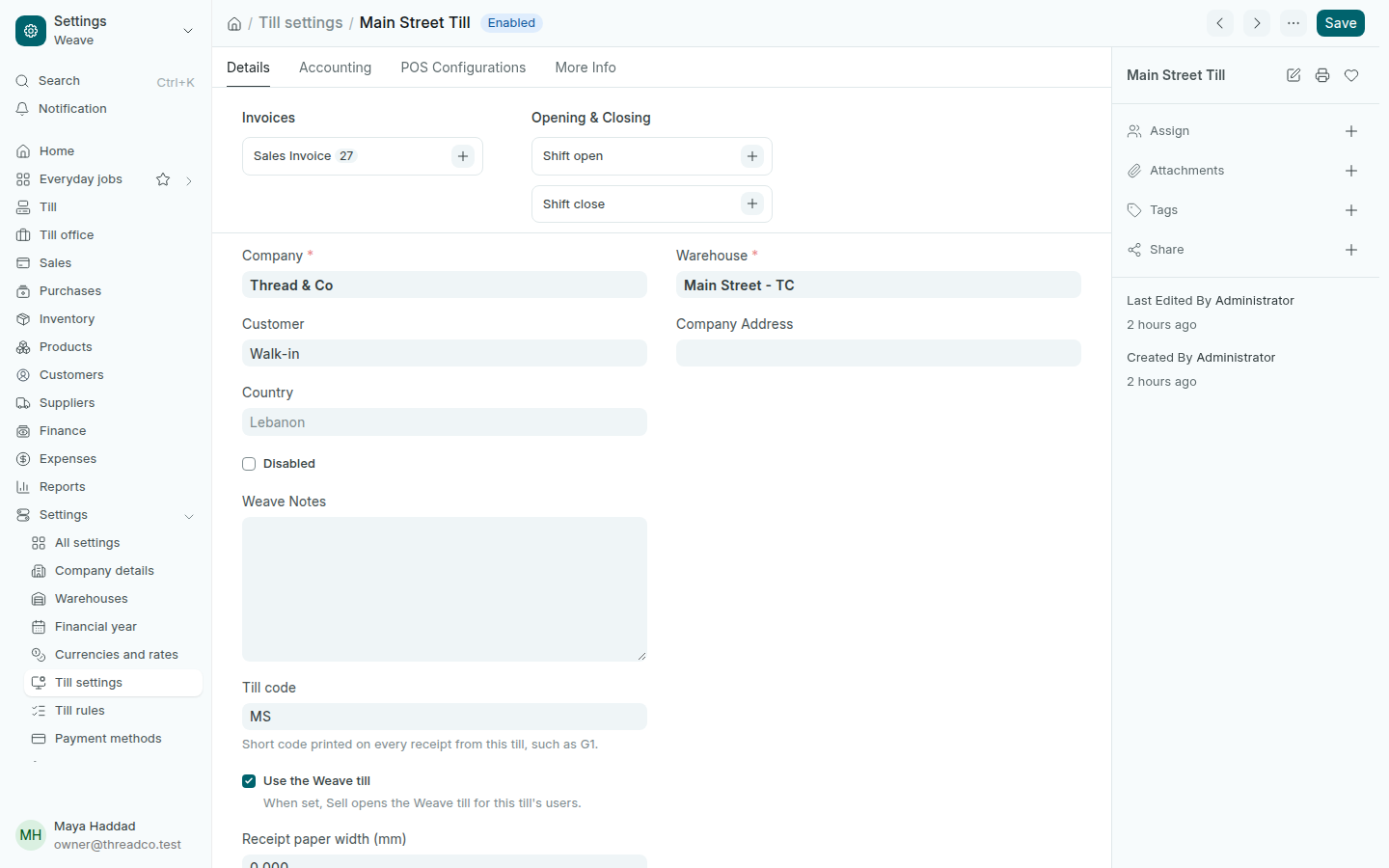
افتح الإعدادات ← تهيئة نقطة البيع. لكل فرع نقطة بيع، اضغط اسمها لتفتحها.
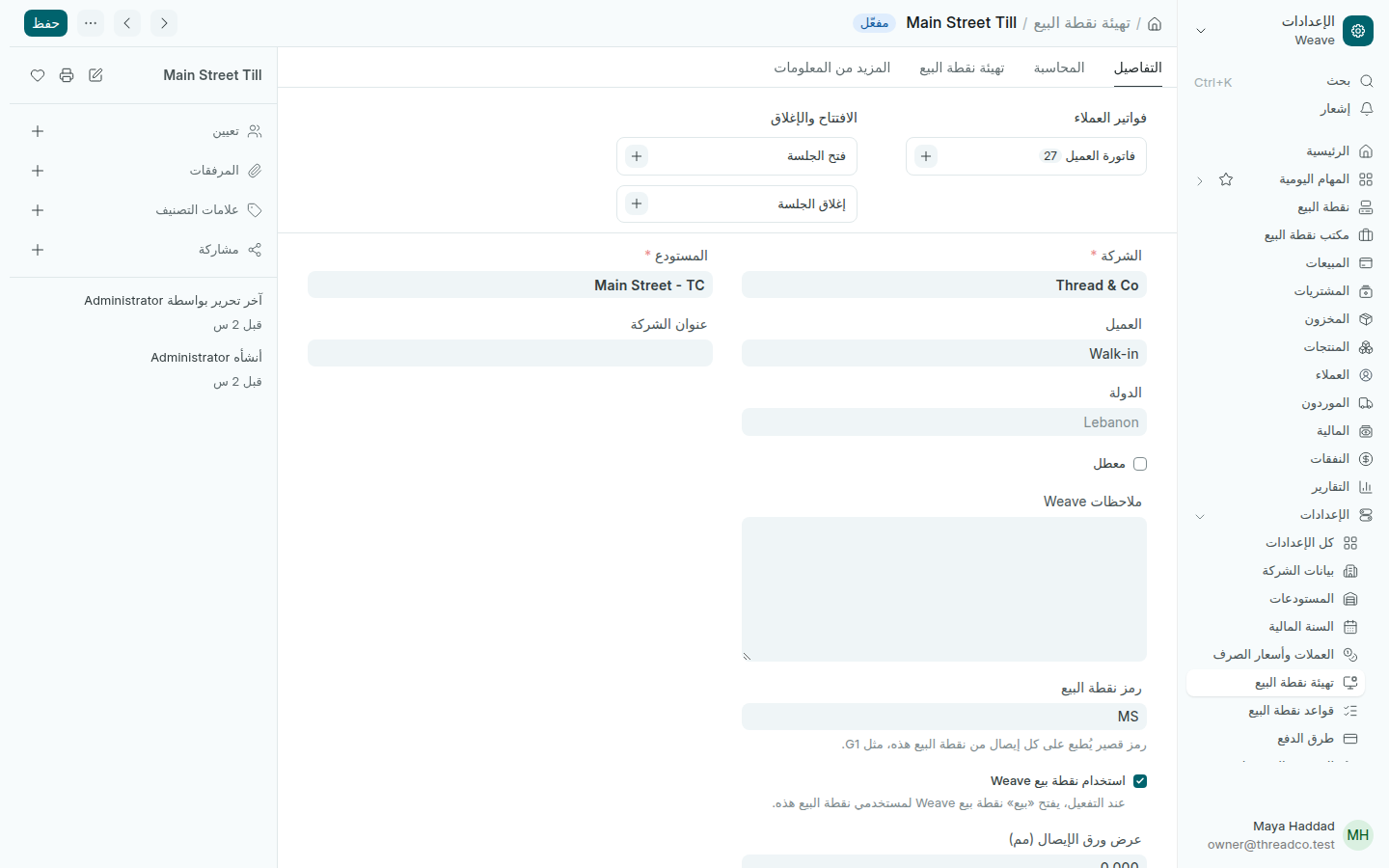
تهيئة نقطة البيع
نقطة البيع تبيع من مستودع فرعها.
  • المستودع: الفرع الذي تبيع نقطة البيع من مخزونه.
  • العميل: العميل الذي تُسجَّل باسمه المبيعات حين لا يُختار عميل، وهو Walk-in.
  • رمز نقطة البيع: رمز قصير يُطبع على كل إيصال منها، مثل G1.
  • استخدام نقطة بيع Weave: أبقِه محدّداً ليفتح «بيع» شاشة نقطة بيع Weave.
  • عرض ورق الإيصال (مم): عرض الورق في طابعة الإيصالات، مثل 72. اتركه فارغاً للطباعة بعرض الإيصال نفسه.

وفي أسفل الصفحة وفي تبويباتها الأخرى طرق الدفع التي تقبلها نقطة البيع وقائمة الأسعار التي تبيع بها.

قواعد نقطة البيع

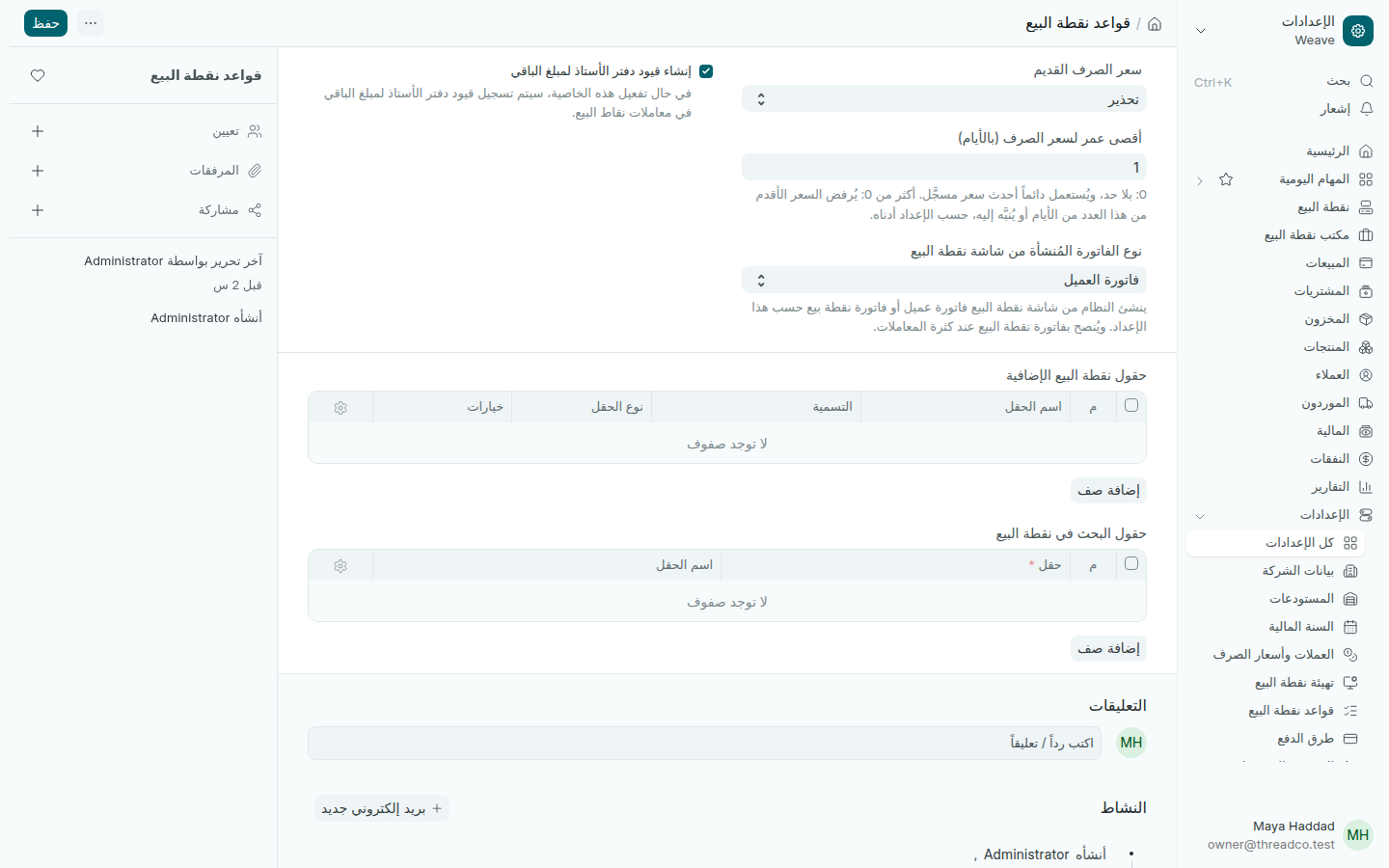
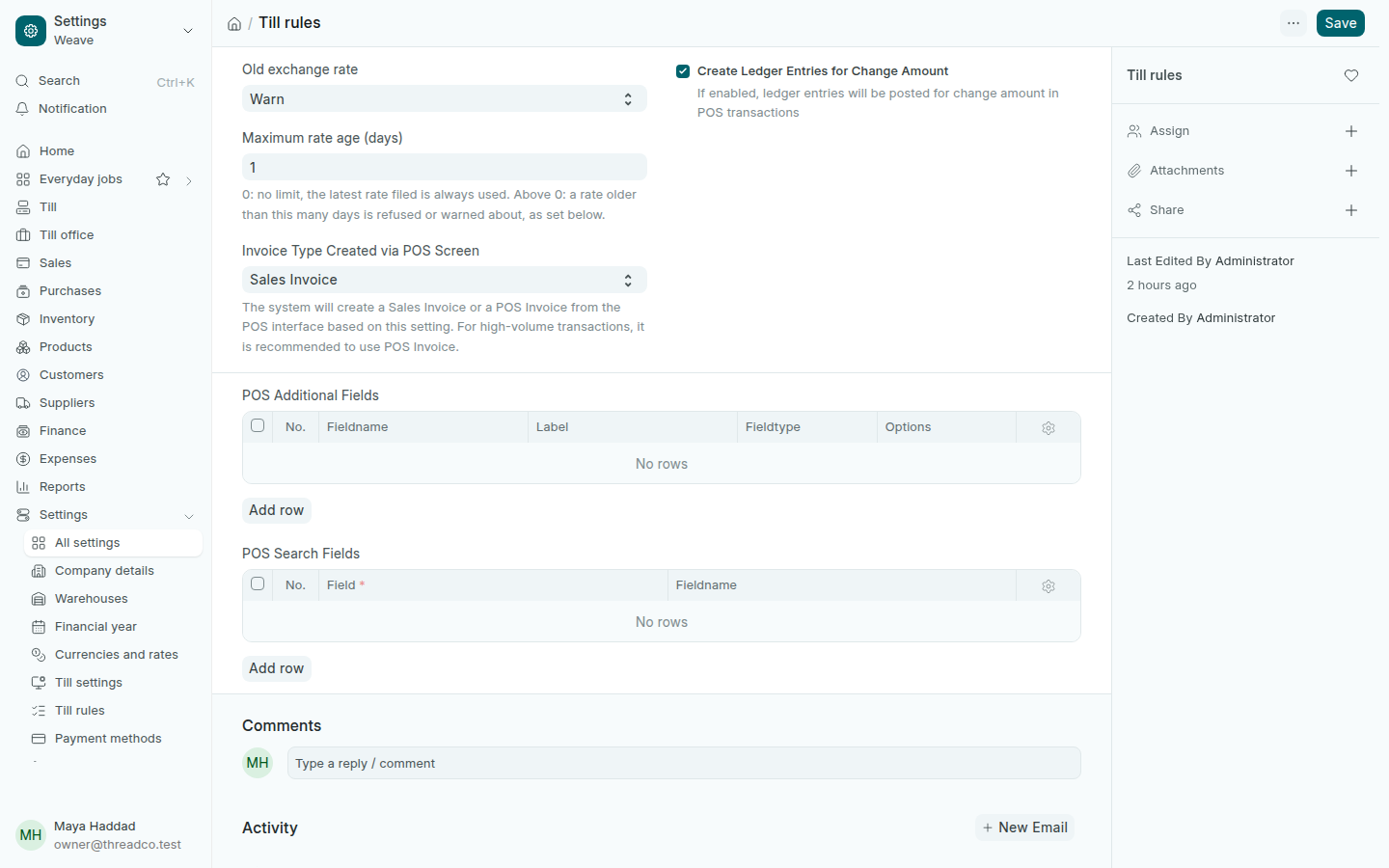
افتح الإعدادات ← قواعد نقطة البيع. هنا قاعدة سعر الصرف القديم:

  1. في أقصى عمر لسعر الصرف (بالأيام) اكتب 1 ليُعدّ سعر الأمس قديماً، أو 0 ليُستعمل آخر سعر مسجّل مهما كان عمره.
  2. في سعر الصرف القديم اختر تحذير لتنبيه الصرّاف ومتابعة البيع، أو حظر لرفض الدفع بالليرة حتى يُسجَّل سعر اليوم.
  3. اضغط حفظ.
قواعد نقطة البيع
أبقِ إنشاء قيود الباقي محدّداً: Weave يسجّل الباقي على الدرج الذي دفعه.

لتسجيل سعر اليوم، انظر تسجيل سعر الصرف اليوم.

طرق الدفع

افتح الإعدادات ← طرق الدفع. المتاجر تستعمل Cash USD وCash LBP وCard. الطرق التي لم يُربط بها حساب معطّلة، لأن الدفع بها يُرفض.
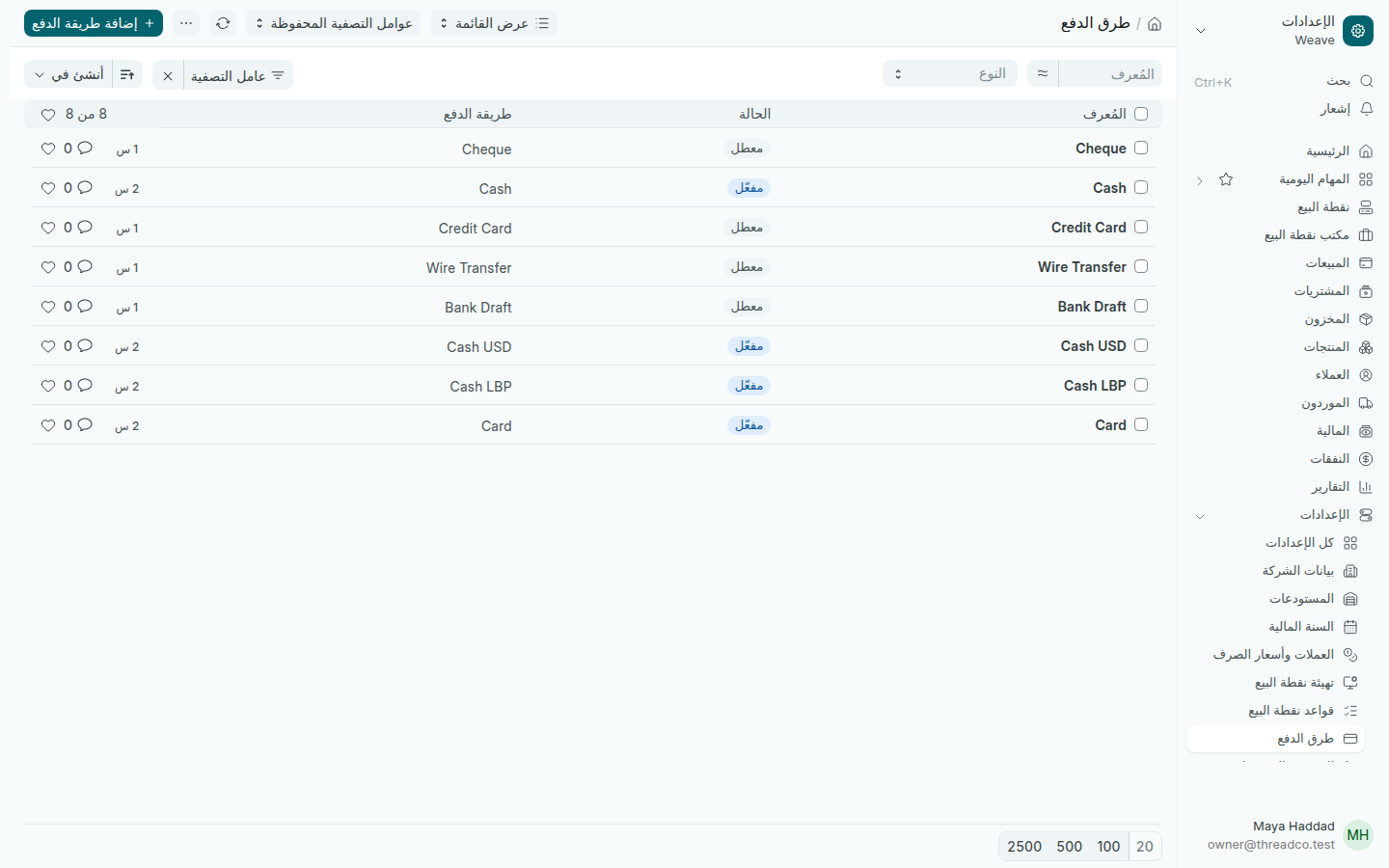
طرق الدفع
كل طريقة دفع مربوطة بحساب.

في طريقة الدفع، عملة العدّ هي العملة التي يعدّ بها الصرّاف هذا الدفع إن كانت غير عملة البيع، مثل الليرة في نقطة بيع بالدولار. لطريقة جديدة، مثل محفظة إلكترونية، اضغط إضافة، واكتب اسمها، واختر حسابها في جدول الحسابات، ثم أضفها إلى نقطة البيع.
Till settings, till rules and payment methods

Each till's settings, what happens when the exchange rate is old, and the payment methods the shop takes.

Till settings

Open Settings → Till settings. Each branch has a till; press its name to open it.

Till settings
A till sells from its branch's warehouse.
  • Warehouse: the branch whose stock the till sells.
  • Customer: who sales are recorded under when no customer is chosen, Walk-in.
  • Till code: a short code printed on every receipt from the till, such as G1.
  • Use the Weave till: keep it ticked so Sell opens the Weave till.
  • Receipt paper width (mm): the paper width in the receipt printer, such as 72. Leave it empty to print at the receipt's own width.

Further down and on the other tabs are the payment methods the till takes and the price list it sells at.

Till rules

Open Settings → Till rules. This is where the old exchange rate rule lives:

  1. In Maximum rate age (days), type 1 so yesterday's rate counts as old, or 0 to use the latest rate filed however old it is.
  2. In Old exchange rate, choose Warn to tell the cashier and carry on, or Block to refuse payment in pounds until today's rate is filed.
  3. Press Save.
Till rules
Keep Create Ledger Entries for Change Amount ticked: Weave books change to the drawer that paid it.

To file today's rate, see File today's exchange rate.

Payment methods

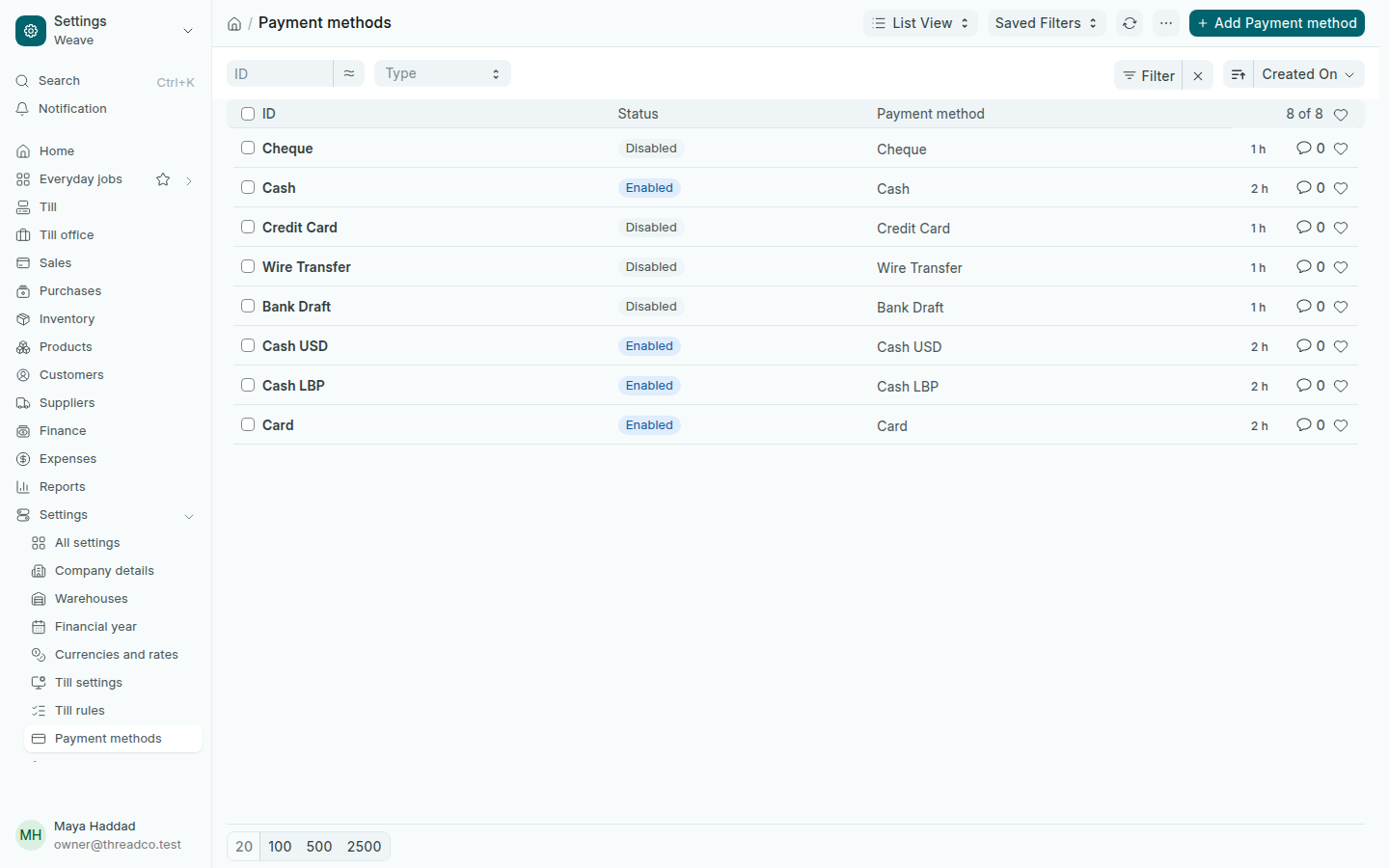
Open Settings → Payment methods. Shops use Cash USD, Cash LBP and Card. Methods with no account are disabled, because a payment made with one would be refused.

Payment methods
Each payment method is tied to an account.

On a payment method, Counted in is the currency the cashier counts it in when that differs from the sale's, such as pounds at a dollar till. For a new method, such as a mobile wallet, press Add, type its name, choose its account in the accounts table, then add it to the till.