الإعدادات المحاسبية الافتراضية وفئات النفقة

قواعد الإلغاء والتحقق في الحسابات، وفئات النفقات التي تختار منها عند تسجيل نفقة.

الإعدادات المحاسبية الافتراضية

افتح الإعدادات ← الإعدادات المحاسبية الافتراضية. ضبطها Weave عند البدء، ولا تحتاج تغييراً إلا بطلب من محاسبك.
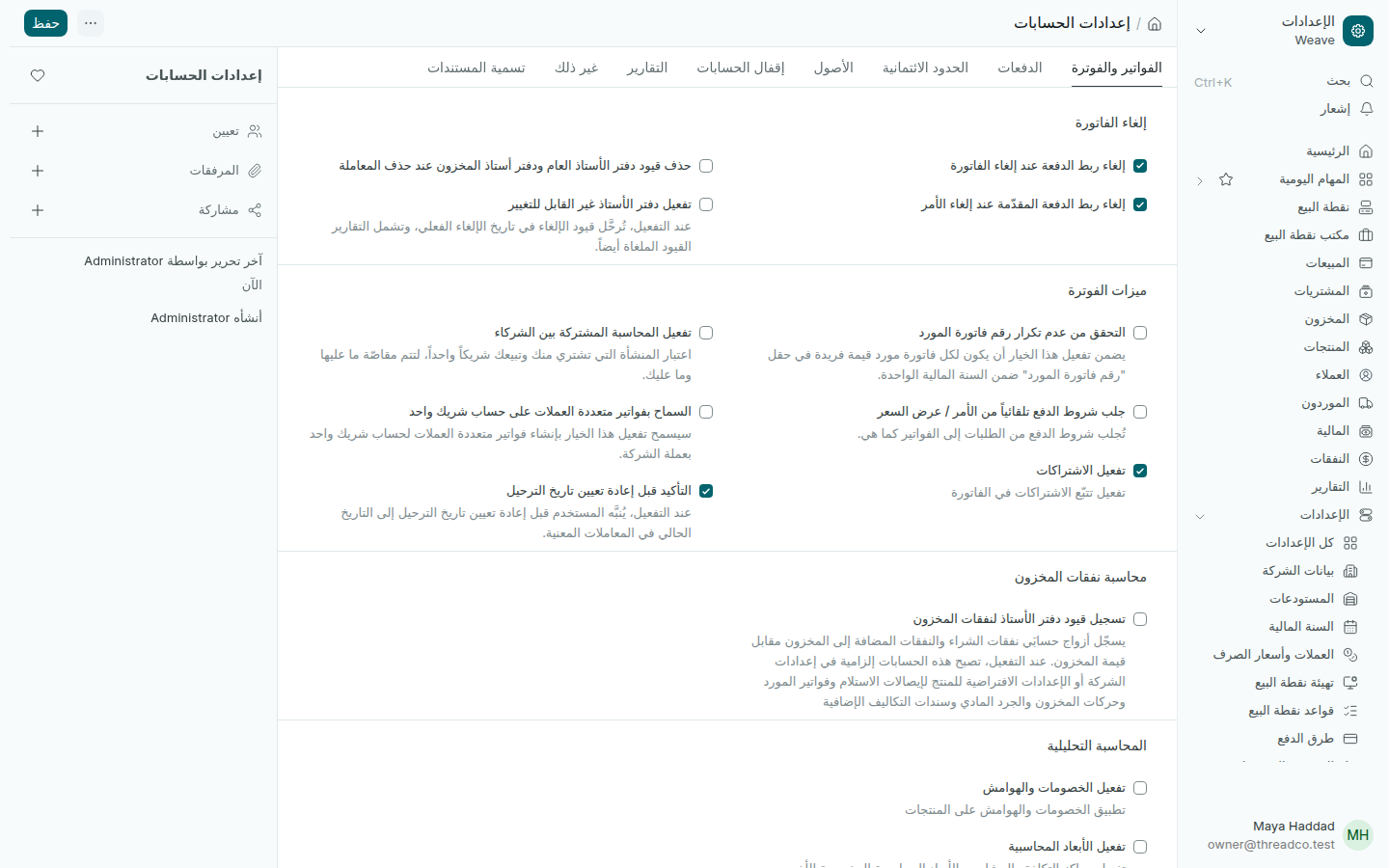
إعدادات الحسابات
كل خانة تحتها شرح قصير.
  • إلغاء ربط الدفعة عند إلغاء الفاتورة: محدّد، فحين تُلغى فاتورة تعود دفعتها رصيداً للعميل بدلاً من أن تُلغى معها.
  • التحقق من عدم تكرار رقم فاتورة المورد: حدّده ليرفض Weave فاتورة مورد برقم سُجّل من قبل في السنة نفسها.

فئات النفقة

افتح الإعدادات ← فئات النفقة. هي حسابات النفقات في شجرة الحسابات، مثل الإيجار والكهرباء والمولّد، وتظهر في القائمة حين تسجّل نفقة.

لفئة جديدة، افتح شجرة الحسابات، واختر المجموعة نفقات المحل، واضغط جديد، واكتب الاسم.
Accounting defaults and expense categories

The cancelling and checking rules in your accounts, and the expense categories you choose from when recording an expense.

Accounting defaults

Open Settings → Accounting defaults. Weave set them when the shop started, and they need no change unless your accountant asks.

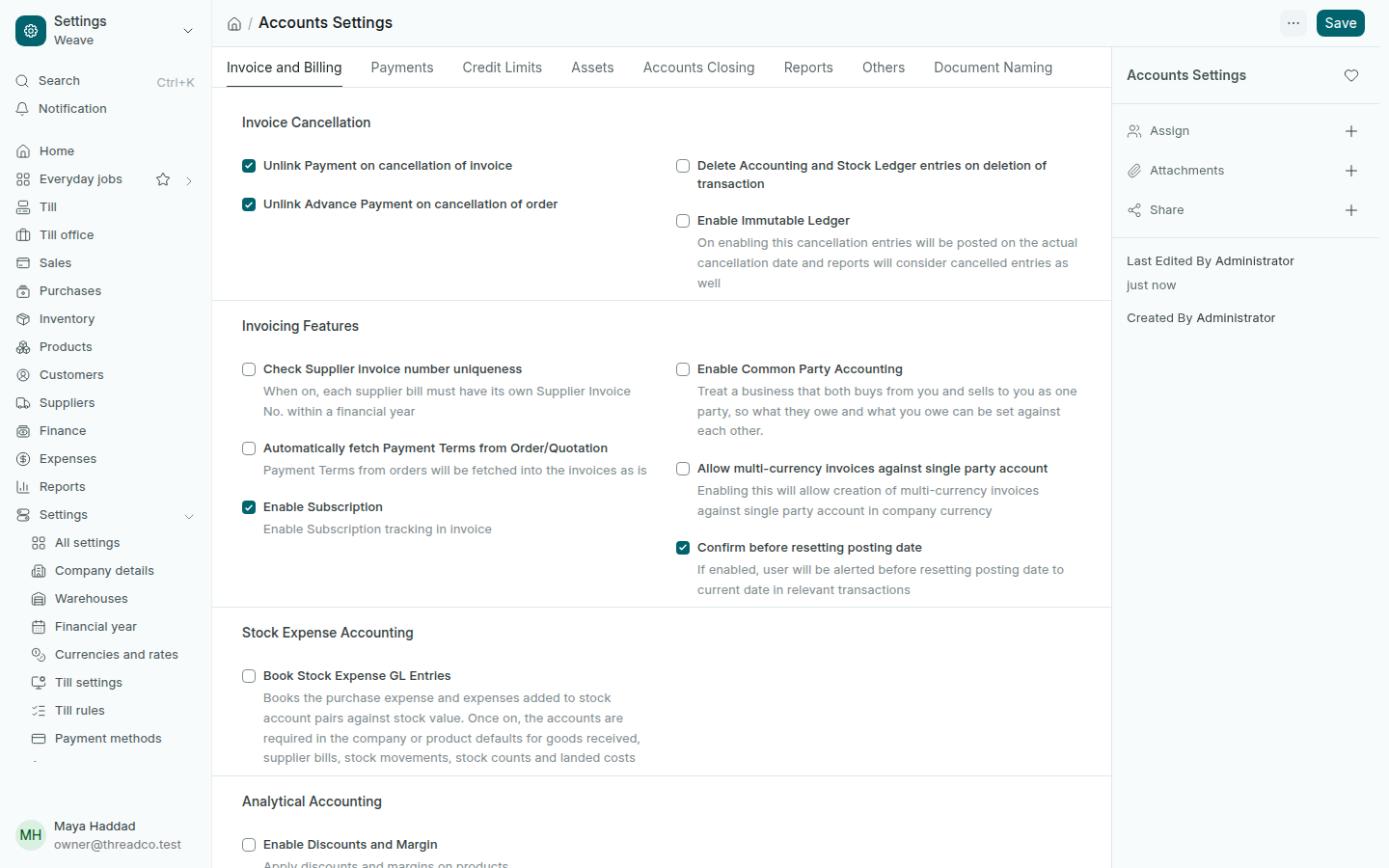
Accounts Settings
Each box has a short explanation under it.
  • Unlink Payment on cancellation of invoice: ticked, so when an invoice is cancelled its payment goes back to the customer's credit instead of being cancelled with it.
  • Check Supplier invoice number uniqueness: tick it so Weave refuses a supplier bill whose number was already used that year.

Expense categories

Open Settings → Expense categories. They are the expense accounts in the Chart of accounts, such as rent, electricity and the generator, and they appear in the list when you record an expense.

For a new category, open the chart of accounts, choose the group نفقات المحل (shop expenses), press New and type the name.