بيانات الشركة والسنة المالية

اسم شركتك وعملتها ورقمها الضريبي، والسنة المالية التي تُجمع فيها الأرباح.

بيانات الشركة

افتح الإعدادات ← بيانات الشركة. أدخل معرف الضريبة إن كنت مسجّلاً، ثم اضغط حفظ. شعار المتجر يُضاف من الصورة في أعلى اللوحة الجانبية، انظر الإيصالات والمستندات والشعار.
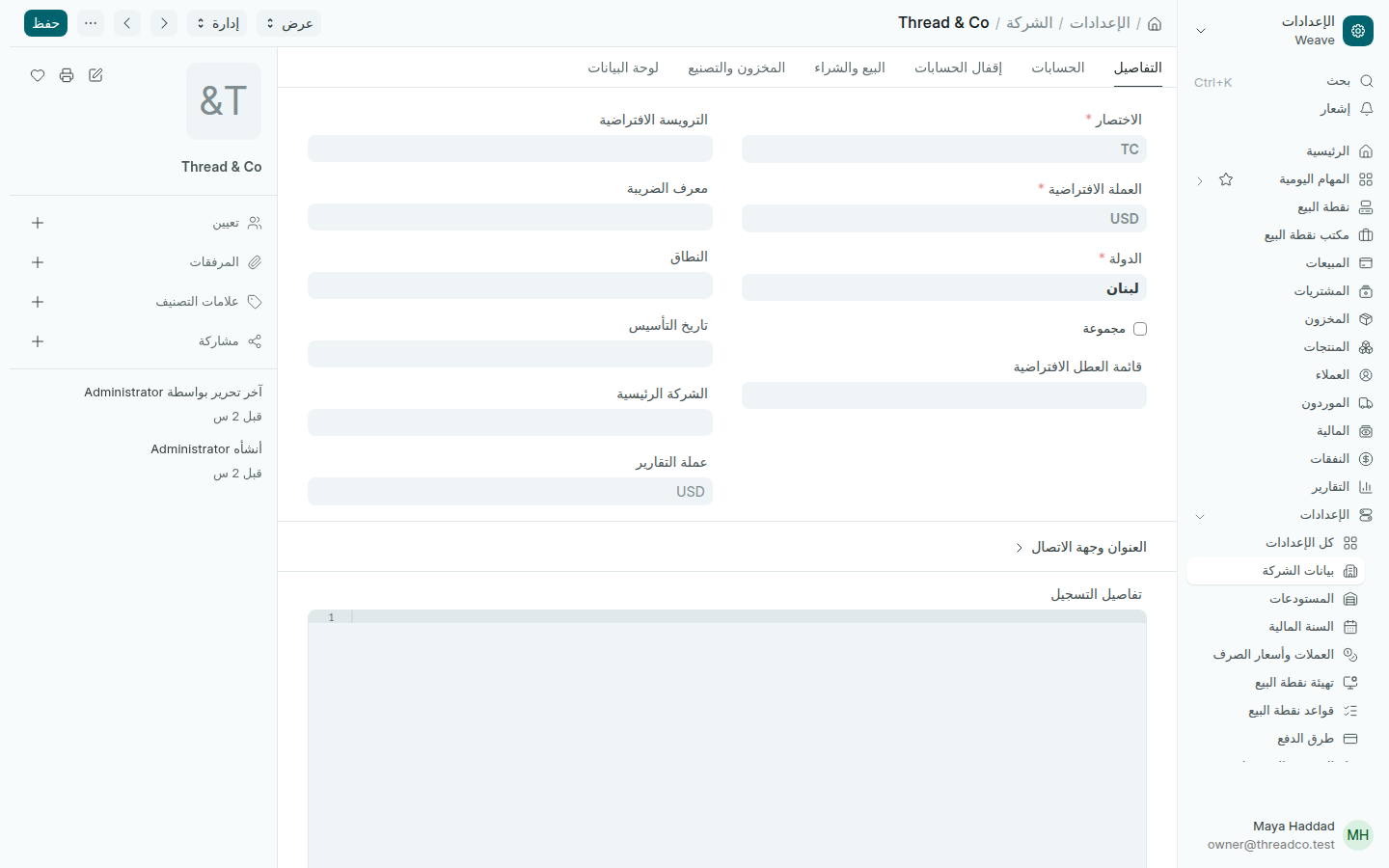
بيانات الشركة
العملة والدولة تُحدَّدان عند البدء.

العملة الافتراضية هي العملة التي تُحفظ بها حساباتك، وهي الدولار في متاجر Weave، ولا تُغيَّر بعد أول بيع. ويضبط Weave في الشركة نفسها حساب سلف الموظفين وحساب الرواتب اللذين تستعملهما السلف والرواتب.

السنة المالية

افتح الإعدادات ← السنة المالية. لكل سنة تاريخ بداية السنة وتاريخ نهاية السنة، وتقارير الربح والخسارة تبدأ بالسنة الحالية.
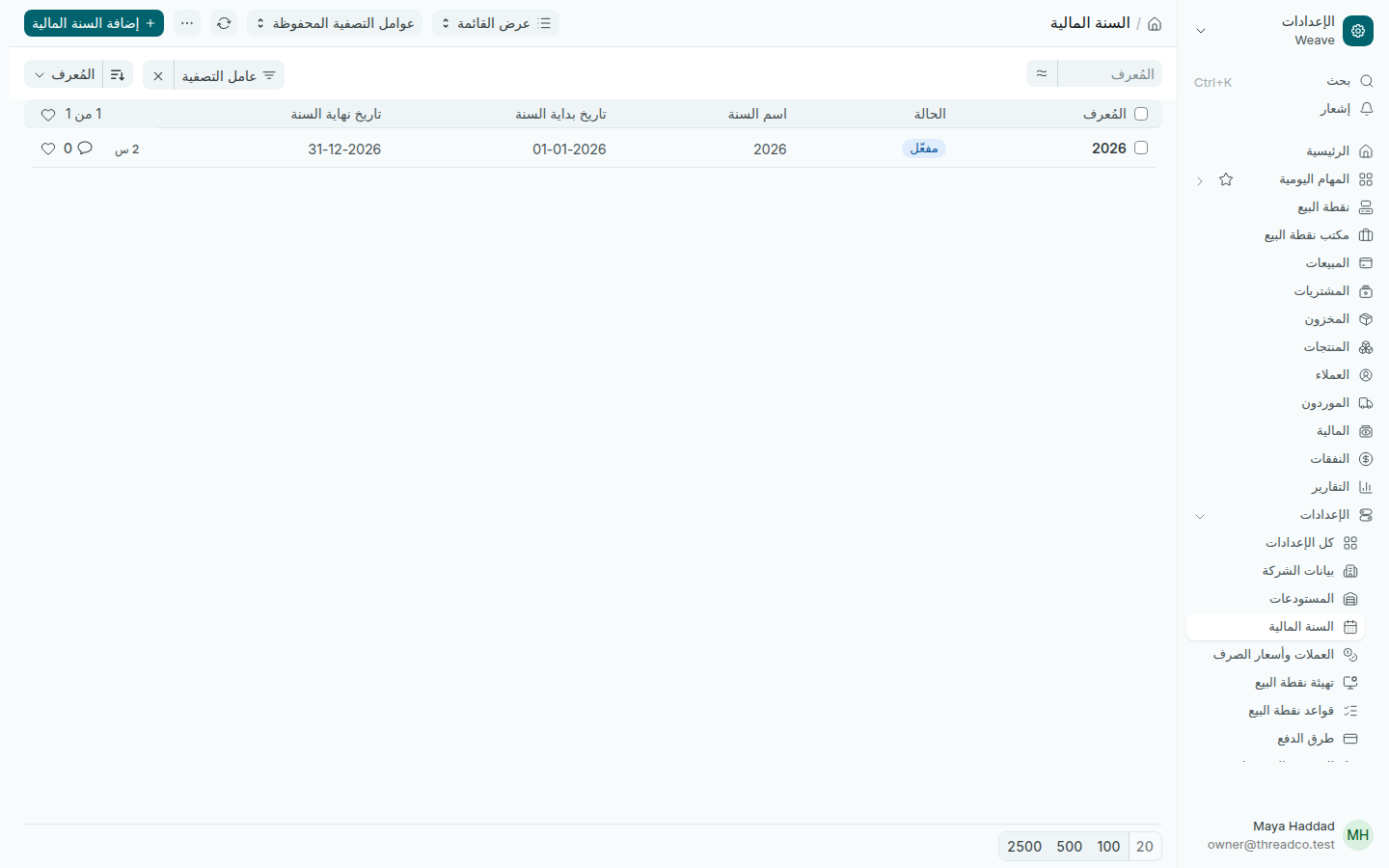
السنوات المالية
سنة واحدة لكل سنة تقويمية.

قبل نهاية السنة بأيام ينشئ Weave السنة التالية بنفسه، ويصلك إشعار لمراجعة تواريخها. وفي آخر السنة يُقفل المحاسب حساباتها كما في إقفال الفترة والسنة المالية.
Company details and the financial year

Your company's name, currency and tax number, and the financial year profit is counted in.

Company details

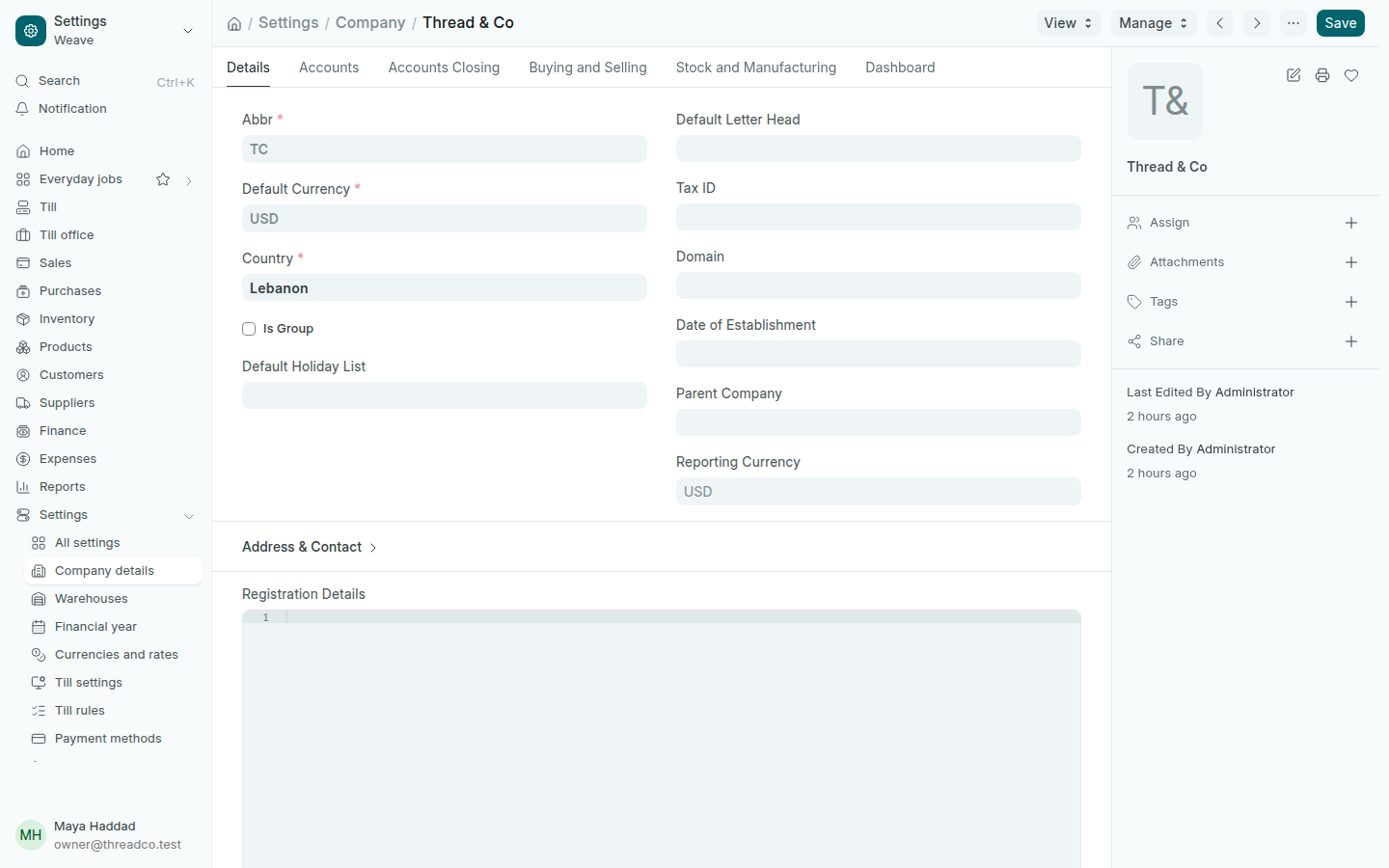
Open Settings → Company details. Type the Tax ID if you are registered, then press Save. The shop's logo is added from the picture at the top of the side panel, see Receipts, documents and your logo.

Company details
The currency and the country are set when the shop starts.

The Default Currency is the currency your accounts are kept in, dollars for Weave shops, and it is not changed after the first sale. The same record holds the Staff advances account and Salaries account that Salary advances and Payday use.

Financial year

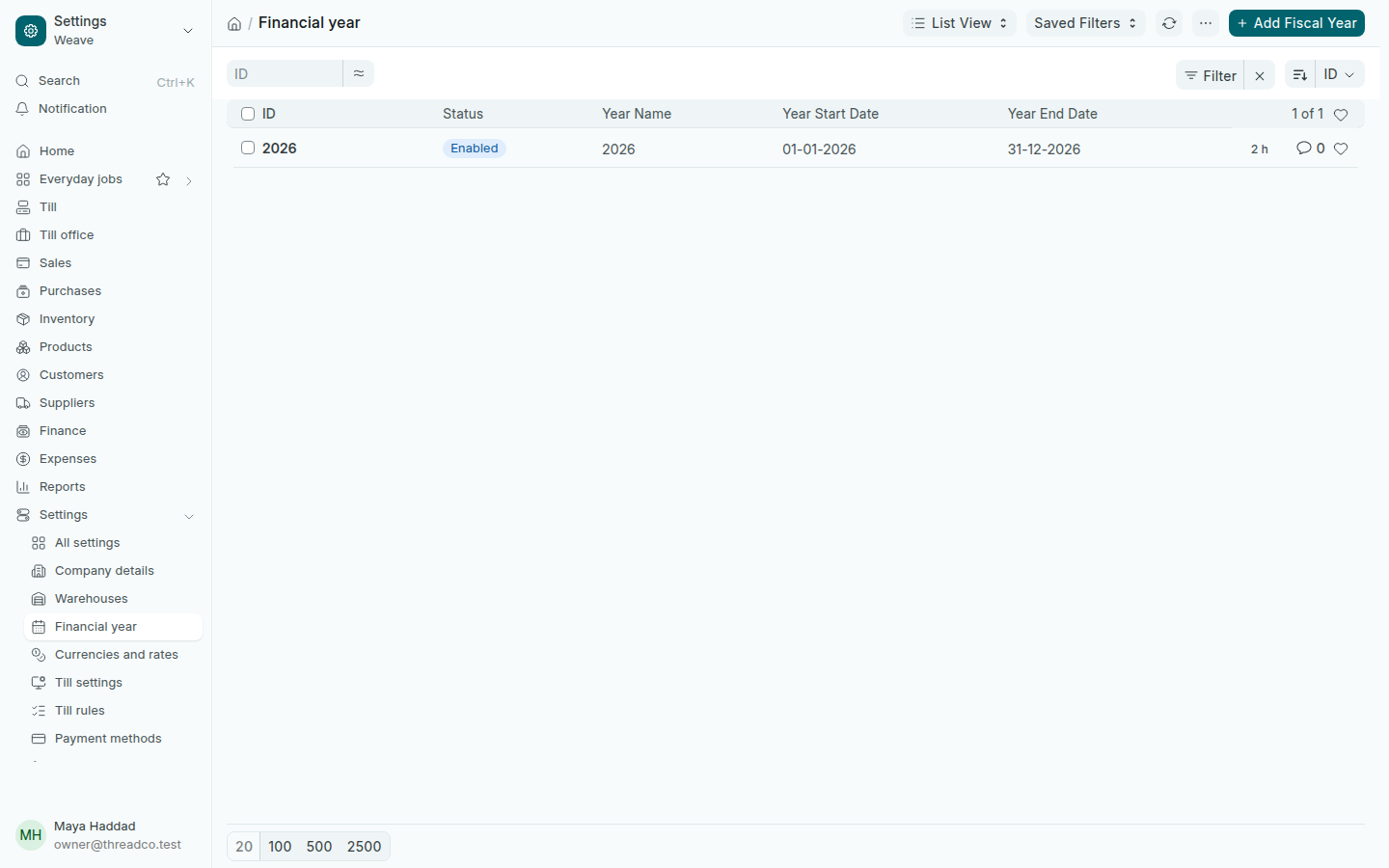
Open Settings → Financial year. Each year has a Year Start Date and a Year End Date, and the profit and loss reports start on the current year.

The financial years
One year per calendar year.

A few days before the year ends, Weave creates the next year by itself and sends a notification to review its dates. At the year's end, your accountant closes it as in Period close and the financial year.