صرف الرواتب

رواتب الشهر لكل الموظفين في صفحة واحدة، مع المكافآت وخصم السلف المتبقية.

الخطوات

  1. اضغط صرف الرواتب في الصفحة الرئيسية أو في المهام اليومية.
  2. تأكّد من التاريخ، واختر الدفع من.
  3. لكل موظف يظهر الراتب الشهري، والمتبقي من سلفه، والخصم (أقل من المتبقي والراتب، ويمكنك تخفيضه)، وصافي الراتب.
  4. أضف المكافأة لمن يستحقها.
  5. حدّد الموظفين الذين تدفع لهم الآن، ثم اضغط صرف الرواتب.
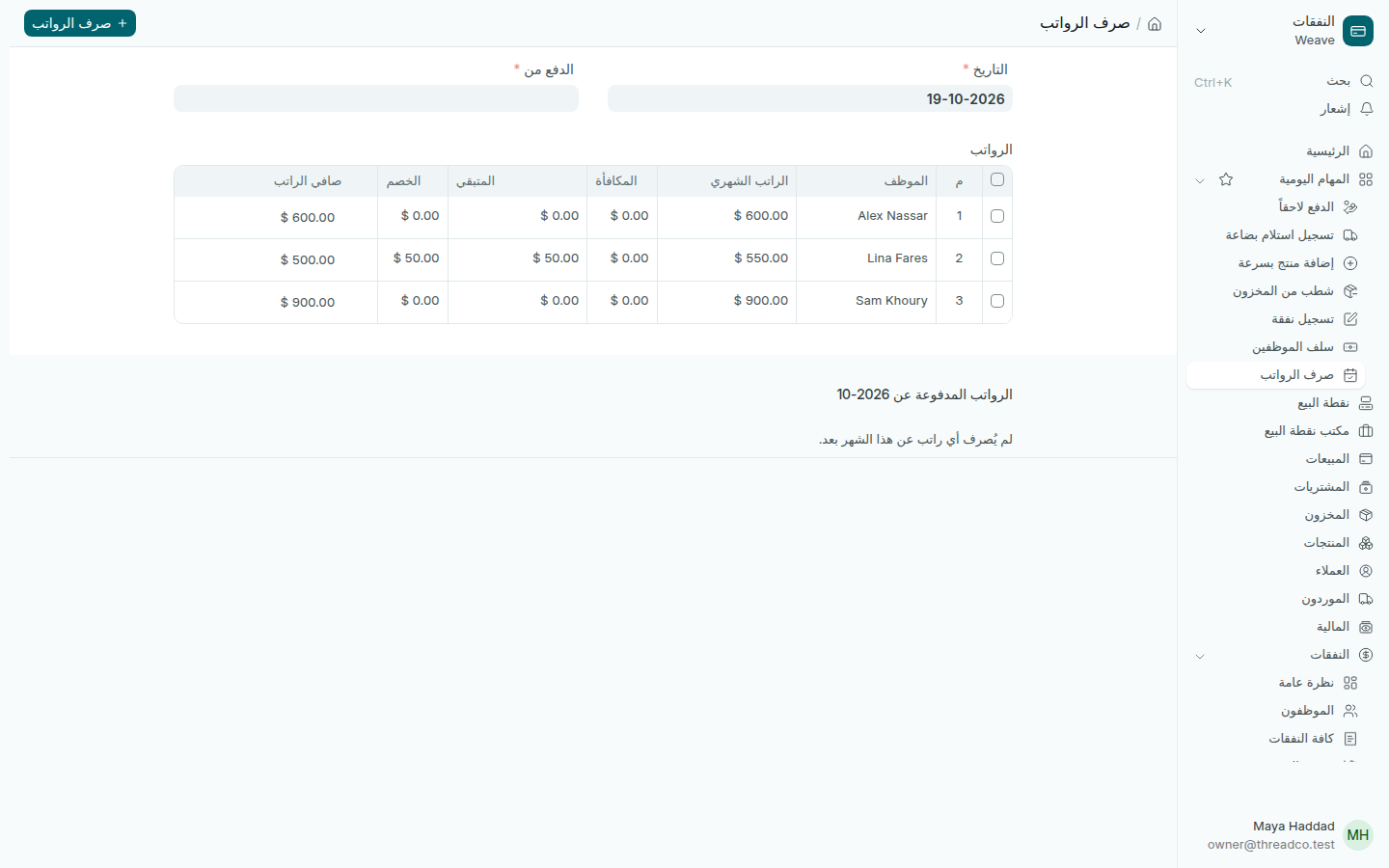
صفحة صرف الرواتب مع ثلاثة موظفين
تُخصم سلفة 50 دولاراً من راتب Lina Fares.

كيف تُحسب

  • صافي الراتب = الراتب الشهري + المكافأة − الخصم.
  • لا يمكن أن يكون الخصم أقل من صفر، ولا أكثر من المتبقي، ولا أكثر من الراتب والمكافأة معاً.
  • الراتب بالليرة يُحوَّل بسعر الصرف المسجّل يوم الصرف.
  • لا يُدفع لموظف مرتين عن الشهر نفسه. من دُفع له يظهر تحت الجدول.
Payday

The month's salaries for every staff member on one page, with bonuses and outstanding advances taken off.

Steps

  1. Press Payday on the home page or in Everyday jobs.
  2. Check the Date, and choose Paid from.
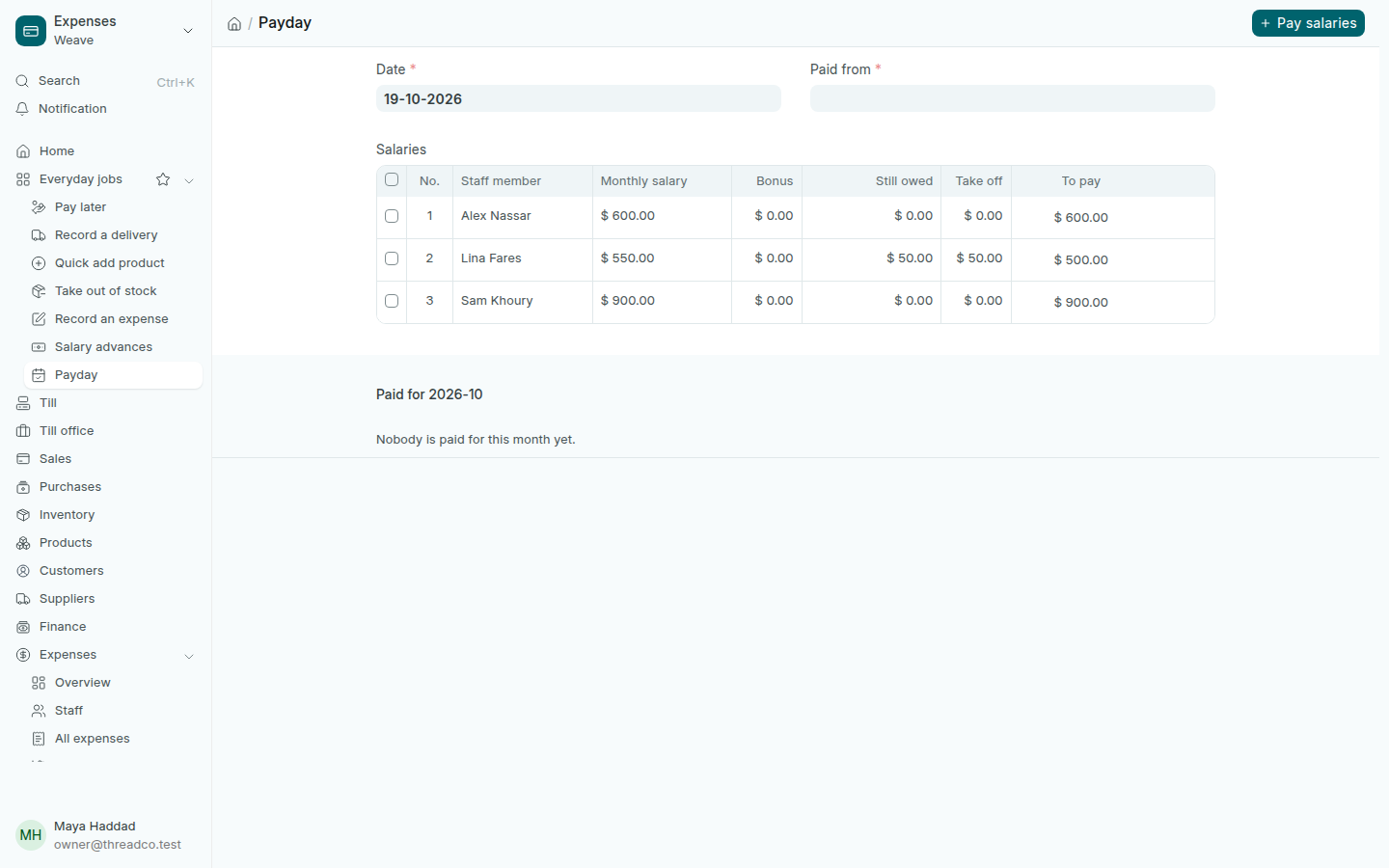
  3. For each staff member Weave shows the Monthly salary, what is Still owed from advances, the amount to Take off (the lower of still owed and the salary; you may lower it) and To pay.
  4. Add a Bonus for anyone who earned one.
  5. Tick the people you are paying now, then press Pay salaries.
The Payday page with three staff members
A $50 advance is taken off Lina Fares's salary.

How it adds up

  • To pay = monthly salary + bonus − take off.
  • Take off cannot be below zero, above what is still owed, or above salary and bonus together.
  • A salary in pounds is converted at the rate filed on payday.
  • Nobody is paid twice for the same month. Those already paid show under the table.