شطب من المخزون

إخراج قطع من المخزون لسبب يحدّده المتجر: تالف، أو مفقود، أو استعمال المحل، أو ما أخذه المالك.

الخطوات

  1. اضغط شطب من المخزون في الصفحة الرئيسية أو في المهام اليومية.
  2. اختر الفرع والسبب.
  3. امسح باركود كل قطعة في مسح الباركود، أو أضف صفاً واختر المنتج، واكتب الكمية.
  4. أضف الملاحظة والصورة إن أردت، ثم اضغط شطب.
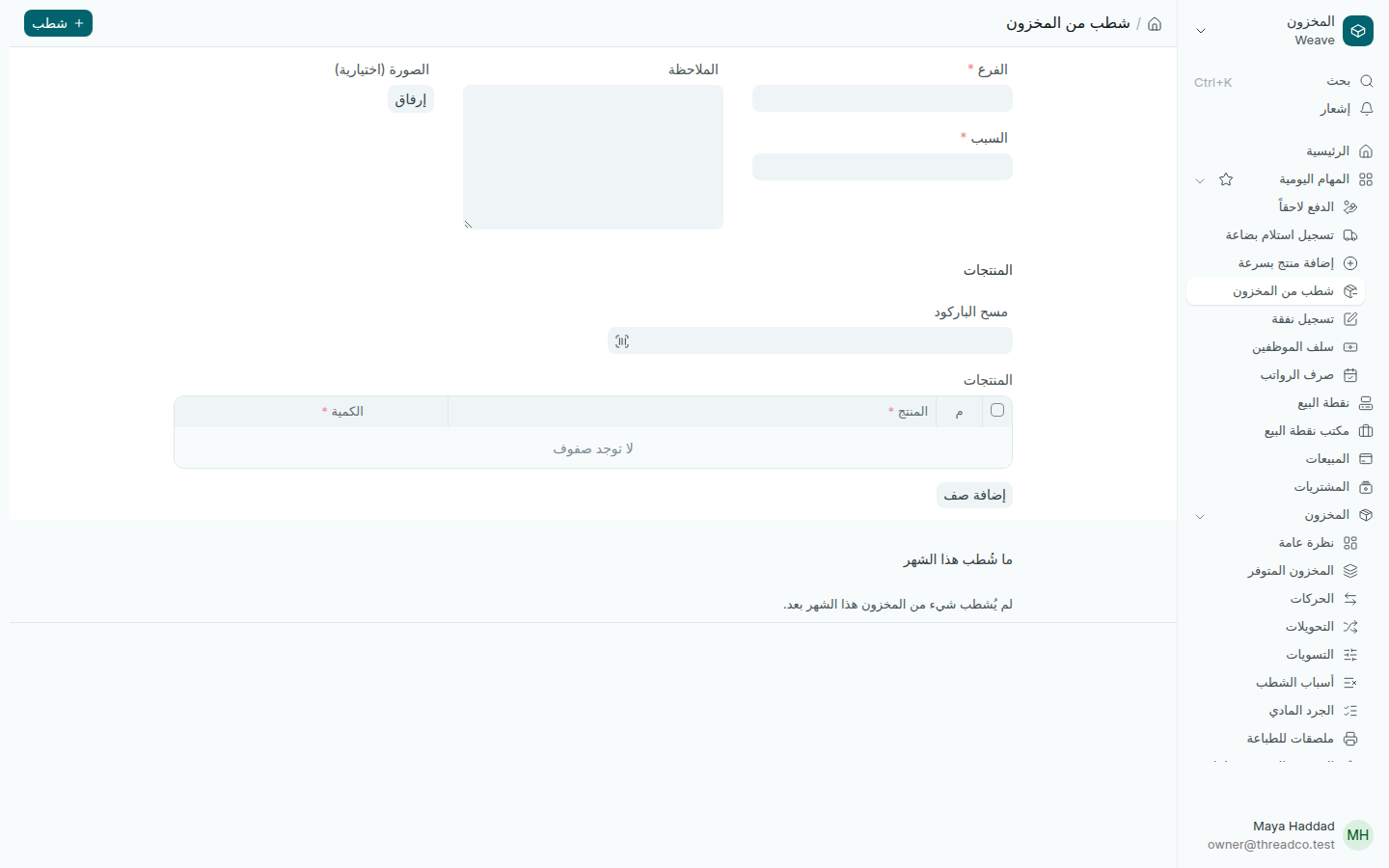
صفحة شطب من المخزون
يظهر في الأسفل ما شُطب هذا الشهر.

الأسباب

يبدأ كل متجر بالأسباب: تالف، ومفقود، واستعمال المحل، وأخذها المالك. يعدّل المالك القائمة من المخزون ← أسباب الشطب، ولكل سبب الحساب الذي تذهب إليه التكلفة.

  • التالف والمفقود واستعمال المحل تُحسب كلفة على المتجر.
  • أخذها المالك يُسجَّل بتكلفة القطعة على حساب المالك، لا كنفقة، فلا ينقص ربح المتجر. هذا السبب للمالك وحده.

كل شطب يظهر للمالك في بانتظار المراجعة على الصفحة الرئيسية.
Take out of stock

Take pieces out of stock for one of the shop's reasons: damaged, missing, used in the shop, or taken by the owner.

Steps

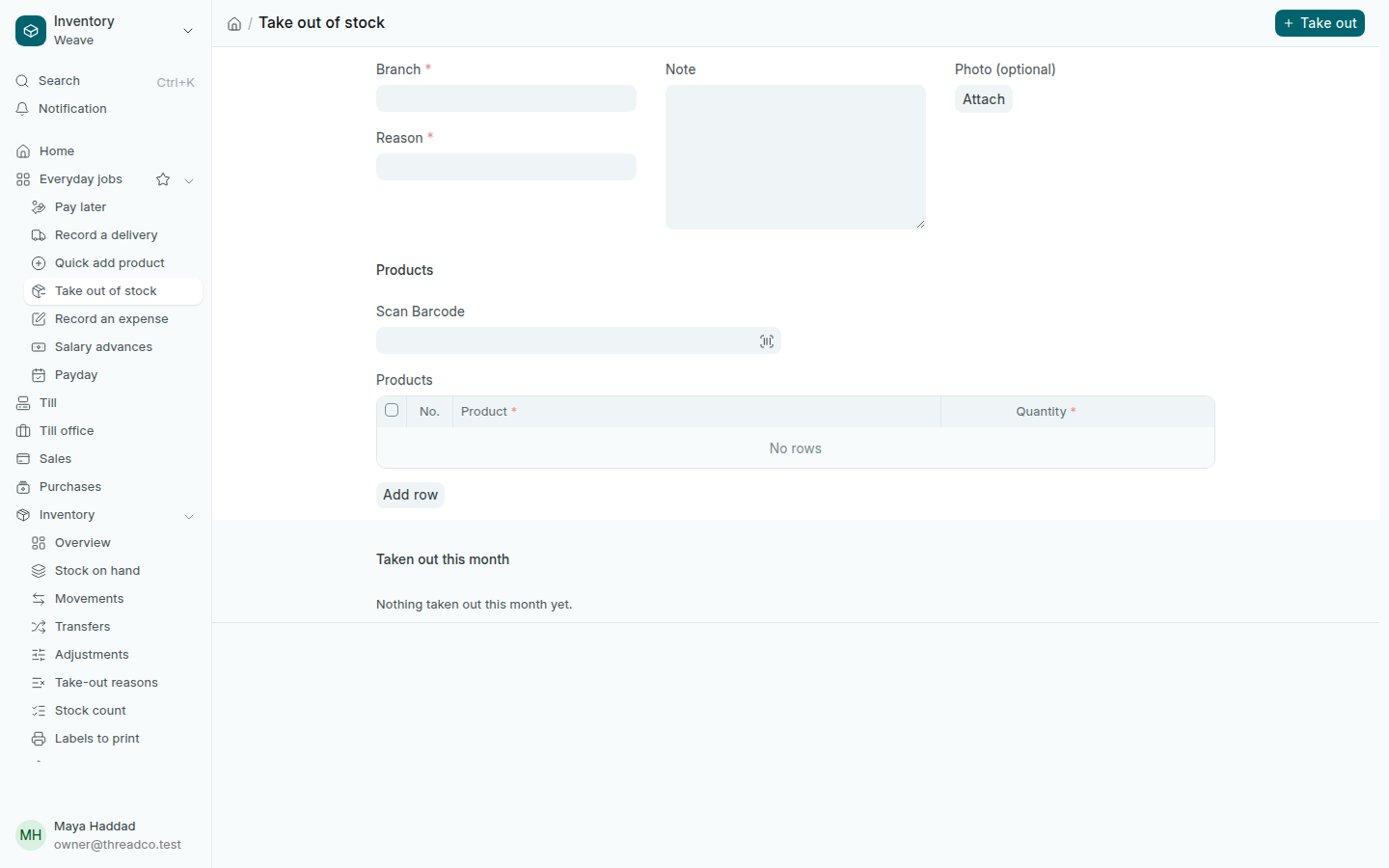
  1. Press Take out of stock on the home page or in Everyday jobs.
  2. Choose the Branch and the Reason.
  3. Scan each piece in Scan Barcode, or add a row and choose the product, and type the Quantity.
  4. Add a Note and a Photo if you like, then press Take out.
The Take out of stock page
What was taken out this month shows underneath.

The reasons

Every shop starts with damaged, missing, used in the shop, and taken by the owner. The owner changes the list in Inventory → Take-out reasons, and each reason has the account its cost goes to.

  • Damaged, missing and used in the shop count as a cost to the shop.
  • Taken by the owner is booked at what the pieces cost to the owner's account, not as an expense, so the shop's profit does not fall. Only the owner can use it.

Every take-out shows for the owner under Needs a look on the home page.