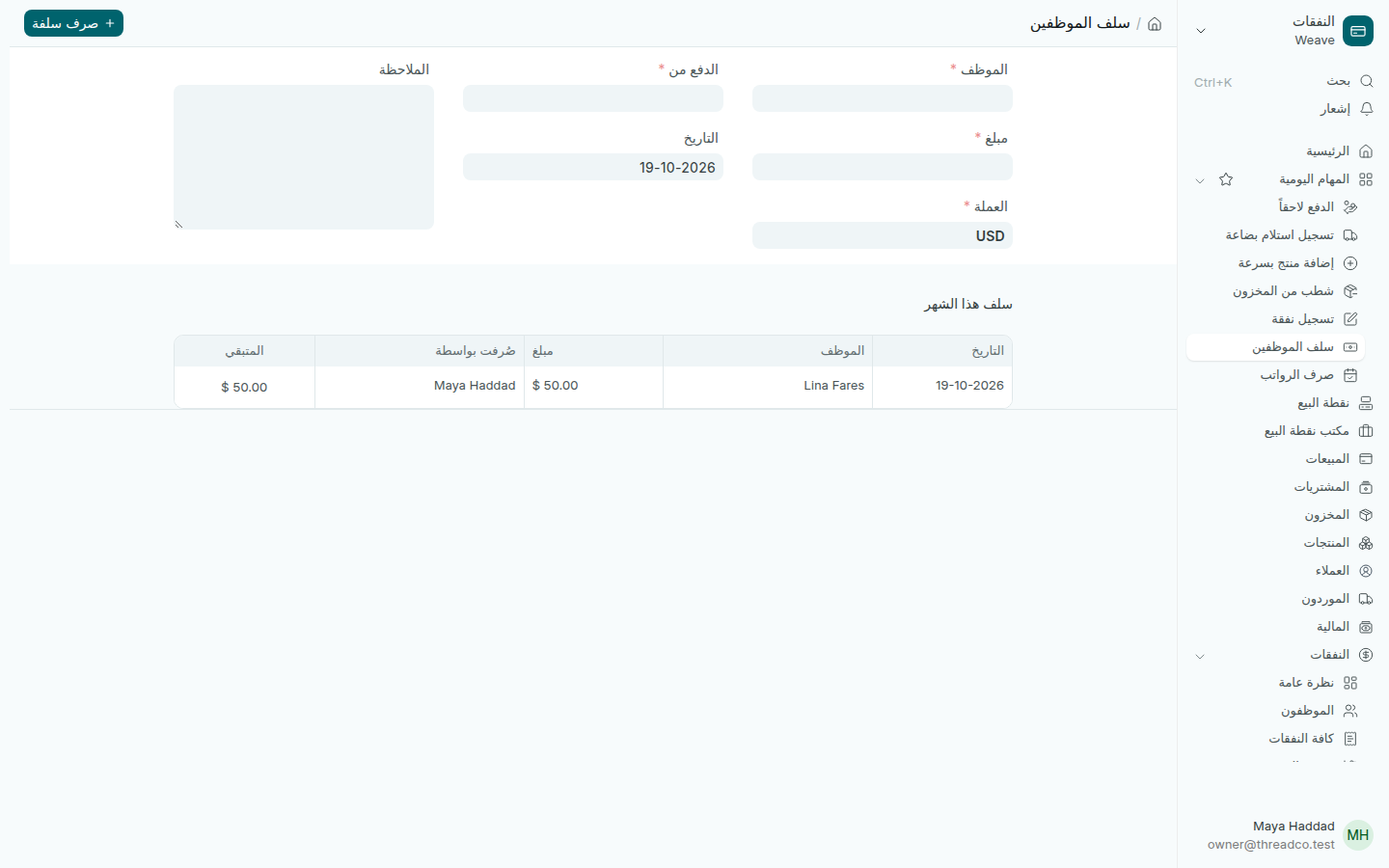
سلف الموظفين

سلفة يأخذها موظف قبل يوم الرواتب، تُسجَّل فوراً وتُخصم من راتبه عند الصرف.

من الحاسوب

  1. اضغط سلف الموظفين في الصفحة الرئيسية أو في المهام اليومية.
  2. اختر الموظف، واكتب المبلغ والعملة.
  3. اختر الدفع من: الخزنة أو البنك أو حساب المالك. تأكّد من التاريخ وأضف الملاحظة إن أردت.
  4. اضغط صرف سلفة.
صفحة سلف الموظفين مع سلفة هذا الشهر
سلف هذا الشهر، ومن صرفها، والمتبقي على كل موظف.

من نقطة البيع

إذا أُعطيت السلفة من الدرج، يسجّلها من يملك صلاحية تحريك النقد على نقطة البيع بالسبب سلفة موظف.

ما يجب معرفته

  • تُسجَّل السلفة فوراً دون موافقة، ويراها المالك في بانتظار المراجعة وفي صفحة صرف الرواتب. السلفة الخاطئة تُلغى.
  • الرواتب والأرصدة يراها المالك وحده. مدير المتجر يختار الاسم ويصرف السلفة، ولا يرى غير ما يسلّمه.
  • قائمة الموظفين ورواتبهم في النفقات ← الموظفون.
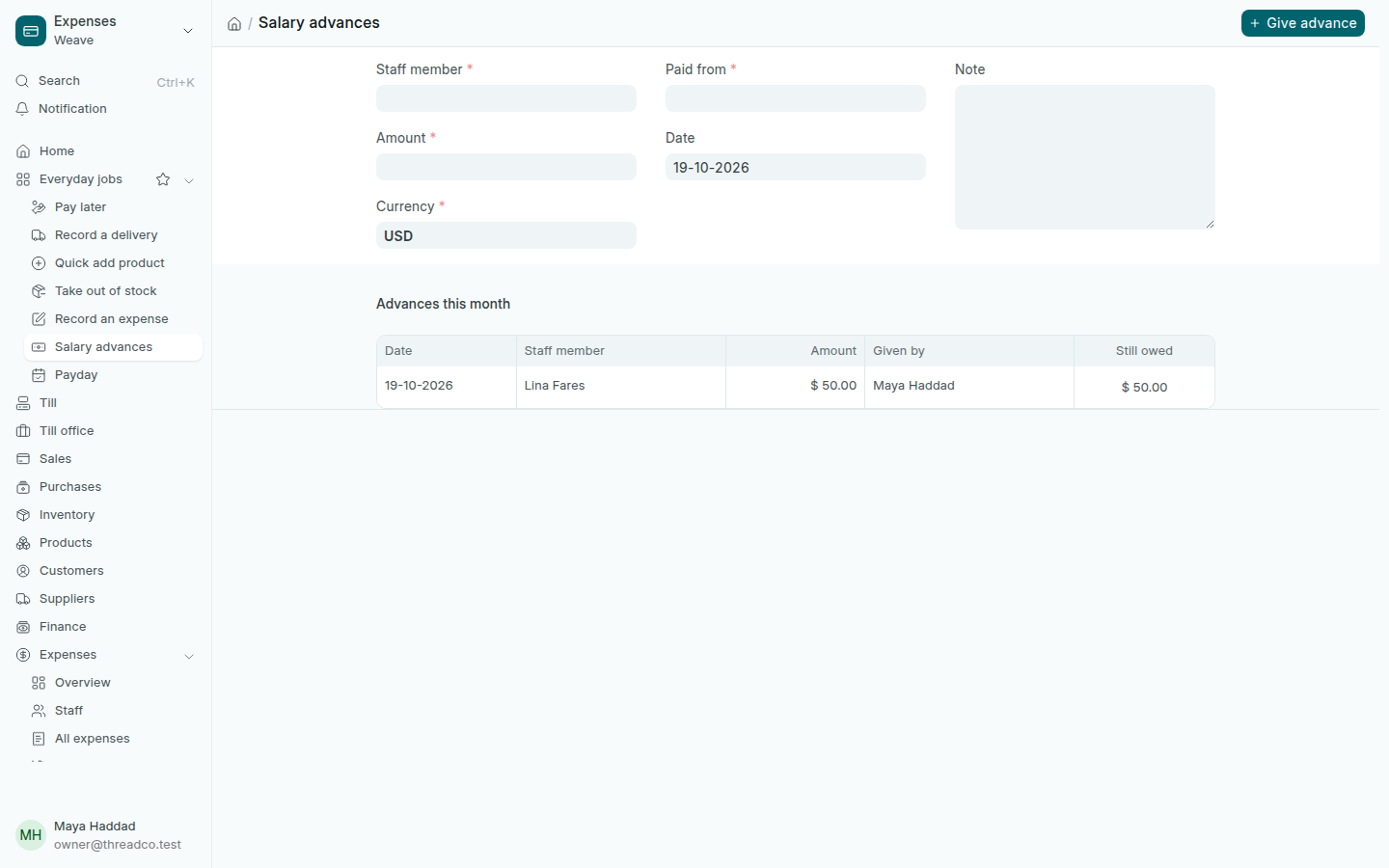
Salary advances

An advance a staff member takes before payday, recorded at once and taken off their salary when they are paid.

On the computer

  1. Press Salary advances on the home page or in Everyday jobs.
  2. Choose the Staff member, and type the Amount and Currency.
  3. Choose Paid from: the safe, the bank or the owner's account. Check the Date and add a Note if you like.
  4. Press Give advance.
The Salary advances page with this month's advance
This month's advances, who gave them, and what each person still owes.

From the till

When the advance comes out of a drawer, someone allowed to move cash records it on the till with the reason سلفة موظف (staff advance).

Good to know

  • An advance is recorded at once, with no approval, and shows for the owner under Needs a look and on the payday page. A wrong one is cancelled.
  • Salaries and balances are for the owner's eyes only. A store manager picks the name and gives the advance, and sees nothing beyond what they hand over.
  • The staff list and salaries are in Expenses → Staff.