العملاء المدينون

من عليه مبلغ، وكم، ومنذ متى، وتسجيل دفعة وصلت إلى الخزنة أو البنك.

اضغط الدفع لاحقاً في الصفحة الرئيسية أو في المهام اليومية. تظهر قائمة العملاء المدينون: المستحق على كل عميل، والحد الائتماني، وأقدم استحقاق، وعدد الأيام. الأقدم يظهر أولاً.
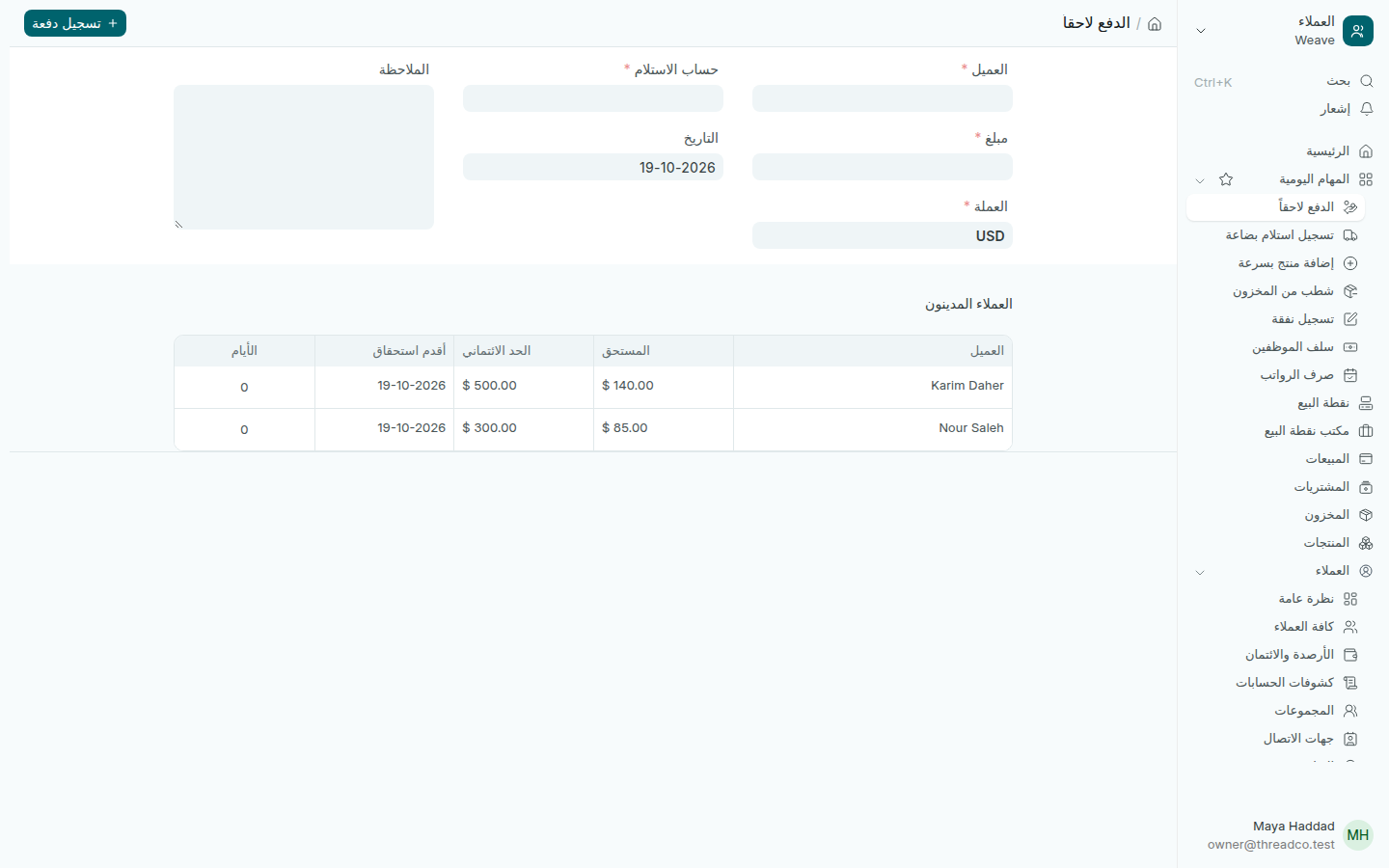
صفحة الدفع لاحقاً مع العملاء المدينين
عميلان عليهما مبالغ، مع الحد الائتماني لكل منهما.

تسجيل دفعة

الدفعة على الصندوق تُسجَّل على نقطة البيع بزر استلام دفعة عميل. أما الدفعة التي وصلت مباشرة إلى الخزنة أو البنك:

  1. اختر العميل، واكتب المبلغ والعملة.
  2. اختر حساب الاستلام: الخزنة أو البنك أو غيرهما، ولا يكون درج نقطة البيع.
  3. تأكّد من التاريخ وأضف الملاحظة، ثم اضغط تسجيل دفعة.

تُخصم الدفعة من أقدم المبيعات غير المدفوعة أولاً. الدفعة بالليرة تُحسب بسعر يوم الدفع.

يرى مدير المتجر العملاء الذين اشتروا بالدفع لاحقاً في فروعه.
Customers who owe

Who owes, how much and since when, and recording a payment that reached the safe or the bank.

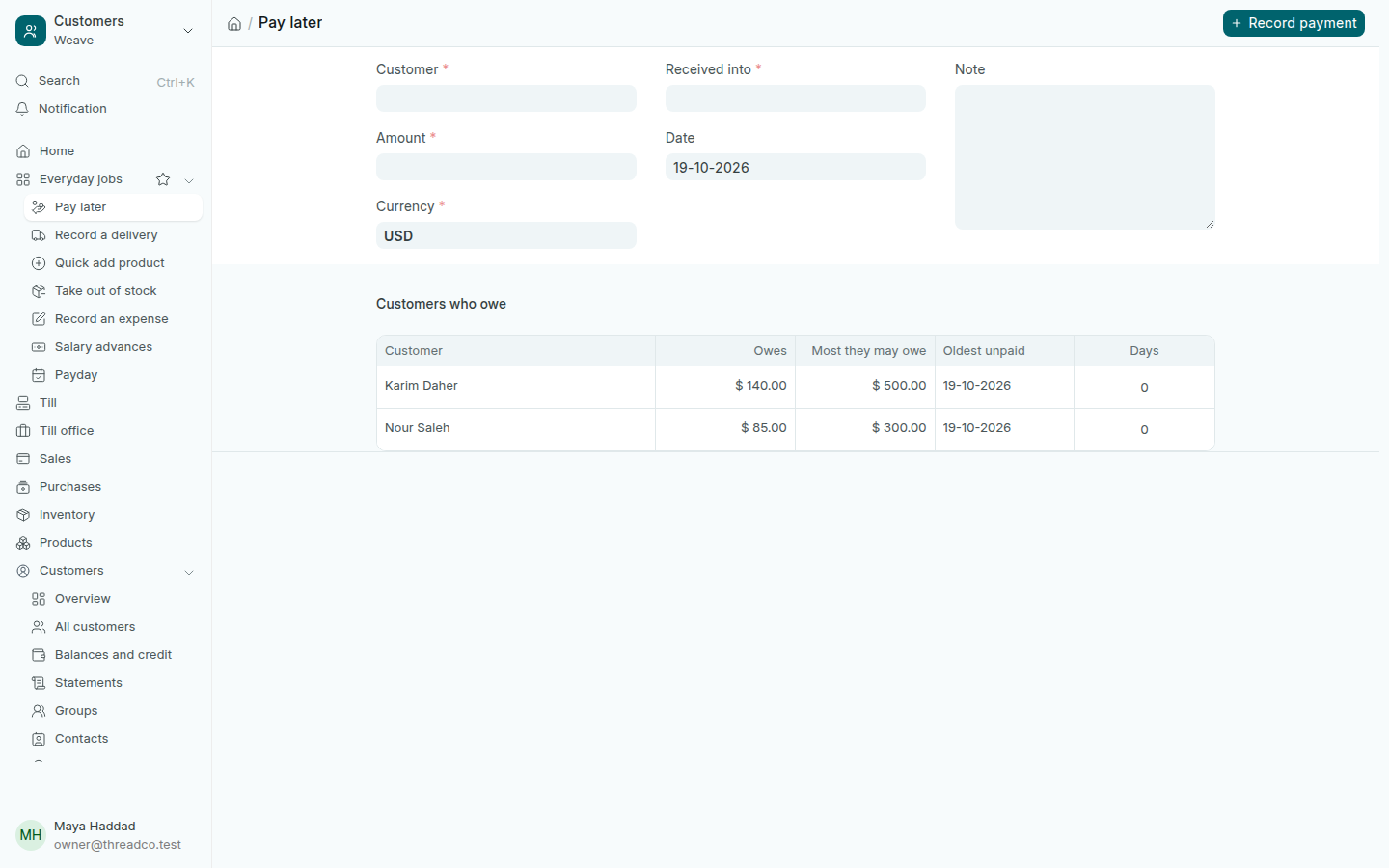
Press Pay later on the home page or in Everyday jobs. Customers who owe lists what each customer owes, Most they may owe, their Oldest unpaid sale and how many days ago. The oldest debts come first.

The Pay later page with customers who owe
Two customers owe, each with their limit.

Record a payment

A payment at the counter is taken on the till with Customer pays. For a payment that went straight to the safe or the bank:

  1. Choose the Customer, and type the Amount and Currency.
  2. Choose Received into: the safe, the bank or another account, never a till drawer.
  3. Check the Date and add a Note, then press Record payment.

A payment clears the customer's oldest unpaid sales first. A payment in pounds counts at the rate of the day it is paid.

A store manager sees the customers who bought on pay later at their own branches.