إقفال الفترة والسنة المالية

إقفال السنة المالية: يُنقل ربح السنة أو خسارتها إلى حقوق الملكية.

في آخر السنة المالية، وبعد أن يراجع محاسبك الحسابات:

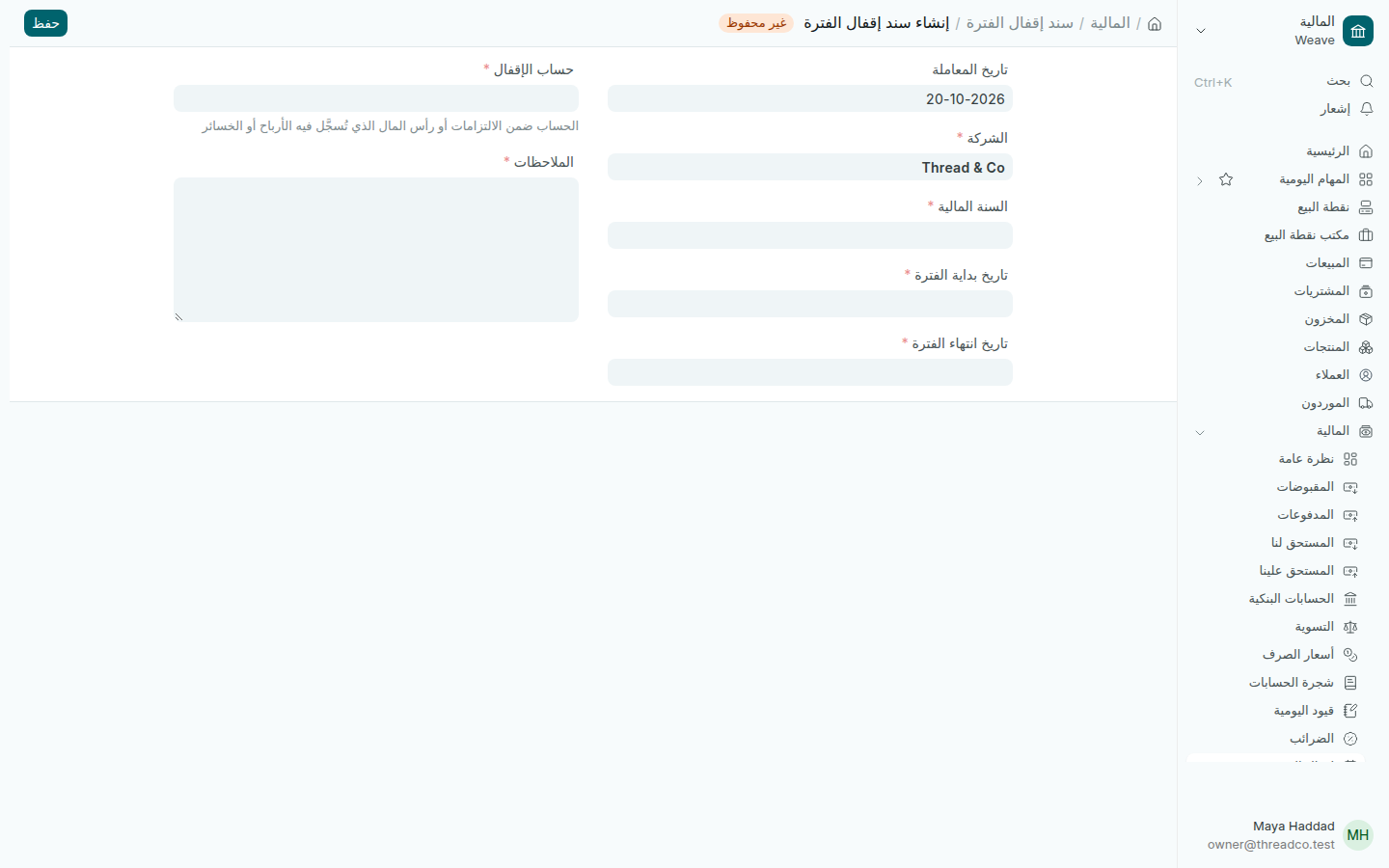
  1. افتح المالية ← إقفال الفترة واضغط إضافة.
  2. اختر السنة المالية، فتُملأ تاريخ بداية الفترة وتاريخ انتهاء الفترة.
  3. اختر حساب الإقفال من حقوق الملكية، حيث يُنقل ربح السنة أو خسارتها.
  4. اكتب الملاحظات، ثم اضغط حفظ وتأكيد.
سند إقفال فترة جديد
السنة، ثم حساب الإقفال.

تبدأ الإيرادات والنفقات السنة الجديدة من الصفر. تُنشأ السنة المالية التالية تلقائياً قبل أن تبدأ.
Period close and the financial year

Closing the financial year: the year's profit or loss moves into equity.

At the end of the financial year, once your accountant has checked the accounts:

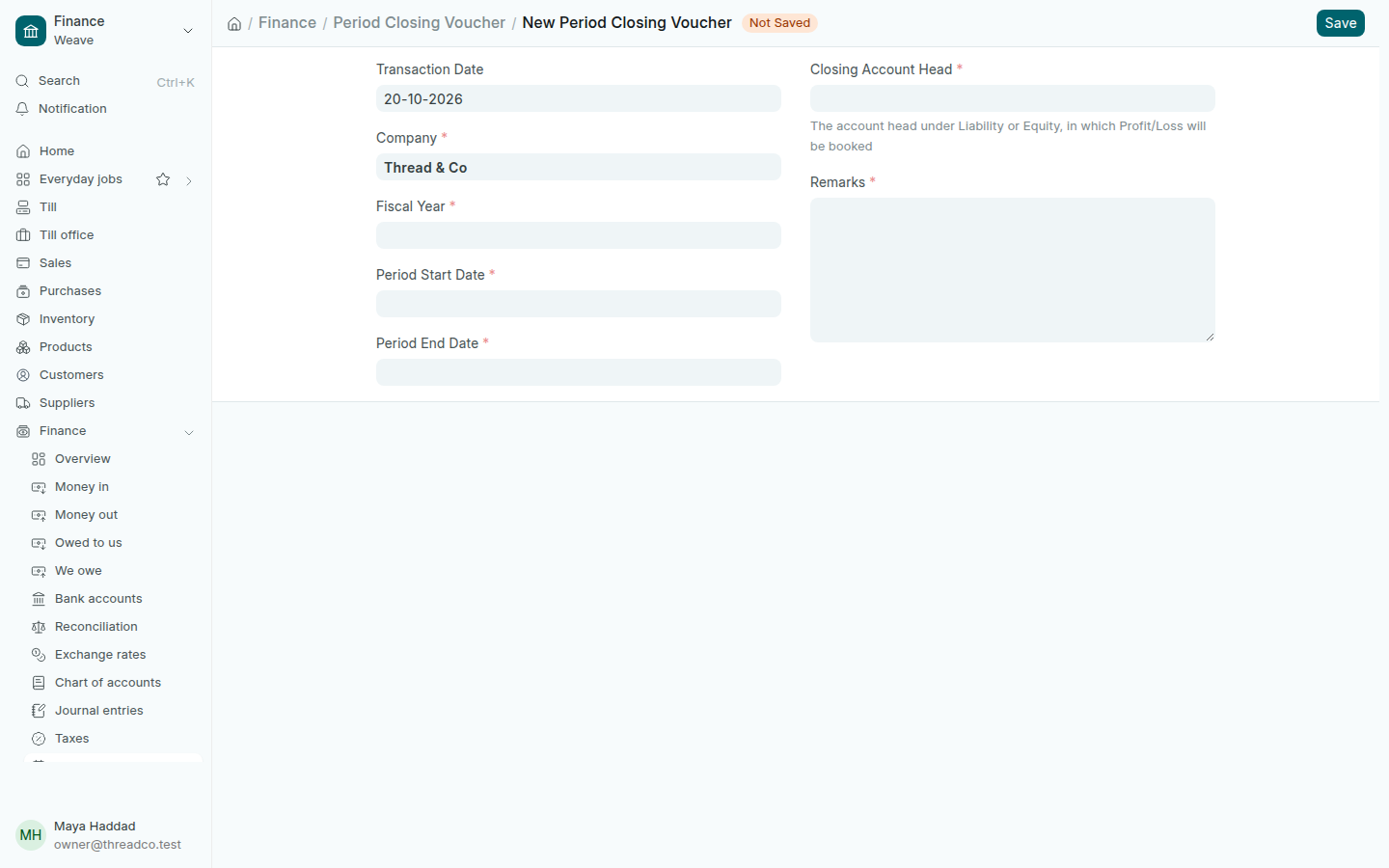
  1. Open Finance → Period close and press Add.
  2. Choose the Fiscal Year, and the Period Start Date and Period End Date fill in.
  3. Choose the Closing Account Head under equity, where the year's profit or loss goes.
  4. Type the Remarks, then press Save and Submit.
A new period closing voucher
The year, then the closing account.

Income and expenses start the new year at zero. The next financial year is created by itself before it begins.