النفقات المتكررة

إيجار أو اشتراك يتكرر كل شهر: يُنشئه Weave في موعده لتراجعه وتؤكده.

  1. افتح القيد أو الفاتورة التي تتكرر، مثل قيد الإيجار.
  2. اضغط زر القائمة (⋯) أعلى الصفحة واختر تكرار. اختر التكرار شهرياً وتاريخ البدء.
  3. في صفحة التكرار التي تُفتح، اترك التأكيد عند الإنشاء غير محدد لتراجع كل نسخة قبل تأكيدها، ثم اضغط حفظ.
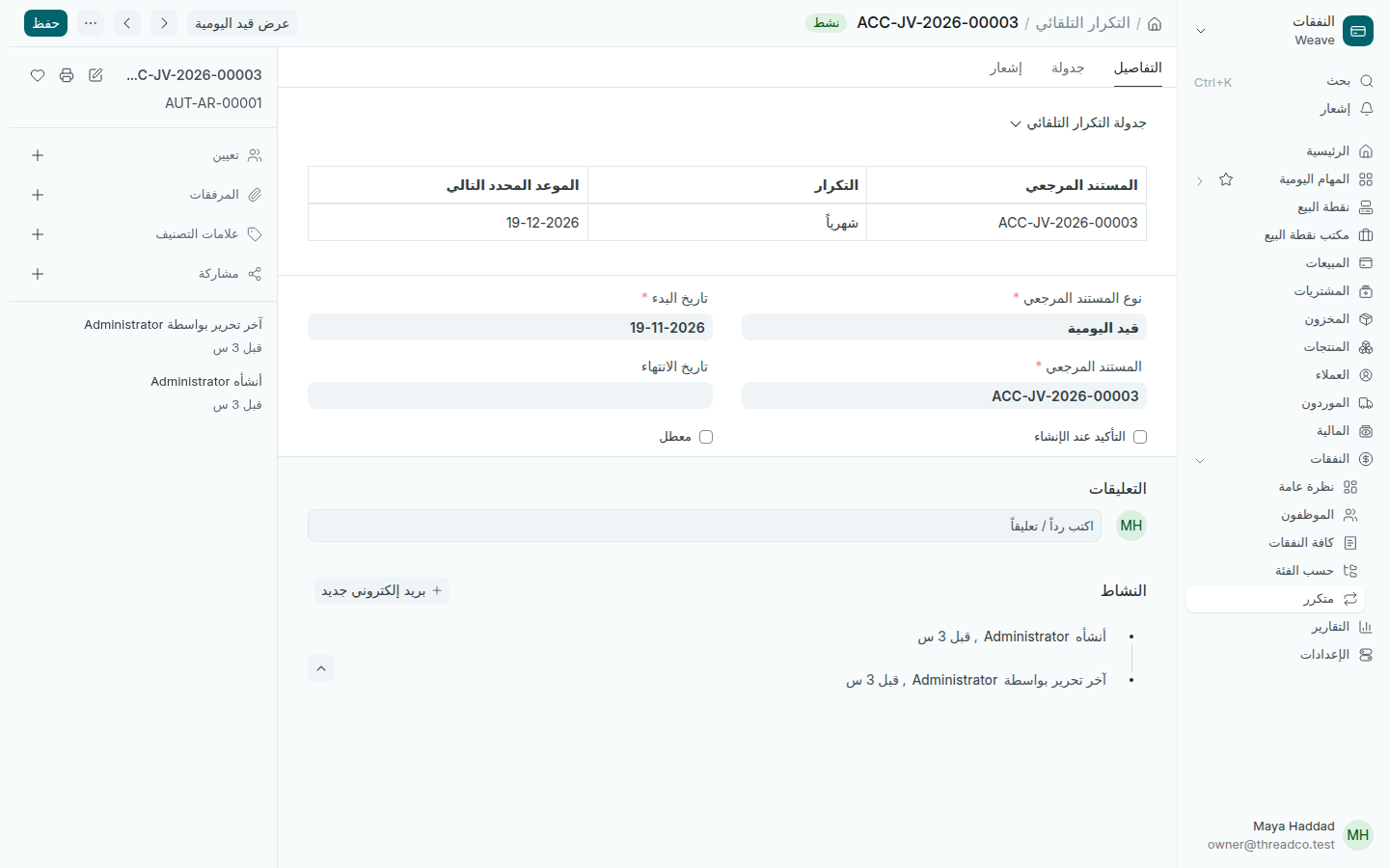
تكرار شهري لقيد الإيجار
الموعد التالي ظاهر في الأعلى.

في كل موعد ينشئ Weave نسخة جديدة. كل التكرارات في النفقات ← متكرر، ولإيقاف أحدها حدّد معطل.
Recurring expenses

Rent or a subscription that repeats each month: Weave makes it on time for you to check and submit.

  1. Open the entry or bill that repeats, such as the rent entry.
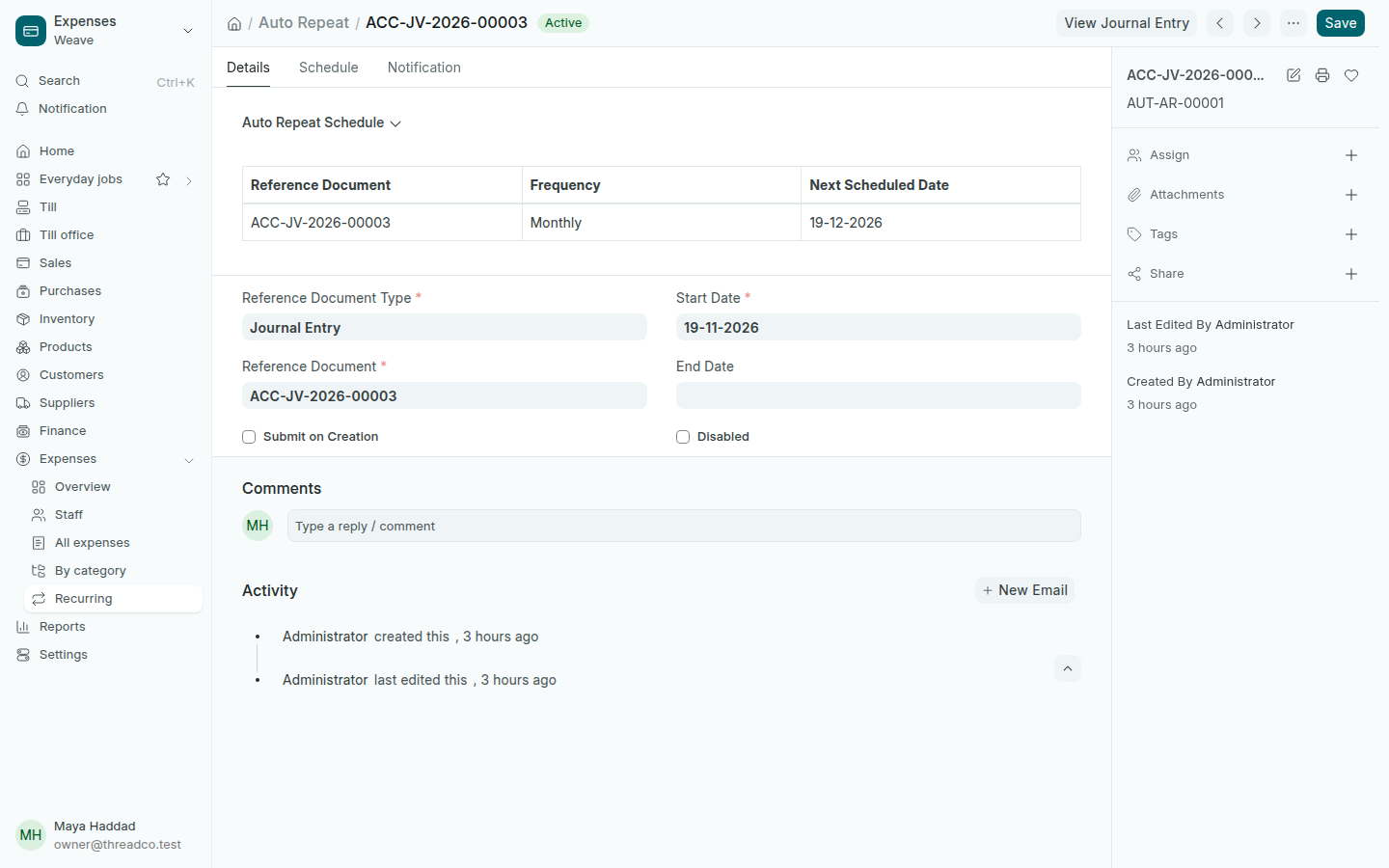
  2. Press the menu button (⋯) at the top and choose Repeat. Choose the Frequency Monthly and a Start Date.
  3. On the repeat that opens, leave Submit on Creation unticked to check each copy before you submit it, then press Save.
A monthly repeat of the rent entry
The next date shows at the top.

On each date Weave makes a new copy. Every repeat is in Expenses → Recurring; to stop one, tick Disabled.