المقبوضات والمدفوعات

كل مبلغ دخل أو خرج، وتحويل المال بين الخزنة والبنك.

المالية ← المقبوضات تعرض كل دفعة من عميل، والمالية ← المدفوعات كل دفعة لمورد. مبيعات نقطة البيع النقدية تظهر في الأدراج، لا هنا.
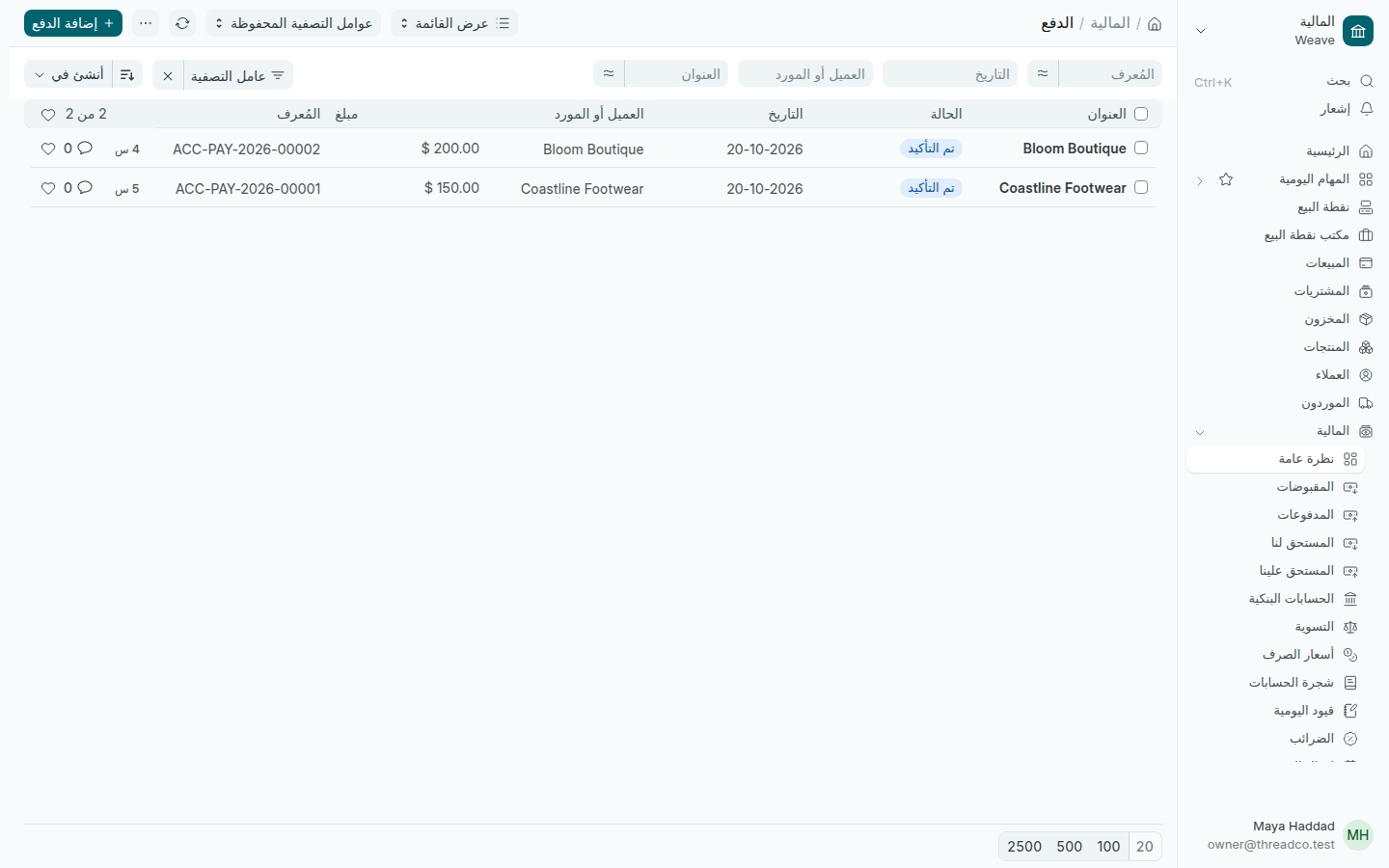
قائمة الدفعات
كل دفعة وطرفها ومبلغها.

نقل المال بين حساباتك

  1. افتح المالية ← المدفوعات واضغط إضافة.
  2. اختر نوع السداد تحويل داخلي.
  3. اختر الحساب المدفوع منه، مثل الخزنة، والحساب المدفوع إليه، مثل البنك، واكتب المبلغ.
  4. اضغط حفظ، ثم تأكيد.

لقبض فاتورة أو دفع مورد، ابدأ من الفاتورة نفسها: المقبوضات والدفع للمورد.
Money in and money out

Every amount that came in or went out, and moving money between the safe and the bank.

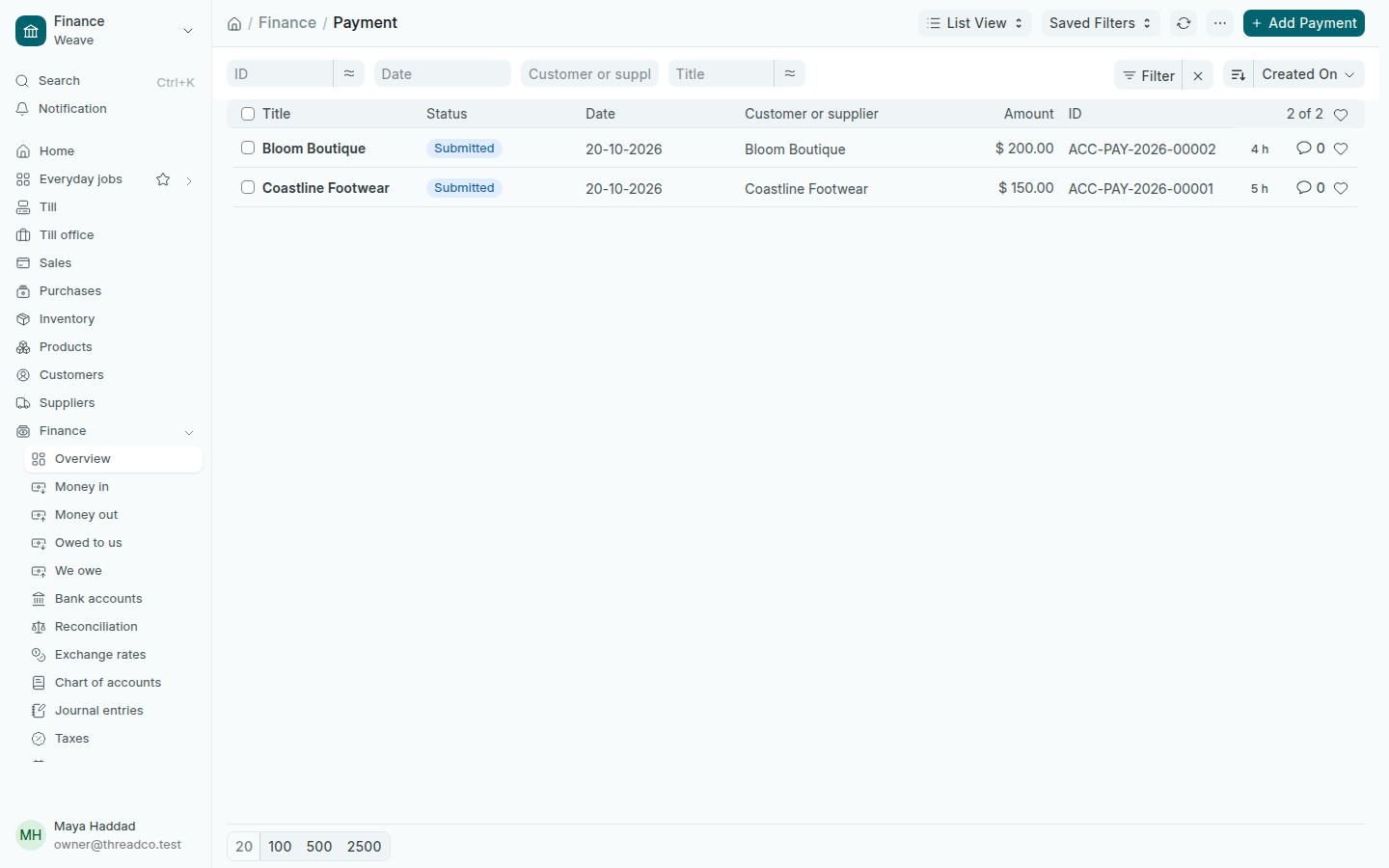
Finance → Money in lists every payment from a customer, and Finance → Money out every payment to a supplier. Cash sales at the till show in the drawers, not here.

The list of payments
Every payment, its party and its amount.

Moving money between your accounts

  1. Open Finance → Money out and press Add.
  2. Choose Internal Transfer as the Payment Type.
  3. Choose the Account Paid From, such as the safe, and the Account Paid To, such as the bank, and type the amount.
  4. Press Save, then Submit.

To take payment for an invoice or pay a supplier, start from the invoice itself: Payments received and Paying a supplier.