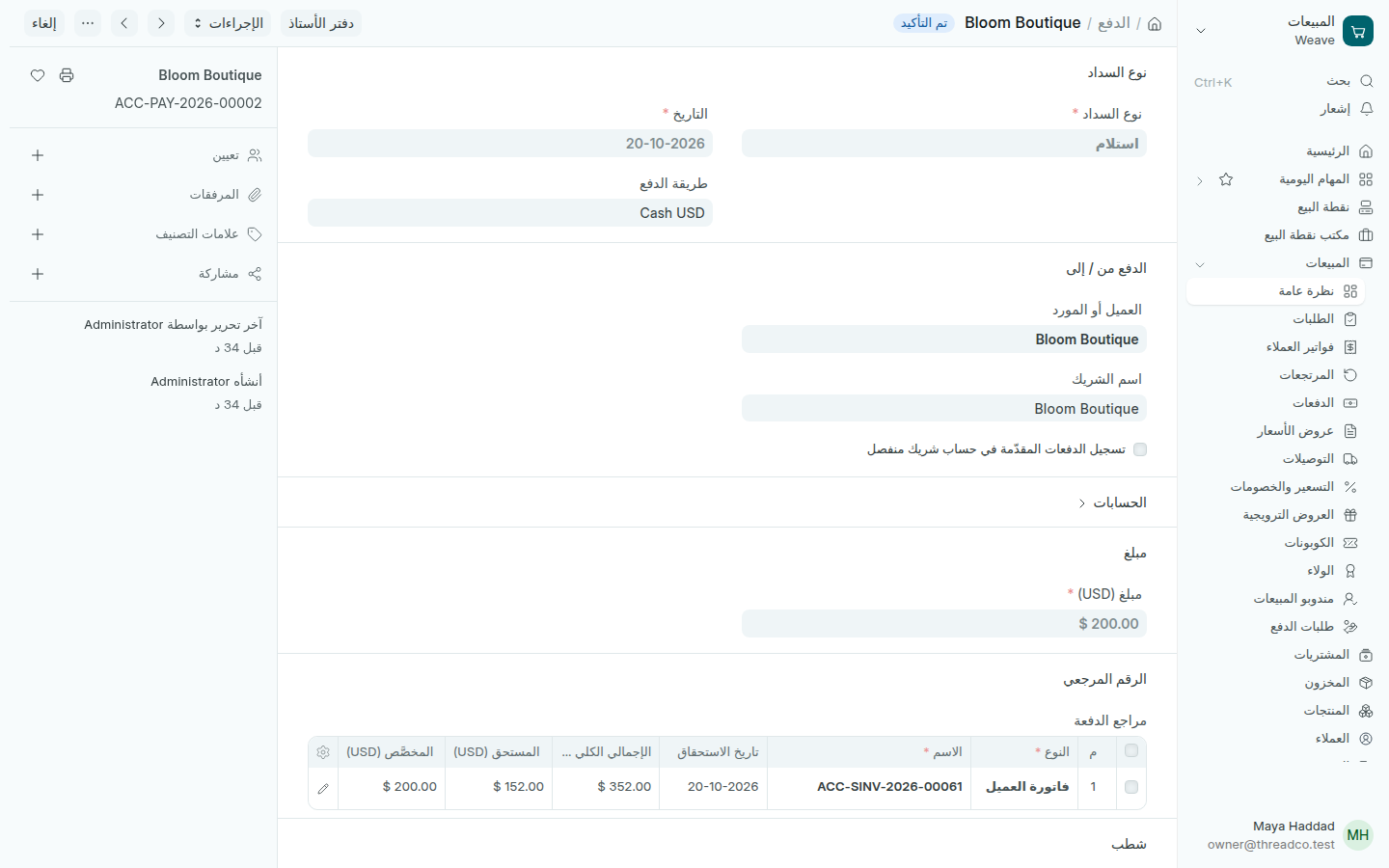
المقبوضات

تسجيل ما قبضته من عميل على فاتورته، كاملاً أو جزءاً.

ما يدفعه عميل الدفع لاحقاً عند نقطة البيع يُسجَّل هناك، انظر العملاء المدينون. هذه الطريقة لفاتورة صدرت على الكمبيوتر.

  1. افتح الفاتورة واضغط إنشاء ← الدفع. يكون نوع السداد هو استلام.
  2. اختر طريقة الدفع التي قبضت بها، واكتب المبلغ.
  3. اضغط حفظ، ثم تأكيد.
دفعة مقبوضة من عميل
200 دولار من فاتورة قيمتها 352 دولاراً.

يدخل المبلغ حساب طريقة الدفع وينقص ما على العميل. كل المقبوضات في المبيعات ← الدفعات.
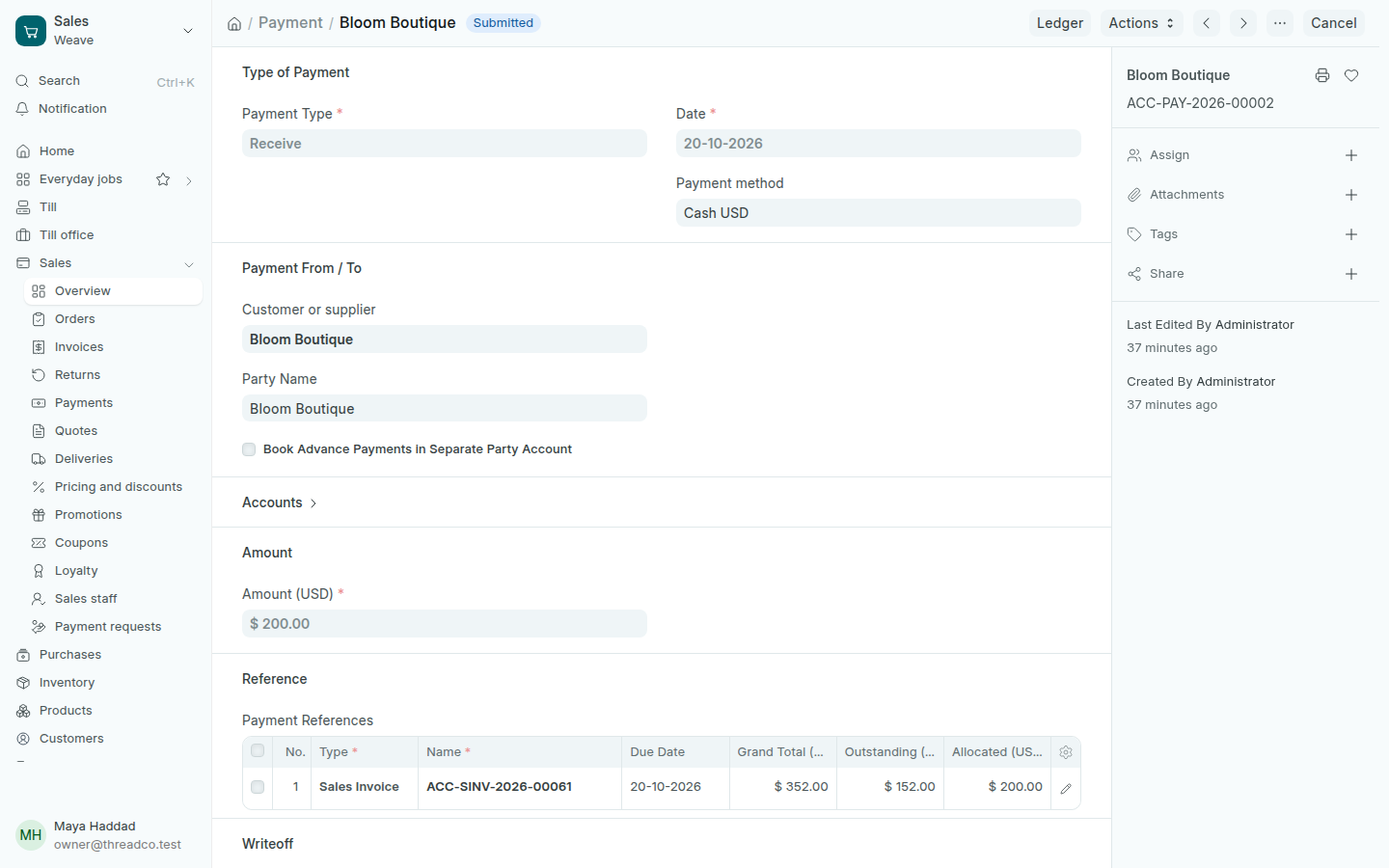
Payments received

Record what a customer paid against their invoice, in full or in part.

What a pay-later customer pays at the till is recorded there, see Customers who owe. This way is for an invoice made on the computer.

  1. Open the invoice and press Create → Payment. The Payment Type is Receive.
  2. Choose the Payment method you were paid with, and type the amount.
  3. Press Save, then Submit.
A payment received from a customer
$200 against an invoice of $352.

The amount enters the payment method's account and what the customer owes goes down. Every payment received is in Sales → Payments.