برامج الولاء

نقاط يجمعها العميل على فواتير الكمبيوتر ويستعملها في فواتير لاحقة.

يجمع العميل النقاط على الفواتير التي تُعمل على الكمبيوتر. نقطة البيع لا تجمع النقاط ولا تستعملها.

  1. افتح المبيعات ← الولاء واضغط إضافة برنامج الولاء.
  2. اكتب اسم برنامج الولاء وتاريخ البدء، واختر مجموعة العملاء إن كان لفئة واحدة.
  3. في جدول الجمع، اكتب كم يدفع العميل ليكسب نقطة في معامل الجمع (لكل نقطة ولاء).
  4. في معامل التحويل اكتب ما تساويه النقطة الواحدة، وفي مدة الصلاحية (بالأيام) متى تنتهي.
  5. اختر حساب النفقات الذي تُسجَّل فيه قيمة النقاط المستعملة، ثم اضغط حفظ.
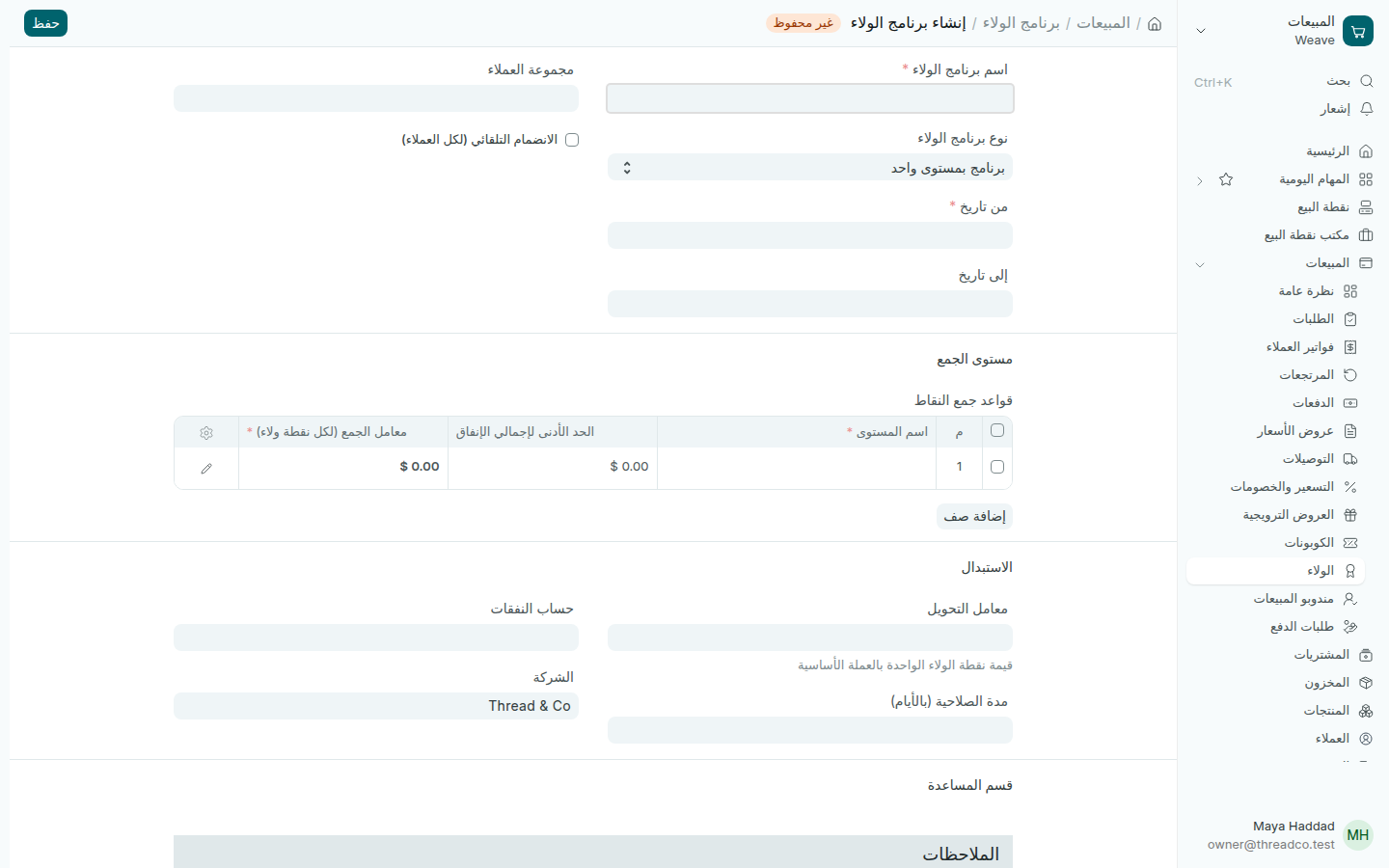
برنامج ولاء جديد
الجمع في الأعلى، والاستعمال في الأسفل.

Loyalty programmes

Points a customer earns on computer invoices and spends on later ones.

A customer earns points on invoices made on the computer. The till neither earns nor spends points.

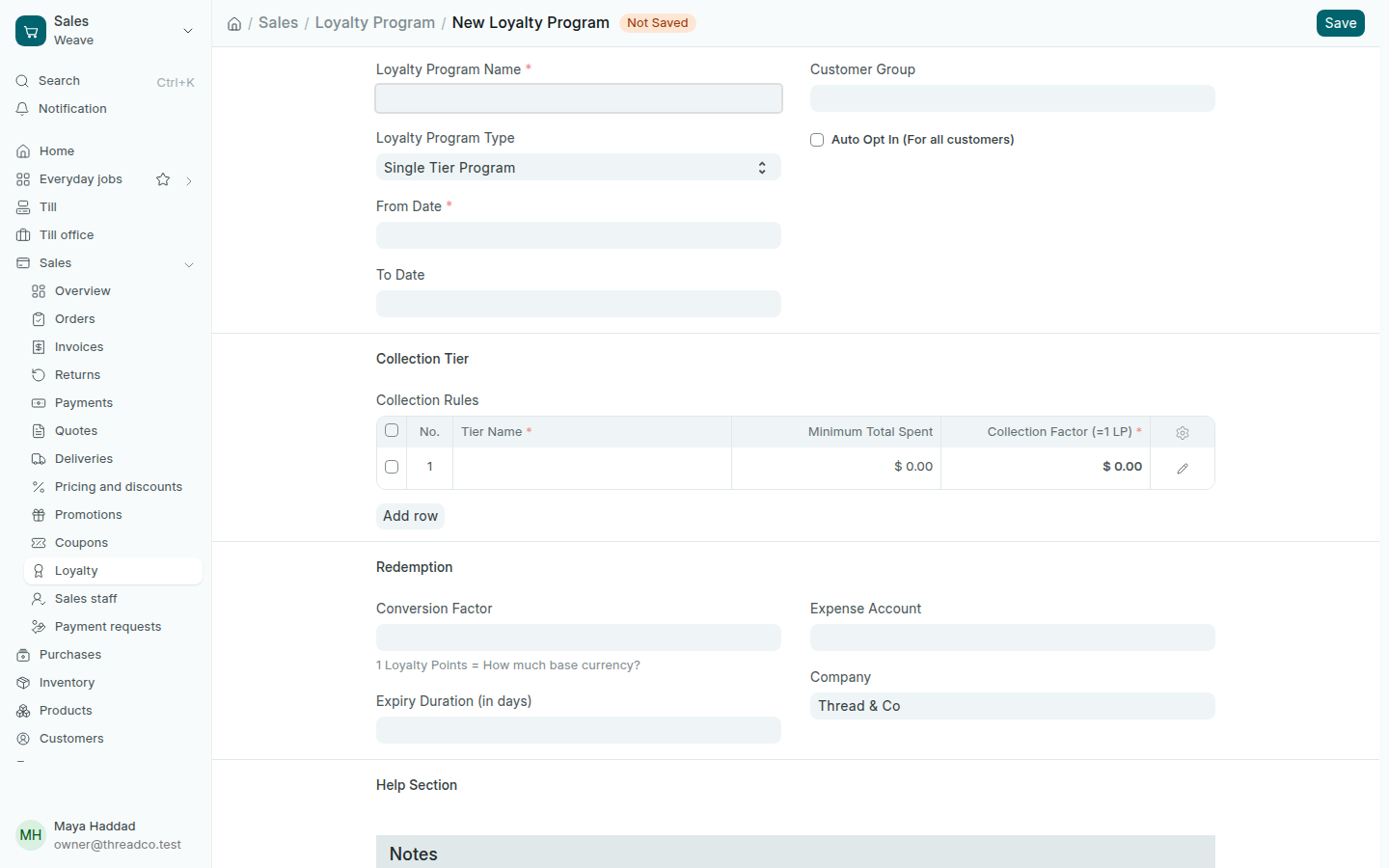
  1. Open Sales → Loyalty and press Add Loyalty Program.
  2. Type the Loyalty Program Name and start date, and choose a Customer Group if it is for one group.
  3. In the collection table, type how much a customer spends to earn a point in Collection Factor (=1 LP).
  4. In Conversion Factor, type what one point is worth, and in Expiry Duration (in days) when points end.
  5. Choose the Expense Account where spent points are booked, then press Save.
A new loyalty programme
Earning at the top, spending at the bottom.