عروض الأسعار وأوامر البيع

عرض سعر لعميل يشتري بالجملة أو بالطلب، ثم أمر بيع عندما يوافق.

البيع العادي يتم على نقطة البيع. عروض الأسعار وأوامر البيع لعميل يطلب كمية أو بضاعة تُجهَّز له، مثل محل آخر يشتري منك.

عرض سعر

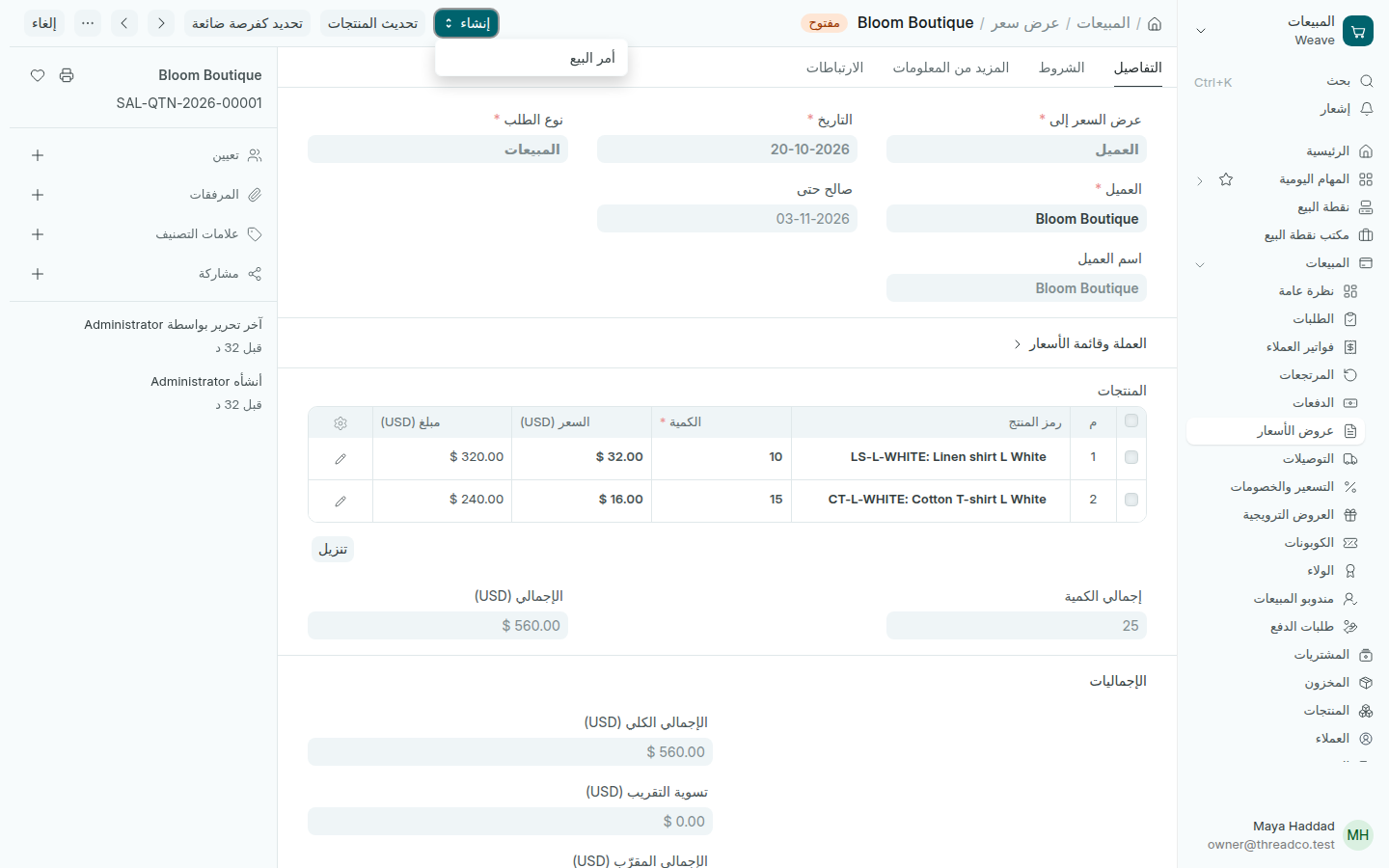
  1. افتح المبيعات ← عروض الأسعار واضغط إضافة عرض سعر.
  2. اختر العميل، وفي صالح حتى آخر يوم للعرض.
  3. أضف المنتجات والكمية والسعر، ثم اضغط حفظ وتأكيد.
  4. اطبعه أو أرسله من زر الطباعة أعلى الصفحة.
عرض سعر مؤكد
من إنشاء يصبح العرض أمر بيع.

أمر البيع

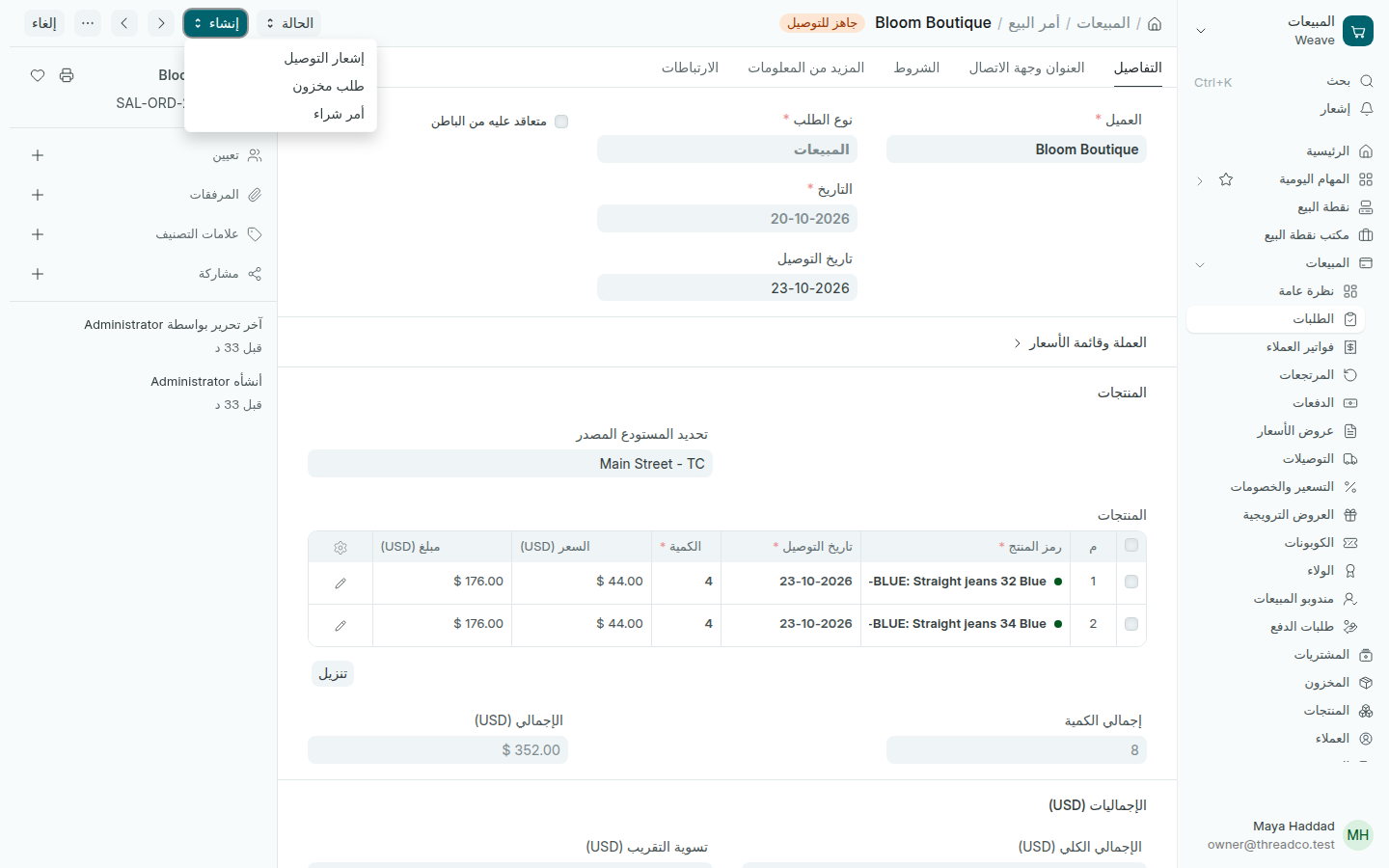
  1. عندما يوافق العميل، افتح العرض واضغط إنشاء ← أمر البيع. أو ابدأ من المبيعات ← الطلبات.
  2. اكتب تاريخ التوصيل، واختر في تحديد المستودع المصدر الفرع الذي تخرج منه البضاعة.
  3. اضغط حفظ، ثم تأكيد.
أمر بيع
من إنشاء تصل إلى التوصيل والفاتورة.

يبقى الأمر جاهز للتوصيل والفوترة حتى تُسجَّل توصيلاته وفاتورته. إذا لم يكفِ المخزون، اضغط إنشاء ← أمر شراء لتطلبه من المورد.
Quotations and sales orders

A quotation for a customer buying in bulk or to order, then a sales order when they agree.

An everyday sale happens at the till. Quotations and sales orders are for a customer who wants a quantity or goods prepared for them, such as another shop buying from you.

A quotation

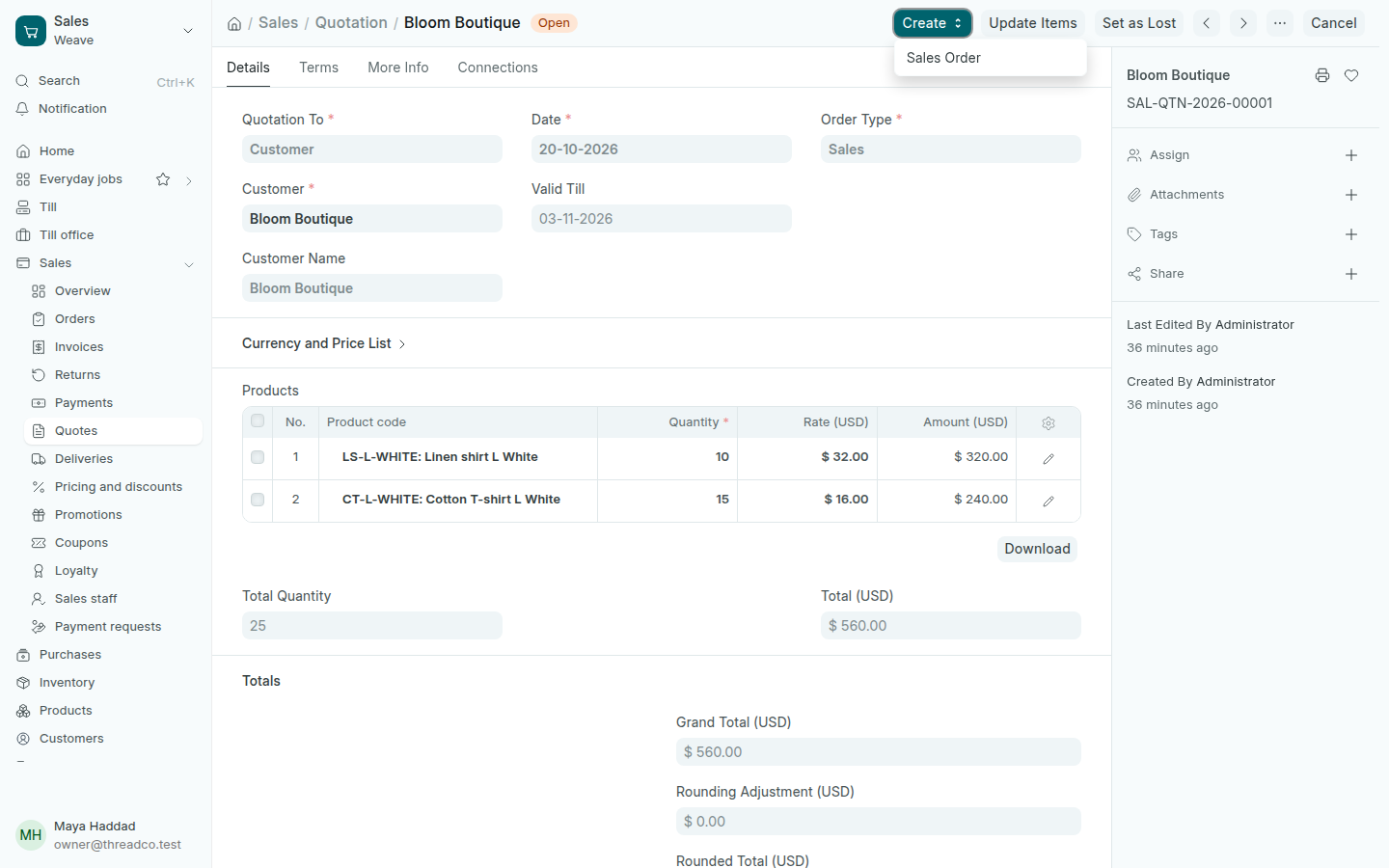
  1. Open Sales → Quotes and press Add Quotation.
  2. Choose the Customer, and in Valid Till the offer's last day.
  3. Add the products, the Quantity and the Rate, then press Save and Submit.
  4. Print or send it from the print button at the top.
A submitted quotation
Create turns the quotation into a sales order.

The sales order

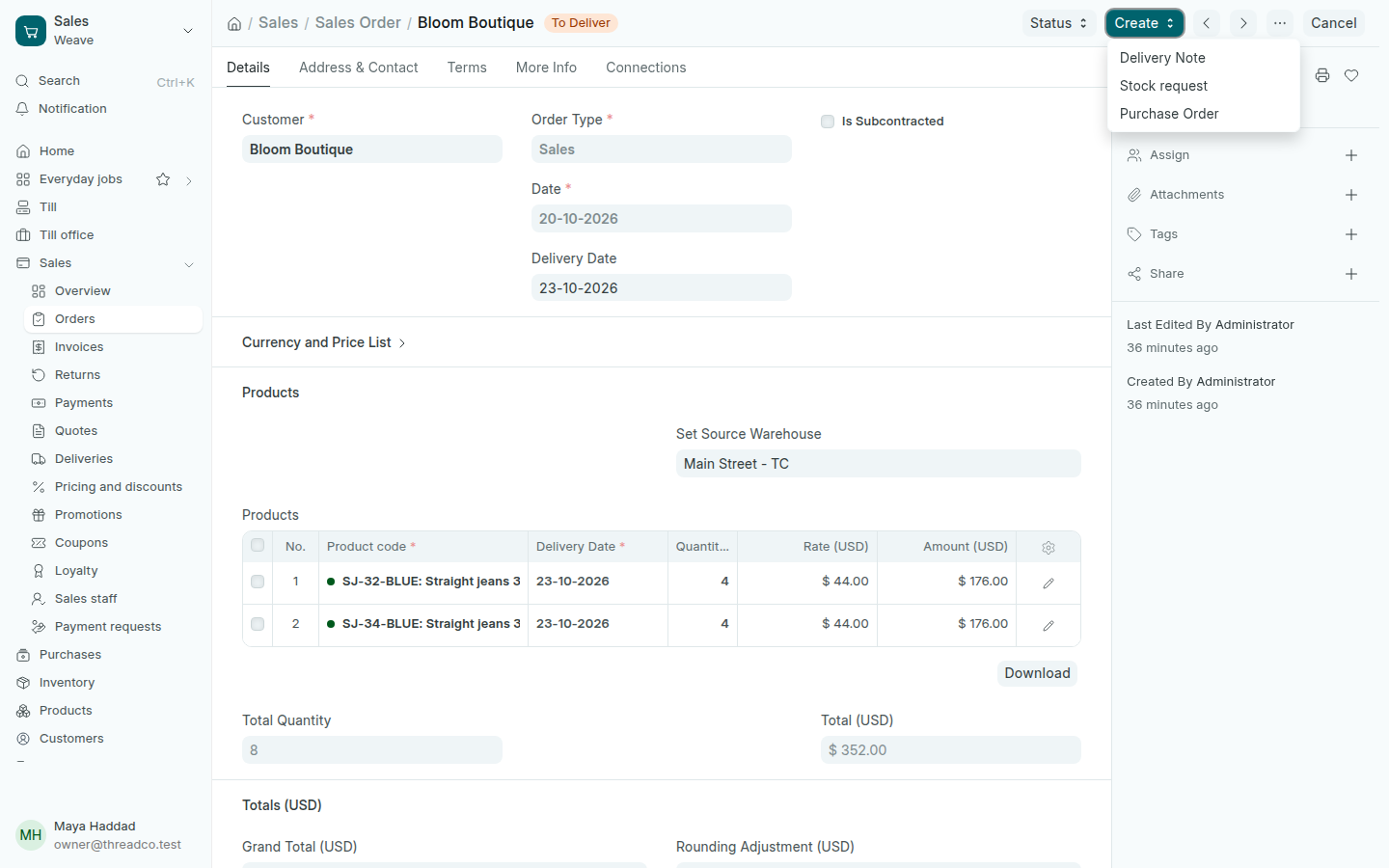
  1. When the customer agrees, open the quotation and press Create → Sales Order. Or start from Sales → Orders.
  2. Type the Delivery Date, and choose in Set Source Warehouse the branch the goods leave from.
  3. Press Save, then Submit.
A sales order
Create leads to the delivery and the invoice.

The order stays To Deliver and Bill until its deliveries and invoice are recorded. If stock is short, press Create → Purchase Order to order it from the supplier.