مرتجعات المبيعات

ما يعيده العميل: من نقطة البيع بالمسح، أو على الكمبيوتر لفاتورة صدرت هناك.

لمرتجع من بيع على نقطة البيع، انظر المرتجعات والاستبدال والمرتجعات على الكمبيوتر. هذه الطريقة لفاتورة صدرت على الكمبيوتر.

1. البضاعة تعود

  1. افتح إشعار التوصيل واضغط إنشاء ← مرتجع مبيعات.
  2. احذف ما لم يُعَد، واكتب الكمية العائدة، ثم حفظ وتأكيد. تعود القطع إلى مخزون الفرع.

2. المبلغ ينقص

  1. افتح فاتورة العميل واضغط إنشاء ← إرجاع / إشعار دائن.
  2. اترك الأسطر والكميات نفسها، ثم حفظ وتأكيد.
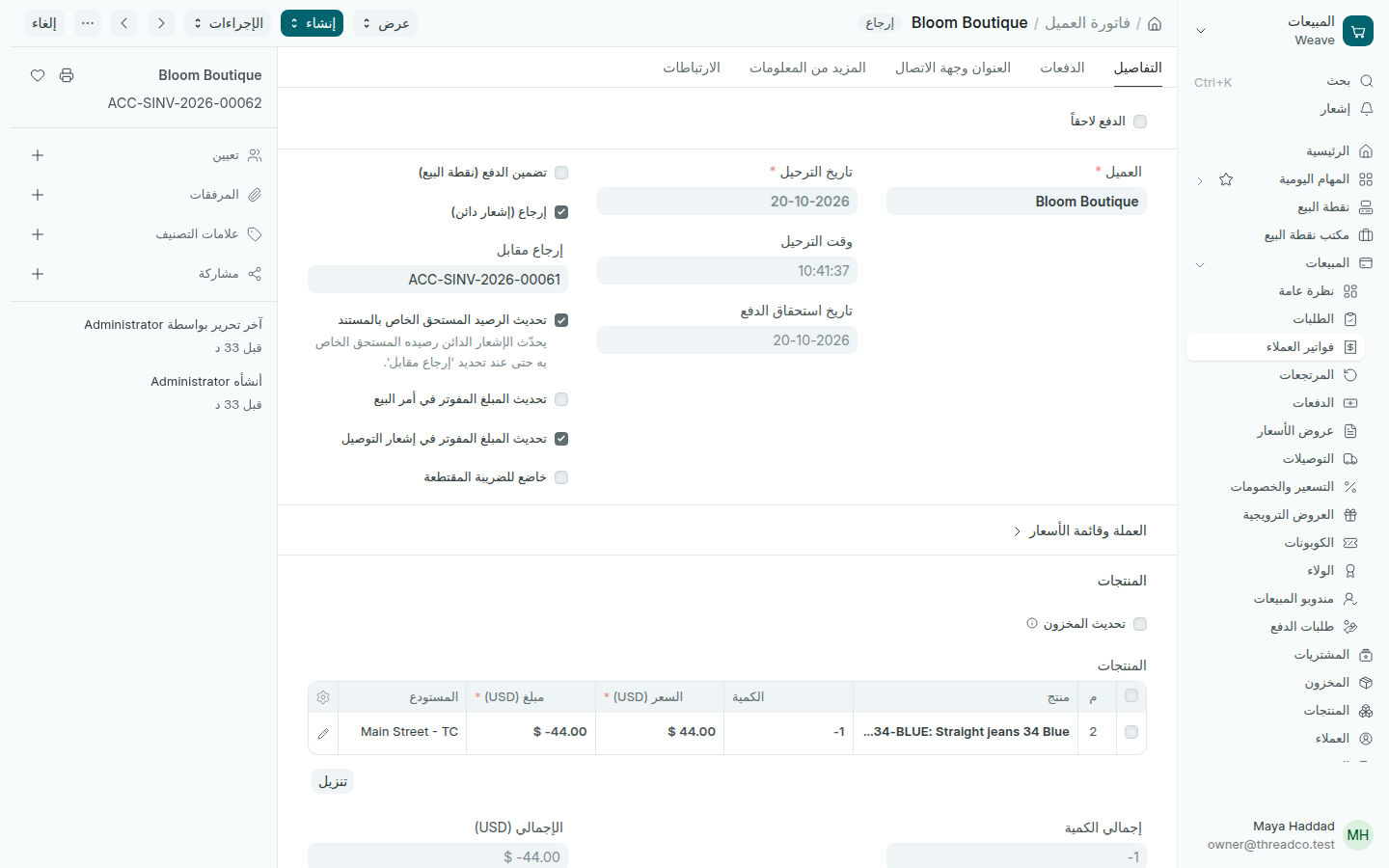
إشعار دائن على فاتورة عميل
إرجاع على الفاتورة الأصلية.

ينقص ما على العميل، وتظهر الإرجاعات في المبيعات ← المرتجعات مع مرتجعات نقطة البيع.
Sales returns

What a customer brings back: at the till by scanning, or on the computer for an invoice made there.

For a return from a till sale, see Refunds and exchanges and Returns on the computer. This way is for an invoice made on the computer.

1. The goods come back

  1. Open the delivery note and press Create → Sales Return.
  2. Remove what did not come back, type the quantity returned, then Save and Submit. The pieces go back into the branch's stock.

2. The amount comes off

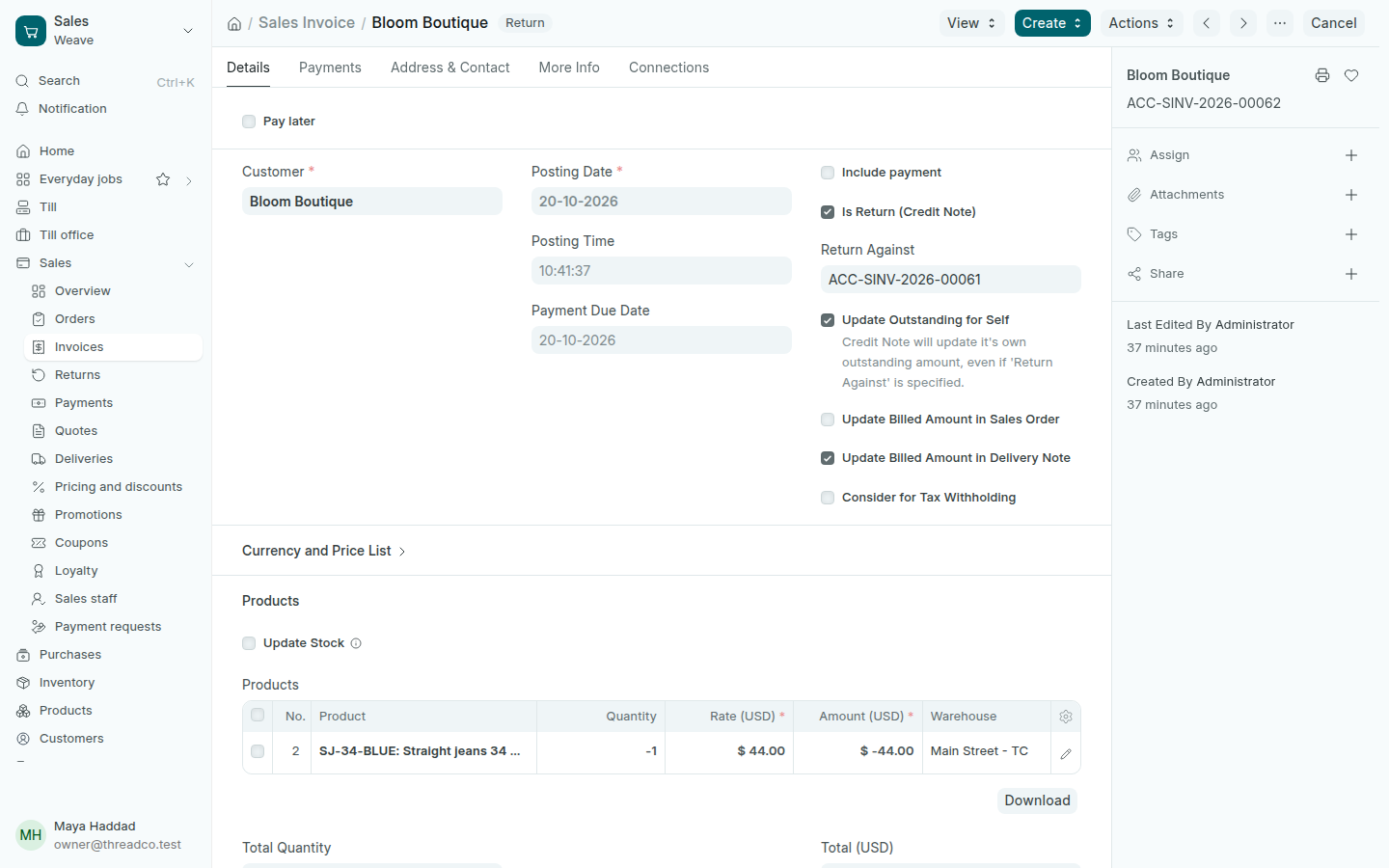
  1. Open the invoice and press Create → Return / Credit Note.
  2. Keep the same lines and quantities, then Save and Submit.
A credit note on an invoice
A return against the original invoice.

What the customer owes goes down, and returns show in Sales → Returns with the till's.