المرتجعات والاستبدال

ابحث عن عملية البيع برقم الإيصال، واختر ما يُرجَع، ثم أعد المبلغ بالعملة المناسبة.

يظهر زر مرتجع لمن يسمح له عمله بالموافقة على الإرجاع: المالك ومدير المتجر في الإعداد الأصلي. يمكن للمالك منح ذلك لأمين الصندوق من الإعدادات ← صلاحيات كل دور، مفتاح «الموافقة على الإرجاع».

الخطوات

  1. على نقطة البيع اضغط مرتجع.
  2. امسح رقم الإيصال أو اكتبه: رقم الفاتورة (الباركود على الإيصال المطبوع) أو رقم نقطة البيع مثل MS-000001. يجد Weave أي عملية بيع من هذا الفرع خلال آخر 30 يوماً، حتى لو تمّت من دون إنترنت.
  3. يذكر كل سطر عدد القطع التي يمكن إرجاعها. اكتب عدد القطع المُرجَعة.
  4. اختر الردّ بعملة الدولار أو الليرة.
  5. يعرض Weave ما يجب ردّه بالضبط. اضغط إتمام المرتجع. يُطبع إيصال المرتجع برقم جديد ويذكر عملية البيع الأصلية.
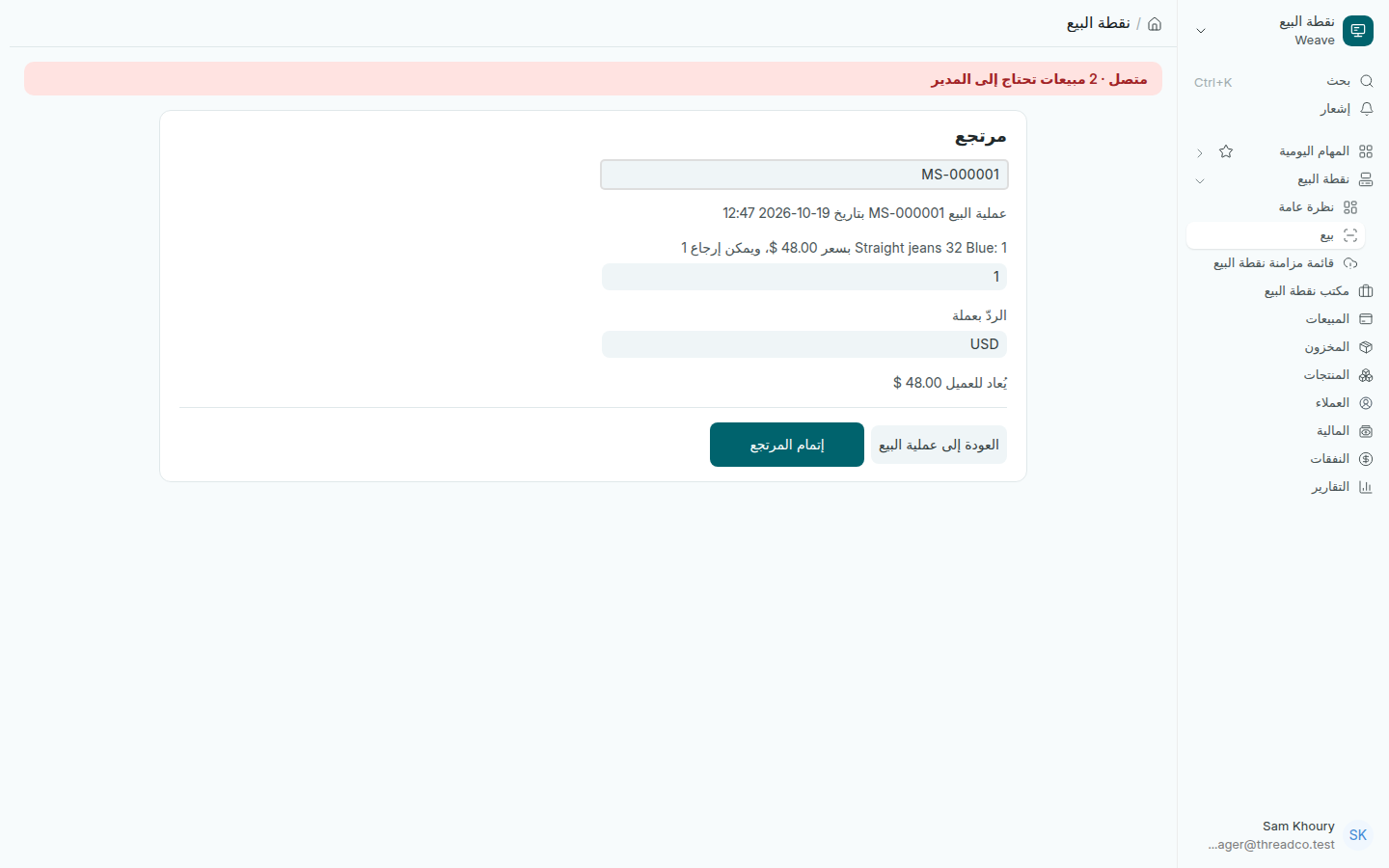
شاشة المرتجع مع عملية البيع الأصلية والكمية المُرجَعة
يُعاد للعميل 48 دولاراً عن قطعة واحدة.

الليرة في المرتجع

  • تظهر الليرة فقط إذا دخلت الليرة في عملية البيع، دفعاً أو باقياً. عملية بيع تمّت بالدولار بالكامل تُردّ بالدولار.
  • تُحسب الليرة بسعر الصرف الذي تمّت به عملية البيع، لا بسعر اليوم.
  • إذا لم يكفِ درج الليرة، يدفع Weave ما في الدرج بأوراق كاملة والباقي بالدولار، مثل: يُعاد للعميل 1,350,000 ل.ل. و5 دولارات.

ما يتمّ في مكتب نقطة البيع

بعض المرتجعات تُنجز من مكتب نقطة البيع ← الإرجاع والاستبدال على الحاسوب، وتنبّهك نقطة البيع إلى ذلك: مرتجع من دون إيصال، أو عملية بيع من فرع آخر، أو عملية بيع عليها ضريبة.

الاستبدال

للاستبدال سجّل المرتجع أولاً، ثم سجّل عملية بيع جديدة للمنتج البديل.
Refunds and exchanges

Find the sale by its receipt number, choose what is coming back, then hand back the money in the right currency.

The Refund button appears for people whose job may authorise returns: owners and store managers out of the box. The owner can allow it for cashiers in Settings → What each role can do, switch "Authorise returns".

Steps

  1. On the till, press Refund.
  2. Scan or type the receipt number: the invoice number (the barcode on the printed receipt) or the till number, such as MS-000001. Weave finds any sale from this branch in the last 30 days, including one rung without internet.
  3. Each line says how many can come back. Type how many are coming back.
  4. Choose to hand back in dollars or pounds.
  5. Weave shows exactly what to hand back. Press Complete refund. The refund receipt prints with the till's next number and names the sale it refunds.
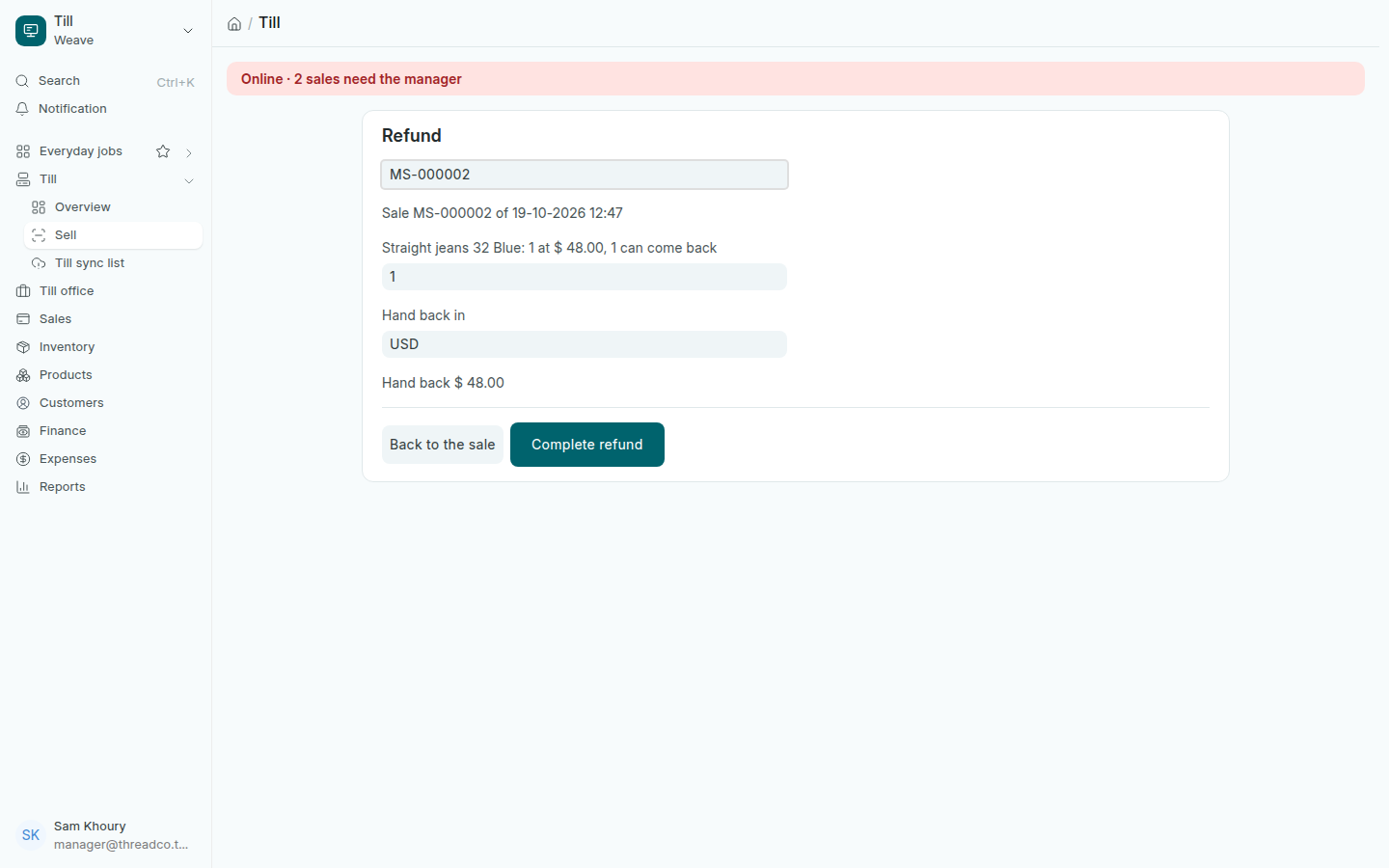
The refund screen with the original sale and the quantity coming back
48 dollars handed back for one piece.

Pounds on a refund

  • Pounds are offered only if pounds touched the sale, paid in or given as change. A sale that was dollars in and dollars out is refunded in dollars.
  • Pounds are worked out at the rate the sale was made at, never today's.
  • If the pound drawer cannot cover it all, Weave pays what the drawer holds in whole notes and the rest in dollars, for example: hand back 1,350,000 LBP + $ 5.00.

What goes to Till office

Some refunds are done on the computer in Till office → Returns and exchanges, and the till tells you so: a refund with no receipt, a sale from the other branch, and a sale that carried tax.

Exchanges

For an exchange, refund the item first, then ring a new sale for the replacement.