إدخال النقد إلى الدرج وإخراجه

تعزيز الرصيد، ودفع مورد أو نفقة من الدرج، وإرسال النقد إلى الخزنة، كل ذلك مسجّل بسببه.

يظهر زر تحريك النقد لمن يسمح له المالك فقط، من الإعدادات ← صلاحيات كل دور، مفتاح «إدخال النقد إلى نقطة البيع وإخراجه منها». في الإعداد الأصلي يسمح به للمالك ومدير المتجر فقط، فمن يعدّ الدرج لا يجب أن يكون هو من يبرّر ما ينقص منه.

الخطوات

  1. على نقطة البيع اضغط تحريك النقد.
  2. اختر السبب من القائمة التي حدّدها المالك، مثل إلى الخزنة.
  3. اختر درج النقد، واكتب المبلغ بعملة ذلك الدرج.
  4. أضف ملاحظة إن لزم، ثم اضغط تسجيل الحركة. يُطبع إيصال بالحركة.
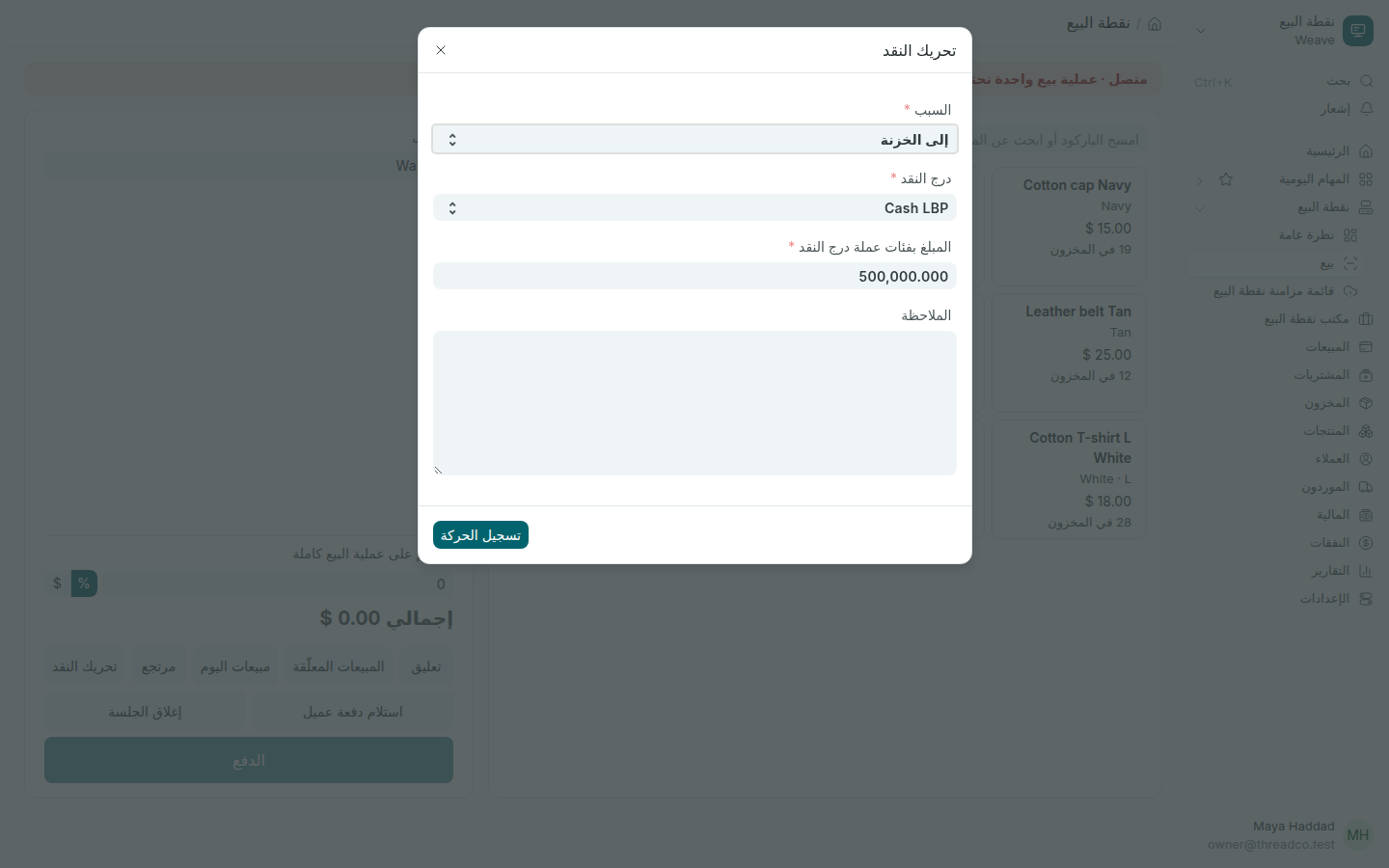
نافذة تحريك النقد: 500,000 ليرة إلى الخزنة
إرسال 500,000 ليرة من درج الليرة إلى الخزنة.

من دون إنترنت تُسجَّل الحركة فوراً وتُرسل لاحقاً، ويحسب Weave أثرها في ما يجب أن يحتويه الدرج عند الإغلاق.

أسباب تحريك النقد

يحدّد المالك القائمة من مكتب نقطة البيع ← أسباب تحريك النقد: لكل سبب اسم يعرفه أمين الصندوق، واتجاه النقد (من الدرج أو إليه)، والحساب الذي يذهب إليه. السبب غير المفعّل لا يظهر على نقطة البيع.
Move cash in and out of the drawer

Float top-ups, paying a supplier or an expense from the drawer, and taking cash to the safe, each recorded with its reason.

The Move cash button appears only for people the owner allows, in Settings → What each role can do, switch "Move cash in and out of a till". Out of the box only owners and store managers may: the person who counts the drawer should not also be the person who can explain away what is missing from it.

Steps

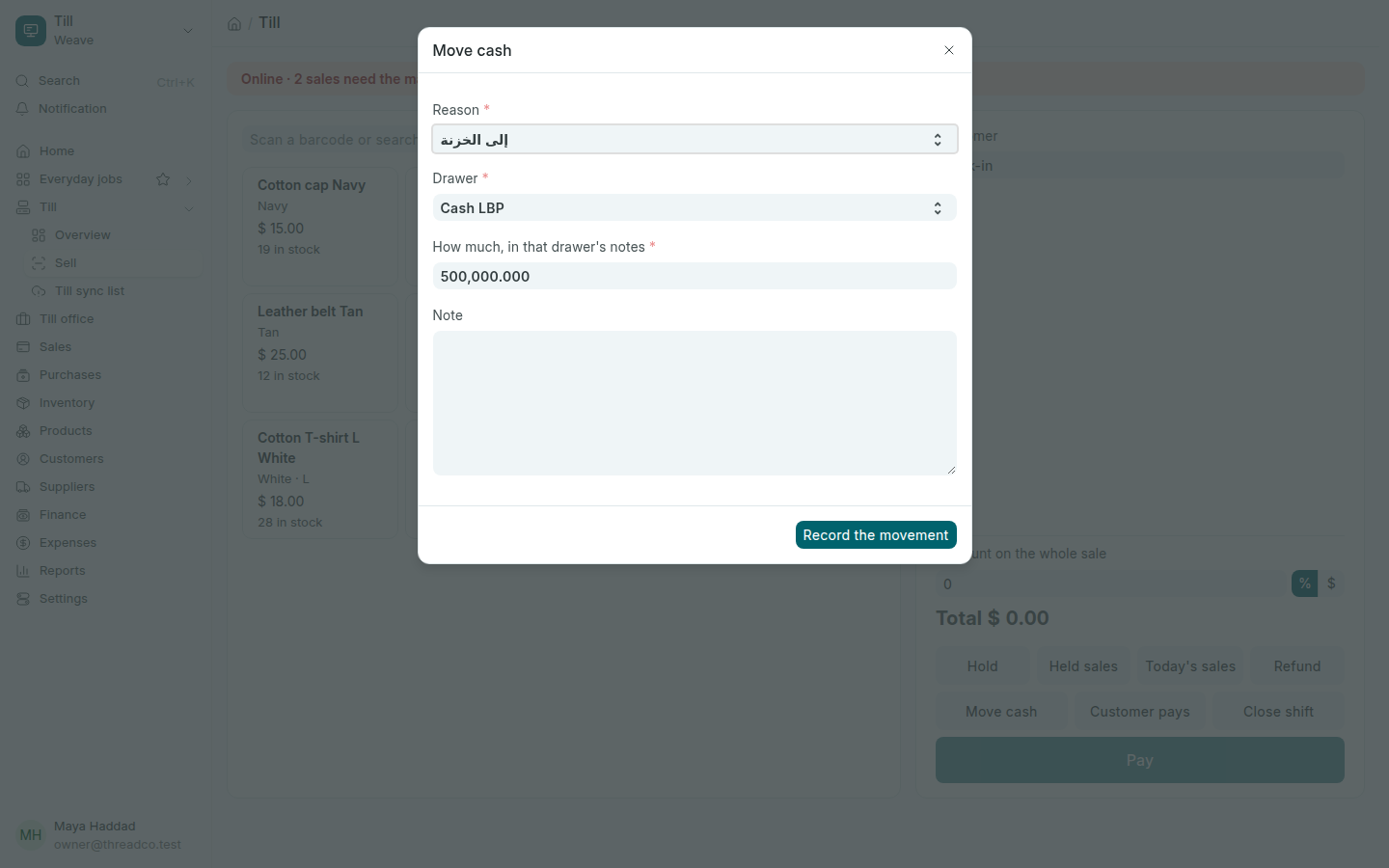
  1. On the till, press Move cash.
  2. Choose the Reason from the owner's list, such as To the safe.
  3. Choose the Drawer and type how much, in that drawer's own notes.
  4. Add a Note if needed, then press Record the movement. A slip prints.
The Move cash window: 500,000 pounds to the safe
500,000 pounds sent from the pound drawer to the safe.

With no internet the movement is recorded at once and sent later, and what the drawer should hold at closing already allows for it.

Till cash reasons

The owner keeps the list in Till office → Till cash reasons: each reason has a name the cashier recognises, which way the cash goes (out of the drawer or into it), and the account it goes to. A reason that is not enabled does not appear on the till.