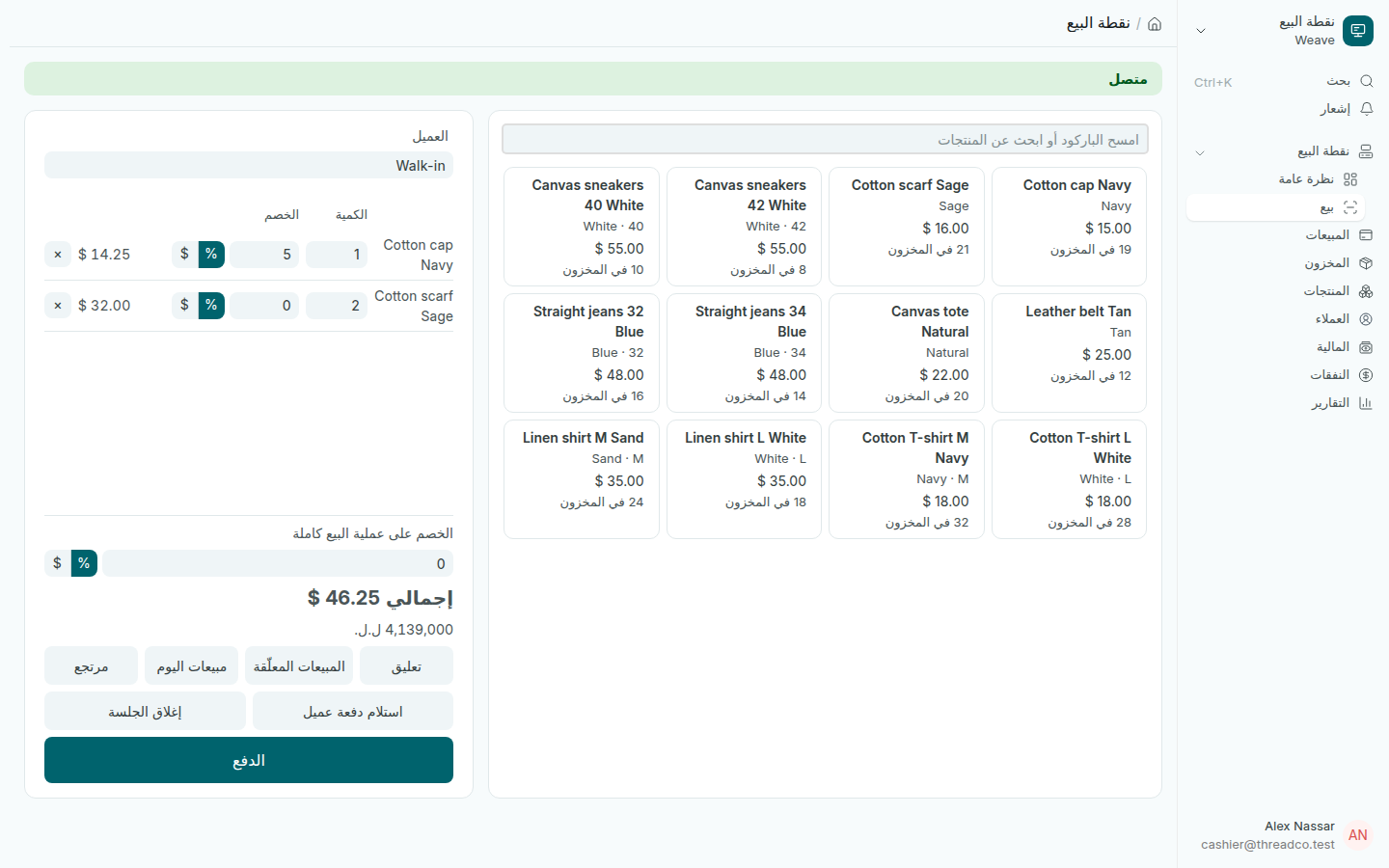
تسجيل عملية بيع

امسح المنتجات أو ابحث عنها، وعدّل الكمية والخصم، واختر العميل، ثم انتقل إلى الدفع.

الخطوات

  1. امسح الباركود، أو اكتب جزءاً من اسم المنتج أو رمزه في خانة البحث واضغط المنتج. مسح المنتج نفسه مرة أخرى يضيف قطعة.
  2. عدّل الكمية أو الخصم في سطر المنتج. بجانب خانة الخصم اختر % لنسبة مئوية أو $ لمبلغ.
  3. للخصم على الفاتورة كلها استخدم الخصم على عملية البيع كاملة بالطريقة نفسها.
  4. اختر العميل إذا لم يكن Walk-in.
  5. اضغط الدفع.
شاشة البيع وفيها منتجان وخصم على أحد الأسطر
يظهر الإجمالي بالدولار وبالليرة بسعر اليوم.

الخصومات

  • الخصم بالمبلغ يُطرح من السطر كله: 3 قمصان بسعر 10 دولارات مع خصم 5 دولارات تساوي 25 دولاراً.
  • لكل شخص حدّ للخصم يحدّده المالك. الخصم الأعلى من حدّك يُرفض فوراً، مثل: هذا الخصم 30% ويمكنك اعتماد خصم حتى 10%. يرجى الطلب من شخص يملك صلاحية أعلى.
  • يُجمع خصم السطر وخصم الفاتورة قبل مقارنتهما بالحدّ، فلا فائدة من تقسيم الخصم.

أزرار أخرى

  • تعليق: يضع عملية البيع جانباً على نقطة البيع هذه. المبيعات المعلّقة تعرضها، واستئناف يعيدها بأسعار اليوم.
  • مبيعات اليوم: كل عمليات البيع على نقطة البيع هذه اليوم، مع إمكانية الطباعة مجدداً.
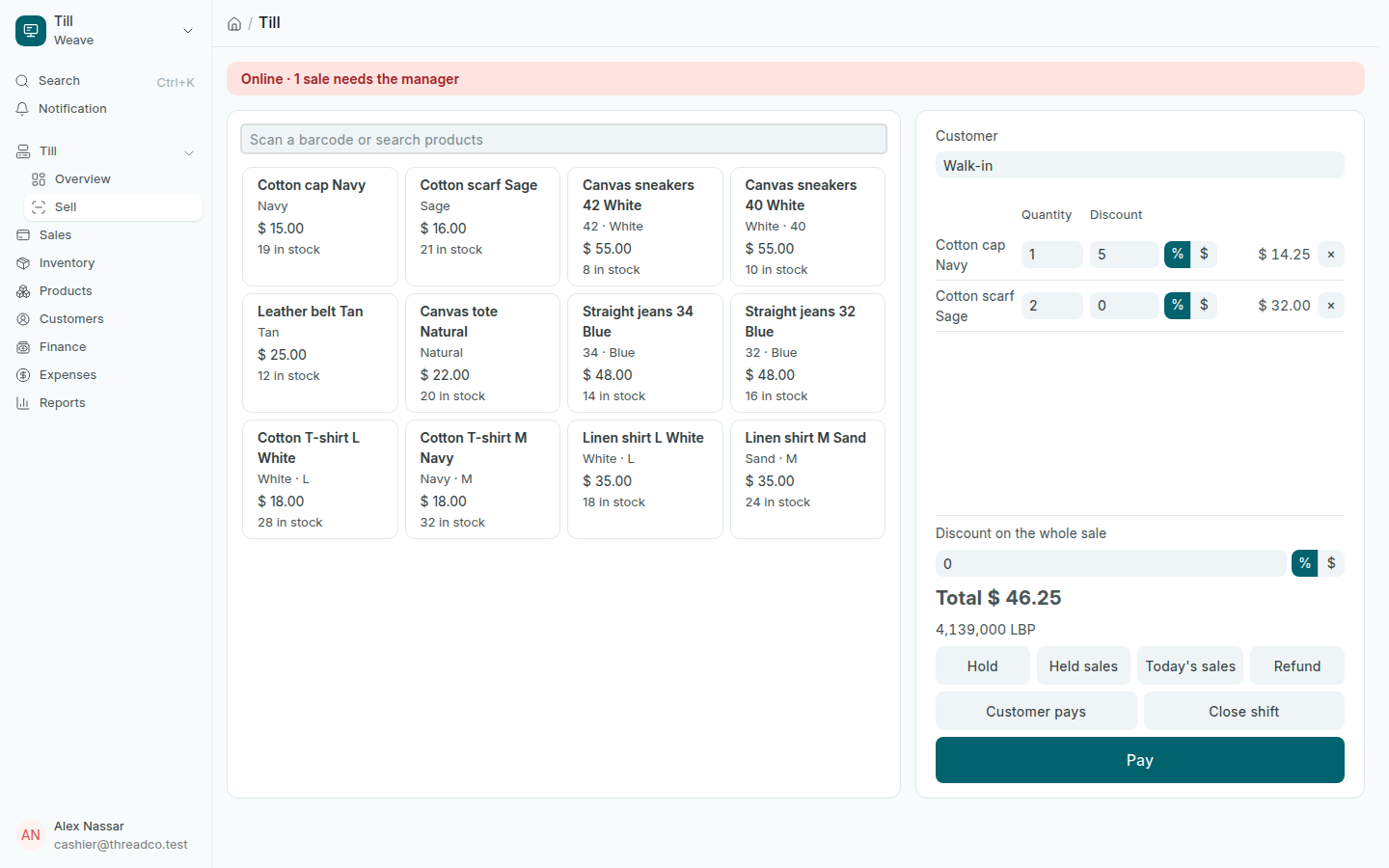
Make a sale

Scan or search for products, adjust quantities and discounts, choose the customer, then go to payment.

Steps

  1. Scan the barcode, or type part of a product's name or code in the search box and tap the product. Scanning the same product again adds one more.
  2. Change the Quantity or Discount on the product's line. Beside the discount box, choose % for a percentage or $ for an amount.
  3. For a discount on the whole sale, use Discount on the whole sale the same way.
  4. Choose the Customer if it is not Walk-in.
  5. Press Pay.
The sale screen with two products and a line discount
The total shows in dollars and in pounds at today's rate.

Discounts

  • An amount comes off the whole line: 3 shirts at $10 with $5 off cost $25.00.
  • Each person has a discount limit set by the owner. A discount above yours is refused at once, for example: This discount is 30% and you may approve up to 10%. Ask someone who can approve more.
  • A line discount and a discount on the whole sale are added together before the limit is checked, so splitting a discount does not get round it.

Other buttons

  • Hold: sets the sale aside on this till. Held sales lists them, and Resume brings one back at today's prices.
  • Today's sales: every sale rung on this till today, with Print again.