إغلاق الجلسة

عُدّ كل درج واكتب ما عددته فعلاً. يعرض Weave المتوقع والفرق، ثم يطبع ملخص الجلسة.

الخطوات

  1. على نقطة البيع اضغط إغلاق الجلسة.
  2. يعرض كل درج المتوقع: الرصيد الافتتاحي، زائد ما دخل، ناقص الباقي والمرتجعات، زائد أو ناقص النقد الذي تحرّك.
  3. عُدّ كل درج واكتب ما عددته. يظهر الفرق أثناء الكتابة.
  4. اضغط إغلاق الجلسة. يُطبع ملخص الجلسة (المتوقع والمعدود والفرق لكل درج، وعدد المبيعات والمرتجعات)، وتعود نقطة البيع إلى فتح الجلسة.
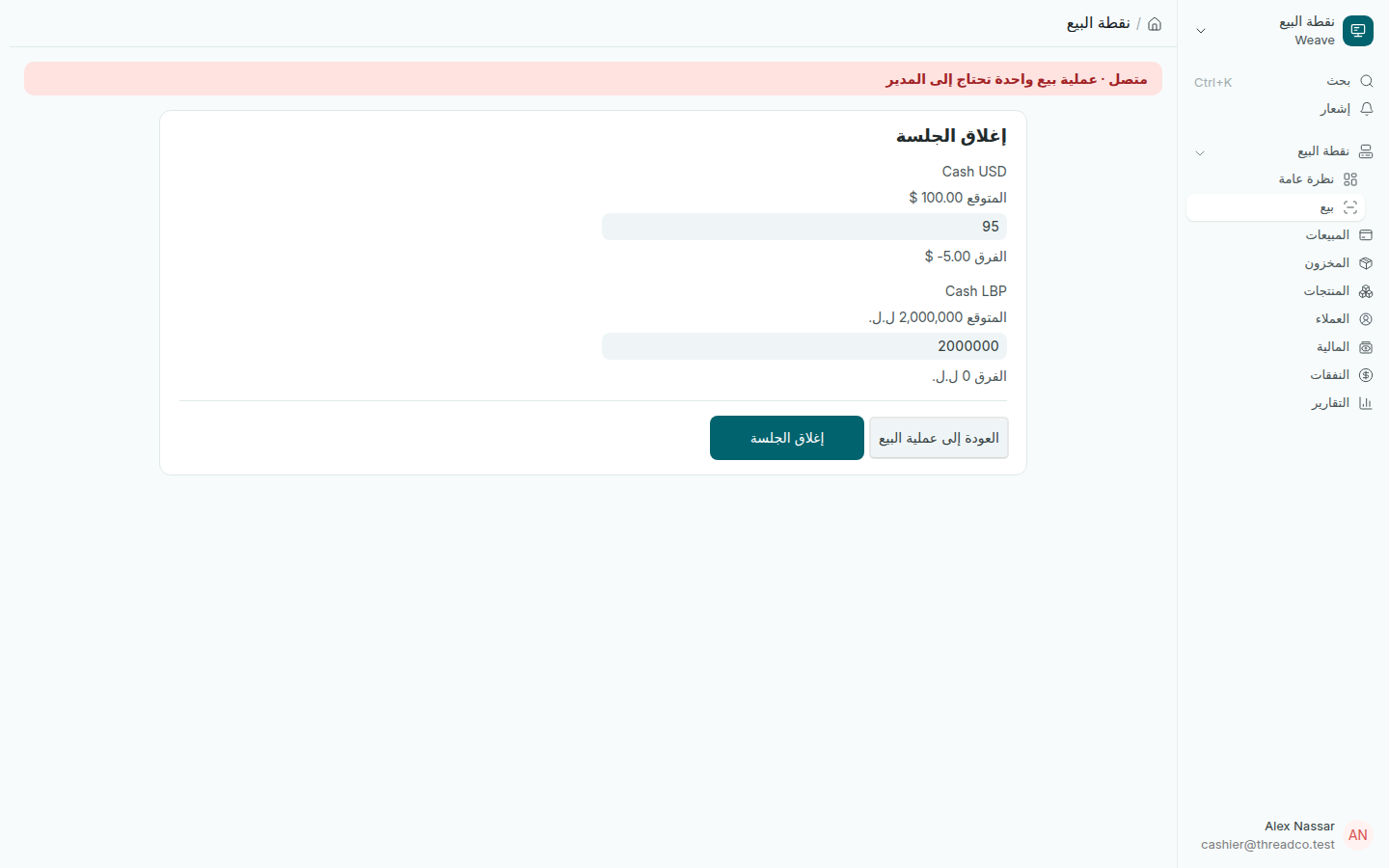
شاشة إغلاق الجلسة مع المتوقع والمعدود والفرق لكل درج
في درج الدولار ينقص 5 دولارات عن المتوقع.

لا تعدّل العدد ليطابق المتوقع. الفرق المكتشف اليوم يُحلّ بحديث، أما الفرق المكتشف بعد أسبوع فيصبح خلافاً. عُدّ في نهاية كل جلسة، حتى لو كان اليوم هادئاً.

ما يجب معرفته

  • لا يمكن الإغلاق ما دامت هناك مبيعات بانتظار الإرسال على هذا الحاسوب.
  • من دون إنترنت تُغلق الجلسة فوراً، وتُرسل بعد كل مبيعات الجلسة ومرتجعاتها وحركات نقدها.
  • إذا اختلف رقم الخادم عن رقم نقطة البيع، مثلاً لأن نقداً تحرّك من شاشة أخرى، تُسجَّل الجلسة بما عددته، ويرى المدير الرقمين في قائمة مزامنة نقطة البيع.
  • فروقات تقريب الليرة خلال الجلسة تظهر عند الإغلاق.
Close the shift

Count each drawer and type what you actually counted. Weave shows what was expected and the difference, then prints the shift summary.

Steps

  1. On the till, press Close shift.
  2. Each cash drawer shows what it is expected to hold: the float, plus what came in, less change and refunds, plus or minus cash moved.
  3. Count each drawer and type what you counted. The difference shows as you type.
  4. Press Close shift. The shift summary prints (expected, counted and difference for each drawer, and how many sales and refunds), and the till goes back to Open shift.
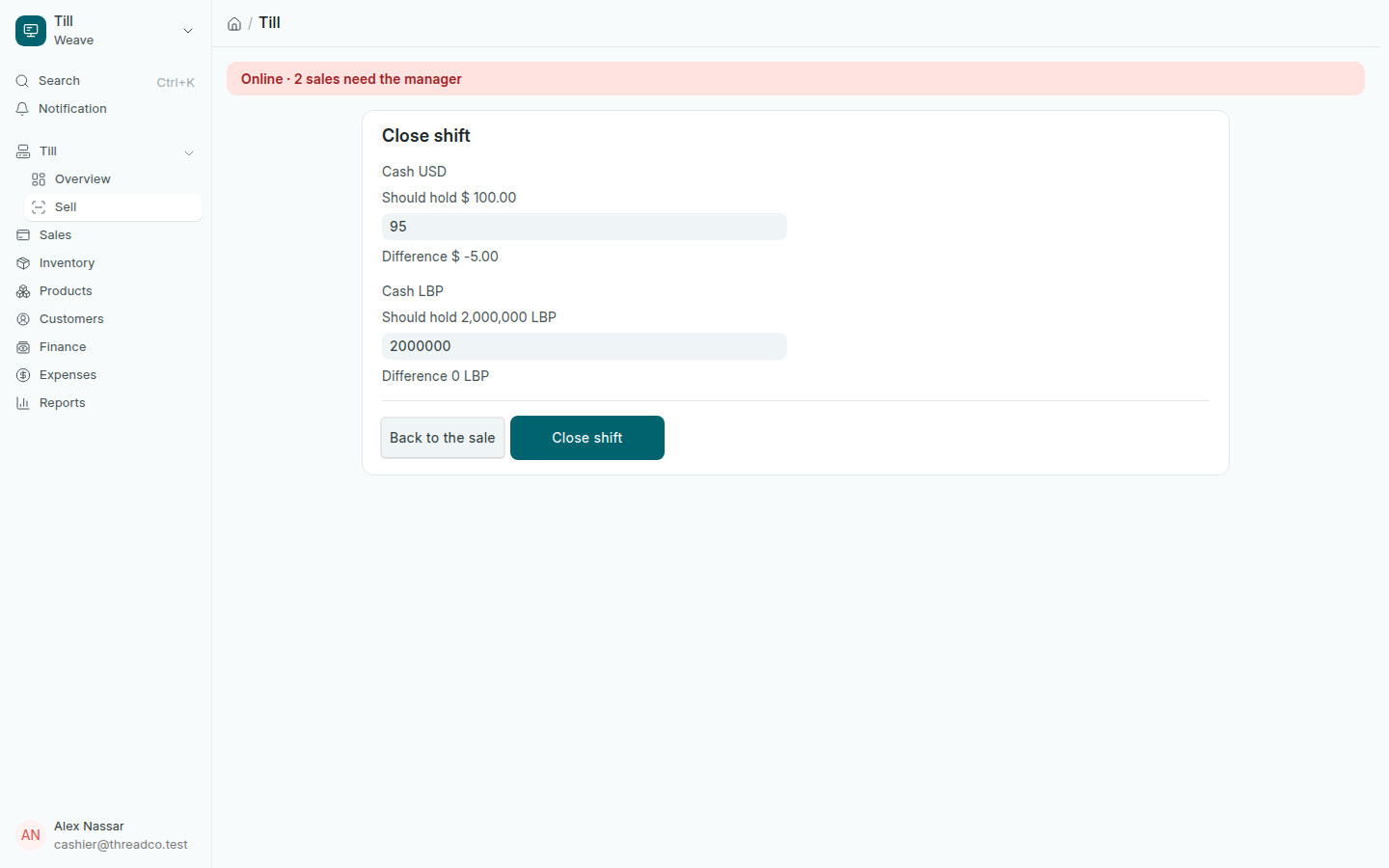
The Close shift screen with expected, counted and difference for each drawer
The dollar drawer is 5 dollars short of what was expected.

Do not adjust the count to make it match. A difference found today is a conversation; a difference found next week is an argument. Count at the end of every shift, even a quiet one.

Good to know

  • The shift cannot close while sales are waiting to be sent from this computer.
  • With no internet the shift closes at once and is sent after every sale, refund and cash movement of that shift.
  • If the server's figure differs from the till's, for example because cash was moved on another screen, the shift is still recorded with what you counted, and the manager sees both figures on the Till sync list.
  • Pound rounding over the shift shows when you close.