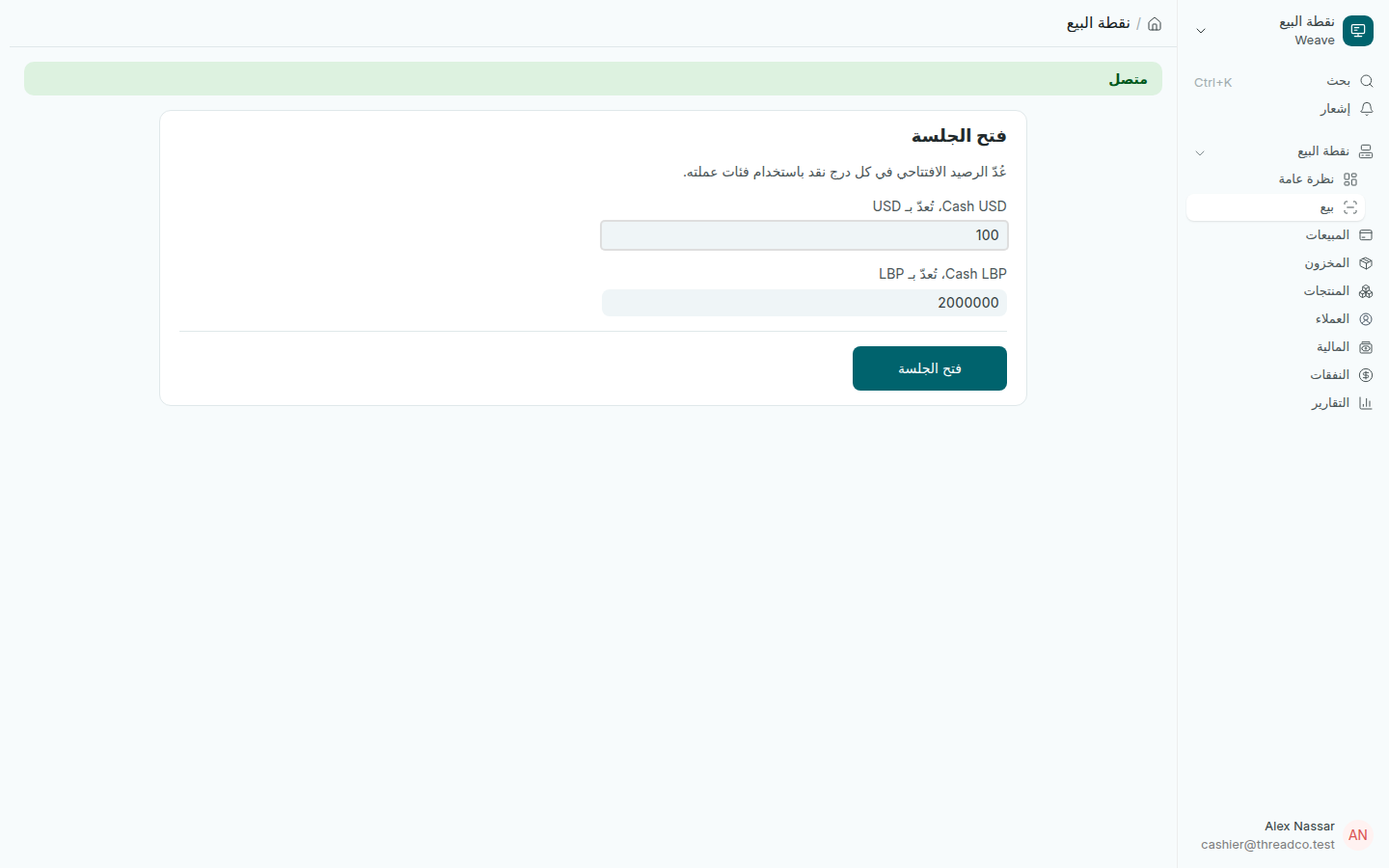
فتح الجلسة

عُدّ النقد في كل درج بعملته، ثم افتح الجلسة. لا تبدأ أي عملية بيع قبل ذلك.

قبل أول عملية بيع في اليوم تأكّد أن سعر الصرف اليوم مسجّل، ثم افتح الجلسة على نقطة البيع.

الخطوات

  1. افتح نقطة البيع ← بيع، أو اضغط نقطة البيع في الصفحة الرئيسية. إذا لم تكن هناك جلسة مفتوحة اليوم تظهر شاشة فتح الجلسة.
  2. عُدّ الرصيد الافتتاحي في كل درج نقد واكتبه بعملة الدرج نفسه: الدولار بالدولار، والليرة بالليرة.
  3. اضغط فتح الجلسة. تظهر شاشة البيع.
شاشة فتح الجلسة مع الرصيد الافتتاحي لكل درج
100 دولار في درج الدولار و2,000,000 ليرة في درج الليرة.

ما يجب معرفته

  • يرفض Weave رصيد درج الليرة إذا كُتب بقيمته بالدولار (رسالة لم يُعدّ الرصيد الافتتاحي)، لأن مبلغاً بالدولار لا يمكن مقارنته بالأوراق عند الإغلاق.
  • يُقيَّم الرصيد الافتتاحي مرة واحدة بسعر الصرف الساري عند فتح الجلسة، ولا يتغيّر بعد ذلك.
  • من دون إنترنت تُفتح الجلسة فوراً، ويسجّلها الخادم لاحقاً.
  • إذا بقيت جلسة الأمس مفتوحة، يطلب منك Weave إغلاقها أولاً ثم يفتح جلسة اليوم.
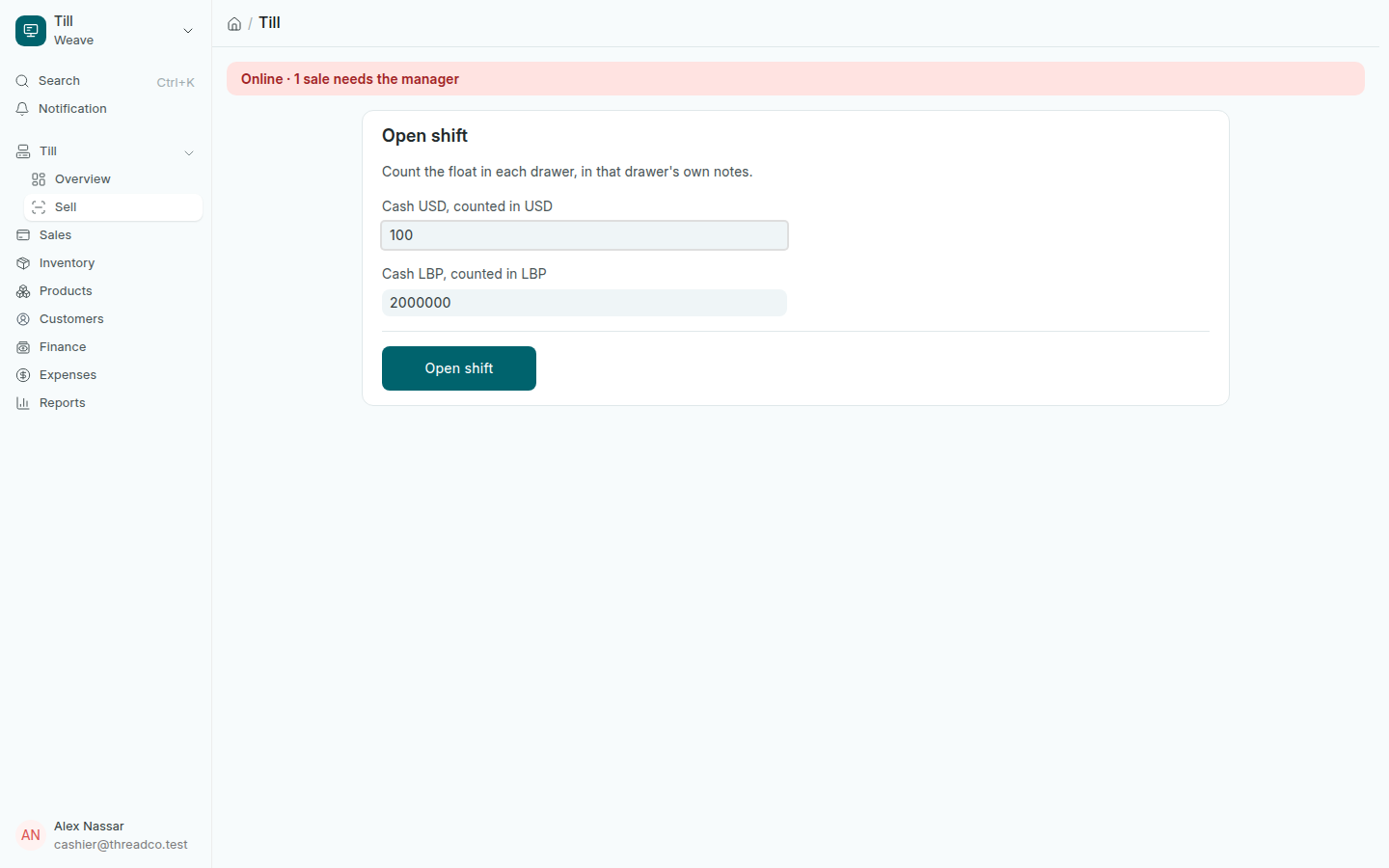
Open the shift

Count the cash in each drawer in its own notes, then open the shift. No sale starts before that.

Before the first sale of the day, make sure today's exchange rate is filed, then open the shift on the till.

Steps

  1. Open Till → Sell, or press Till on the home page. When no shift is open today, the till opens on Open shift.
  2. Count the float in each cash drawer and type it in that drawer's own notes: dollars as dollars, pounds as pounds.
  3. Press Open shift. The sale screen opens.
The Open shift screen with a float for each drawer
100 dollars in the dollar drawer and 2,000,000 pounds in the pound drawer.

Good to know

  • Weave refuses a pound float typed as its dollar value (Float Not Counted): a dollar figure cannot be counted back into notes at the end of the day.
  • The float is valued once, at the rate in force when the shift opened, and never revalued afterwards.
  • With no internet the shift opens at once, and the server records it later.
  • If yesterday's shift was never closed, Weave asks you to close it first, then opens today's.