الحسابات البنكية والتسوية

إضافة حساب المتجر في البنك، ومطابقة ما في Weave مع كشف البنك.

حساب بنكي

  1. افتح المالية ← الحسابات البنكية واضغط إضافة.
  2. اكتب اسم الحساب، واختر البنك، وحدّد حساب الشركة.
  3. في الحساب اختر الحساب الذي يمثّله في شجرة الحسابات، ثم اضغط حفظ.
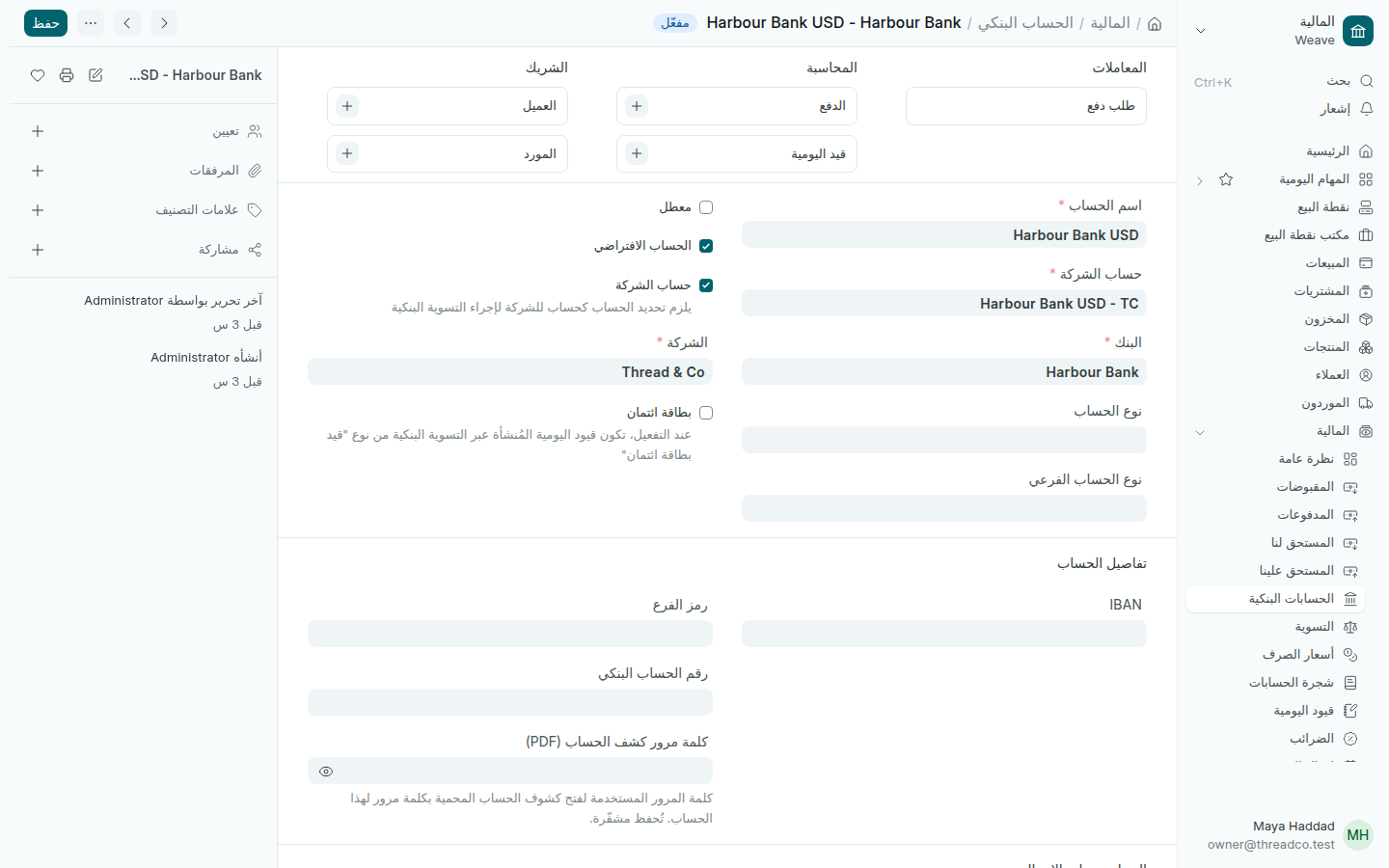
حساب بنكي
حساب Thread & Co في Harbour Bank.

التسوية

  1. افتح المالية ← التسوية واختر الحساب البنكي.
  2. اكتب الرصيد الذي يظهر في كشف البنك، ثم اضغط جلب القيود غير المسوّاة.
  3. طابق كل حركة في الكشف مع ما في Weave. يجب أن يصبح الفرق صفراً.
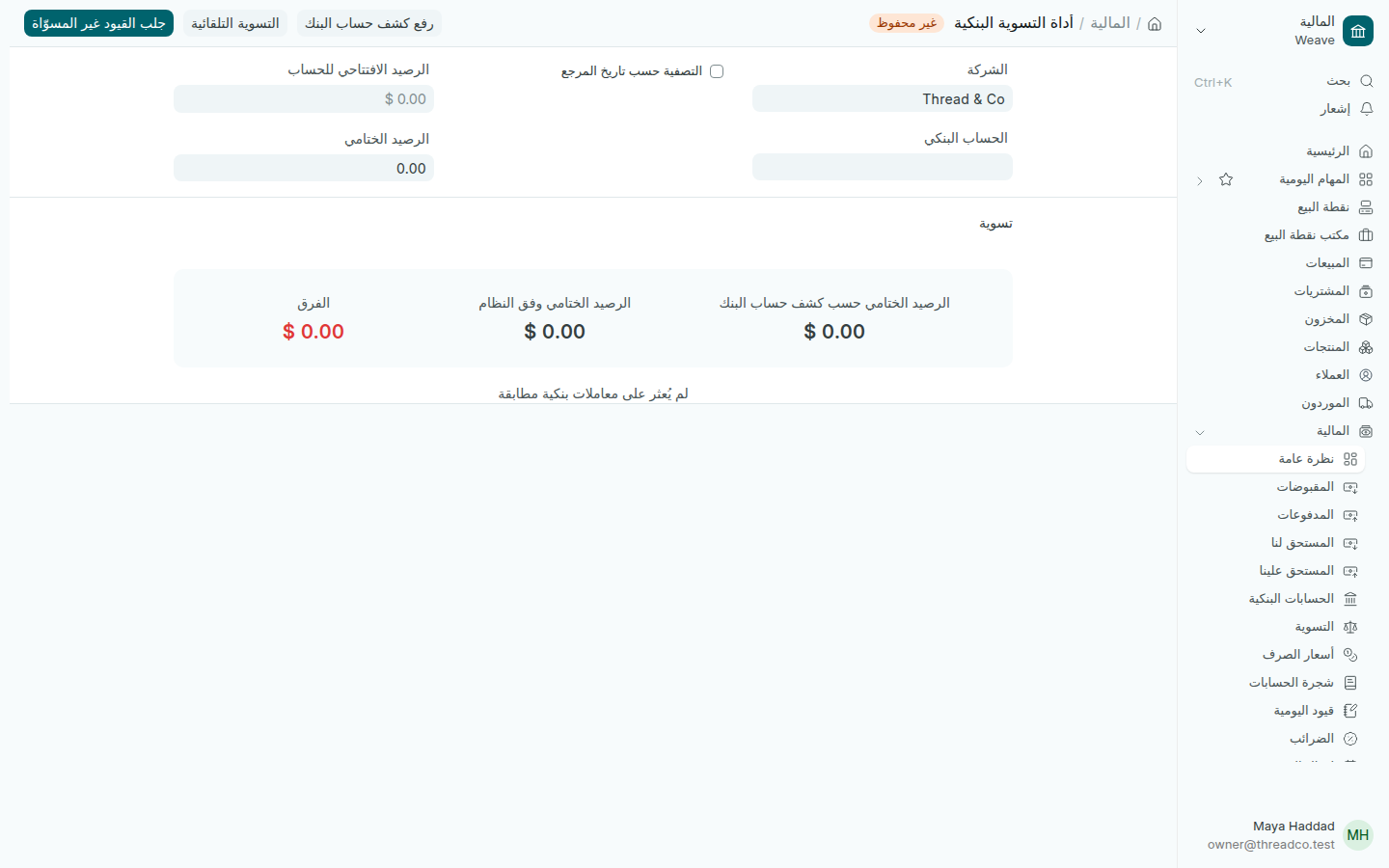
أداة التسوية البنكية
الرصيد حسب البنك والرصيد في Weave والفرق بينهما.

يمكنك أيضاً رفع كشف حساب البنك ملفاً، ثم التسوية التلقائية لما يتطابق وحده.
Bank accounts and reconciliation

Add the shop's bank account, and match what Weave shows with the bank's statement.

A bank account

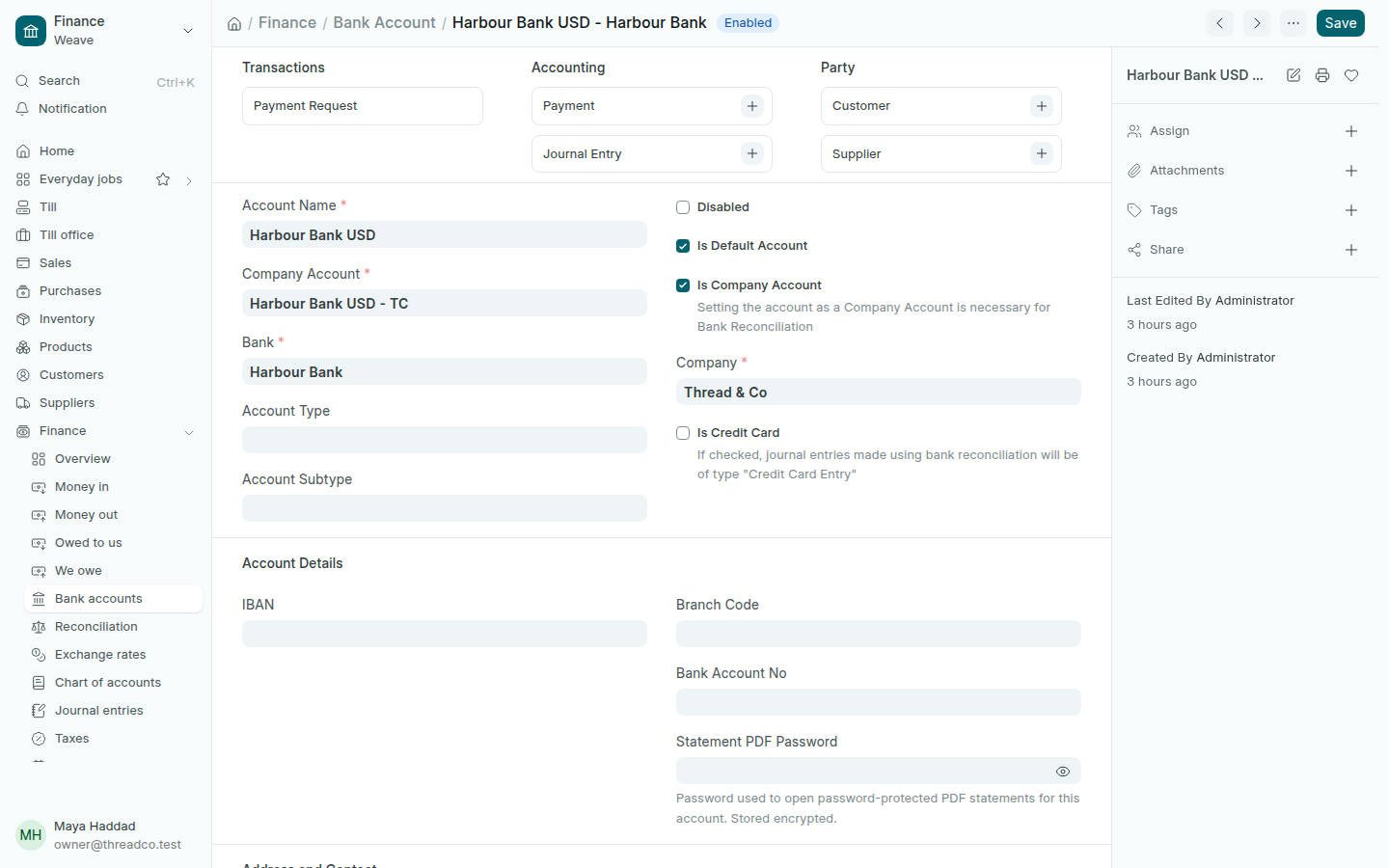
  1. Open Finance → Bank accounts and press Add.
  2. Type the Account Name, choose the Bank, and tick Is Company Account.
  3. In Account, choose the account that stands for it in the chart of accounts, then press Save.
A bank account
Thread & Co's account at Harbour Bank.

Reconciliation

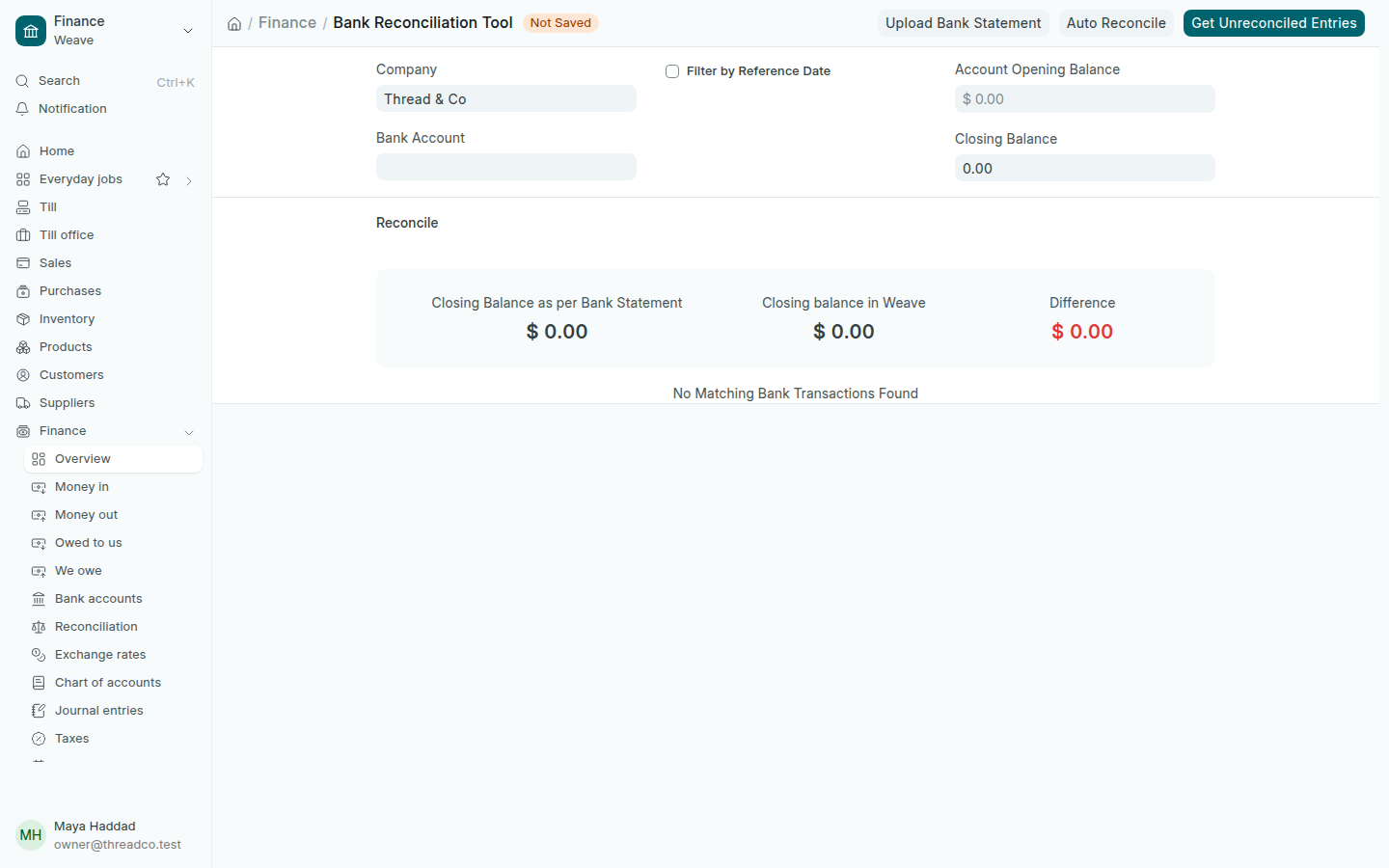
  1. Open Finance → Reconciliation and choose the Bank Account.
  2. Type the balance on the bank's statement, then press Get Unreconciled Entries.
  3. Match each line of the statement with what is in Weave. The Difference should reach zero.
The bank reconciliation tool
The bank's balance, Weave's balance and the difference.

You can also Upload Bank Statement as a file, then Auto Reconcile what matches by itself.