الربح والخسارة

ما دخل من المبيعات، وما خرج تكلفةً ونفقات، وما بقي ربحاً، للسنة أو لكل شهر.

افتح التقارير ← الربح والخسارة. في الأعلى إجمالي الإيرادات هذا العام وإجمالي النفقات هذا العام والربح هذا العام، ثم رسم، ثم الحسابات: الإيرادات أولاً، ثم النفقات ومنها تكلفة البضاعة المباعة.
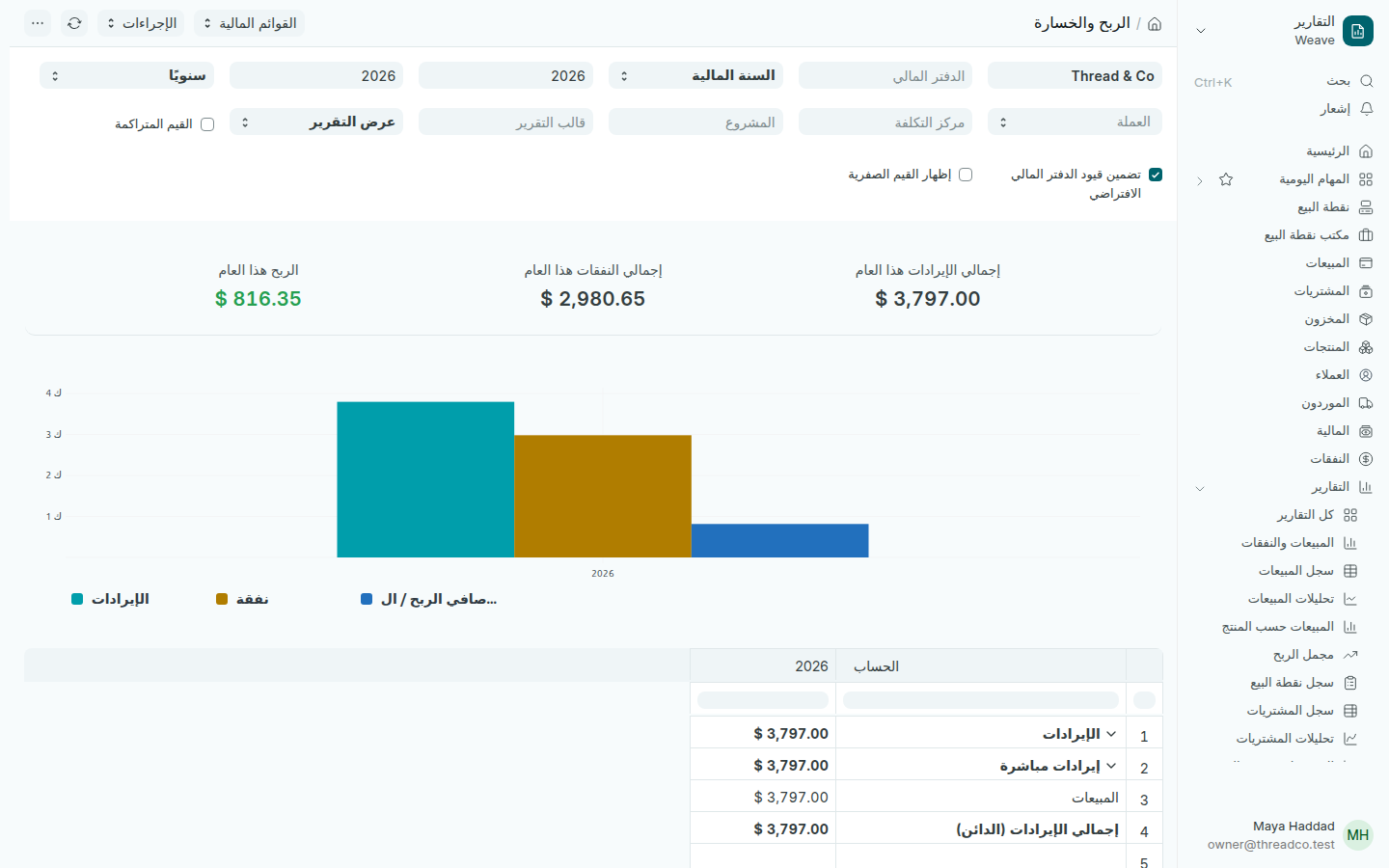
تقرير الربح والخسارة
الربح هو الإيرادات ناقص النفقات.
  1. اختر السنة المالية في الحقلين بعد اسم الشركة، من سنة إلى سنة.
  2. اختر شهرياً بدلاً من سنوياً لترى كل شهر في عمود.
  3. اختر مركز التكلفة لترى ربح فرع واحد.

المبيعات هنا بعد الخصم ومن دون الضريبة. النفقات التي تسجّلها من تسجيل نفقة تظهر كل واحدة تحت فئتها.
Profit and loss

What came in from sales, what went out in costs and expenses, and what was left as profit, for the year or each month.

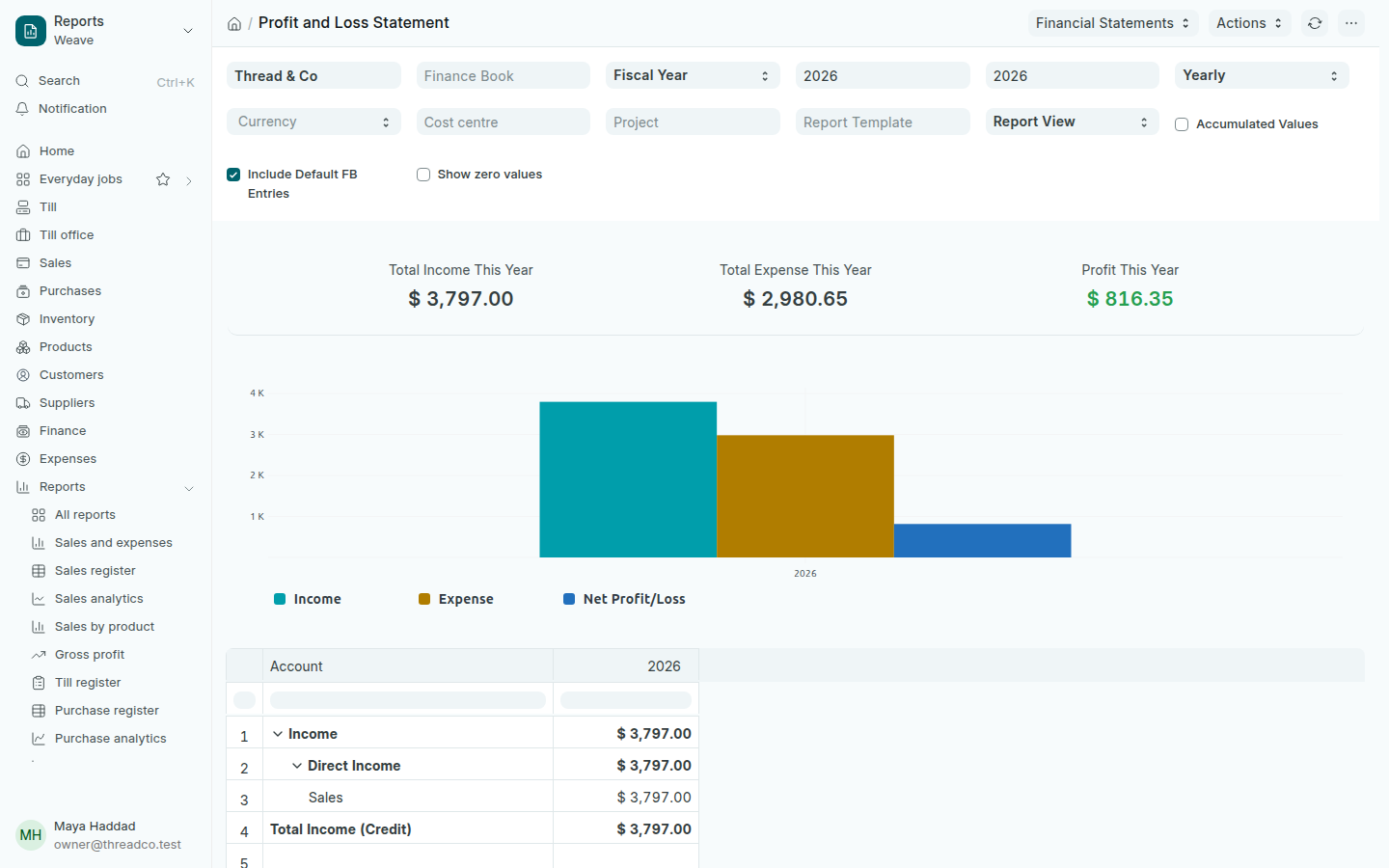
Open Reports → Profit and loss. At the top are Total Income This Year, Total Expense This Year and Profit This Year, then a chart, then the accounts: income first, then expenses, including the cost of goods sold.

The Profit and loss report
Profit is income minus expenses.
  1. Choose the Fiscal Year in the two fields after the company name, from one year to another.
  2. Choose Monthly instead of Yearly to see each month in a column.
  3. Choose a Cost centre to see one branch's profit.

Sales here are after discounts and without tax. Expenses you record with Record an expense each appear under their category.