تقارير المشتريات

كل فاتورة مورد في سطر، والمشتريات شهراً بشهر، وما اشتريته من كل منتج.

سجل المشتريات

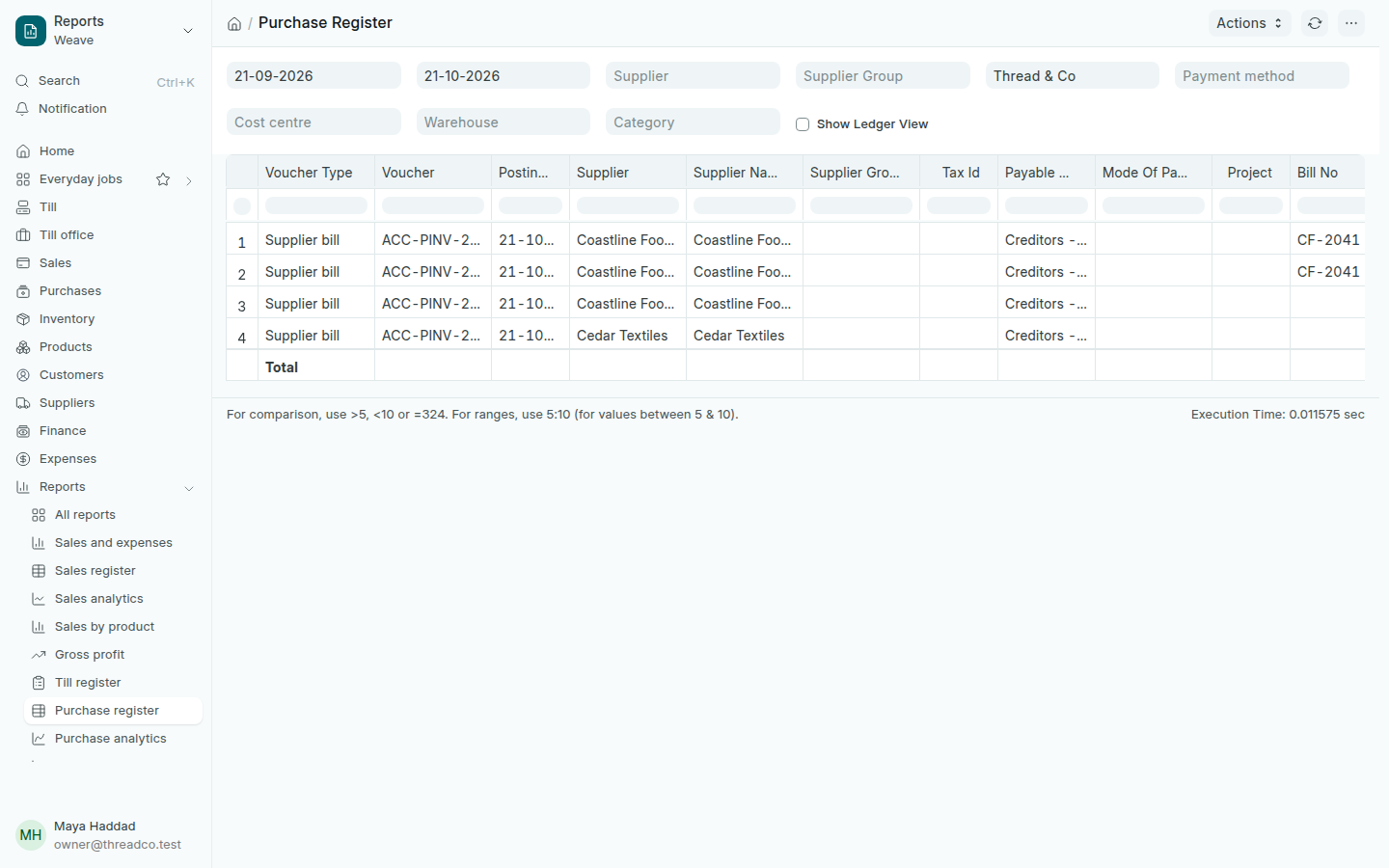
افتح التقارير ← سجل المشتريات. لكل فاتورة مورد سطر: التاريخ، والمورد، ورقم فاتورته، ثم الإجمالي والمبلغ المستحق في آخر الأعمدة.
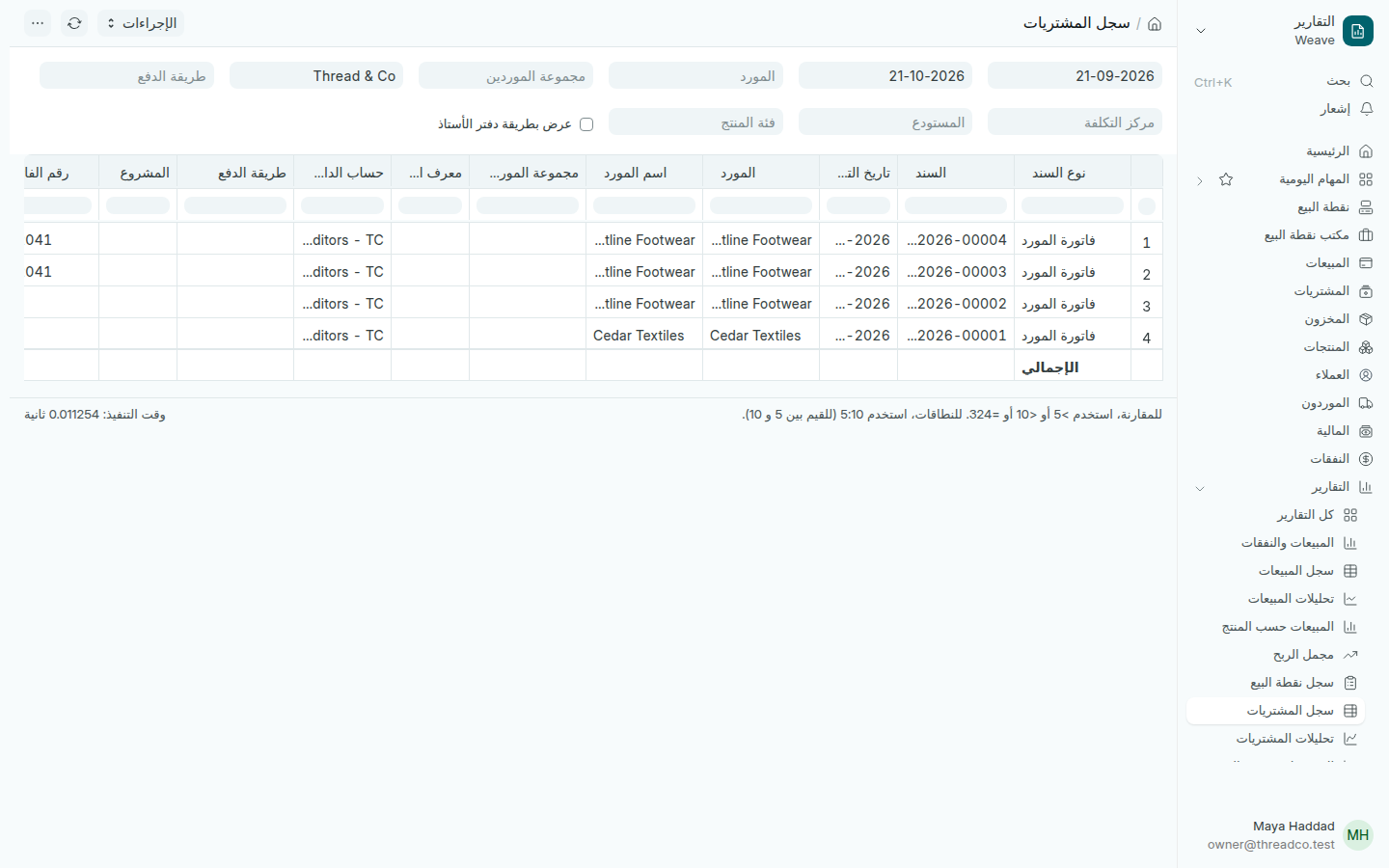
تقرير سجل المشتريات
المرتجعات تظهر بمبالغ سالبة.

اختر المورد لترى فواتيره وحدها.

تحليلات المشتريات

افتح التقارير ← تحليلات المشتريات. لكل مورد سطر، ولكل شهر عمود. يعمل كما تعمل تحليلات المبيعات: غيّر الحقل الأول لترى المشتريات حسب المنتج أو فئة المنتج، وحدّد الأسطر التي تريدها في الرسم.
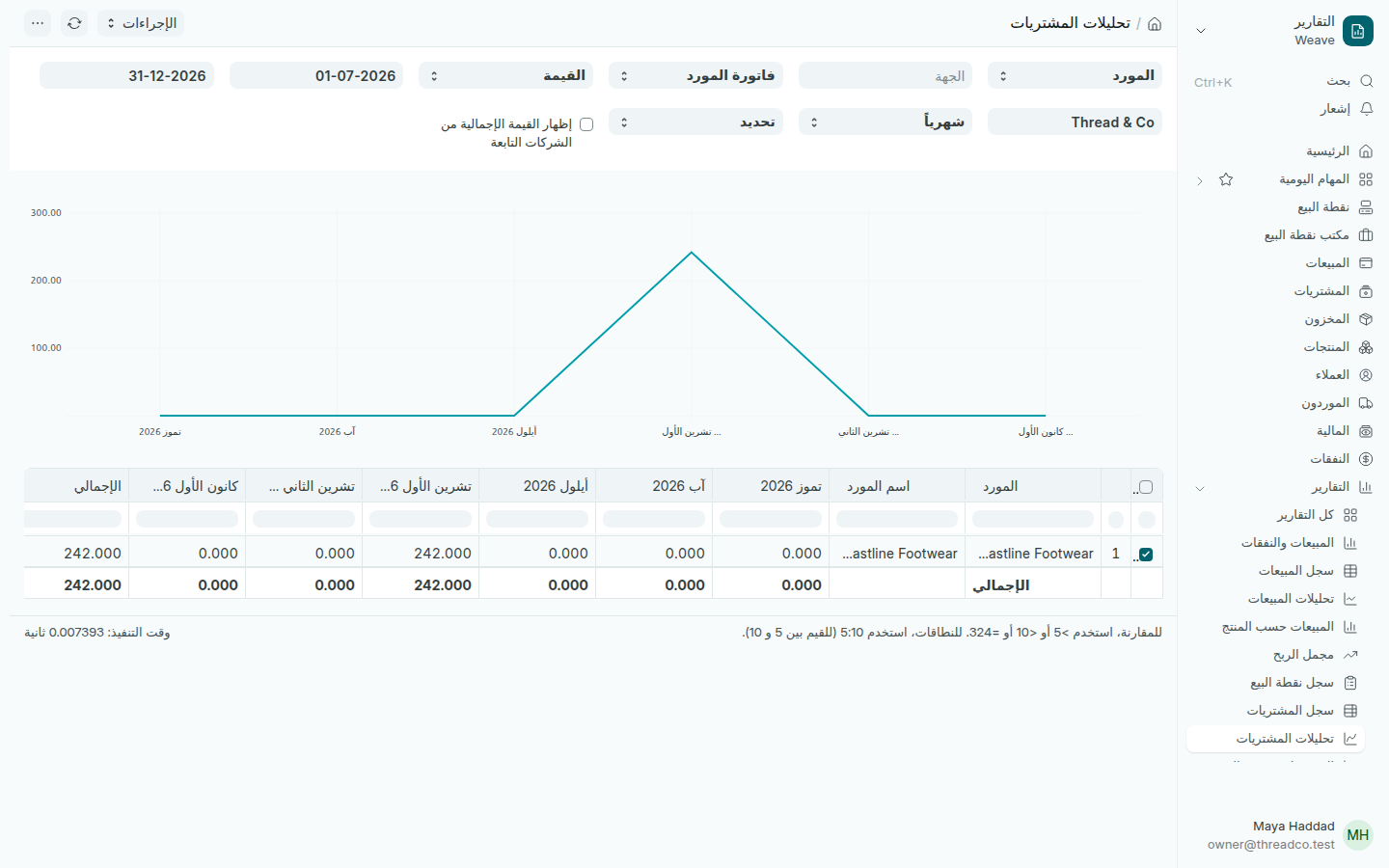
تقرير تحليلات المشتريات
ما اشتريته من كل مورد شهراً بشهر.

المشتريات حسب المنتج

افتح التقارير ← المشتريات حسب المنتج. لكل منتج في كل فاتورة مورد سطر: الفاتورة والتاريخ والمورد، ثم الكمية والسعر والمبلغ.
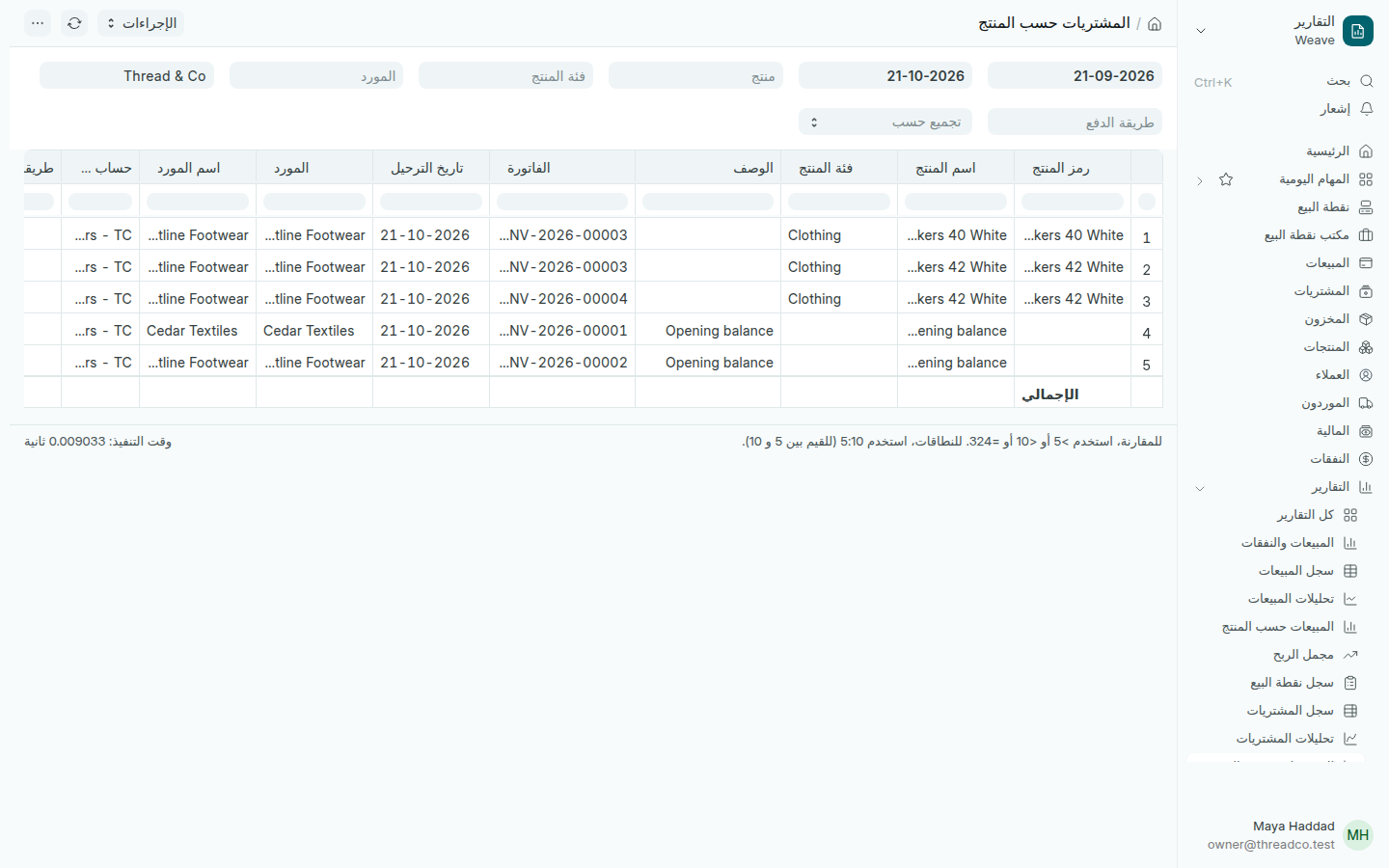
تقرير المشتريات حسب المنتج
قارن سعر المنتج نفسه بين موردين.

Purchase reports

Every supplier bill on a line, purchases month by month, and what you bought of each product.

Purchase register

Open Reports → Purchase register. Each supplier bill has a line: the date, the supplier, their bill number, then the total and the amount still owed in the last columns.

The Purchase register
Returns show as negative amounts.

Choose a Supplier to see their bills alone.

Purchase analytics

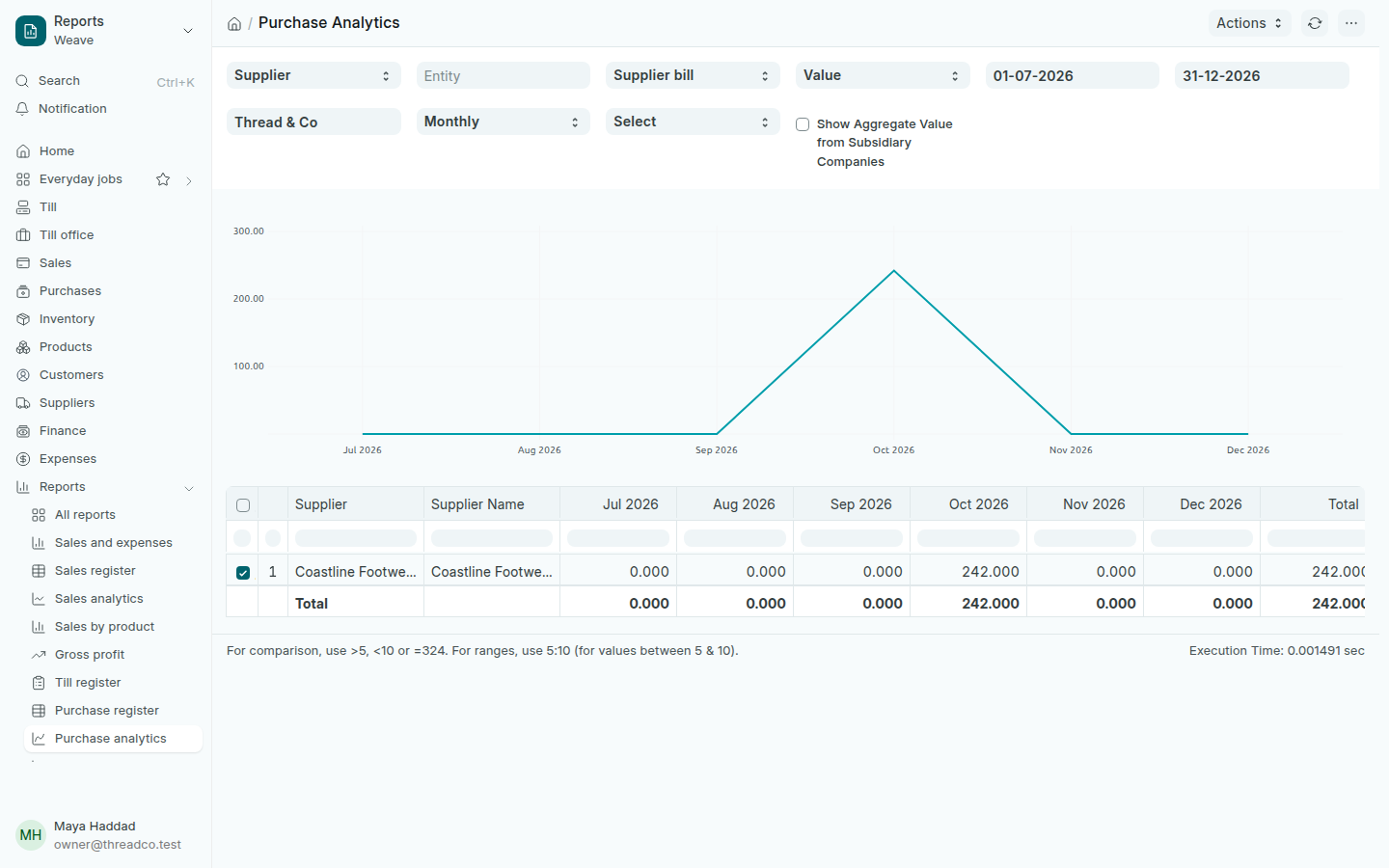
Open Reports → Purchase analytics. Each supplier has a line and each month a column. It works like Sales analytics: change the first field to see purchases by product or category, and tick the lines you want on the chart.

The Purchase analytics report
What you bought from each supplier, month by month.

Purchases by product

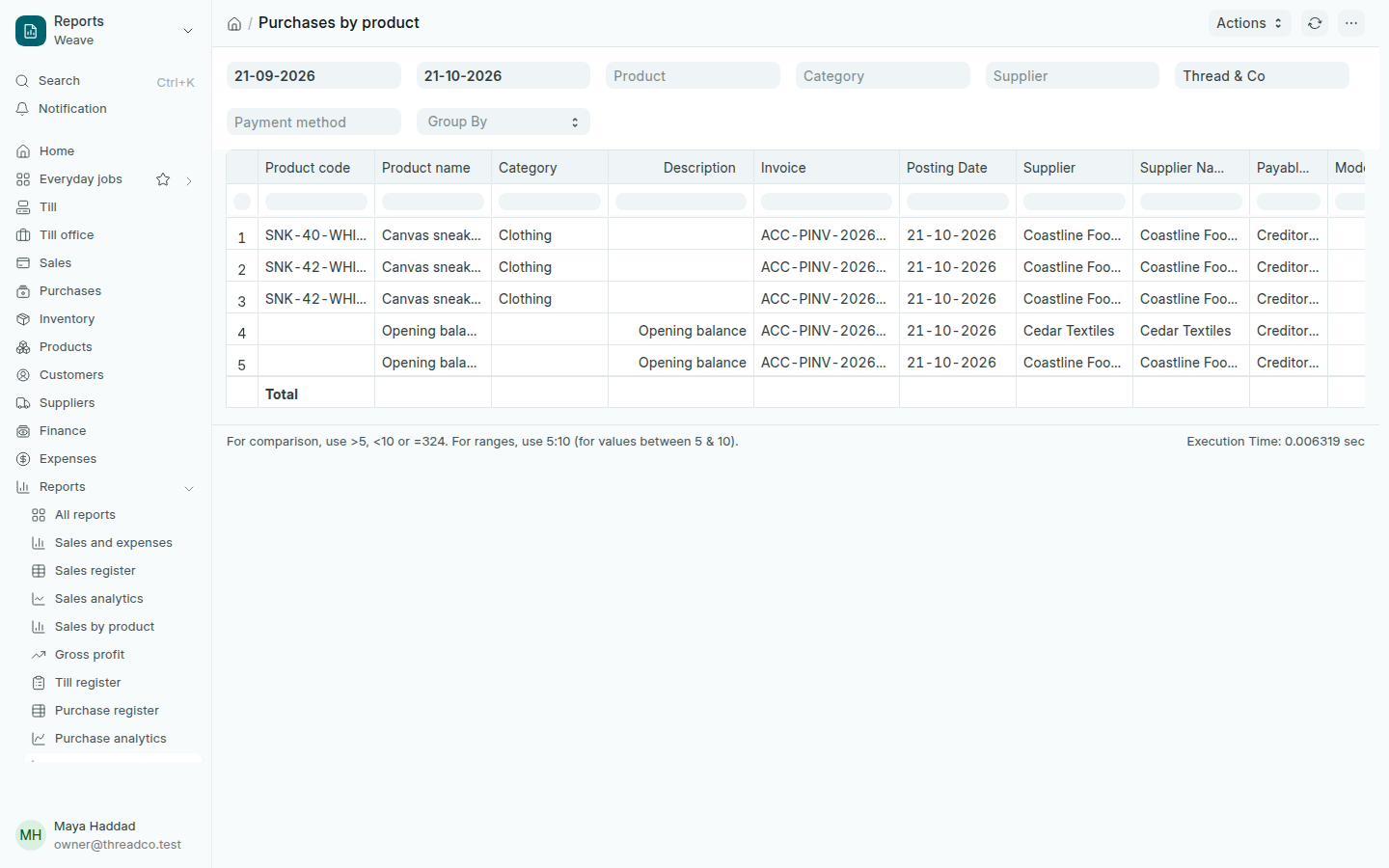
Open Reports → Purchases by product. Each product on each supplier bill has a line: the bill, date and supplier, then the quantity, rate and amount.

The Purchases by product report
Compare what two suppliers charge for the same product.