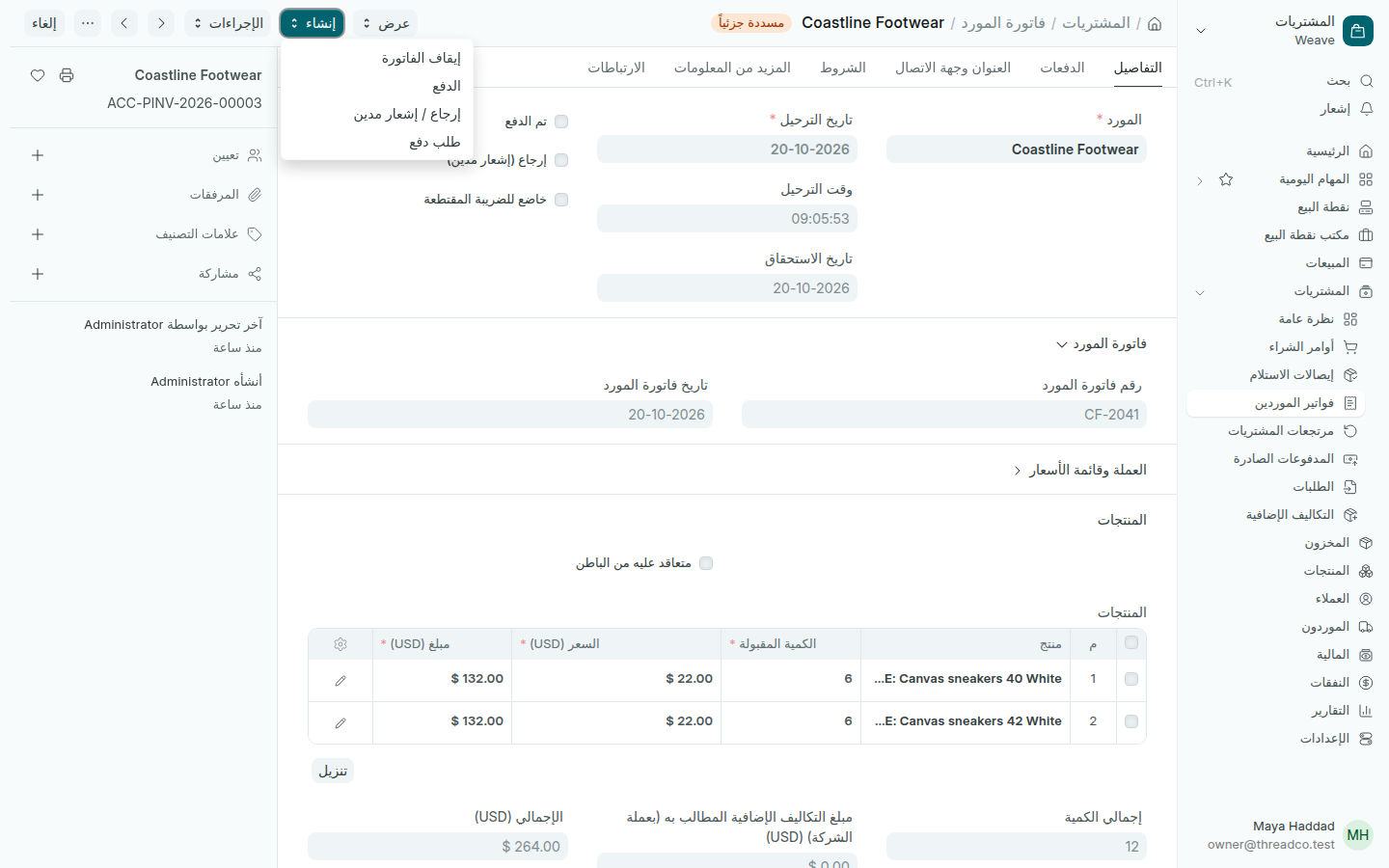
فواتير الموردين

تسجيل فاتورة المورد فيُعرف ما عليك له ومتى يستحق.

  1. افتح إيصال الاستلام واضغط إنشاء ← فاتورة المورد. تُملأ المنتجات والأسعار.
  2. افتح قسم فاتورة المورد واكتب رقم فاتورة المورد وتاريخ فاتورة المورد كما على ورقته.
  3. تحقق من تاريخ الاستحقاق، وهو الموعد الذي يجب أن تدفع فيه.
  4. اضغط حفظ، ثم تأكيد.
فاتورة مورد مسددة جزئياً
من إنشاء تدفع الفاتورة أو تُنشئ إرجاعاً.

تكون الفاتورة غير مدفوعة ثم مسددة جزئياً ثم مدفوعة. يظهر ما عليك في صفحة المشتريات وفي الأرصدة المستحقة.

إذا اختلف سعر الفاتورة عن سعر الأمر، صحّح السعر في السطر قبل التأكيد، فتُصحَّح تكلفة البضاعة أيضاً.
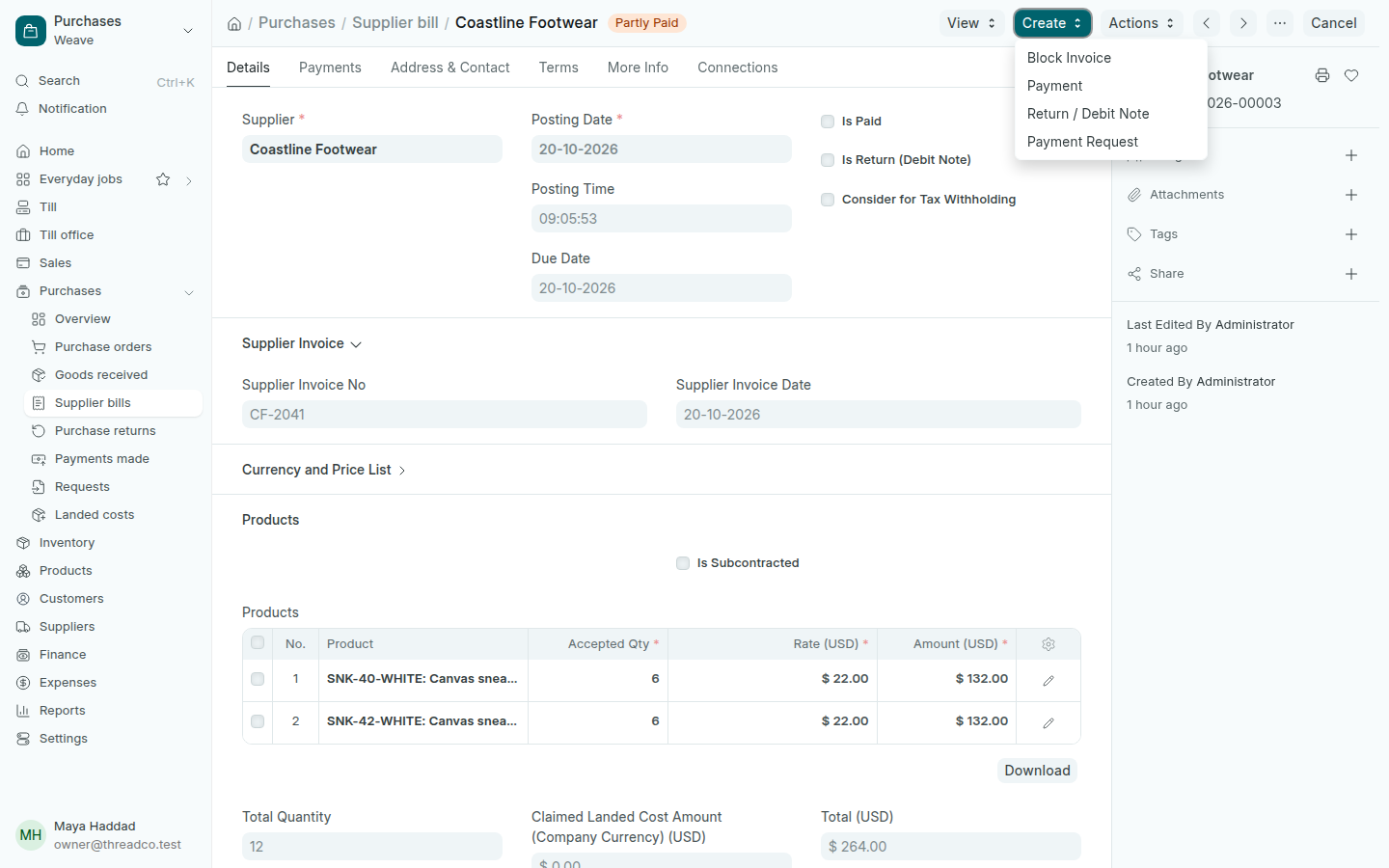
Supplier bills

Record the supplier's bill so Weave knows what you owe them and when it is due.

  1. Open the goods received note and press Create → Supplier bill. The products and rates fill in.
  2. Open the Supplier Invoice section and type the Supplier Invoice No and Supplier Invoice Date from their paper.
  3. Check the Due Date, when you have to pay.
  4. Press Save, then Submit.
A partly paid supplier bill
Create pays the bill or makes a return.

A bill goes from Unpaid to Partly Paid to Paid. What you owe shows on the Purchases page and in Balances owed.

If the bill's price differs from the order's, correct the Rate on the line before you submit, and the cost of the goods is corrected too.