مرتجعات المشتريات

إعادة قطع إلى المورد: تخرج من المخزون، وينقص ما عليك له.

للإرجاع خطوتان: البضاعة تعود على مرتجع إيصال الاستلام، والمبلغ ينقص على إرجاع الفاتورة.

1. إعادة البضاعة

  1. افتح إيصال الاستلام واضغط إنشاء ← مرتجع مشتريات.
  2. احذف الأسطر التي لا تعيدها، واكتب الكمية المُعادة في الباقي.
  3. اضغط حفظ، ثم تأكيد. تخرج القطع من مخزون الفرع.

2. إنقاص ما عليك

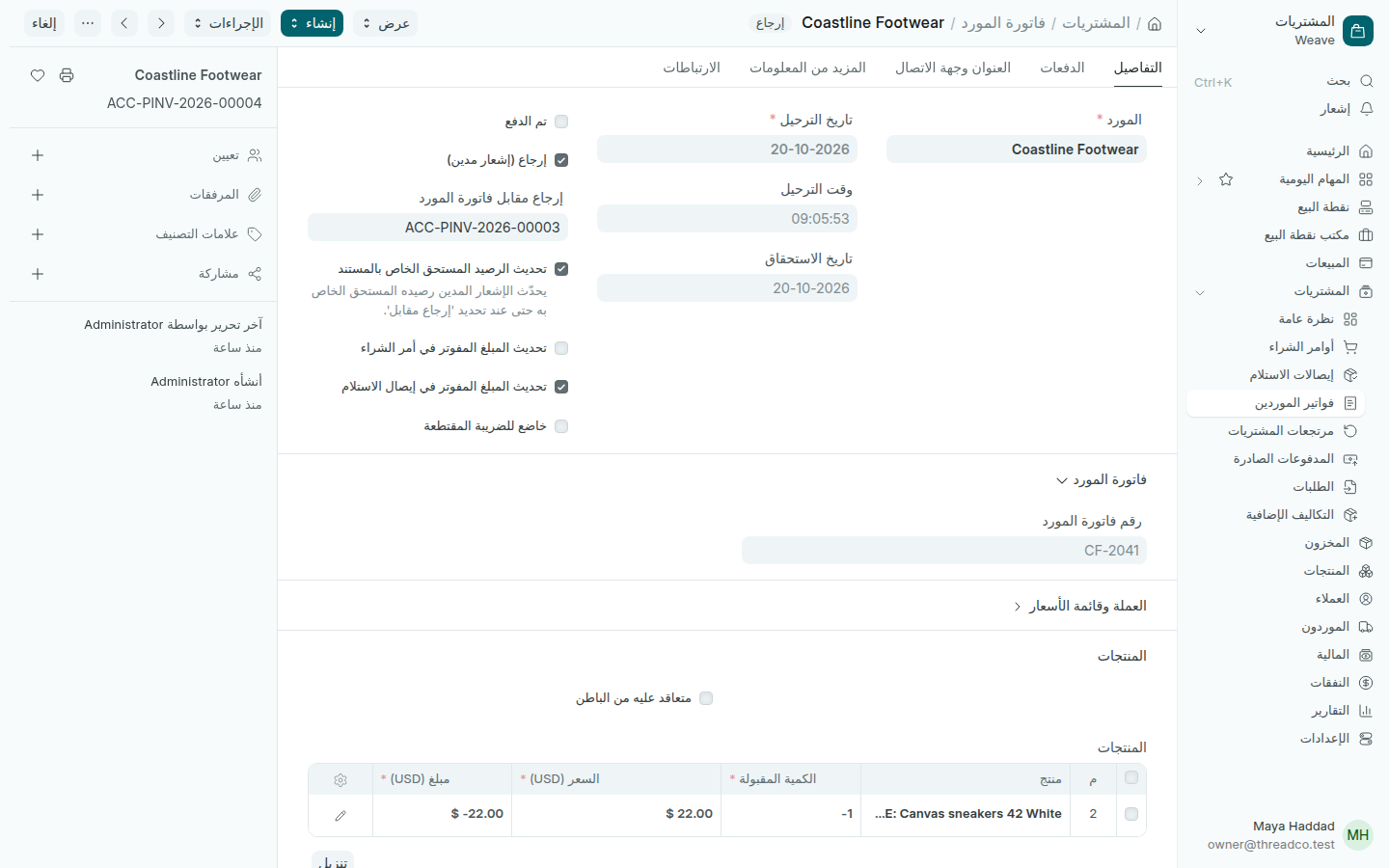
  1. افتح فاتورة المورد واضغط إنشاء ← إرجاع / إشعار مدين.
  2. اترك الأسطر والكميات نفسها التي أعدتها.
  3. اضغط حفظ، ثم تأكيد.
إشعار مدين على فاتورة مورد
إرجاع (إشعار مدين) على الفاتورة الأصلية.

تظهر الإرجاعات في المشتريات ← مرتجعات المشتريات، وينقص المبلغ من الأرصدة المستحقة.
Purchase returns

Send pieces back to the supplier: they leave your stock, and what you owe them goes down.

A return has two steps: the goods go back on the goods received note's return, and the amount comes off on the bill's return.

1. Sending the goods back

  1. Open the goods received note and press Create → Purchase Return.
  2. Remove the lines you are not returning, and type the quantity going back on the rest.
  3. Press Save, then Submit. The pieces leave the branch's stock.

2. Lowering what you owe

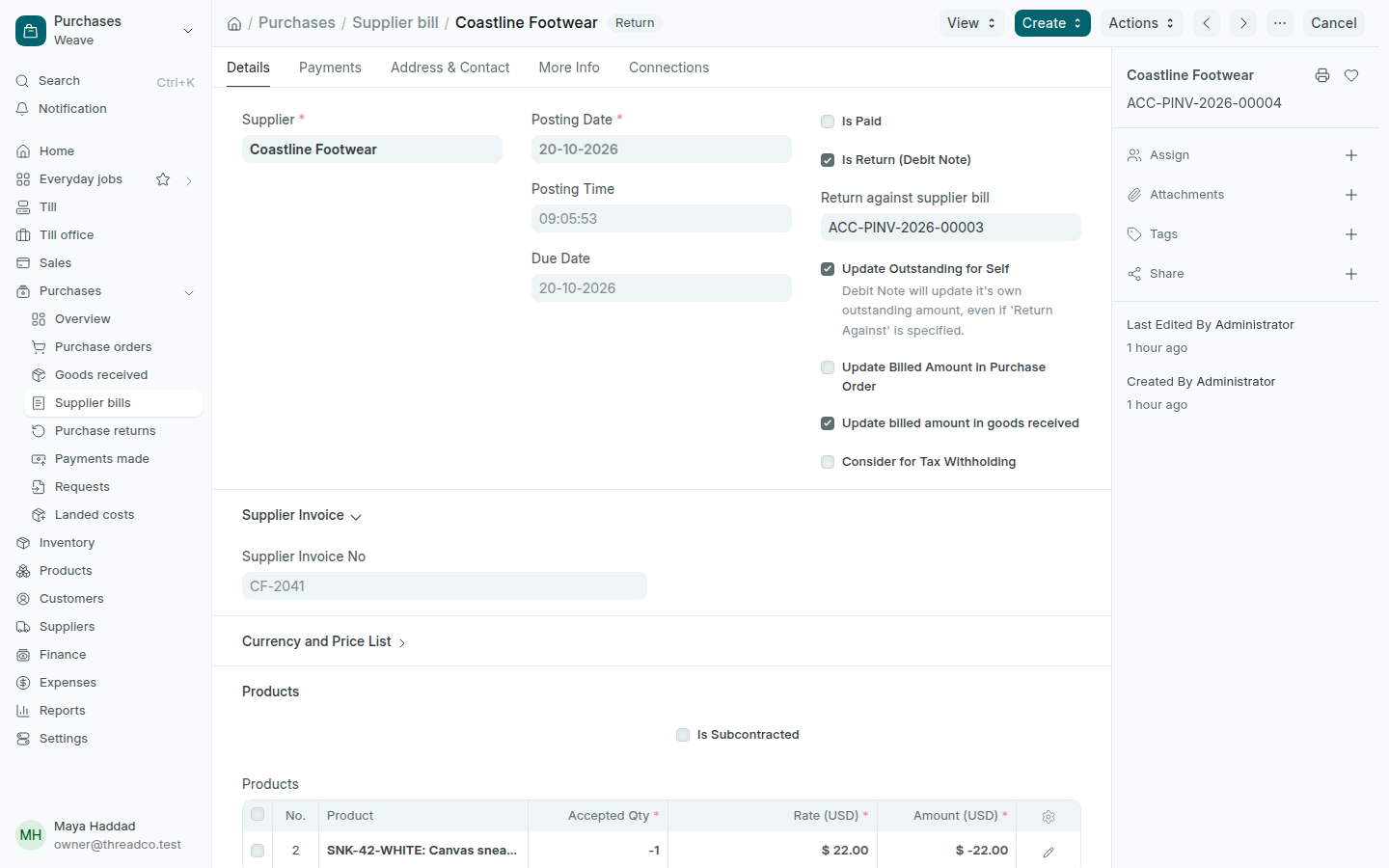
  1. Open the supplier bill and press Create → Return / Debit Note.
  2. Keep the same lines and quantities you sent back.
  3. Press Save, then Submit.
A debit note on a supplier bill
A return (debit note) against the original bill.

Returns show in Purchases → Purchase returns, and the amount comes off Balances owed.