التكاليف الإضافية

إضافة النقل والجمارك والشحن إلى تكلفة البضاعة المستلمة، فيصبح ربح كل قطعة صحيحاً.

البضاعة التي دفعت لنقلها أو تخليصها تكلّفك أكثر من سعر المورد. أضف هذه التكاليف إليها لتصحّ تكلفة كل قطعة وربحها.

  1. افتح المشتريات ← التكاليف الإضافية واضغط إضافة سند التكاليف الإضافية.
  2. في جدول السندات اختر نوع مستند الاستلام إيصال استلام، ثم مستند الاستلام.
  3. اضغط جلب المنتجات. تظهر قطع ذلك الاستلام.
  4. في جدول التكاليف الإضافية أضف كل تكلفة: حساب النفقات، والوصف، ومبلغ.
  5. اختر توزيع الرسوم حسب الكمية أو المبلغ، ثم اضغط حفظ وتأكيد.
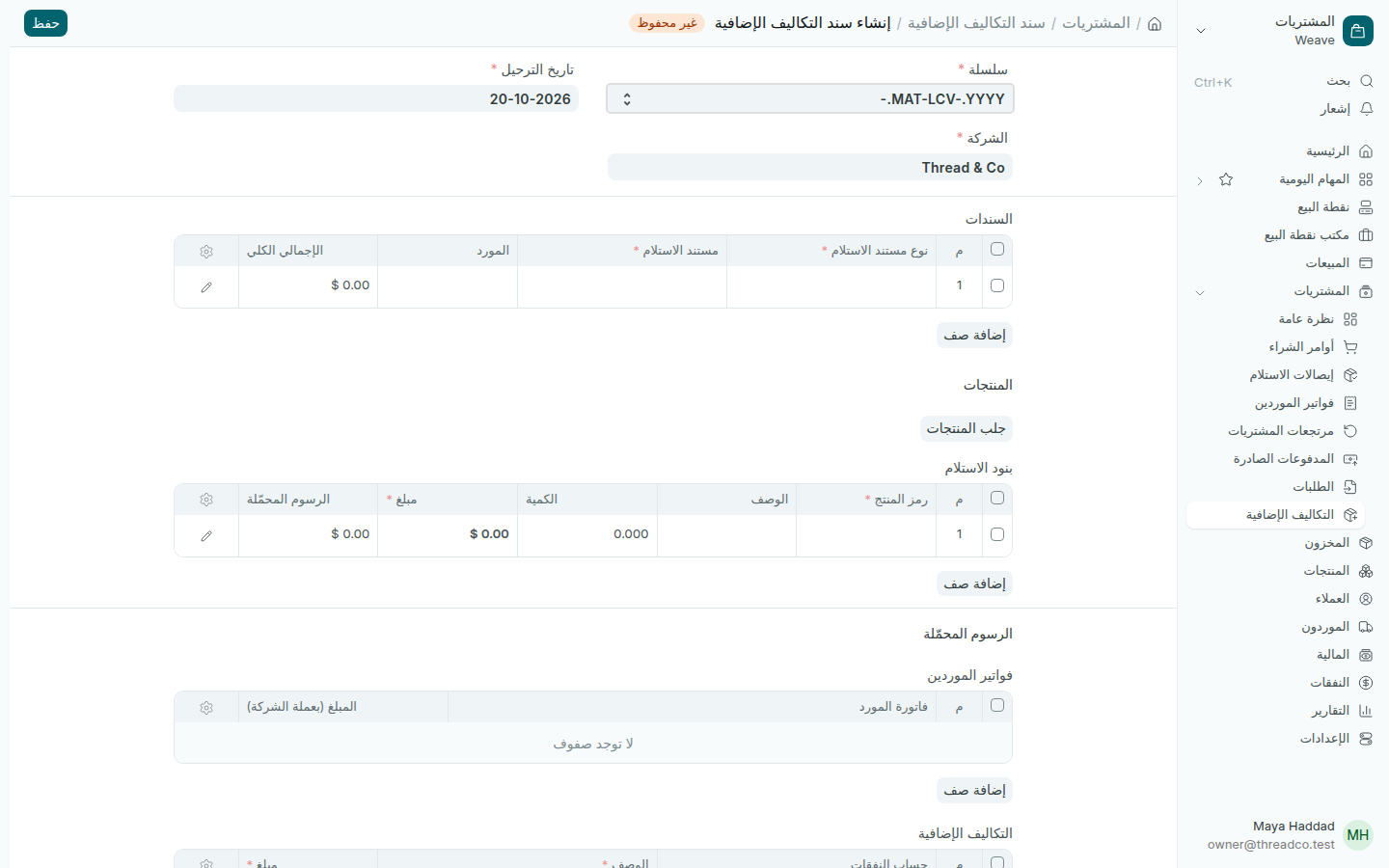
سند تكاليف إضافية جديد
إيصال الاستلام أولاً، ثم المنتجات، ثم التكاليف.

عند التأكيد ترتفع تكلفة القطع في المخزون، وتُحسب الأرباح على التكلفة الجديدة.
Landed costs

Add freight, customs and shipping to the cost of goods received, so each piece's profit is right.

Goods you paid to ship or clear cost you more than the supplier's price. Add those costs to them so each piece's cost and profit are right.

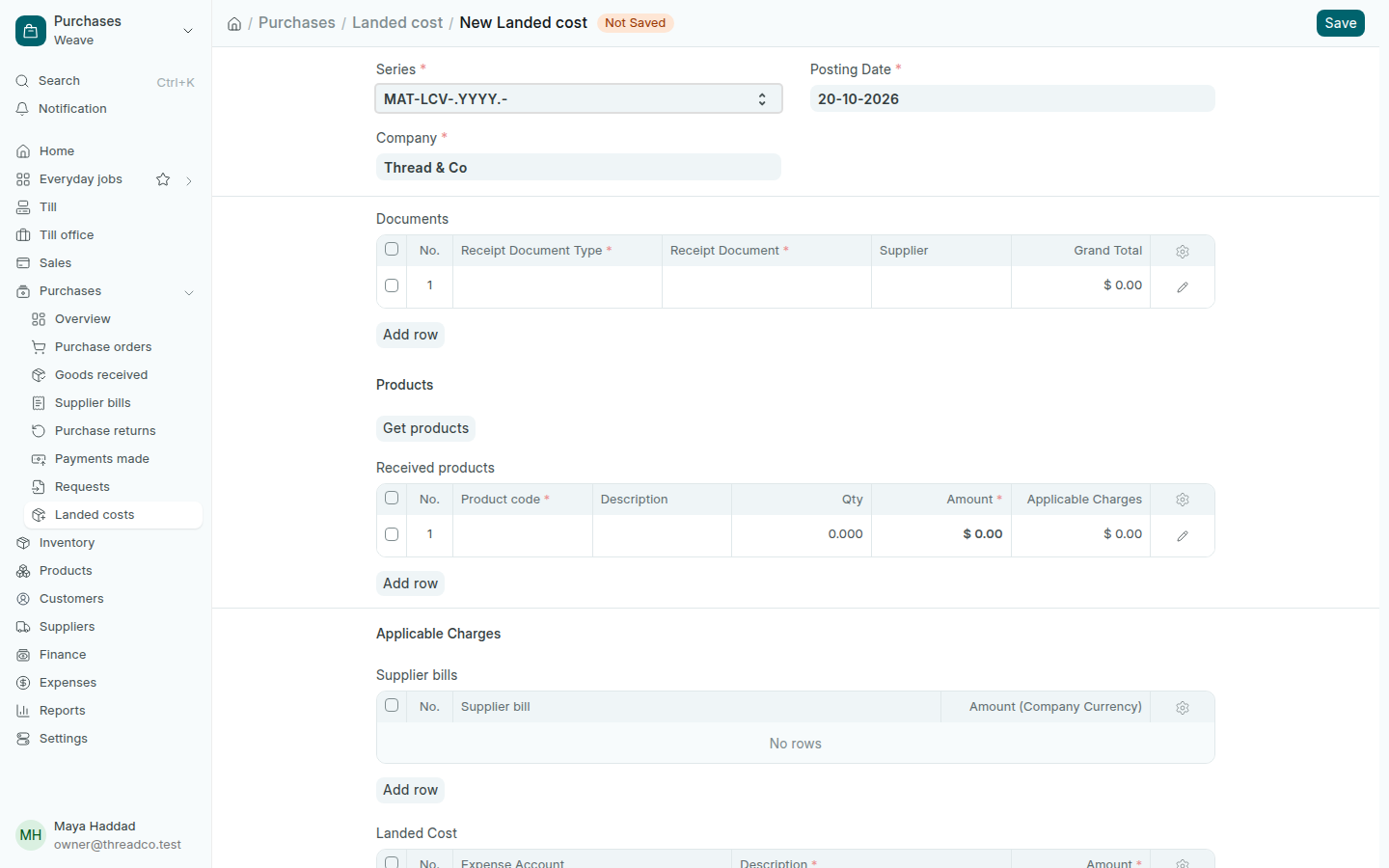
  1. Open Purchases → Landed costs and press Add Landed cost.
  2. In the Documents table, choose Goods received as the Receipt Document Type, then the Receipt Document.
  3. Press Get products. The pieces from that delivery show.
  4. In the Landed Cost table, add each cost: the Expense Account, a Description and the Amount.
  5. Choose Distribute Charges Based On quantity or amount, then press Save and Submit.
A new landed cost
The goods received first, then the products, then the costs.

On submit, the cost of the pieces in stock goes up, and profit is worked out on the new cost.