دفتر الأستاذ العام وميزان المراجعة

كل قيد في حسابات المتجر سطراً سطراً، ورصيد كل حساب في أول الفترة وآخرها.

دفتر الأستاذ العام

افتح التقارير ← دفتر الأستاذ العام. كل ما يسجّله Weave، من بيع أو شراء أو دفعة أو حركة مخزون، يظهر هنا قيوداً: تاريخ الترحيل، والحساب، والمبلغ مدين أو دائن، والرصيد بعده، ونوع السند الذي أنشأه.
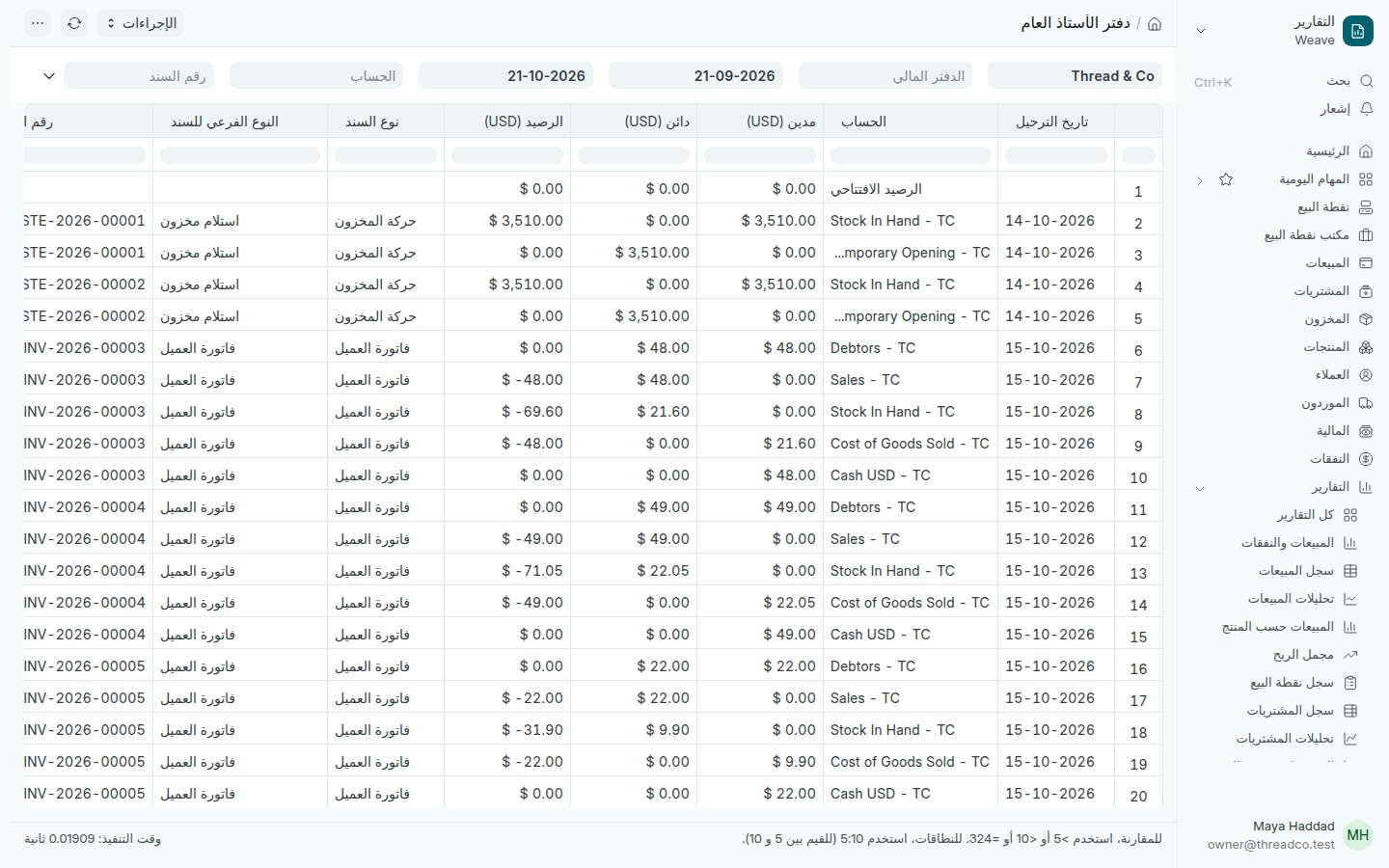
تقرير دفتر الأستاذ العام
بيعٌ واحد يكتب عدة أسطر: المبيعات، والنقد، والمخزون، وتكلفة البضاعة المباعة.
  1. اختر الحساب لترى حساباً واحداً، مثل نقد درج أو حساب بنك.
  2. اضغط السهم في آخر الحقول لترى بقية التصفية، ومنها الشريك لترى حركة عميل أو مورد واحد.

ميزان المراجعة

افتح التقارير ← ميزان المراجعة. لكل حساب سطر: الرصيد الافتتاحي، والمدين والدائن في الفترة، والرصيد الختامي.
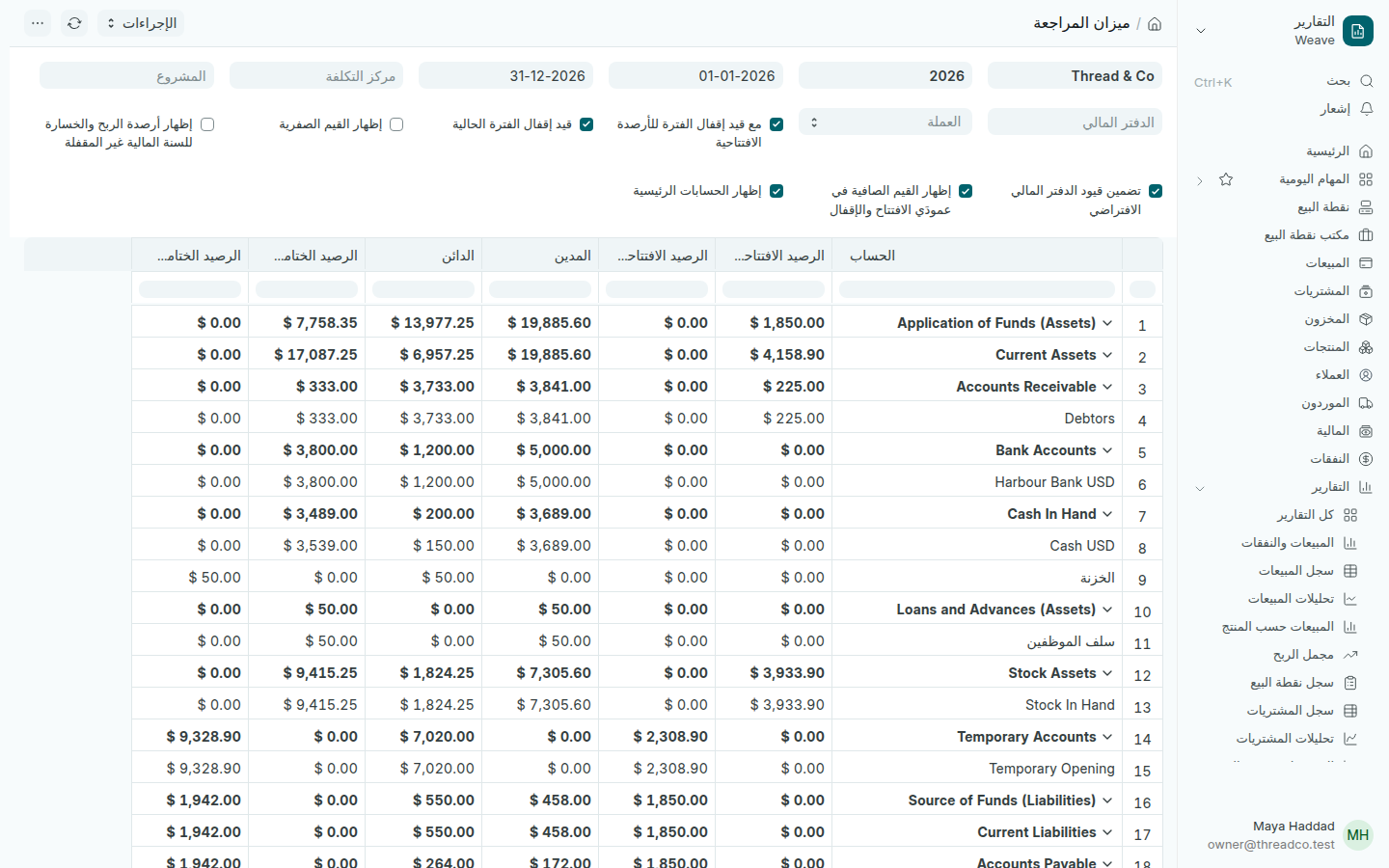
تقرير ميزان المراجعة
مجموع المدين يساوي مجموع الدائن في آخر سطر.

هذا التقرير هو ما يطلبه المحاسب عادةً في آخر السنة، مع الميزانية العمومية والربح والخسارة. صدّره من القائمة كما في قراءة تقرير.
General ledger and trial balance

Every entry in the shop's accounts line by line, and each account's balance at the start and end of the period.

General ledger

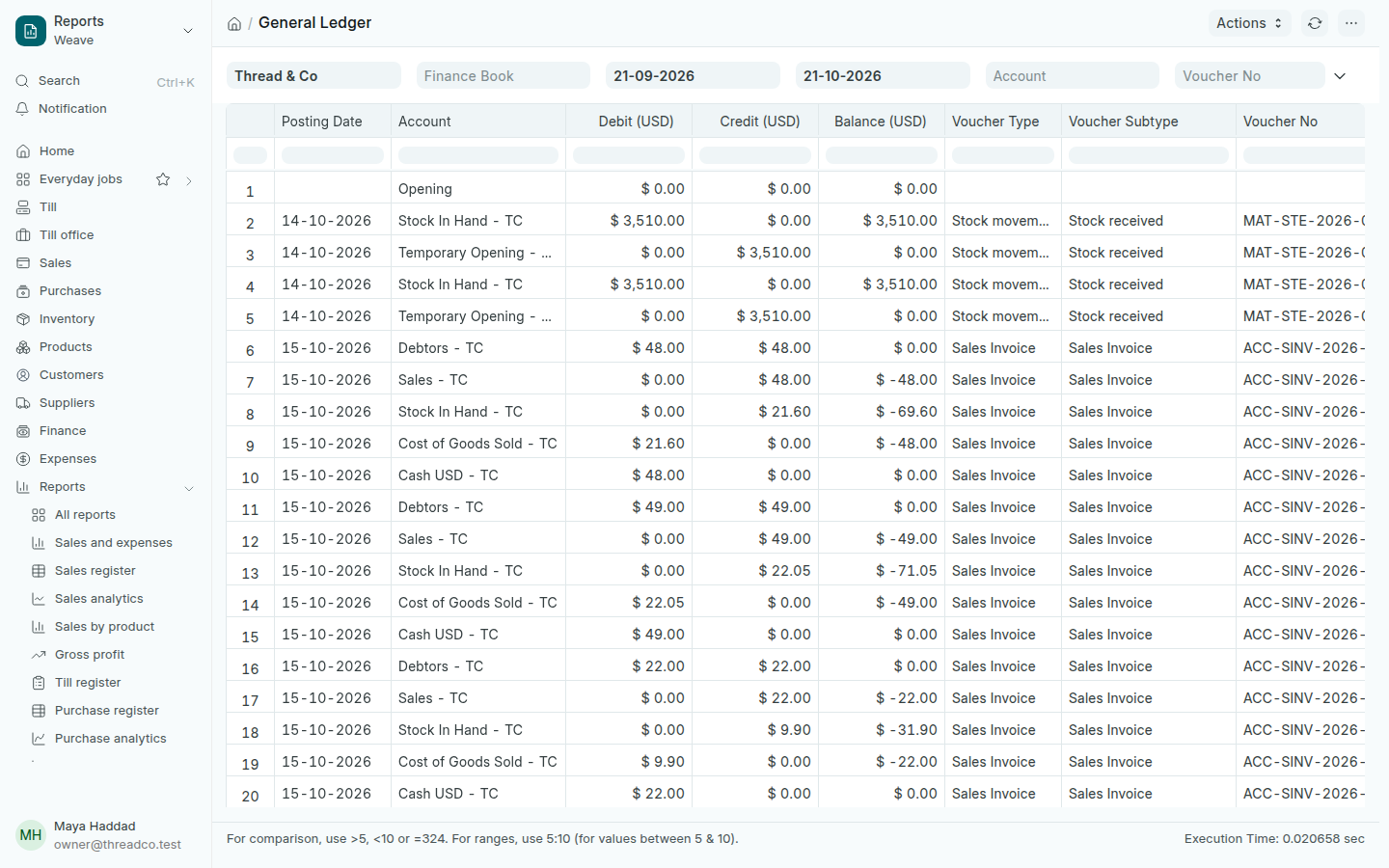
Open Reports → General ledger. Everything Weave records, a sale, a purchase, a payment or a stock movement, appears here as entries: the Posting Date, the Account, the Debit or Credit amount, the Balance after it, and the Voucher Type that made it.

The General ledger
One sale writes several lines: sales, cash, stock and the cost of goods sold.
  1. Choose an Account to see one account, such as a drawer's cash or a bank account.
  2. Press the arrow after the last field for the other filters, including the party, to follow one customer or supplier.

Trial balance

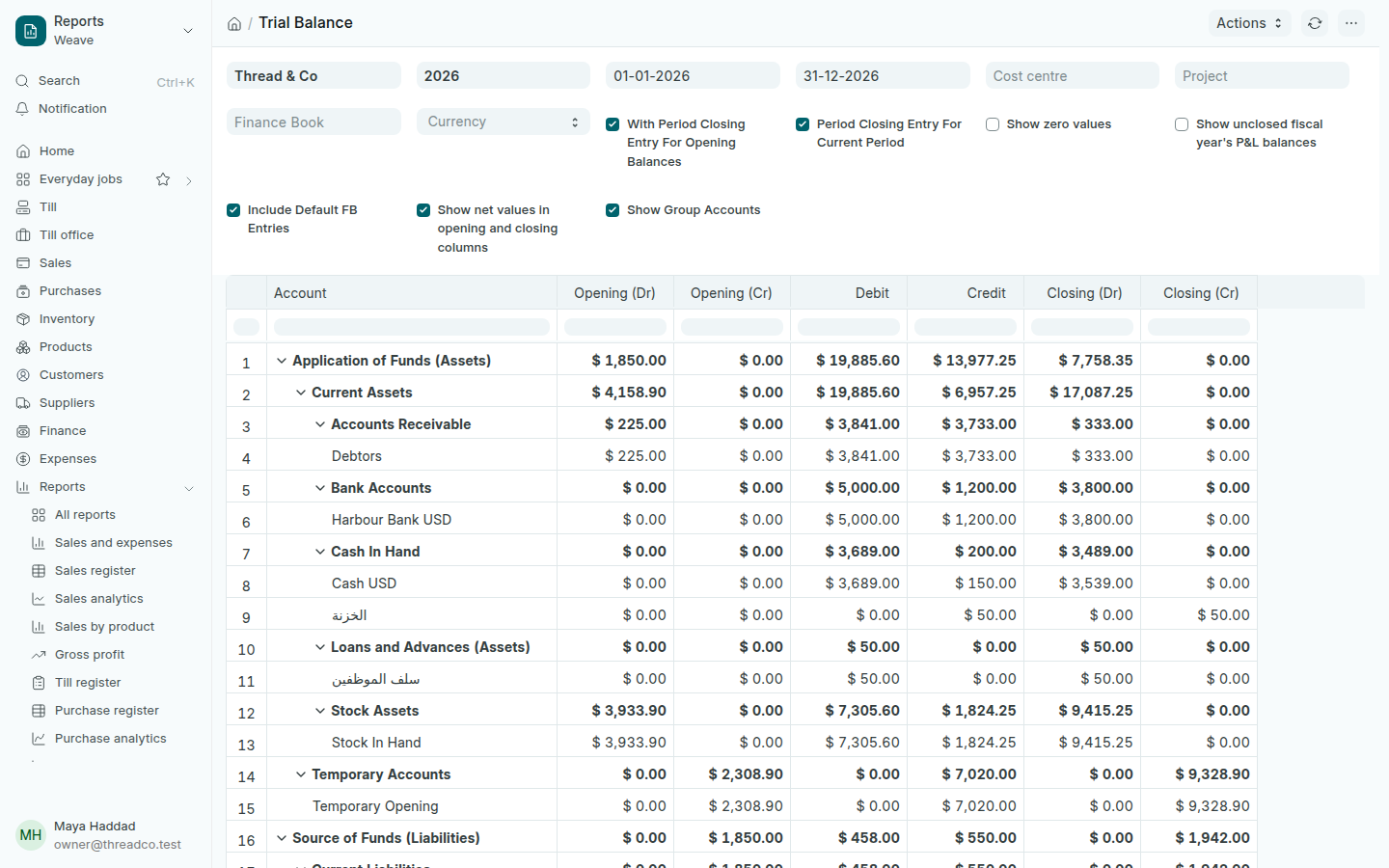
Open Reports → Trial balance. Each account has a line: the opening balance, the Debit and Credit in the period, and the closing balance.

The Trial balance
Total debit equals total credit on the last line.

This is the report an accountant usually asks for at the end of the year, with the Balance sheet and Profit and loss. Export it from the menu as in Read a report.