مجمل الربح

كم ربحت في كل فاتورة وكل منتج: سعر البيع مقابل تكلفة البضاعة.

افتح التقارير ← مجمل الربح. لكل فاتورة سطر، وتحته منتجاتها. في الأعمدة الأخيرة مبلغ البيع ومبلغ التكلفة، والفرق بينهما مجمل الربح، ثم نسبة مجمل الربح.
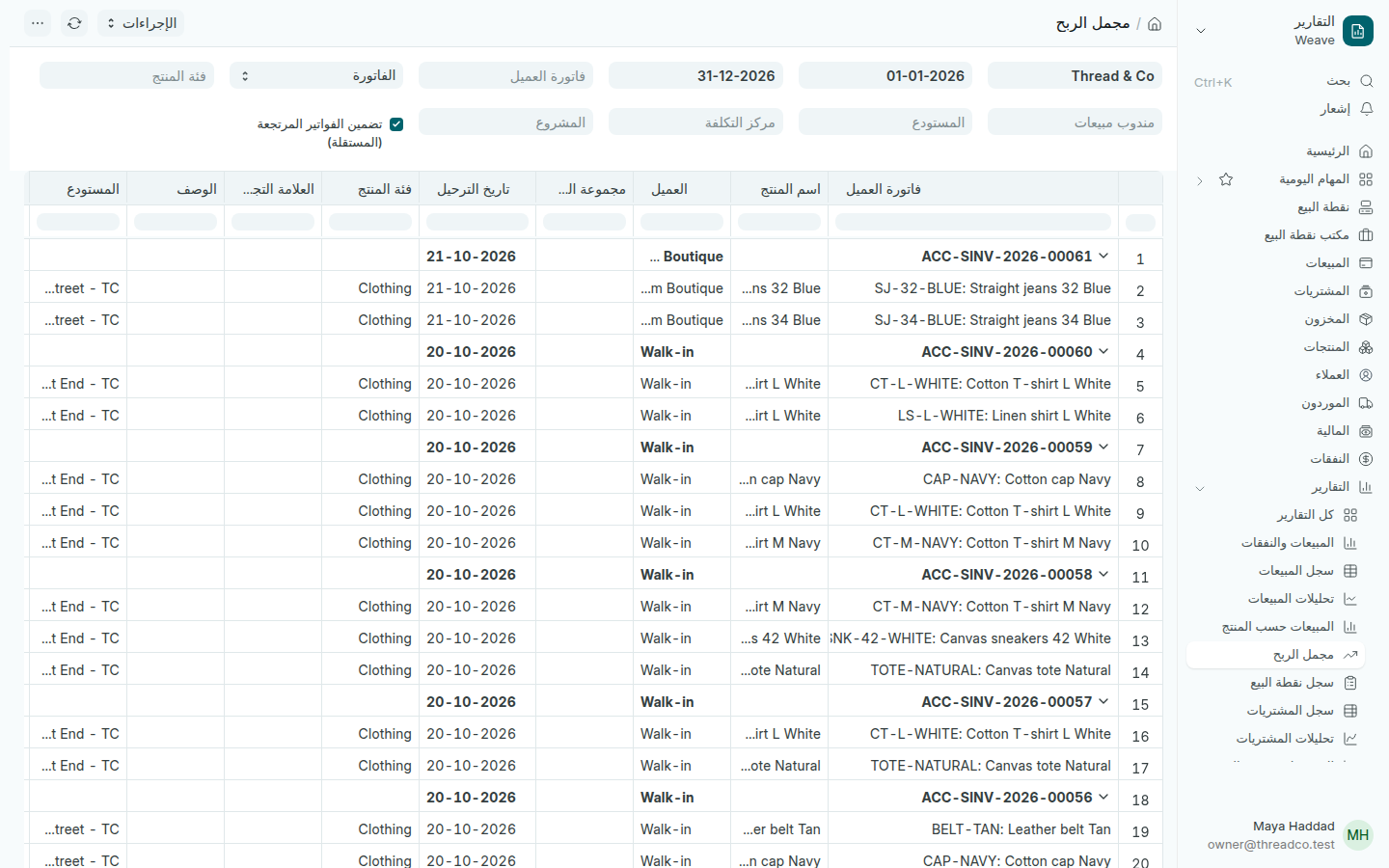
تقرير مجمل الربح
اضغط السهم بجانب الفاتورة لإخفاء منتجاتها.
  1. غيّر الفاتورة في حقل التجميع لترى الربح حسب المنتج أو العميل أو فئة المنتج أو المستودع أو الشهر.
  2. اختر المستودع لترى ربح فرع واحد.
  3. أبقِ تضمين الفواتير المرتجعة (المستقلة) محدّداً، فالمرتجعات تُنقص الربح.

التكلفة هي قيمة المنتج في المخزون حين بيع، أي ما دفعته ثمناً له. منتج ربحه قليل أو سالب يستحق مراجعة سعره في قوائم الأسعار.
Gross profit

What each invoice and each product earned: the selling price against what the goods cost.

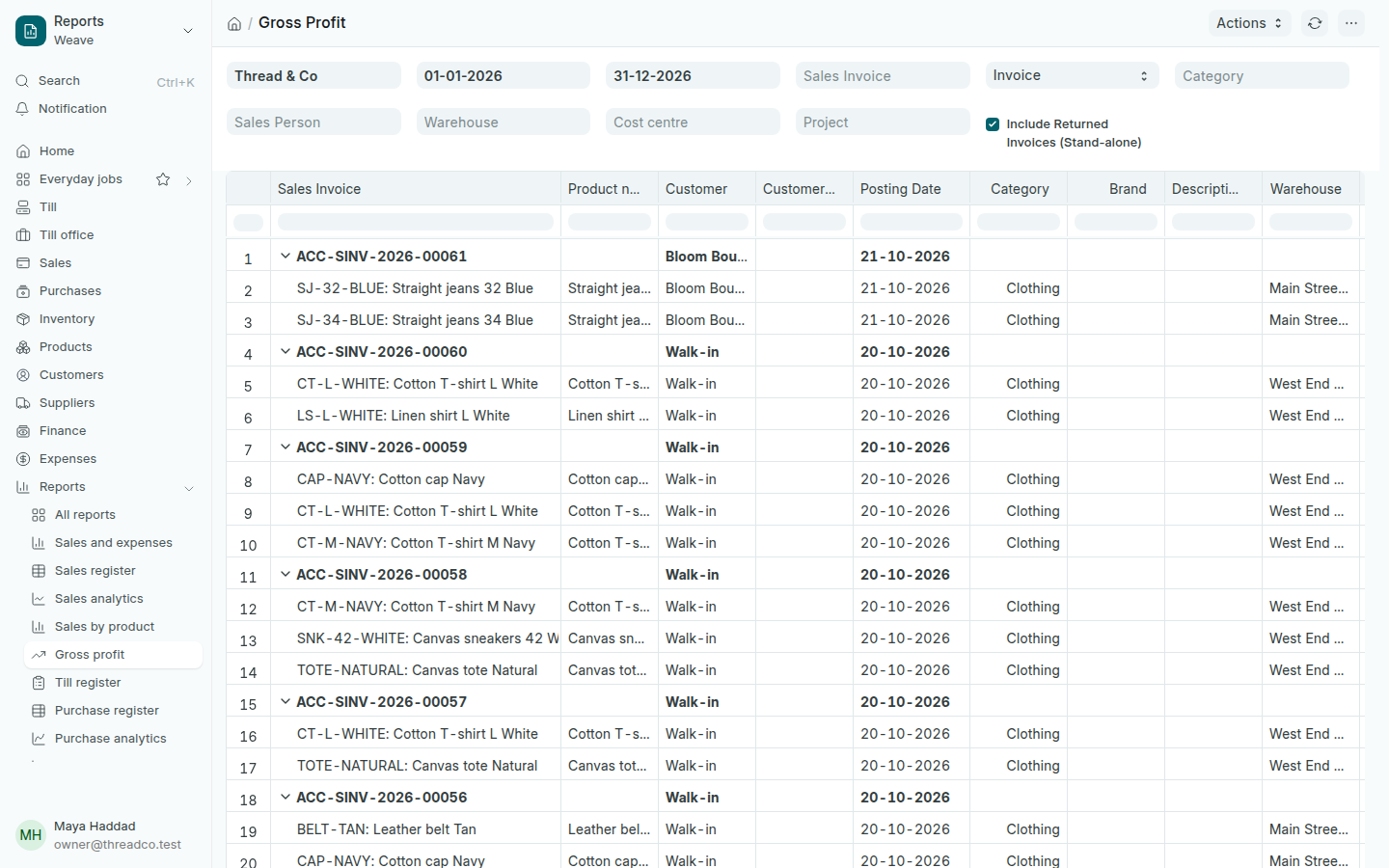
Open Reports → Gross profit. Each invoice has a line, with its products below it. The last columns are Selling Amount and Buying Amount, the difference between them, Gross Profit, then Gross Profit Percent.

The Gross profit report
Press the arrow beside an invoice to fold its products away.
  1. Change Invoice in the grouping field to see profit by product, customer, category, warehouse or month.
  2. Choose a Warehouse to see one branch's profit.
  3. Keep Include Returned Invoices (Stand-alone) ticked: returns lower the profit.

The cost is the product's stock value when it sold: what you paid for it. A product with little or negative profit is worth a look at its price in Price lists.