صفحتا التواصل ومن نحن

ما يقرؤه الزائر عن متجرك، وكيف تصلك رسائله من صفحة التواصل.

صفحة التواصل

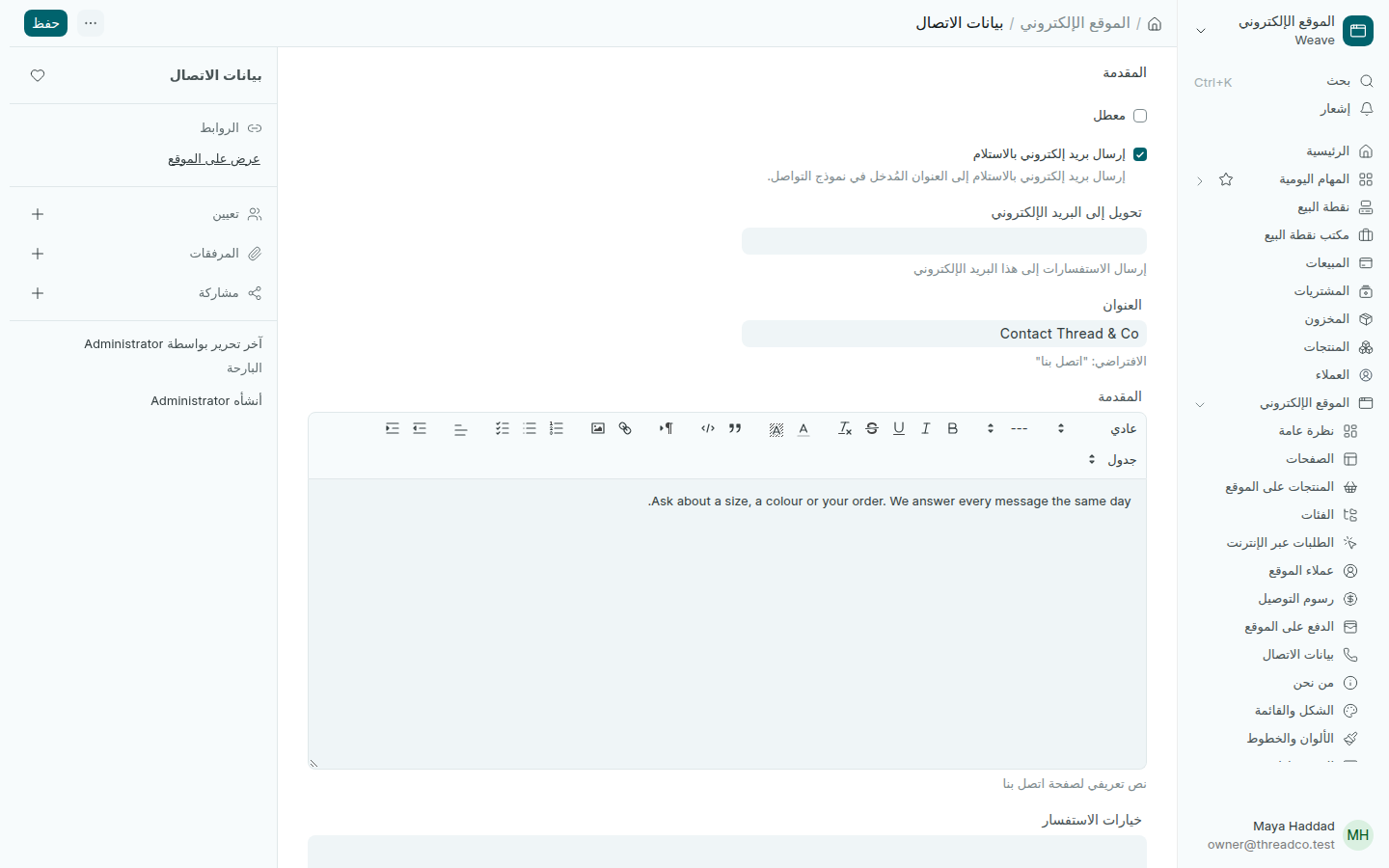
في صفحة التواصل يكتب الزائر اسمه وبريده ورسالته. تُحفظ الرسالة في الاستفسارات في Weave، وتصل أيضاً إلى البريد الذي تختاره.

  1. افتح الموقع الإلكتروني ← بيانات الاتصال.
  2. في انتقل إلى عنوان البريد الإلكتروني اكتب البريد الذي تصله الرسائل.
  3. اكتب البند، وهو عنوان الصفحة، ومقدمة قصيرة تقول للزائر ما يمكنه أن يسأل عنه.
  4. اضغط حفظ.
بيانات الاتصال
عنوان صفحة التواصل ومقدمتها.

صفحة من نحن

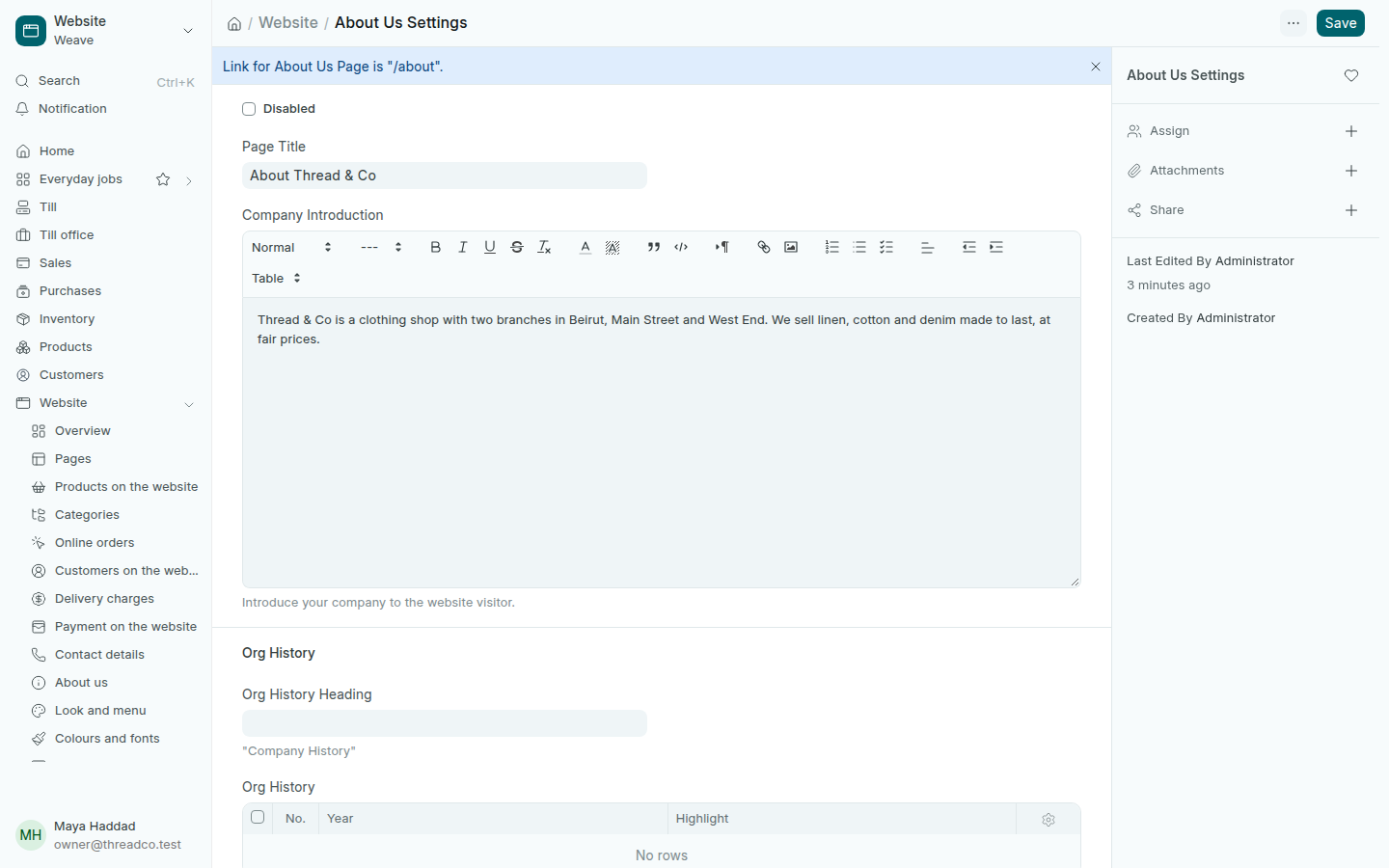
  1. افتح الموقع الإلكتروني ← من نحن.
  2. اكتب عنوان الصفحة ومقدمة الشركة: من أنتم، وأين فروعكم، وماذا تبيعون.
  3. يمكنك أن تضيف محطات من تاريخ المتجر، ثم اضغط حفظ.
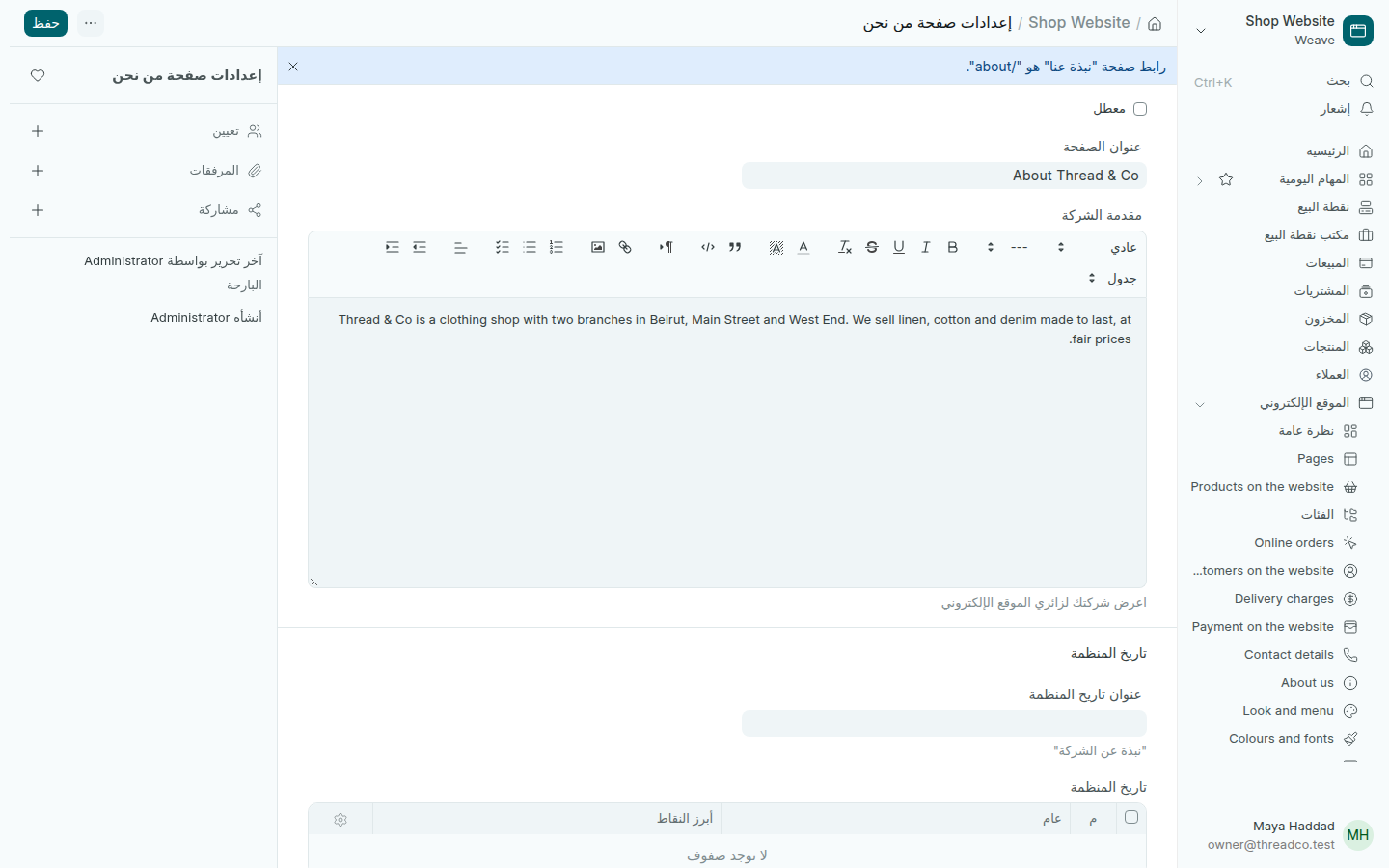
صفحة من نحن
الصفحة على العنوان /about.

لتظهر الصفحتان في قائمة الموقع، أضف رابطيهما /contact و/about في الشكل والقائمة.
The contact and about pages

What visitors read about your shop, and how their messages reach you from the contact page.

The contact page

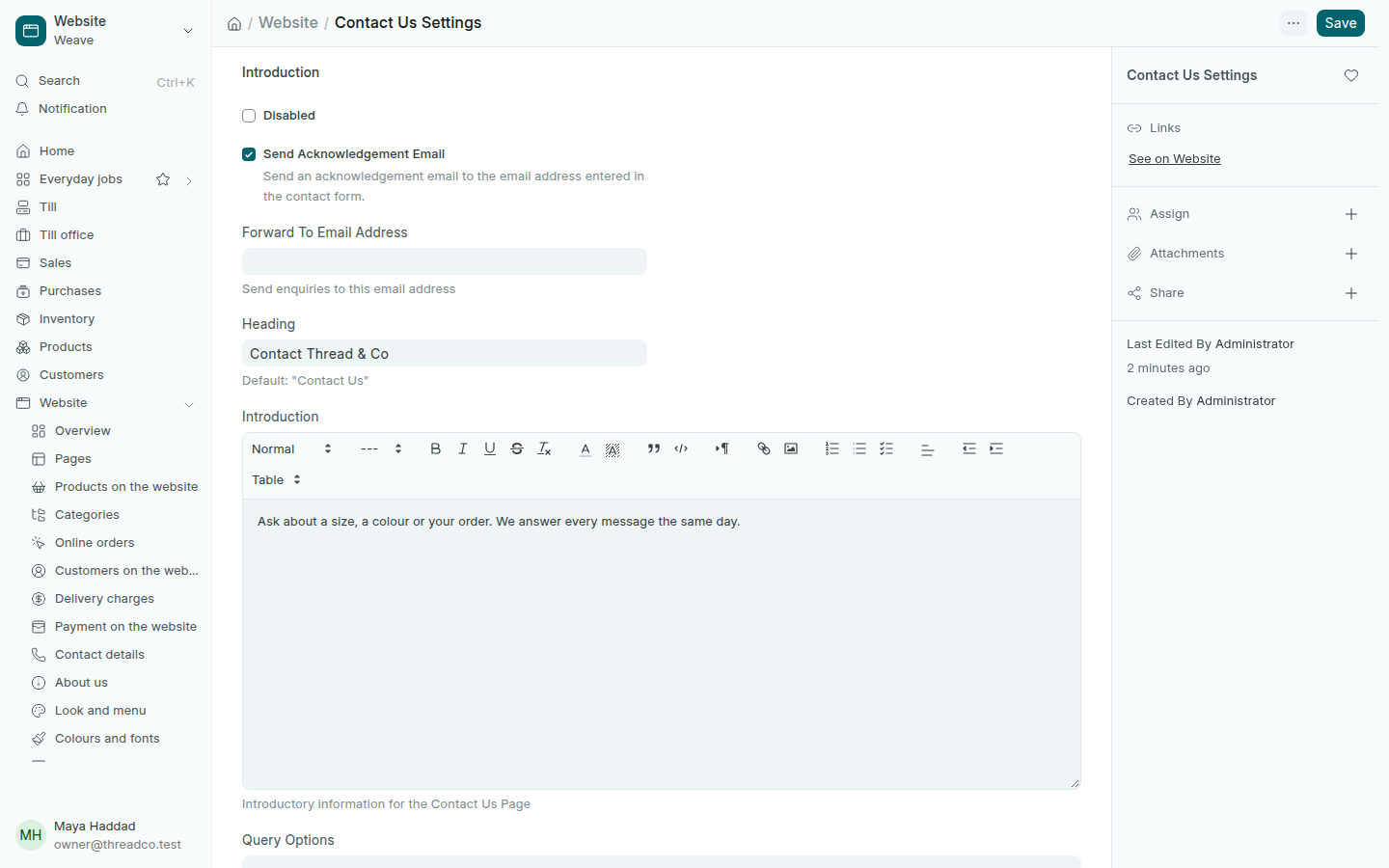
On the contact page a visitor types their name, email and message. The message is kept in Enquiries in Weave and also reaches the email you choose.

  1. Open Website → Contact details.
  2. In Forward To Email Address, type the email that receives the messages.
  3. Type the Heading, the page's title, and a short Introduction telling visitors what they can ask about.
  4. Press Save.
Contact details
The contact page's heading and introduction.

The about page

  1. Open Website → About us.
  2. Type the Page Title and the Company Introduction: who you are, where your branches are and what you sell.
  3. You can add milestones from the shop's history, then press Save.
The about page
The page at /about.

To show both pages in the website's menu, add their links /contact and /about in Look and menu.