شاشة اليوم في Weave Companion

مبيعات اليوم في كل فرع، ونقاط البيع المفتوحة، وما يحتاج إلى نظرة، من هاتفك.

افتح Weave Companion. تبدأ شاشة اليوم بمبيعات اليوم في الفرعين، وعدد عمليات البيع والمرتجعات، وسعر الليرة المسجّل، ثم مبيعات كل فرع.
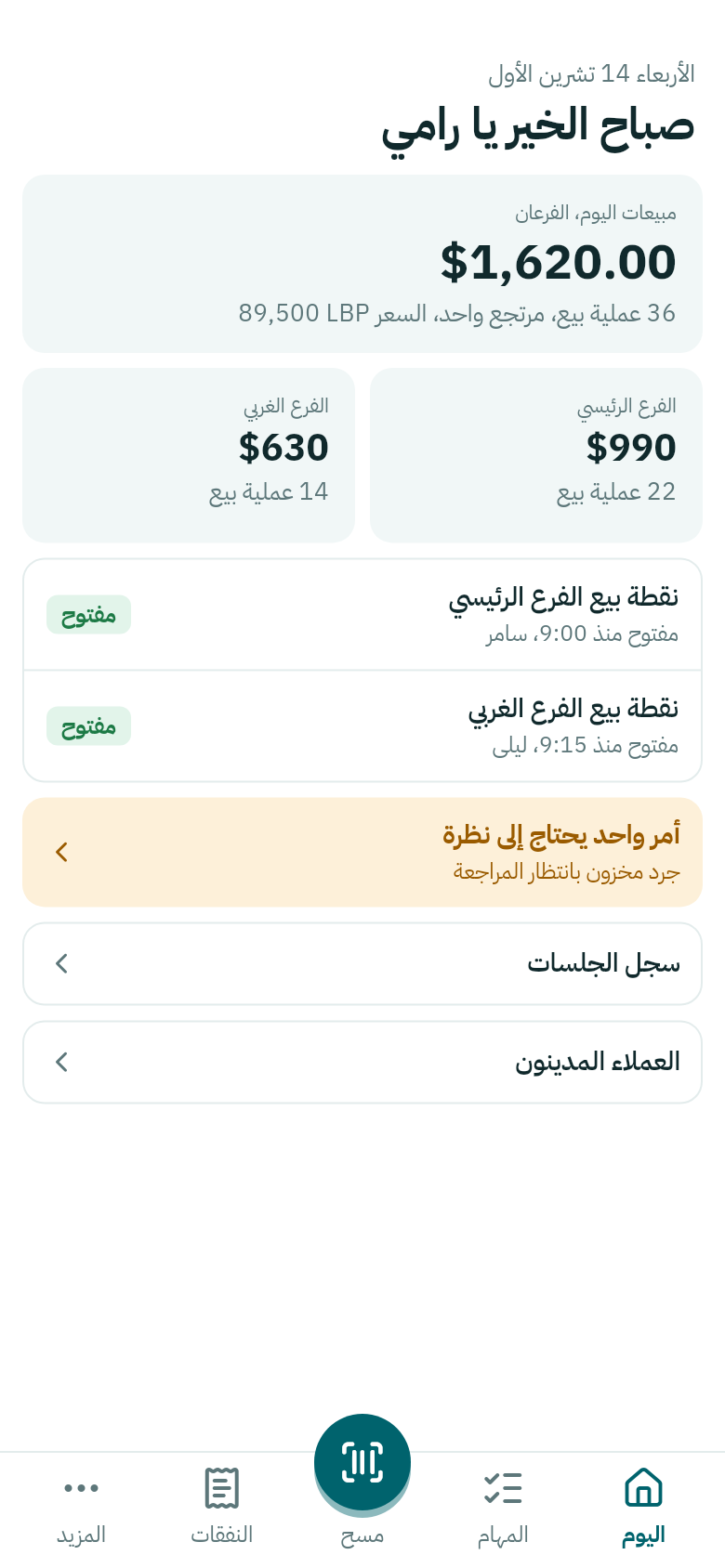
شاشة اليوم في Weave Companion
ما يظهر يتبع عمل الشخص وفرعه.
  • كل نقطة بيع مفتوحة، ومن فتحها ومتى.
  • يحتاج إلى نظرة: ما ينتظر قرارك، مثل جرد بانتظار المراجعة أو قطع شُطبت. اضغطه لترى كل أمر.
  • سجل الجلسات: الجلسات المغلقة في آخر 14 يوماً، وما عُدّ في كل درج.
  • العملاء المدينون: انظر العملاء المدينون والنفقات.

بلا اتصال تبقى آخر الأرقام ظاهرة، مع شريط يذكر وقتها. لربط الهاتف بمتجرك أول مرة، انظر ربط تطبيق Weave Companion.
Today in Weave Companion

Today's sales in each branch, the tills that are open, and what needs a look, from your phone.

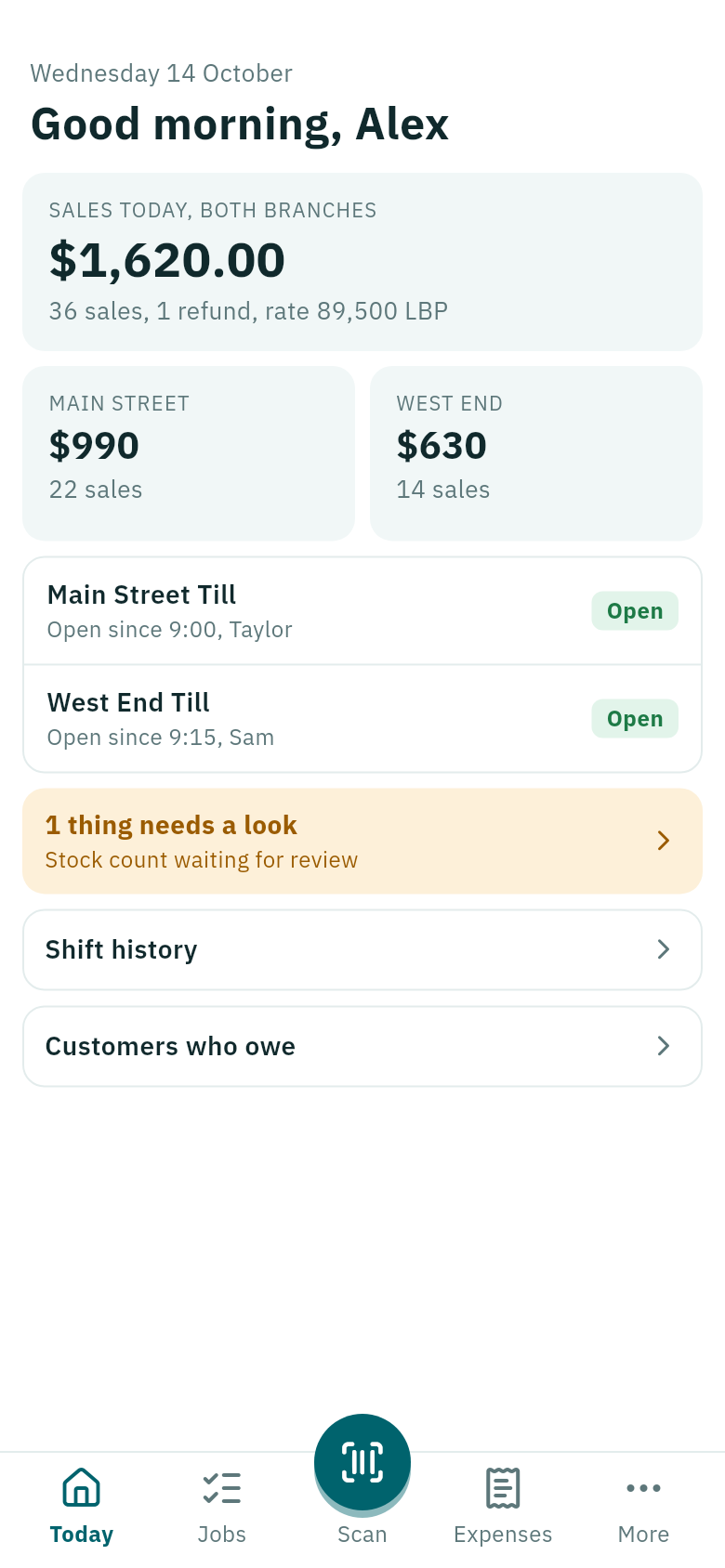
Open Weave Companion. The Today screen starts with today's sales across both branches, the number of sales and refunds, and the pound rate filed, then each branch's sales.

The Today screen in Weave Companion
What shows follows the person's job and branch.
  • Each open till, who opened it and when.
  • Needs a look: what waits for your decision, such as a stock count waiting for review or pieces taken out. Tap it to see each one.
  • Shift history: the shifts closed in the last 14 days, and what was counted in each drawer.
  • Customers who owe: see Customers who owe and expenses.

Without signal, the last figures stay on screen with a bar saying when they are from. To connect the phone to your shop the first time, see Connect the Weave Companion app.