العمل بلا اتصال، والإعدادات في الهاتف

ما يعمل في Weave Companion بلا اتصال وما ينتظره، واللغة والمظهر وإزالة الهاتف.

بلا اتصال

يحفظ التطبيق منتجات متجرك على الهاتف عند أول ربط، فيعمل المسح بلا اتصال:

  • مسح منتج: يظهر السعر، ويظهر المخزون مع «المخزون حتى» ووقت آخر تحديث.
  • اليوم: تبقى آخر الأرقام، مع شريط «غير متصل، الأرقام من» ووقتها.
  • الجرد: يُحفظ على الهاتف، وتُرسله للاعتماد حين يعود الاتصال.
  • النفقات: تُحفظ على الهاتف وتظهر بانتظار الإرسال، وتُرسل وحدها عند توفر الاتصال.

الاستلام والتحويل والشطب وسلف الموظفين والملصقات تحتاج اتصالاً: بلا اتصال لا يُرسل شيء، فحاول مجدداً حين يعود.
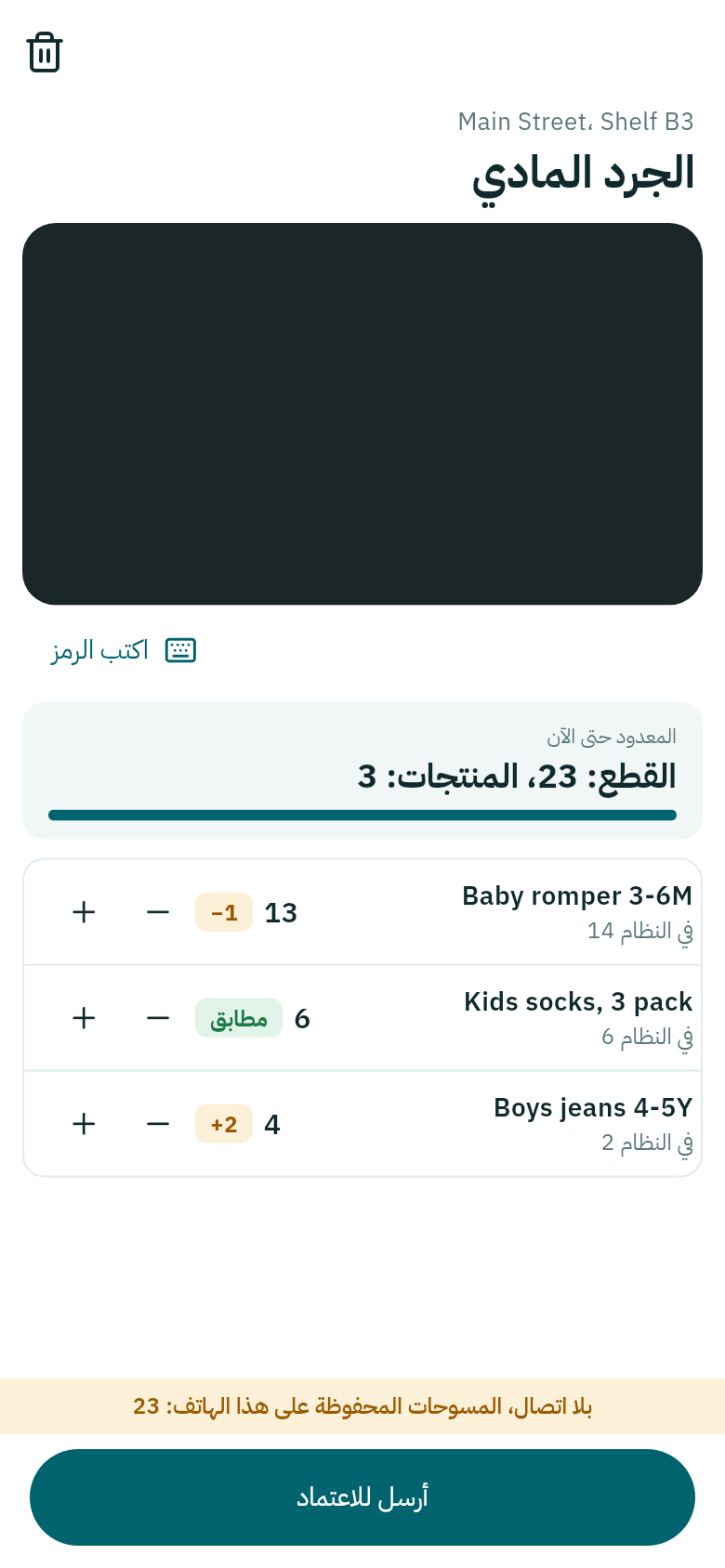
جرد بلا اتصال
الشريط الأصفر يذكر عدد المسوحات المحفوظة على الهاتف.

المزيد

اضغط المزيد في الشريط السفلي:

  • اللغة: كما في Weave تتبع لغة حسابك، أو اختر العربية أو الإنكليزية للهاتف وحده.
  • المظهر: فاتح أو داكن أو كما في الهاتف.
  • إزالة هذا الهاتف: يسجّل خروج الهاتف ويحذف كل ما حفظه التطبيق عليه. استعمله قبل أن تعطي الهاتف لغيرك.

إن ضاع هاتف موظف، افتح على الحاسوب الإعدادات ← ربط هاتف، واضغط تسجيل الخروج بجانبه تحت الهواتف المسجّل دخولها. انظر ربط تطبيق Weave Companion.
Working without signal, and the phone's settings

What works in Weave Companion without signal and what waits for it, and the language, appearance and removing the phone.

Without signal

The app saves your shop's products on the phone when it first connects, so scanning works without signal:

  • Scanning a product: the price shows, and the stock shows with "Stock as of" and the time it was last updated.
  • Today: the last figures stay, with an "Offline, figures from" bar and their time.
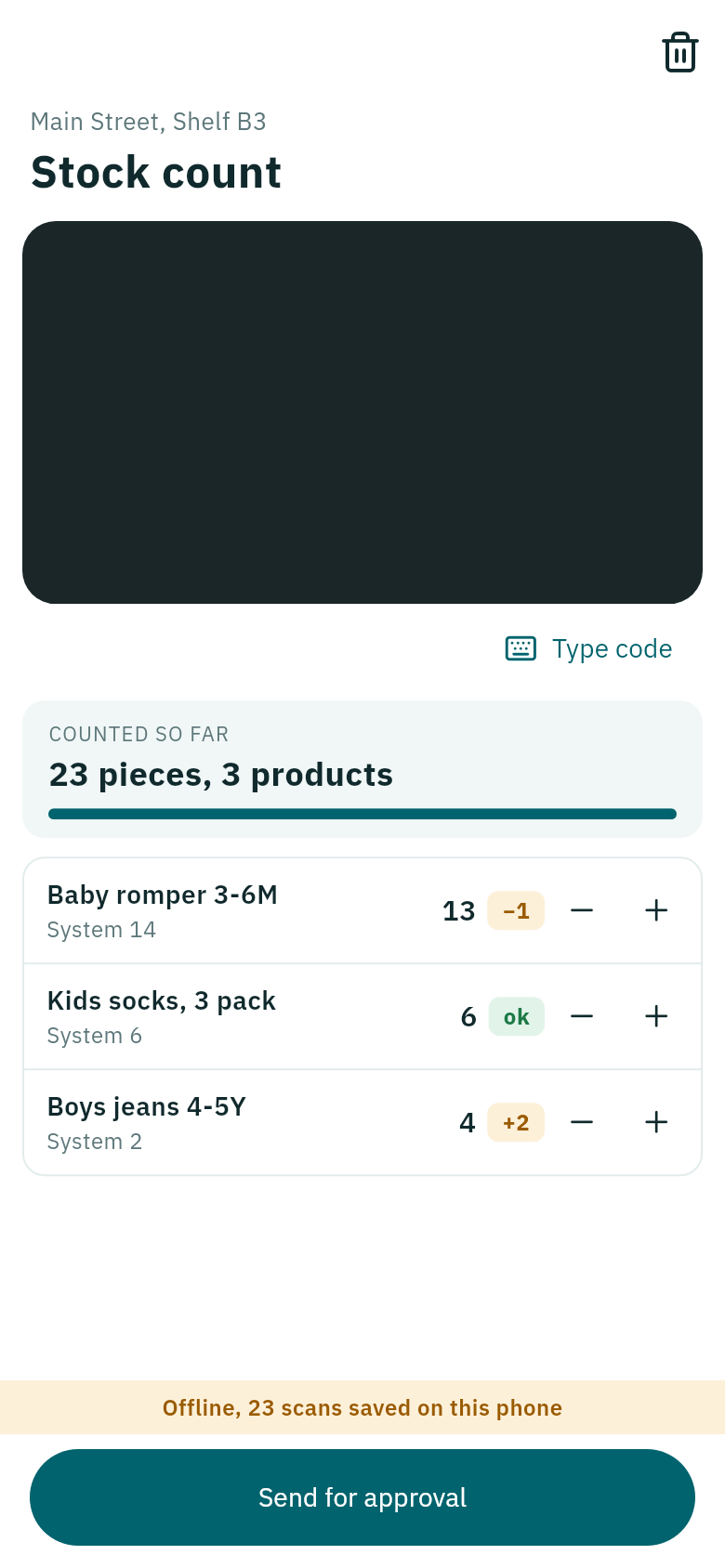
  • Counting: the count is saved on the phone, and you send it for approval when the signal is back.
  • Expenses: they are saved on the phone and show Waiting to send, and send by themselves when there is signal.

Receiving, moving, taking out, salary advances and labels need signal: without it nothing is sent, so try again when it is back.

Counting without signal
The yellow bar says how many scans are saved on the phone.

More

Tap More in the bottom bar:

  • Language: As in Weave follows your account's language, or choose Arabic or English for the phone alone.
  • Appearance: light, dark or as the phone is set.
  • Remove this phone: signs the phone out and deletes everything the app saved on it. Use it before handing the phone to someone else.

If a staff member's phone is lost, open Settings → Connect a phone on the computer and press Sign out beside it under Phones signed in. See Connect the Weave Companion app.