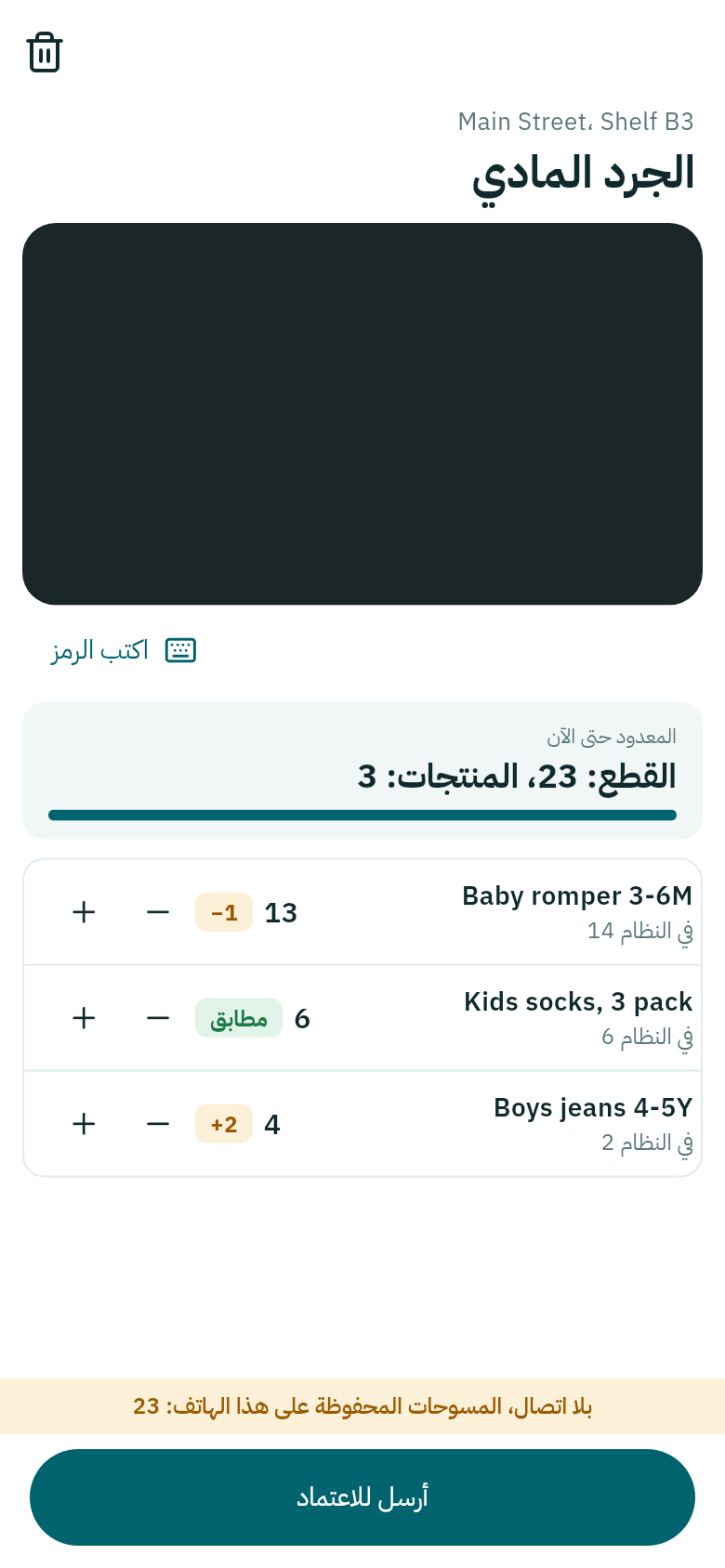
الجرد بالهاتف

عُدّ القطع على رف بالمسح، وقارنها بما في Weave، وأرسل الجرد ليعتمده المالك أو المدير.

  1. اضغط المهام ثم الجرد.
  2. اختر الفرع، واكتب المكان (اختياري)، مثلاً الرف B3، ثم اضغط ابدأ الجرد.
  3. امسح كل قطعة على الرف. يزيد العدد مع كل مسح، ويمكنك تعديله بـ + و−.
  4. بجانب كل منتج ما في النظام، والفرق بينهما، أو مطابق.
  5. اضغط أرسل للاعتماد.
الجرد في Weave Companion
القطع والمنتجات المعدودة حتى الآن في الأعلى.

لا يتغيّر المخزون حتى يعتمد المالك أو المدير الجرد على الحاسوب، كما في جرد المخزون، ويظهر لهما في «يحتاج إلى نظرة». إن طابقت كل الأعداد، لا شيء يُرسل للاعتماد.

بلا اتصال يبقى الجرد محفوظاً على الهاتف، وتُرسله حين يعود الاتصال.
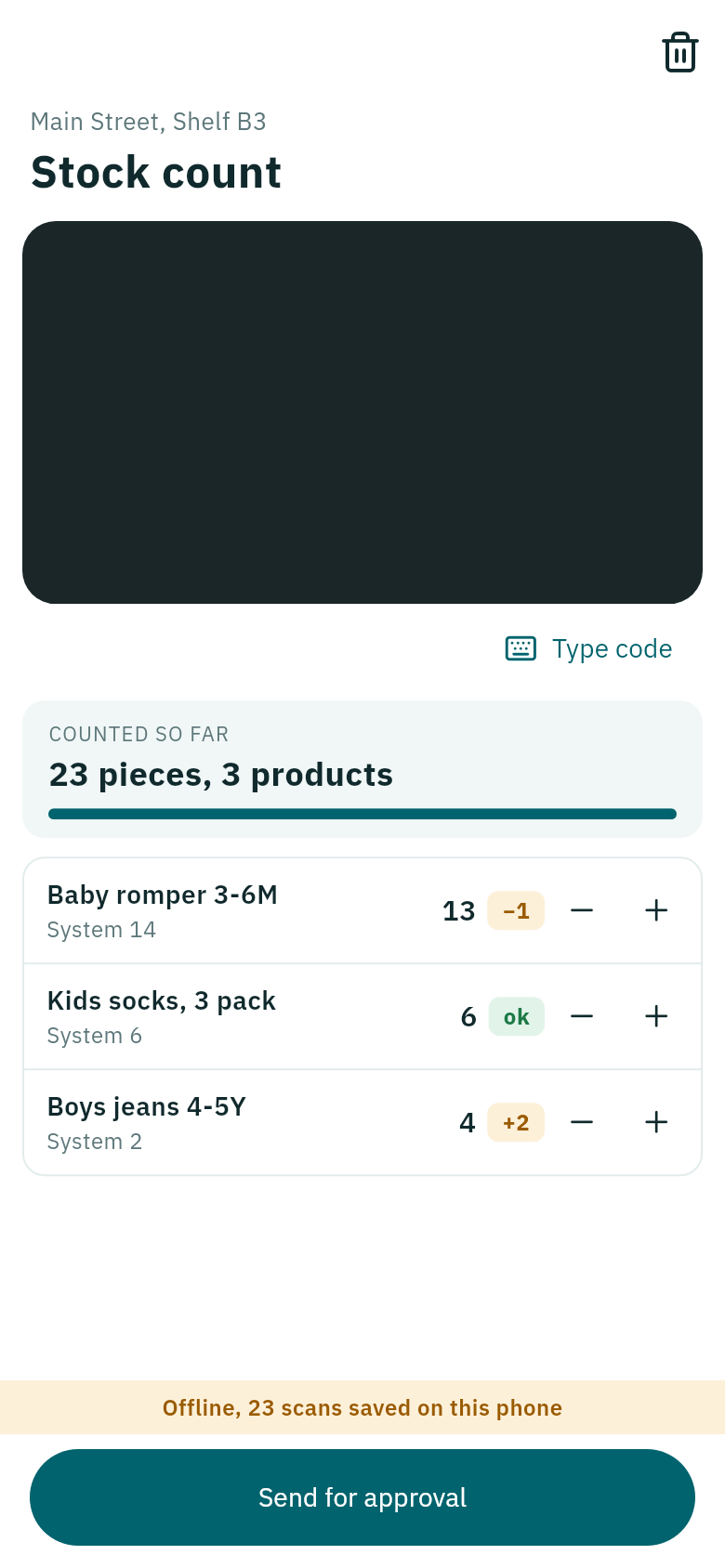
Count stock with your phone

Count the pieces on a shelf by scanning, compare them with Weave, and send the count for the owner or manager to approve.

  1. Tap Jobs, then Count.
  2. Choose the Branch, type Where (optional), such as shelf B3, then tap Start counting.
  3. Scan every piece on the shelf. The count rises with each scan, and + and − correct it.
  4. Beside each product is what is in the System, and the difference, or ok.
  5. Tap Send for approval.
Counting in Weave Companion
The pieces and products counted so far are at the top.

Stock does not change until the owner or a manager approves the count on the computer, as in Counting stock, and it shows for them under Needs a look. When every count matches, there is nothing to approve.

Without signal, the count stays saved on the phone, and you send it when the signal is back.