الشركات المصنّعة وأرقام القطع

من يصنع المنتج، ورقمه عند الشركة المصنّعة، لتطلبه أو تجده بسهولة.

  1. أضف الشركة المصنّعة مرة واحدة في المنتجات ← الشركات المصنّعة: الاسم المختصر والاسم الكامل.
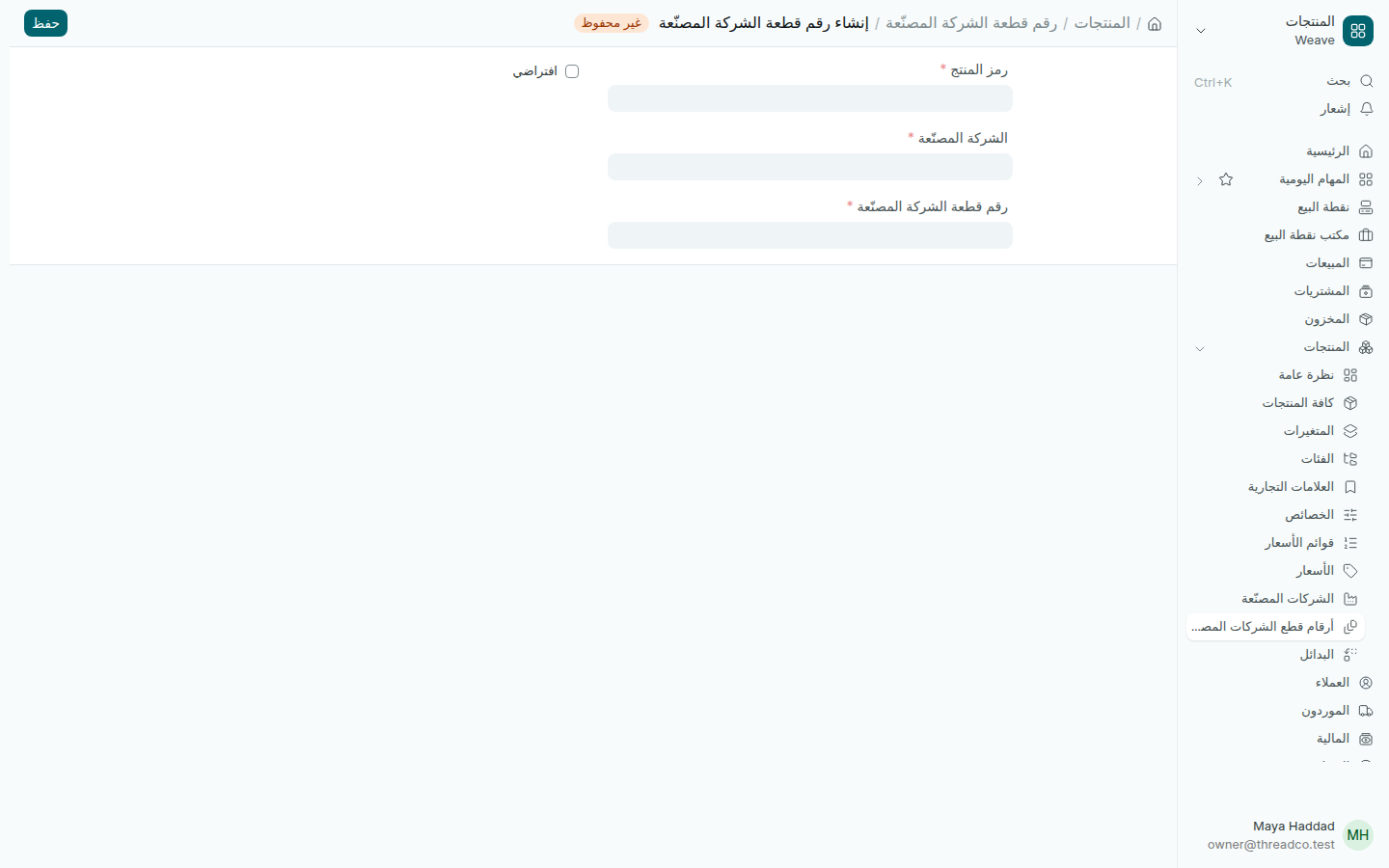
  2. افتح المنتجات ← أرقام قطع الشركات المصنّعة واضغط إضافة.
  3. اختر رمز المنتج والشركة المصنّعة، واكتب رقم قطعة الشركة المصنّعة. حدّد افتراضي إن كان للمنتج أكثر من مصنّع.
  4. اضغط حفظ.
رقم قطعة شركة مصنّعة جديد
المنتج، والشركة المصنّعة، ورقمه عندها.

يُملأ رقم الشركة المصنّعة في تفاصيل سطر المنتج في أمر الشراء، فيعرف المورد ما تطلبه بالضبط.
Manufacturers and part numbers

Who makes a product, and its number at the maker, to order it or find it easily.

  1. Add the manufacturer once in Products → Manufacturers: the Short Name and Full Name.
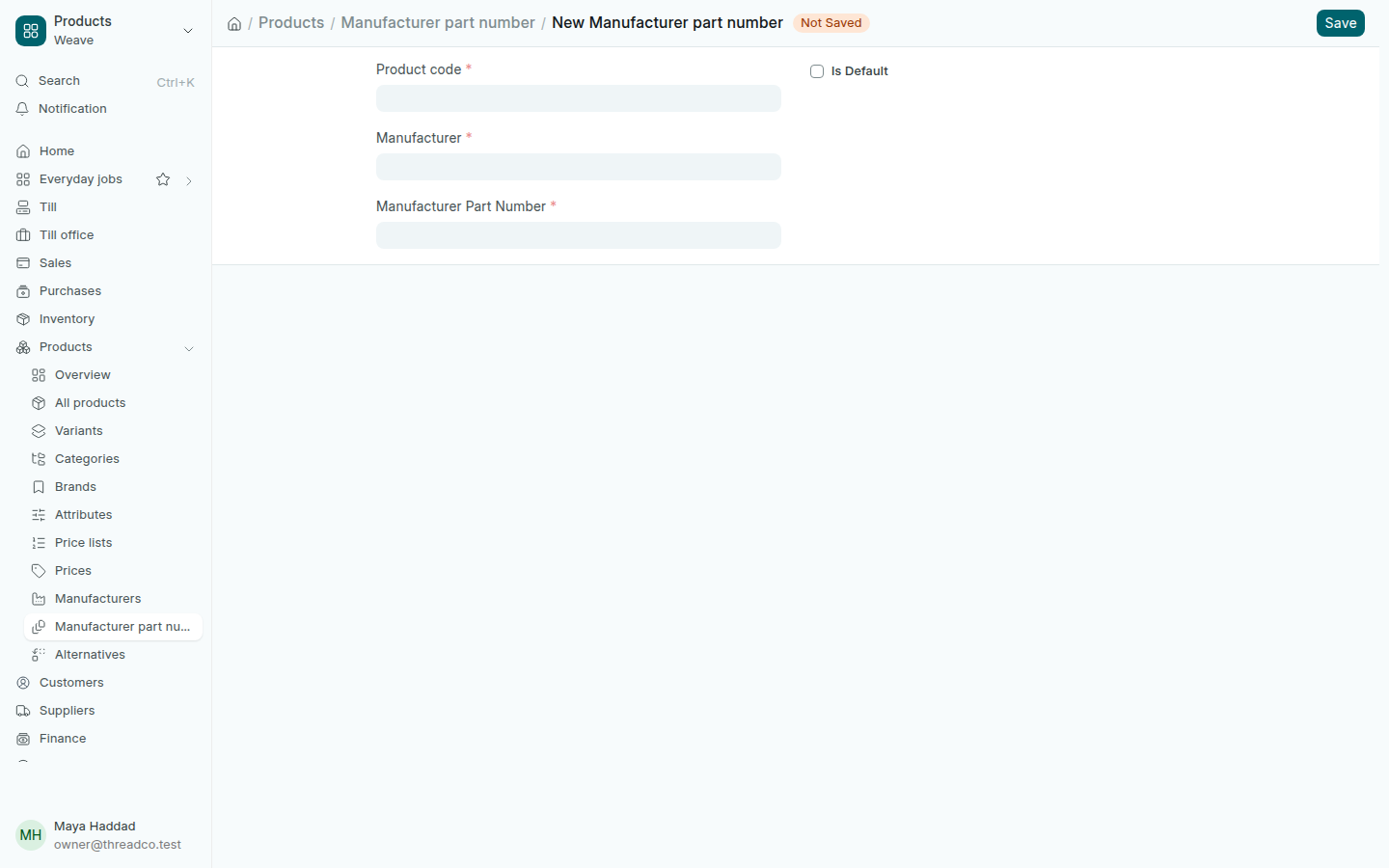
  2. Open Products → Manufacturer part numbers and press Add.
  3. Choose the Product code and the Manufacturer, and type the Manufacturer Part Number. Tick Is Default if the product has more than one maker.
  4. Press Save.
A new manufacturer part number
The product, the manufacturer, and its number there.

The manufacturer's number is filled into the product line's details on a purchase order, so the supplier knows exactly what you want.