اللغة وتنسيق التاريخ والأرقام

يختار كل شخص لغته بنفسه، ويحدّد المالك المنطقة الزمنية وتنسيق التاريخ والأرقام للمتجر كله.

لغتك

يعمل Weave بالعربية أو بالإنجليزية، ويختار كل شخص لغته دون أن يؤثر ذلك على غيره.

  1. اضغط اسمك في أسفل القائمة الجانبية لفتح حسابك.
  2. في اللغة اختر العربية أو English.
  3. اضغط حفظ، ثم أعد تحميل الصفحة. يظهر Weave بلغتك الجديدة.
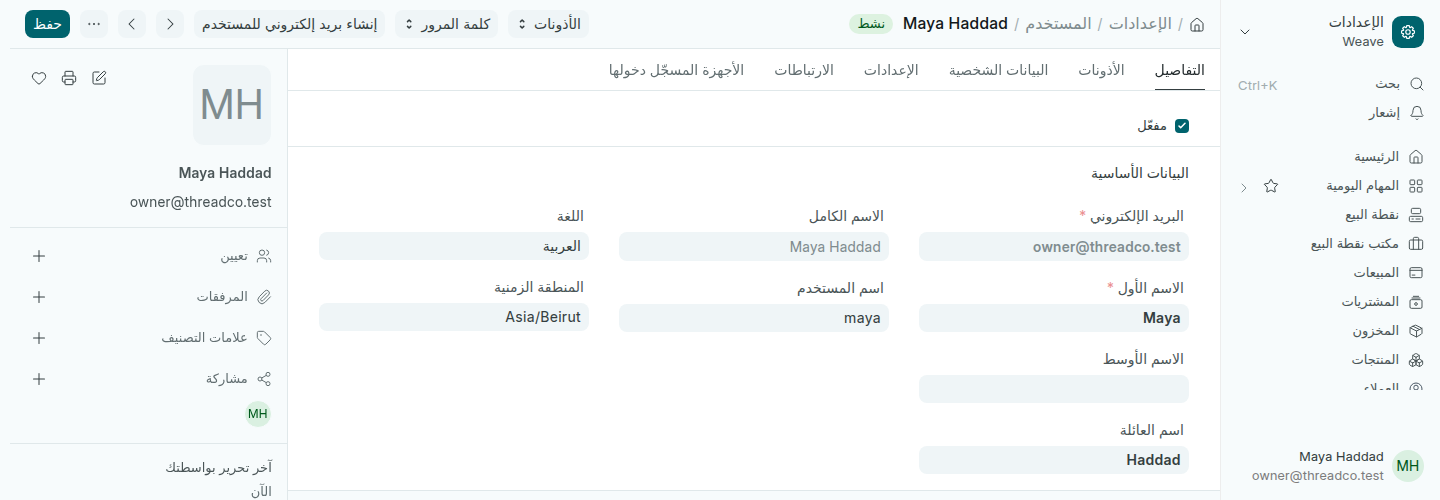
حساب المستخدم مع حقل اللغة
اللغة إعداد شخصي لكل حساب.

تبقى المستندات والتقارير بالبيانات نفسها في اللغتين. أسماء المنتجات والعملاء تظهر كما كُتبت.

تنسيقات المتجر

يحدّد المالك هذه الإعدادات مرة واحدة للمتجر كله من الإعدادات ← اللغة والتنسيقات:

  • المنطقة الزمنية: Asia/Beirut. كل عملية بيع وجلسة وسجل يحمل هذا التوقيت، والخطأ فيه يجعل أرقام اليوم لا تتطابق.
  • تنسيق التاريخ: dd-mm-yyyy، فلا يُقرأ 03-04 على أنه 4 آذار.
  • تنسيق الأرقام: #,###.##، فاصلة للآلاف ونقطة للكسور.
  • دقة العملة: 2 للسنتات. أما الليرة فيتعامل معها Weave بطريقته عند البيع.
  • أول يوم في الأسبوع: يؤثر فقط على تجميع التقارير الأسبوعية.
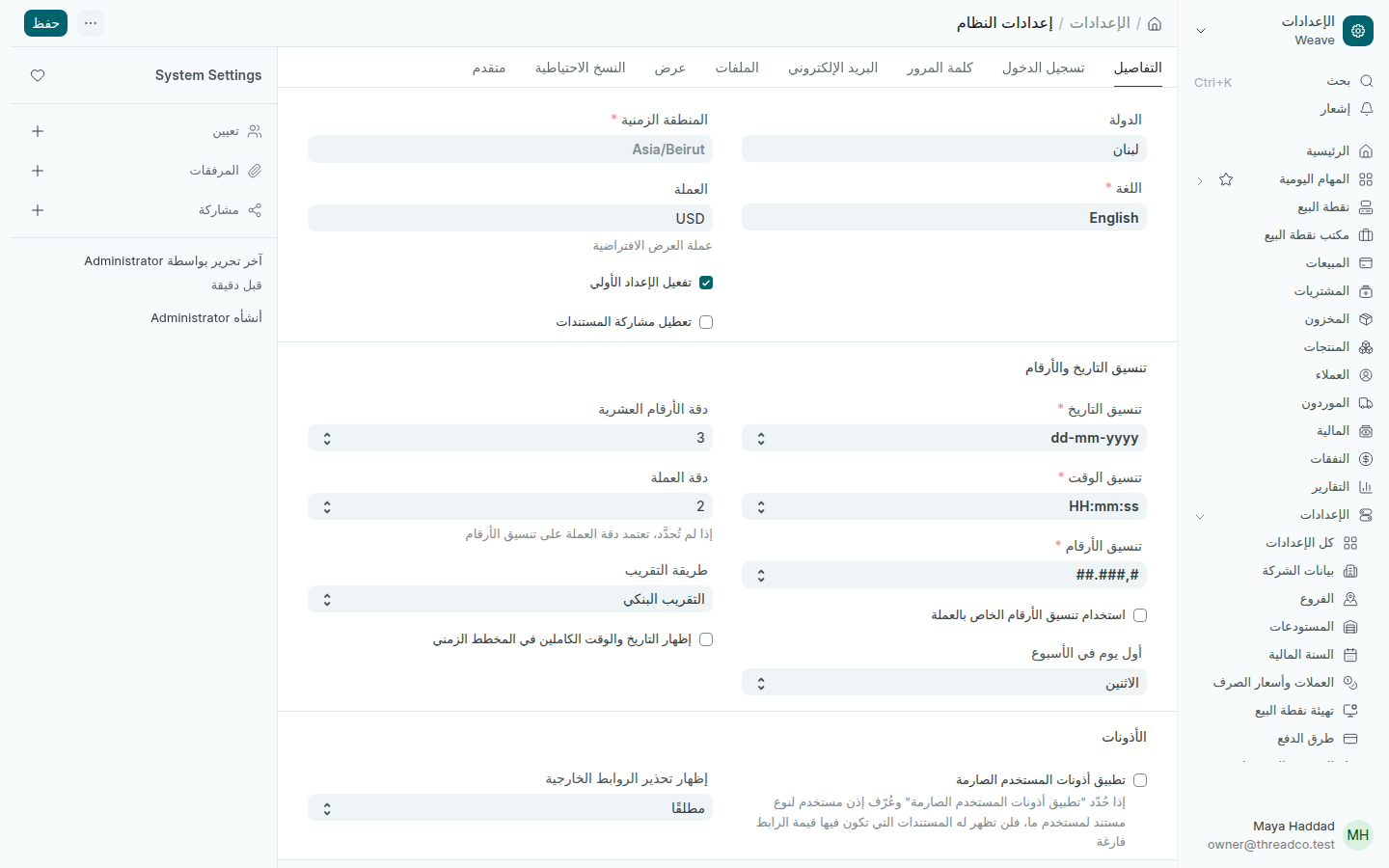
إعدادات اللغة والتنسيقات
إعدادات المتجر كله، يحدّدها المالك.

اضغط حفظ بعد أي تغيير.

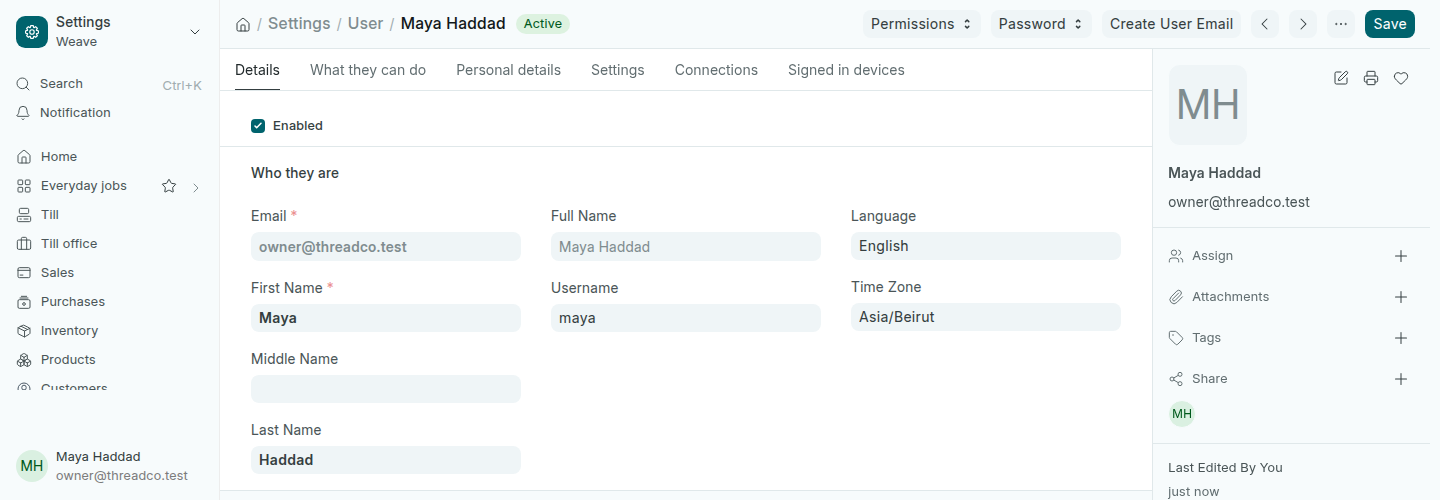
Language, date and number formats

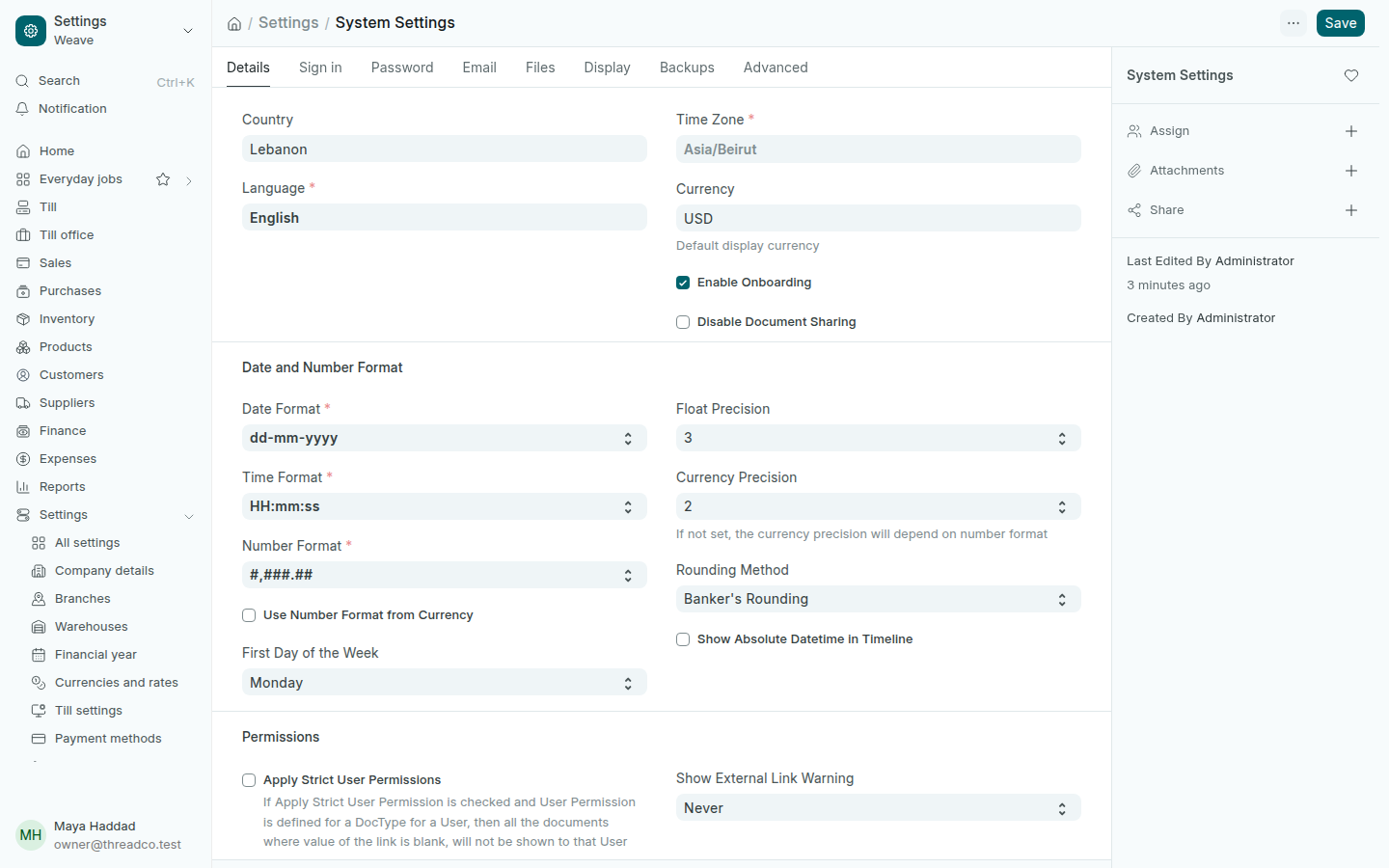
Each person chooses their own language. The owner sets the time zone and the date and number formats for the whole shop.

Your language

Weave works in Arabic or English, and each person chooses their own without affecting anyone else.

  1. Press your name at the bottom of the side menu to open your account.
  2. In Language, choose English or العربية.
  3. Press Save, then reload the page. Weave shows in your new language.
A user's account with the Language field
The language is a personal setting on each account.

Documents and reports show the same data in both languages. Product and customer names appear as they were typed.

The shop's formats

The owner sets these once for the whole shop in Settings → Language and formats:

  • Time Zone: Asia/Beirut. Every sale, shift and record carries this time, and a wrong time zone stops the day's figures from adding up.
  • Date Format: dd-mm-yyyy, so 03-04 is never read as 4 March.
  • Number Format: #,###.##, a comma for thousands and a point for decimals.
  • Currency Precision: 2, for cents. Pounds are handled by Weave in its own way at the till.
  • First Day of the Week: only changes how weekly reports group.
The Language and formats settings
Shop-wide settings, set by the owner.

Press Save after any change.